PUBG BATTLEGROUNDS
-

PUBG BATTLEGROUNDS 100 G-Coin GLOBAL
1.38 $ -

PUBG BATTLEGROUNDS 510 G-Coin GLOBAL
4.98 $ -

PUBG BATTLEGROUNDS 1050 G-Coin GLOBAL
9.48 $ -

PUBG BATTLEGROUNDS 2700 G-Coin GLOBAL
23.39 $ -

PUBG BATTLEGROUNDS 5500 G-Coin GLOBAL
46.79 $ -

PUBG BATTLEGROUNDS 11200 G-Coin GLOBAL
93.59 $
You are deep into a PUBG BATTLEGROUNDS session, you spot a weapon skin you want, and then you realize your G-Coin balance is empty. It happens to players all over the world — from casual weekend shooters to competitive multiplayer regulars who want their loadout to look the part. Getting more G-Coin should be instant, not complicated.
That is why the fastest solution is to buy pubg g-coin online through a verified digital store, pay with a credit card, cryptocurrency assets, or an e-wallet, and have your code in your inbox within minutes. This article covers everything you need to know: what g-coin pubg is, how the recharge works for PC players, what you can spend it on, and how to purchase pubg g-coin on Baxity Store without friction.
PUBG G-Coins for Battle Royale Customization
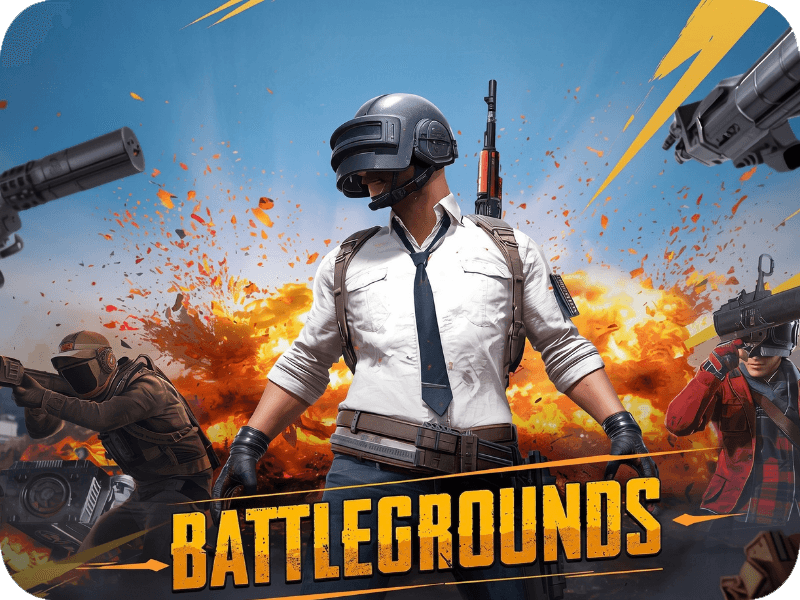
PUBG BATTLEGROUNDS is one of the most influential battle royale games ever made. Developed by Krafton and launched in 2017, it defined an entire genre — dropping up to 100 players onto a shrinking map where only one team survives. The game transitioned to a free-to-play model in January 2022, making it accessible to millions of PC and console players worldwide.
G-Coin is the official premium in-game currency for the PC version of PUBG: BATTLEGROUNDS, available exclusively through Steam. It is a digital currency used entirely for cosmetic content — everything that makes your character and weapons look different without changing how the game plays.
With pubg g-coin, players can purchase character outfits and full costume sets, weapon skins and finishes for rifles, SMGs, pistols and melee weapons, vehicle liveries across all maps, emotes and lobby animations, and exclusive bundle offers that combine multiple cosmetic items at a reduced G-Coin price. Every purchase is purely visual — G-Coin does not affect weapon stats, movement speed, or competitive performance in any way. It is a currency for self-expression within the game.
A pubg g-coin gift card purchased on Baxity is a digital voucher code that credits a specific G-Coin amount directly to your PUBG account. You receive the code by email, enter it in the game, and the balance appears in your account immediately.
PUBG G-Coin Top Up for Steam and PC Players
G-Coin is exclusive to the PC version of PUBG BATTLEGROUNDS played through Steam. Console players on Xbox and PlayStation use different in-game currency systems tied to their platform stores — Xbox Gift Cards or PSN credit — and cannot use G-Coin codes. This distinction matters before you purchase.
For PC players, the pubg g-coin top up process works through an in-game redemption system. You do not need to visit a Steam page or a separate website to apply your balance. The code is entered directly inside the PUBG BATTLEGROUNDS client, in the in-game shop or the dedicated G-Coin redemption section. The credit appears instantly once the code is accepted.
There is just one thing to keep in mind: you need an active PUBG: BATTLEGROUNDS account on Steam to redeem any code. The game is free to play, so creating an account costs nothing — you simply install it through Steam and log in. If you are purchasing pubg battlegrounds g-coin as a gift for someone else, they will need a working Steam account to use it.
The codes sold on Baxity are GLOBAL versions, designed to work across most regions worldwide without regional locks. This makes them a practical choice for international players, gamers in regions with limited local payment options, and anyone buying G-Coin for a friend in another country.
PUBG G-Coins for Battle Passes and Seasonal Events
Beyond individual cosmetic purchases, pubg g-coin plays a central role in the seasonal content system that keeps PUBG BATTLEGROUNDS fresh throughout the year. Krafton regularly introduces new Survivor Passes — the game’s version of a battle pass — that unlock exclusive rewards, seasonal missions, and tiered progression content unavailable anywhere else in the game.
Purchasing the premium tier of a Survivor Pass requires G-Coin. The pass unlocks a full track of exclusive outfits, weapon skins, XP boosts, and challenge missions tied to the current season. Seasonal content is time-limited — once the season ends, those rewards are gone permanently. Players who want access to limited-edition items must have enough pubg battlegrounds coins ready before the season closes.
G-Coin is also used for crates and seasonal event bundles that appear in the in-game store during major updates and themed events. These limited-time offers often include exclusive cosmetics that do not return in future seasons, which gives them lasting value within the PUBG community. Players who follow seasonal events closely tend to keep a G-Coin balance ready so they can act quickly when new content drops.
The recharge model makes this straightforward. You purchase pubg g-coin online in advance, redeem the code when the season or event launches, and you are ready to spend without delays.
Buy PUBG G-Coins Online on Baxity Store
Baxity has operated as a verified international reseller of digital vouchers and gaming credits for over 10 years, serving customers in more than 100 countries. For PUBG players specifically, Baxity offers GLOBAL G-Coin codes across six denominations — 100, 510, 1050, 2700, 5500, and 11200 G-Coin — covering everything from a single cosmetic purchase to a full season of content.
Here is what makes Baxity the practical choice when you want to purchase pubg battlegrounds coin:
- Instant digital delivery. Your G-Coin code arrives by email within minutes of confirmed payment and is also visible in your Baxity account dashboard at any time.
- Cryptocurrency accepted. Pay with Bitcoin, Ethereum, USDT (ERC-20 and TRC-20), and other crypto assets via Cryptomus and KuCoin Pay. No bank card required.
- E-wallets and alternative payment methods. Skrill, Neteller, AstroPay, Paysafecard, and Binance Pay are all supported — useful for players in regions where standard card payments are restricted.
- Visa and Mastercard accepted. Standard debit and credit card payments are available via supported processors.
- No hidden fees. The price shown on the product page is the price of the G-Coin package. Any payment processing fee is displayed transparently at checkout before you confirm.
- GLOBAL codes, no region lock. Baxity’s G-Coin codes work across most regions worldwide, making them a reliable option for international players.
- A Baxity account is required to complete your purchase — register at Baxity before you begin, and you will also be able to track all your orders from your account dashboard.
In practice, Baxity gives players worldwide access to pubg g-coin online without depending on local payment infrastructure or regional store availability. That combination of payment flexibility and instant delivery is what makes it a go-to source for the global PUBG community.
How to Buy PUBG G-Coins on Baxity: Step-by-Step
The purchase process is straightforward. Register your Baxity account first if you have not done so already — it takes under two minutes.
Step 1: Go to the PUBG G-Coin Product Page
- Open your browser and navigate to Baxity Store — PUBG G-Coins.
- Browse the available denominations: 100, 510, 1050, 2700, 5500, or 11200 G-Coin.
- Select the denomination that matches your spending plan.
Step 2: Choose Your Payment Method
- Click “Add to Cart” or “Buy Now” on the product page.
- Proceed to checkout.
- Select your preferred payment method — credit card, cryptocurrency assets, e-wallet, or another available option.
- Complete the payment securely on the Baxity checkout page.
Step 3: Receive Your G-Coin Code
- Check your email inbox immediately after payment. Delivery is typically instant or within a few minutes.
- The code is also visible in your Baxity account dashboard under your order history.
- If the code does not arrive within 15 minutes, check your spam folder or log into your Baxity account to view the order.
Step 4: Redeem in PUBG: BATTLEGROUNDS
- Launch PUBG BATTLEGROUNDS on Steam and log in to your account.
- Navigate to the in-game Shop or the G-Coin redemption section.
- Select the option to enter a voucher or redemption code.
- Enter the G-Coin code exactly as shown in your email or Baxity dashboard.
- Confirm the redemption. Your G-Coin balance will update immediately.
Which Denomination Is Right for You?
Choosing the right amount of G-Coin depends on what you plan to spend it on. The table below maps common use cases to the most suitable denomination:
| G-Coin Amount | Price (approx.) | Best For |
|---|---|---|
| 100 G-Coin | $1.38 | Single small cosmetic item or testing the system |
| 510 G-Coin | $4.98 | One or two mid-range weapon skins or emotes |
| 1050 G-Coin | $9.48 | A full outfit set or several individual cosmetics |
| 2700 G-Coin | $23.39 | Survivor Pass premium tier + extra cosmetics |
| 5500 G-Coin | $46.79 | Full seasonal content + several weapon skin bundles |
| 11200 G-Coin | $93.59 | Long-term supply for active players and collectors |
For players buying G-Coin primarily for a Survivor Pass, the 2700 denomination typically covers the pass and leaves some balance for additional items. Active players who follow seasonal events and buy multiple cosmetics throughout the year often find the 5500 or 11200 options more economical per G-Coin unit.
Common Issues and How to Solve Them
| Problem | Why It Happens | What to Do |
|---|---|---|
| Code not accepted in-game | Typo or extra space when entering the code | Copy-paste the code directly from your email or Baxity dashboard instead of typing it manually |
| “Code already used” error | The code was previously redeemed | Check your PUBG transaction history. If the code was not used by you, contact Baxity support |
| Email with code not received | Spam filter or incorrect email at checkout | Check spam folder. Log into your Baxity account to view the code in your order dashboard |
| Code not working on console | G-Coin is PC/Steam only | G-Coin codes cannot be used on Xbox or PlayStation. Console players need platform-specific currency |
| G-Coin balance not updated after redemption | Rare in-game sync delay | Wait a few minutes and restart the PUBG client. If unresolved, contact PUBG support via Krafton |
| Payment declined | Card restrictions or unsupported region | Switch to cryptocurrency assets, an e-wallet such as Skrill or Neteller, or another available method |
Additional Information
A pubg g-coin voucher is a digital redemption code tied to a specific G-Coin amount and delivered entirely by email — there is no physical card, no shipping wait, and no regional store dependency. The code is also stored in your Baxity account dashboard, so you always have access to it even if the email is lost or filtered.
G-Coin codes sold on Baxity are GLOBAL versions, compatible with most Steam accounts worldwide. They are not region-locked in the way that some platform store credit can be, which makes them a reliable choice for players purchasing from abroad or gifting to someone in another country. Each code can only be redeemed once — once applied to an account, the G-Coin balance stays there until spent in the in-game store.
G-Coin does not expire once credited to your PUBG account. Unredeemed codes should be redeemed promptly after purchase as a general best practice, though no short-term expiry applies under standard conditions. Baxity supports purchase pubg g-coin across all major payment types — credit cards, cryptocurrency assets, and e-wallets — so players worldwide can top up regardless of local payment infrastructure. If you experience any issue with delivery or redemption, the Baxity support team is available via email at [email protected] and Telegram at @baxitysupport.
What is PUBG BATTLEGROUNDS G-Coin?
PUBG BATTLEGROUNDS is one of the most popular battle royale games in the world, developed by Krafton. Originally launched as a paid title, it transitioned to a free-to-play model in January 2022, making it accessible to millions of players across PC (Steam), Xbox, and PlayStation platforms. The game drops up to 100 players onto a large, shrinking map where they must scavenge for weapons and equipment and fight to be the last person or team standing.
G-Coin is the official premium in-game currency of PUBG BATTLEGROUNDS on PC (Steam). It is used to purchase cosmetic content directly from the in-game store — including skins, outfits, weapon finishes, and seasonal battle passes. G-Coin is separate from the in-game currency used on console versions of PUBG.
A PUBG G-Coin code purchased on Baxity is a digital voucher that credits a specific amount of G-Coin directly to your PUBG BATTLEGROUNDS account. Baxity offers GLOBAL versions of G-Coin codes, available in denominations of 100, 510, 1050, 2700, 5500, and 11200 G-Coin, making it easy to top up exactly as much as you need.
What can I buy with PUBG G-Coin?
G-Coin is used exclusively within PUBG BATTLEGROUNDS to purchase premium in-game content. Here is what you can spend your G-Coin on:
- Cosmetic skins and outfits — character costumes, helmets, vests, masks, gloves, and full outfit sets that let you customize the look of your character
- Weapon skins and finishes — unique visual designs for rifles, SMGs, shotguns, pistols, and melee weapons
- Vehicle skins — custom liveries and paint jobs for vehicles across all maps
- Emotes and gestures — in-game animations and expressions to use in the lobby or during gameplay
- The BATTLEGROUNDS Pass (seasonal Battle Pass) — purchasing the premium tier of the seasonal pass, which unlocks exclusive rewards, missions, and progression rewards across the season
- G-Coin bundles and special offers — limited-time shop bundles that combine multiple cosmetic items at a discounted G-Coin price
- Crates and keys — cosmetic loot crates available in the in-game store
It is important to note that G-Coin is a purely cosmetic currency — it does not affect gameplay, weapon stats, or competitive performance in any way. All items purchased with G-Coin are visual upgrades only.
How do I redeem PUBG G-Coin purchased on Baxity?
Redeeming your PUBG G-Coin code is a quick process. Follow these steps:
- Step 1 — Purchase your G-Coin code on Baxity
Select the denomination you need (100, 510, 1050, 2700, 5500, or 11200 G-Coin), add it to your cart, and complete the checkout using your preferred payment method. - Step 2 — Receive your code by email
After your payment is confirmed, Baxity will send the G-Coin redemption code to the email address used at checkout. Delivery is typically instant or within a few minutes. - Step 3 — Launch PUBG BATTLEGROUNDS on Steam
Open the game on your PC via Steam and log in to your PUBG account. - Step 4 — Open the in-game store
Navigate to the in-game Shop or the G-Coin redemption section within PUBG BATTLEGROUNDS. - Step 5 — Enter your code
Input the G-Coin code you received from Baxity. The G-Coin balance will be credited to your account immediately upon successful redemption.
What you need:
- A valid, active PUBG BATTLEGROUNDS account on Steam
- The game installed and running on PC
- The G-Coin code received from Baxity
Note: G-Coin codes sold on Baxity are for the PC (Steam) version of PUBG BATTLEGROUNDS. Console players (Xbox, PlayStation) use a different in-game currency system and should purchase platform-specific currency (Xbox Gift Cards or PSN cards) instead.
How quickly will I receive my PUBG G-Coin code?
In the vast majority of orders, your PUBG G-Coin code is delivered to your email instantly or within a few minutes of successful payment confirmation. Baxity’s delivery system is fully automated, so there is no manual processing step for standard orders.
Delivery may occasionally take slightly longer in the following situations:
- Crypto payment confirmation delays — some blockchain networks require additional block confirmations before a transaction is considered complete, which can add a few minutes to delivery time
- Email filtering — check your spam, junk, or promotions folder if you do not see the code in your main inbox within a few minutes of purchase
- High-demand periods — during major PUBG updates, seasonal launches, or sales events, minor delays are possible but uncommon
If you have not received your G-Coin code within 24 hours of completing your purchase, contact Baxity support immediately with your order details.
Can I buy PUBG G-Coin with cryptocurrency?
Yes. Baxity fully supports cryptocurrency payments for PUBG G-Coin codes, making it one of the most convenient options for gamers who prefer to use crypto instead of traditional payment methods.
Supported crypto payment options on Baxity include:
- Bitcoin (BTC)
- Ethereum (ETH)
- Tether (USDT) — ERC-20 and TRC-20
- Other cryptocurrencies via Cryptomus and KuCoin Pay
Paying with crypto on Baxity has several advantages:
- Lower processing fees compared to card payments
- No bank card or local payment account required — ideal for players in regions where card payments for gaming content are restricted or inconvenient
- Fast and borderless — crypto transactions work globally, regardless of your country
- Privacy-friendly — no need to share sensitive financial details
For gamers who hold crypto assets and want to convert them into PUBG content, Baxity offers one of the simplest and most direct routes available.
What payment methods are supported for PUBG G-Coin on Baxity?
Baxity supports a broad range of payment methods to ensure that players from around the world can easily purchase PUBG G-Coin codes, regardless of their location or preferred payment tool:
- Cryptocurrency — Bitcoin, Ethereum, USDT, and more via Cryptomus and KuCoin Pay
- Binance Pay — seamless payment directly from your Binance account
- Skrill — widely used e-wallet popular among gamers across Europe and beyond
- Neteller — trusted digital wallet for fast international payments
- AstroPay (ICash.One) — prepaid voucher solution for users without bank cards
- Paysafecard — cash-based prepaid payment available at retail locations worldwide
- Visa and Mastercard — standard debit and credit card payments via supported processors
The available payment methods shown at checkout may vary depending on your selected country/region in the Baxity store. All prices are displayed transparently — no hidden fees are added to the product price itself. Any applicable payment processing fee is shown clearly before you confirm your order.
What should I do if my PUBG G-Coin code is not working?
If you experience any issue with your G-Coin code after purchase, follow these steps before contacting support:
Check the basics first:
- Make sure you are entering the code exactly as received — check for extra spaces, missing characters, or typos
- Confirm you are redeeming the code in PUBG: BATTLEGROUNDS on PC (Steam), not on a console version
- Verify that your PUBG account is in good standing and not banned or restricted
- Ensure the code has not already been used — each G-Coin code can only be redeemed once
- Check that the code region matches your account region (GLOBAL codes are compatible with most regions worldwide)
If the issue persists, contact Baxity support:
Reach out to the Baxity team via:
- Email: [email protected]
- Telegram: @baxitysupport
Please provide the following information when contacting support:
- Your Baxity order ID
- The email address used at checkout
- The G-Coin code you are trying to redeem (or a screenshot)
- A screenshot of the error message you are seeing in-game
- Your payment confirmation (transaction ID or receipt)
The Baxity support team will review your case promptly and work to resolve it as quickly as possible.
Are PUBG G-Coin codes region locked?
The PUBG G-Coin codes sold on Baxity are GLOBAL versions, which means they are designed to work across most regions worldwide without regional restrictions. This makes them an ideal choice for international players, gamers in regions with limited local payment options, and anyone purchasing G-Coin for a friend or family member in another country.
However, it is always worth being aware of the following:
- PUBG account region — your PUBG account is associated with your Steam region. While GLOBAL G-Coin codes are broadly compatible, in rare cases regional mismatches may occur. Always verify the product description before purchase.
- Not for console — these G-Coin codes are specifically for PUBG BATTLEGROUNDS on PC via Steam. They cannot be used on Xbox or PlayStation versions of the game.
- Check the product listing — the denomination and region are always specified in the product name on Baxity (e.g., “PUBG BATTLEGROUNDS 1050 G-Coin GLOBAL”). If you are purchasing for a specific region, confirm compatibility before completing your order.
Do PUBG G-Coin codes expire?
PUBG G-Coin codes purchased on Baxity do not have a published expiration date under standard conditions. Once redeemed, G-Coin is credited to your PUBG account balance and remains there until spent in the in-game store — there is no expiry on G-Coin once it has been applied to your account.
That said, it is good practice to redeem your G-Coin code promptly after purchase. Unredeemed codes held for extended periods may theoretically be affected by future policy changes from Krafton, though this is uncommon. Baxity recommends redeeming your code as soon as you receive it to avoid any potential issues.
Can I gift PUBG G-Coin to a friend?
Yes. PUBG G-Coin codes are digital voucher codes delivered by email, which means they can easily be shared with or gifted to friends, family members, or fellow PUBG players. Simply forward the code you received from Baxity to the recipient, and they can redeem it on their own PUBG BATTLEGROUNDS account on Steam.
This makes Baxity G-Coin codes a great gifting option for:
- Birthdays and special occasions for PUBG players
- Gifting to friends in other countries (GLOBAL codes work worldwide)
- Team or clan members who want to coordinate cosmetic purchases
- Content creators and streamers looking to gift their community
Note that each code can only be redeemed once, so once a code is shared and used by the recipient, it cannot be re-used or transferred again.
Do I need a PUBG account to use G-Coin?
Yes. To redeem and use PUBG G-Coin, you need an active PUBG BATTLEGROUNDS account on Steam. The game is free to play, so creating an account costs nothing — you simply need to install PUBG BATTLEGROUNDS via Steam and log in with your Steam credentials.
If you do not yet have a Steam account, you can create one for free at store.steampowered.com. Once your Steam account is set up, install PUBG BATTLEGROUNDS (free to play), launch the game, and you will be ready to redeem your G-Coin code and start spending it in the in-game shop.
Can I get a refund for PUBG G-Coin purchased on Baxity?
If the code has not been delivered — contact Baxity support with your order ID and payment confirmation. Our team will investigate and resolve the issue promptly.
To report an issue, contact Baxity support:
- Email: [email protected]
- Telegram: @baxitysupport
For full details, please refer to Baxity’s official Return Policy.
Why buy PUBG G-Coin on Baxity?
Baxity is a trusted international digital voucher store with a wide selection of gaming credits, gift cards, and prepaid products. Here is why PUBG players choose Baxity to buy G-Coin:
- Instant delivery — your G-Coin code arrives by email within minutes, so you can get straight into the in-game shop without waiting
- GLOBAL codes — no regional restrictions, works for players worldwide
- Crypto payments accepted — pay with Bitcoin, Ethereum, USDT, and more — no bank card needed
- No hidden fees — the price shown is the price of the G-Coin package; any processing fee is shown transparently at checkout
- Wide payment options — Visa, Mastercard, Skrill, Neteller, AstroPay, Paysafecard, Binance Pay, and crypto all available
- Great for gifting — codes are delivered by email and can be forwarded to friends or family anywhere in the world
- Bulk purchasing available — businesses and wholesale buyers can use Baxity’s partners program for volume orders
- Dedicated support — the Baxity team is available via email and Telegram to resolve any issues quickly
Payment region
The payment options depend on your region. You can change your country.
Want to buy in bulk? Have a team?
You see the final price of the voucher! Only payment processing fees applies in the checkout.
Want to reduce additional costs to the minimum? Choose Crypto as a payment option in the checkout!
Visa, Mastercard, Zen, AstroPay, Paysafecard, Skrill, Neteller, Crypto, BinancePay