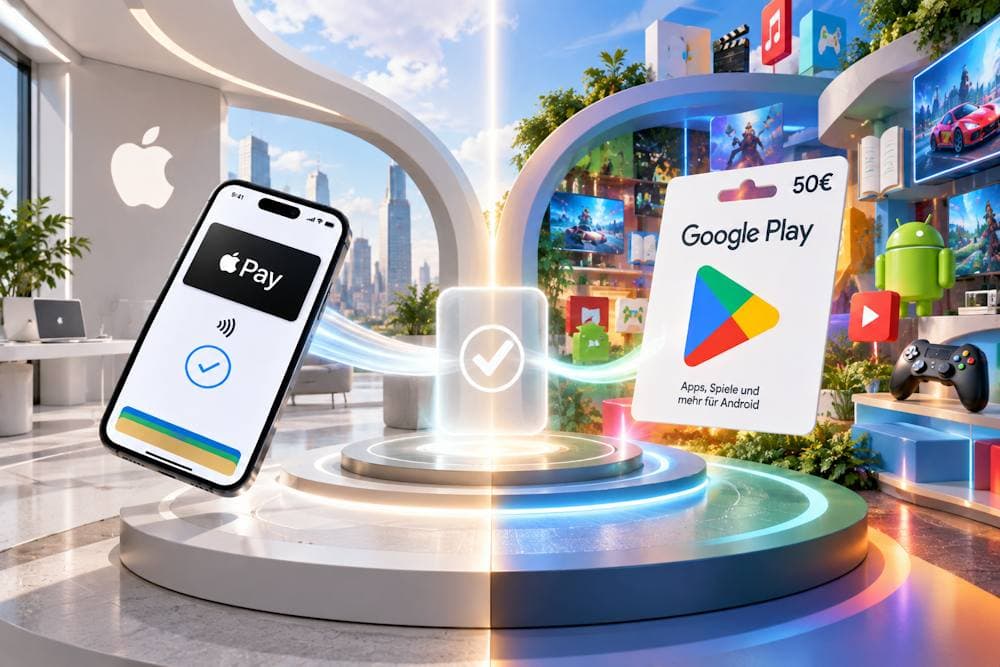
Apple and Google have been competing for years. For an iPhone owner who needs Google Play balance, that divide has a practical consequence: you can’t pay for Google Play purchases directly with Apple Pay. There is a way to pay with Apple Pay and still add funds to your Google Play balance. Buy an online Google Play card from a third-party seller, pay with Apple Pay, receive the digital code by email, and redeem it in your Google Account. Your phone can be an iPhone; the balance belongs to your Google Account.
But before you buy a Google Play gift card with Apple Pay, check two things: whether Google Play balance can pay for what you want and whether the card will work with your account. Below, we’ll cover both and walk you through the process from payment to redemption.
Google Play Gift Card
How Apple Pay Works for Google Play Purchases
Google Play does not accept Apple Pay as a payment method. This is not a temporary restriction: the two payment systems belong to separate ecosystems that do not connect directly. Google Play supports payment methods such as credit and debit cards, Google Play balance and, in some countries, PayPal. Apple Pay is not among them. On Android, purchases are handled through a Google Account, with no Apple Pay option in that payment flow. For an iPhone owner, the result is simple: Apple Pay is ready to use on the phone, but it cannot pay for a Google Play purchase directly.
Why Doesn’t Google Play Support Apple Pay?
Apple Pay is built into Apple devices; it is not a separate app that can be installed on any phone. Google Play handles payments through the methods available to a user’s Google Account. The two systems have different payment infrastructures, and there is no direct integration between Apple Pay and Google Play.
Why Isn’t Apple Pay Available to Everyone?
Having an iPhone does not automatically mean you can use Apple Pay. Its availability depends on two things:
- Your country or region. Apple Pay is available in many countries, but not worldwide.
- Your card issuer. Even where Apple Pay is supported, not every bank or card is eligible. Two people in the same country may have different options, and even two cards belonging to the same iPhone owner may work differently.
Google Play payment methods also vary by country. But none of these conditions changes the answer to the main question: you cannot pay for Google Play with Apple Pay directly.
How Can You Use Apple Pay for Google Play?
The practical route is to separate paying for the gift card from adding its value to your Google Play balance. You can buy a Google Play gift card with Apple Pay from a seller that accepts it, then redeem the code in your Google Account. This lets you use Apple Pay for the card purchase; it does not add Apple Pay to Google Play’s payment methods.
Google Play Gift Card
Why Buy Google Play Credit with Apple Pay
A digital gift card lets iPhone owners add a chosen amount to their Google Play balance while paying with Apple Pay. It is a way to buy Google Play with Apple Pay in the form of a gift card: you pay the seller for a code, then redeem it to add the card’s value to your balance. The payment method is already set up on your phone.
Google offers other ways to add funds, but each comes with a different requirement:
- Cash top-ups require a participating store; a fee may apply.
- Play Points can be exchanged for credit once you have earned enough points.
- Gift cards can be purchased online with a denomination chosen before payment.
The third option lets you use Apple Pay to buy a Google Play gift card when you do not have enough points and would rather skip a trip to a store. With a digital card, there is no physical product to find: the seller sends the code electronically after processing your order. This may be quicker than visiting a store or waiting for a card in the mail, although delivery time depends on the seller.
There is an advantage at checkout, too. You do not have to type your bank card number into the seller’s website, and Apple Pay does not share your actual card number with the seller. Once you redeem the code, you can use Apple Pay for Google Play balance top-ups without linking a bank card to your Google Account: Apple Pay covered the gift card purchase, and the code provides the balance.
What Can You Buy with Google Play Balance
Once you redeem a gift card, its value is added to your Google Play balance. This gives you a way to top up Google Play with Apple Pay, but before buying a code, it’s worth checking whether the purchase you have in mind accepts Play balance. For iPhone owners, there’s another distinction: buying content with Google Play balance and using it on an iPhone are not always the same thing. Available categories also vary by country. Next, we’ll look more closely at what Google Play lets you pay for with your balance, including individual purchases, content and service subscriptions, YouTube content, and more.
Apps and Games
Google Play balance covers paid apps, games, and in-app purchases within the Google ecosystem. This includes one-time purchases — navigation apps, photo editors, office software — as well as eligible in-app purchases, season passes, and in-game currencies in mobile titles like Brawl Stars, Genshin Impact, or PUBG Mobile.
However, an app bought in the Play Store is built for a compatible Android device: you can't install it on an iPhone. The same goes for in-game purchases — a payment made in the iOS version of a game doesn't go through Google Play just because the same account is used on Android.
Books, Movies and Digital Content
Books work differently. An available eBook or audiobook can be purchased through the Google Play web page, then read or listened to in Google Play Books on an iPhone by signing into the same account. That way, your balance funds a Google purchase, and you enjoy the content on an Apple device.
Your balance can also go toward available movies and other digital content. A purchased movie can be watched on an iPhone, though you can't buy or rent one directly in the Google TV app for iOS. Which titles are available and whether they can be paid for with balance should be checked for your country.
Subscriptions
Some subscriptions accept Google Play balance; others don't. Before signing up for a specific subscription, check whether this payment method is available for it.
- YouTube Premium is available in over 100 countries and regions, but Google Play balance support depends on the specific market. If the subscription was set up through Apple (Billed by Apple), Google Play balance doesn't apply at all — payment management happens entirely through Apple.
- Google One. Google Play balance can be used to pay for the subscription in select countries and regions.
A gift card tops up your balance once, while a subscription can renew monthly. If, at checkout, Google Play combines your remaining balance with another payment method through Split Payment, that combination applies to the first payment or a plan change. For subsequent charges, your configured primary or backup payment methods are used. So before buying a code, check your subscription's payment method and renewal terms.
So, using Apple Pay for Google Play works through buying a gift card that tops up your balance. The key is to buy the card from a reliable seller — which we'll cover next.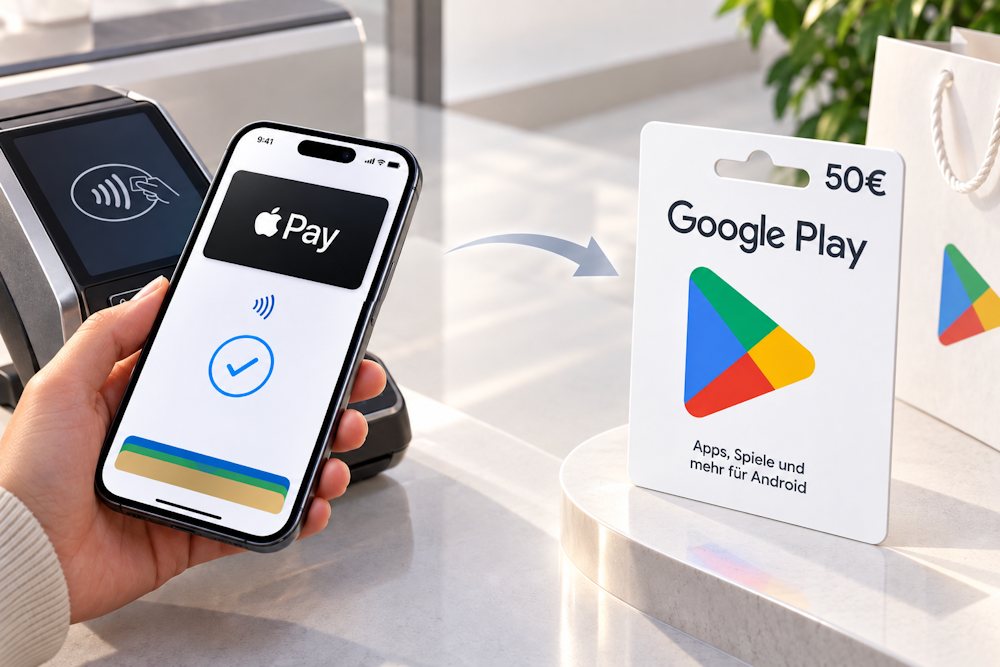
How to Buy a Google Play Gift Card with Apple Pay on Baxity Store
You can’t buy an online gift card in the Google Play Store and pay for it directly with Apple Pay. To use Apple Pay, purchase the digital code from a seller that accepts it. Choosing that seller matters: if a code doesn’t arrive or cannot be redeemed, you need a clear way to check the order and get help. A Google Play gift card cannot be topped up, and once its code has been redeemed, the balance cannot simply be returned or transferred to another account. That makes it worth checking the seller before you pay.
Before you buy a Google Play gift card with Apple Pay, check five things:
- Seller status. A verified reseller works with trusted suppliers rather than anonymous code listings.
- Card details. The country, currency and denomination are shown before payment, so you can check them against your Google Play account.
- Delivery terms. You know where to find the code and what to do if the email doesn’t arrive.
- Payment security. The site uses an encrypted connection and shows the final price before you confirm the order.
- Support. You can contact the seller about a missing code or a problem with your order.
Baxity Store meets these criteria. It is a verified reseller with over a decade of experience in digital commerce, SSL encryption and 24/7 customer support. Purchased codes are sent by email after the order is processed and can also be found in Orders. Wholesale terms are available for orders of 10 cards or more. The next steps show how to purchase a Google Play gift card online on Baxity Store.
- Open the Google Play catalog. To buy a gift card online for the Google Play Store, open Baxity Store on your iPhone and select Gift Cards → Google Play. You’ll find digital cards for different countries and currencies.
- Filter by country and currency. The catalog has two separate filters: Choose a currency and Choose a country. The available currencies are USD, EUR, BRL, TRY, INR, IDR, SAR, AED, and MXN. The available countries are AE, AT, DE, MX, SA, and TR. First, match the card’s country to your Google Play account country. Then check its currency. The card must be issued for the same country and currency as your account; otherwise, you won’t be able to redeem the code.
- Choose a denomination and add the card to your cart. Select a card, check its price and availability, choose the quantity, and tap Add to cart. For multiple codes, review every item in your cart before checking out.
- Sign in to Baxity Store. After adding the cards, open your cart and sign in. For your first purchase, create an account and complete the verification requested by the site. Use an email address you can access: that’s where your code will be sent.
- Check out and pay with Apple Pay. On the Checkout page, review the card, quantity, and order total. Select Apple Pay from the payment methods, agree to the site’s terms, and tap Place order. For a Google Play gift card purchase with Apple Pay, make sure Apple Pay is already set up on your iPhone. Then confirm the Apple Pay payment for your Google Play card in the Apple Pay window using Face ID or Touch ID. There’s no need to enter your bank card number manually: Apple Pay doesn’t share your actual card number with the seller.
- Get your code. Once your payment is confirmed and the order is processed, check your email. If the message isn’t in your inbox, look in your spam folder and the Orders section of your Baxity Store account. Delivery is digital; the exact arrival time depends on order processing.
That’s how to buy a Google Play gift card with Apple Pay on your iPhone. Before confirming payment, check the card’s country and currency against your Google Play account and review the order total.
Google Play Gift Card
How to Redeem a Google Play Gift Card
Once you buy a Google Play gift card online, the code you receive can be redeemed in your own Google Account or given to someone else. Decide which account should receive the value before redeeming it: once confirmed, the balance cannot be moved to another account.
| Step | In a browser | In the Google Play app |
|---|---|---|
| 1. Open the redemption page | Go to play.google.com/redeem and sign in to the intended Google Account. | Open Google Play, tap your profile icon, and select Payments & subscriptions → Redeem code. |
| 2. Enter the code | Enter the code and tap Redeem. | Enter the code and tap Redeem. |
| 3. Confirm the account | Check which account will receive the value, then tap Confirm. | Check the account shown on screen, then tap Confirm. |
Although you can’t pay for Google Play with Apple Pay directly, a gift card makes it easy to top up your balance. Pay for the code with Apple Pay, redeem it, and the card’s value will be added to the Google Play balance of the account you confirmed. You can then use that balance to pay for eligible apps, games, subscriptions, and other digital content.
What to avoid: Don’t redeem the code in your own account if you plan to give the card to someone else. After you tap Confirm, you cannot transfer the credited balance to them. Under Google’s rules, Play balance generally cannot be refunded or transferred, even between accounts you own.
If you received the code as a gift, redeem it in your own account. If you’re giving it to someone, share it before redemption so they can add the value to their account. In this scenario, the way to transfer from Apple Pay to Google Play is to pay for the gift card with Apple Pay and have the recipient redeem its code in their Google Account.
Important Things to Check Before Buying
Before you buy a Google card online, check that it matches the Google Play account where the code will be redeemed. A mismatch can prevent redemption, while refunds for gift cards are generally restricted. Here is what to review before paying.
| What to check | Why it matters | What to do before paying |
|---|---|---|
| Card country and Google Play account country | The account country must match the country where the card is offered. | Check your Google Play country against the region stated for the card. |
| Card currency | A card can be redeemed and used only in the currency in which it was purchased. Play balance does not move to a new country if you change your Google Play country. | Check the currency of the card itself, not just the currency in which the seller displays its price. |
| Your location when redeeming | A Google Play gift card can be redeemed only in its country of purchase. A VPN does not change that requirement. | Choose a card for the country where you can redeem and use it. |
| Denomination and any remaining balance | The card’s value is added to your Google Play balance. Any unused amount remains there for future eligible purchases; it cannot be withdrawn as cash. | Choose a denomination that suits your planned purchase and review the order total. |
| One-time top-up | A gift card adds prepaid credit. It does not set up automatic top-ups. | For a recurring subscription, plan for future charges: you may need to add more credit or use another accepted payment method. |
| Payment for the intended purchase | Some purchases and subscriptions do not accept Google Play balance. | Check the payment methods for the specific product before buying the card. |
| Who will redeem the code | After you tap Confirm, the value is tied to the selected Google Account and cannot be transferred to another account. | Redeem your own code in your account. For a gift, give the recipient the unused code and check that the card’s region matches their account. |
| How you plan to give the card | Google’s own feature for buying and sending digital gift cards is available in nine countries: Australia, Canada, France, Germany, Italy, Japan, Mexico, the United Kingdom, and the United States. Buying a code from a seller and passing it to the recipient is a separate process. | For a code bought from a seller, check the redemption requirements rather than the country list for Google’s gifting feature. |
| Purchases for a child | A Google Play gift card cannot be added as a family payment method. | Do not redeem the code in your own account expecting your balance to automatically cover your child’s purchases. |
| Code delivery and order details | The digital code arrives after the order is processed. If the email is delayed, you may need your order details. | Use an email address you can access and keep your payment confirmation and invoice. If needed, check your spam folder and Orders. |
When you buy a Google Play gift card with Apple Pay, choose a verified reseller with reliable suppliers and a solid reputation. Then make the final check that matters for redemption: the card’s country, currency, and denomination must suit the account and purchase you have in mind.
Conclusion
Google Play doesn’t accept Apple Pay directly. A gift card still lets you connect Apple Pay and Google Play: pay for the voucher with Apple Pay, receive the digital code instantly once your order is confirmed, and redeem it to add the card’s value to the intended Google Account.
To buy a Google Play gift card with Apple Pay, choose the seller as carefully as you would any digital product: check their status, delivery terms, and support. Once you’ve done that, the next step is simple: browse Google Play Gift Cards on Baxity Store, match the card’s country and currency to the Google Play account, and place your order with Apple Pay.
FAQ
1. Can I buy a Google Play Gift Card with Apple Pay? Yes. Choose a digital card from a seller that accepts Apple Pay and pay at checkout. Once you receive the code, redeem it in a Google Account. Apple Pay pays the seller for the card; it does not pay for purchases inside Google Play.
2. Can I add Apple Pay to Google Play as a payment method? No. Apple Pay is not available as a Google Play payment method. Redeeming a gift card adds its value to your Google Play balance, but it does not add Apple Pay to your account.
3. Can I transfer from Apple Pay to Google Play directly? No. There is no direct transfer. To add Google Play credit, pay for a gift card with Apple Pay and redeem its code in the intended Google Account.
4. Can I transfer Google Play balance to Apple Pay? No. Once you redeem the card, its value becomes Google Play balance. You cannot transfer that balance to Apple Pay or use it to buy another gift card.
5. Can I use Apple Pay to buy a Google Play Gift Card for someone else? Yes. Pay for the code with Apple Pay and give it to the recipient before it is redeemed. They should redeem it in their own Google Account. Check that the card’s country and currency meet the requirements for their account before buying. Once redeemed, the balance cannot be transferred to another person.
6. Does transferring from Apple Pay to Google Play through a gift card work in every country? No. Paying for the card with Apple Pay depends on the seller and whether Apple Pay is available for that purchase. Redemption has separate Google Play restrictions: the Google Play account country must match the card’s country, and the card can be redeemed and used only in the country and currency in which it was purchased.


Comments
Sign in to join the conversation. Every comment is reviewed before it appears on the page.
Sign in to comment
You need an account to leave a comment. Sign in and your name will be used automatically.
No comments yet. Be the first to write one.