Cryptocurrency has already become a common way to pay for digital services: it is widely used for subscriptions, online marketplaces, and digital content worldwide. Naturally, this has increased interest in the ability to top up PlayStation with crypto — quickly, without banks, and without regional restrictions tied to a specific platform.
However, not all major digital services support such payments directly. That is why users are increasingly looking for practical ways to use crypto for PlayStation through alternative tools that allow them to add balance without relying on traditional financial infrastructure or a local exchange environment.
The good news is that topping up PlayStation with crypto is entirely possible today — all you need to do is purchase a PlayStation gift card and pay for it from your crypto wallet. At the same time, there are several important details to understand before getting started, which we will cover next.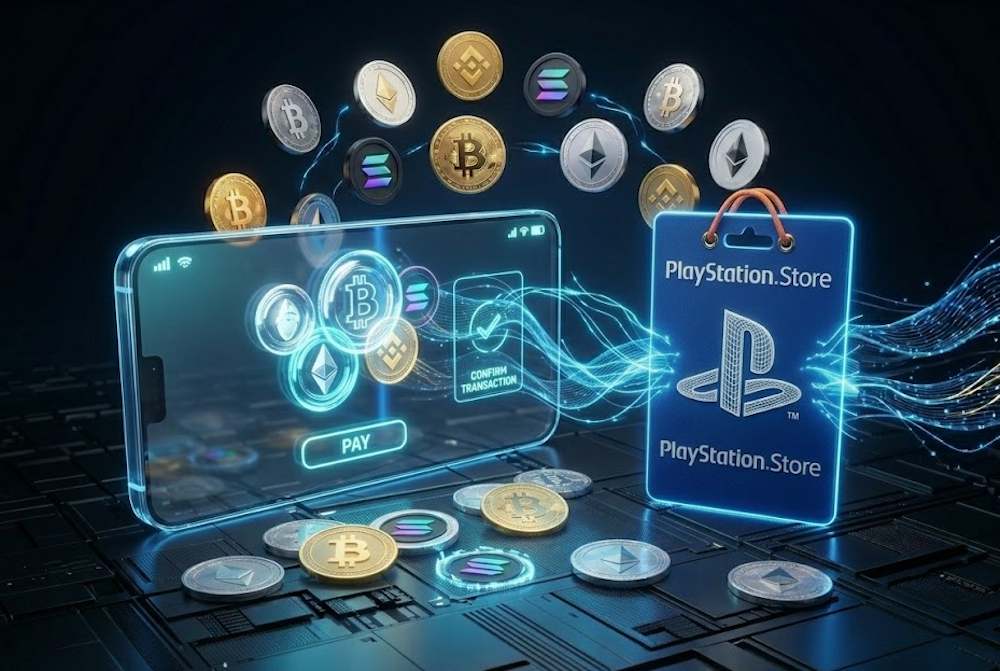
Why People Use Crypto for PlayStation Store Purchases
Over the past few years, cryptocurrency has stopped being a niche tool. According to various estimates, there are already more than 420 million digital asset users worldwide, and a significant share of them regularly use crypto to pay for online services. In this context, the ability to pay for PlayStation with crypto looks like a natural continuation of the broader shift toward independent digital payments without banks or currency restrictions.
- The benefits begin exactly where traditional methods fail. A bank can decline a payment without explanation—or freeze funds for days. According to a Nuvei (2025) report, 55% of gamers have faced situations like this. That means every second purchase is potentially at risk. Cryptocurrency removes this uncertainty.
- Another reason for its growing popularity is the speed of processing Card payments often require additional authorization, security checks, or may even be blocked due to regional provider policies. Cryptocurrency works directly between wallets, giving users more control over payments and reducing dependence on local financial infrastructure—especially noticeable when topping up PlayStation with crypto in international scenarios.
- The level of anonymity is also an important factor. For users in regions where international card payments are unstable or partially restricted, cryptocurrency often becomes the only reliable way to access PlayStation Store content without extra verification steps or delays.
- And finally, accessibility. Cryptocurrency has no borders. You can top up your balance from almost any country—even where PlayStation Store does not accept local cards. That is the key advantage. You pay the way that is convenient for you, not the way your bank allows.
That is why millions of users choose crypto for PlayStation. Not because it is a “trend,” but because of real convenience, speed, and flexibility. Now let’s look at what exactly can be purchased with the credits you receive.
What You Can Unlock with PlayStation Store Credits
Your PlayStation Store balance gives you access to the full range of digital content available in the Store. You can purchase full games, in-game content, subscriptions, and additional materials. There are no restrictions based on content type—as long as the product is available in PSN, it can be purchased using your balance.
This format is especially convenient because the balance works as a universal account resource: you can spend it gradually, combine different purchases, or use it whenever the content you want becomes available in the Store. That flexibility makes PlayStation Store credits one of the most practical ways to manage spending within the PlayStation ecosystem.
This is particularly useful during seasonal sales or when you need immediate access to additional content without going through another payment process. That’s why experienced players often top up their balance in advance, for example by using PlayStation gift cards online. At the same time, a PSN Card Online works equally well for instant top-ups of any amount, planning future purchases, or even as a gift.
The funds are stored directly in your PlayStation account and used within the Store ecosystem without involving any external payment provider. In practice, this acts as secure digital storage for your balance, allowing you to accumulate funds over time and spend them whenever needed.
📚 Related Articles
- How to Activate Your PlayStation Gift Card and Stay Safe
- Get PlayStation Store credits with Neteller
- Get PlayStation Store Credits with Paysafecard
- Where to Buy Playstation and Xbox Gift Cards for Turkey
- How to pay on PlayStation Store with Skrill?
- All PlayStation Subscriptions in 2025 – Choose the Plan
- PlayStation Gift Cards – Overview from Baxity and FAQs
Here are the main categories of purchases you can unlock with PlayStation Store credits:
- Full games (new releases and classics);
- In-game currency and skins;
- PS Plus subscriptions (Essential, Extra, Premium);
- Season passes and DLC.
Now let’s take a closer look at each category in more detail.
Full Games and New Releases
PlayStation Store credits are most commonly used to purchase full versions of games—from new releases to digital editions that include additional content. The balance allows users to place pre-orders, access games on release day, and quickly take advantage of limited-time offers in the Store. That is why players who plan upcoming purchases in advance often choose to buy PSN with crypto through a gift card, allowing them to top up their account with the required amount and use it as soon as the game becomes available in the catalog.
This format is especially convenient for:
- pre-ordering highly anticipated releases;
- purchasing Deluxe and Premium editions;
- taking advantage of seasonal PlayStation Store sales.
In-Game Items and Extras
In addition to full game purchases, PlayStation Store credits are regularly used for in-game items such as currency, battle passes, cosmetic content, and DLC. Skins, weapons, emotes, vehicles, and virtual currency can all be purchased using your PSN balance—for example, V-Bucks in Fortnite or Credits in Rocket League. Since this type of content is typically released gradually throughout a game’s lifecycle, keeping funds in your account is especially convenient for smaller but frequent purchases.
In these scenarios, users may also top up their PSN wallet with crypto to ensure funds are available at any time, without depending on the availability of traditional payment methods when seasonal updates or limited-time offers appear.
PlayStation Store credits are most often used for:
- in-game currency;
- battle passes and seasonal rewards;
- cosmetic items and skins;
- DLC and additional content packs.
Memberships and Premium Features
PlayStation Store credits can also be used to pay for subscriptions and access premium platform features. Most notably, this includes PlayStation Plus tiers—Essential, Extra, and Premium—which provide online multiplayer access, monthly games, and extended content libraries available for download.
Since subscriptions require regular renewal, many users prefer to keep funds available in their account in advance. In such cases, they can complete a PSN recharge with crypto to maintain uninterrupted access to services without relying on traditional banking payment methods.
PlayStation Store credits are commonly used for:
- renewing PlayStation Plus Essential, Extra, or Premium subscriptions;
- accessing the PlayStation Plus game catalog;
- enabling online multiplayer features;
- activating additional premium features within the PlayStation ecosystem.
Can You Use Crypto Directly on PlayStation Store
Currently, you cannot pay for purchases with cryptocurrency directly on the PlayStation Store. The platform only works with officially integrated payment methods. Therefore, making a crypto payment on the PlayStation Store during the standard checkout process is impossible.
This is due to digital marketplace policies and regional financial transaction requirements. Here are the main reasons why you cannot complete a crypto payment for PSN:
- Volatility. Crypto prices can change by 10–20% in a single day. Sony doesn’t want to recalculate prices constantly.
- Legal restrictions. Different countries have different crypto laws. It’s easier for the platform to refuse crypto than to adapt to each regulation.
- Security and costs. Direct integration requires additional protection and transaction processing. This is expensive.
However, this doesn’t mean you cannot use crypto for PlayStation. In practice, users top up their account balance another way — through digital gift cards. These let you add funds to PSN first, and then pay for any content in the Store.
At the same time, it’s important to choose the right service for purchasing such codes. The speed of receiving your top-up and the accuracy of entering your address during crypto payment depend on it.
Here’s what to look for in a reliable service:
- Verified reseller status for digital codes;
- Transparent payment terms with no hidden fees;
- Fast code delivery after transaction confirmation;
- Support for popular cryptocurrencies;
- Global availability regardless of your region.
That’s why we recommend Baxity Store — a verified reseller with guaranteed PSN payment via crypto.
How to Get PlayStation Store Credits with Crypto via Baxity Store
When it comes to converting crypto into PSN credits, choosing the right platform matters. Baxity Store is a reseller of PlayStation gift cards. This means you get legitimate codes that activate without issues. According to Scam Detector, the site has a 90.7/100 trust score. On Trustpilot, it rates 4.6/5 with an “Excellent” mark. So you can buy PlayStation credit with crypto without risk.
What else matters? Baxity Store adds no hidden fees. You only pay the standard blockchain network fee. The code arrives immediately after transaction confirmation. This usually takes 5–15 minutes. The method works from any region. No banking restrictions. No geo‑blocking. It’s a universal way to top up your PSN balance.
Step‑by‑Step Guide
- Choose the denomination.Go to baxity.com, open the “Gaming Credits” → “PlayStation” category. Pick an amount: €1 – €150.
- Add to cart and log in.Click “Buy”. If you’re a first‑time user, register and complete a quick verification. This is a mandatory security It protects your funds and confirms your identity.
- Select crypto payment.In the cart, click “Pay with Crypto”. The system will show a wallet address or QR code. To pay PlayStation with crypto, send the exact amount from your wallet.
- Get the code.After 1–2 network confirmations, the code appears on screen. We’ll also email it to you. Then activate the code in PlayStation Store.
That’s how simply crypto for PlayStation works through Baxity Store. You buy PlayStation Credit with crypto securely, the payment goes through quickly, and the code arrives instantly. This method is available in any country. It doesn’t depend on banks. The perfect solution for crypto owners.
Choosing the Right PlayStation Store Credit Amount
The PSN card denomination you pick depends on your goals. You can top up your balance for a one‑time purchase or build a reserve for the future. Both approaches make sense. That’s why, before you top up on PlayStation with crypto or another currency, it’s worth deciding what you need the funds for.
Important: The currency of your top‑up must match the currency of your PlayStation Network account. If your account is registered in the eurozone, use cards denominated in euros. For other regions, choose the appropriate local currency.
- For one‑time purchases, smaller denominations are usually enough – for example, when you need to quickly buy a DLC, a battle pass, or a single game on sale. That’s why it’s more convenient to buy a PlayStation gift card onlinequickly, starting from €1, or combine several cards to match the exact amount.
- If you plan to use the Store regularlyor make several purchases in a row, it makes more sense to buy a larger‑denomination card (or several cards at bulk special prices) and spend the balance gradually.
This approach is especially convenient for users who top up their PlayStation wallet with crypto in advance. That way they have funds ready during sales or when awaited releases come out, without having to process payments again.
Which Denomination to Choose – By Scenario
| Card Amount | What It’s Good For |
| €10–20 | One DLC, a skin, one month of PS Plus (with a small extra payment), a small indie game |
| €30–50 | Full mid-tier game, annual PS Plus Essential subscription, season pass |
| €60–75 | New blockbuster on release day (e.g., Call of Duty, God of War), premium edition with bonuses |
| €100+ | Several games at once, annual PS Plus Extra or Premium subscription, a gift for a friend |
Planning your balance in advance helps you control spending, avoid urgent payments at release time, and use your funds more efficiently across different purchase scenarios.
Things to Know Before Paying with Crypto
Before paying with cryptocurrency, it’s important to check a few basic details to avoid delays during the transaction—especially if you plan to buy PlayStation credit with crypto for the first time.
- Choose the right coin. Confirmation speed depends on the selected coin and the sender network. To top up PlayStation with crypto faster, consider using Litecoin (LTC) or USDT (TRC20).
- Verify the wallet address. One mistake can result in lost funds. Always copy the address in full and double-check the first and last characters before sending.
- Account for network fees. Every transaction includes a network fee. If you want to buy PlayStation credit with crypto, make sure your balance covers both the payment amount and the fee.
Buy only from a trusted seller. When you look for a PlayStation gift card for sale, choose a verified reseller (for example, Baxity Store). This helps ensure the code is valid and delivered promptly.
Final Thoughts on Using Crypto for PlayStation Store Credits
Cryptocurrency is not directly supported by PlayStation Store. But that’s not a problem. You can freely use crypto for PlayStation through gift cards. This approach gives you flexibility, speed, and independence from banks. To purchase a PlayStation gift card online, choose a trusted seller. Baxity Store is a verified reseller with instant code delivery.
The main advantages of this method:
- You don’t depend on your region or banking restrictions.
- The code arrives within minutes after confirmation.
- Wholesale purchases at special prices and regular promotions on Baxity Store.
- Guaranteed code authenticity and secure transactions.
So even without direct integration, crypto remains a convenient tool for gamers. Simply buy a gift card on Baxity Store, activate the code, and use your balance.
FAQ
Can you top up PlayStation with crypto?
Yes, but not directly. Buy a PSN gift card on Baxity Store and pay for it with cryptocurrency. Activate the code on the platform. The balance appears in your account immediately.
How to safely add funds to PSN wallet with crypto?
Choose a verified reseller (e.g., Baxity Store). Double‑check the wallet address. Use coins with low fees (LTC, USDT). Keep the email with the code.
No. You only pay the network fee. There are no hidden fees on Baxity Store – only what you see at checkout.
How long does it take to receive the gift card code after payment?
5–15 minutes after 1–2 network confirmations. Fastest with Litecoin or USDT (TRC20).