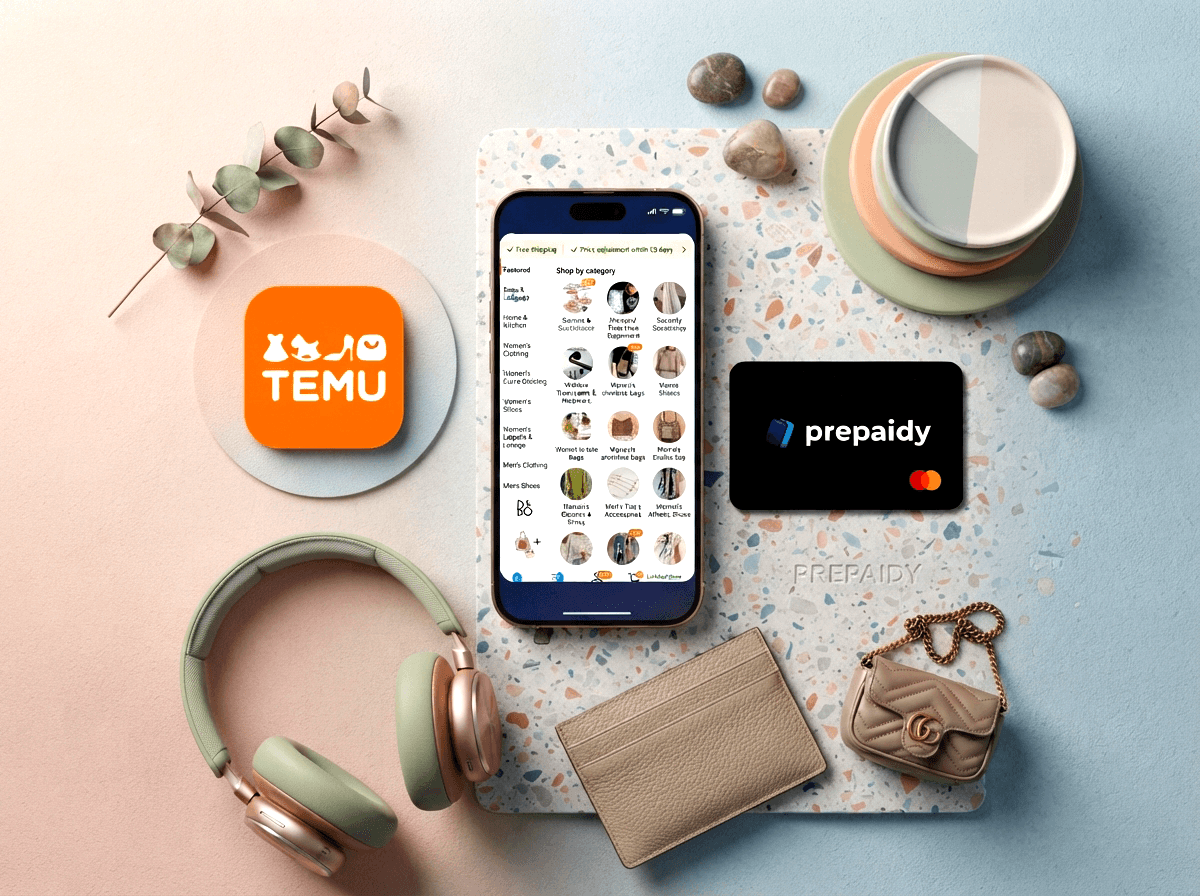
Picture this. You've got USDT sitting in your wallet, a cart full of Temu finds you've been eyeing for a week, and a checkout page that only wants a Visa or Mastercard number. No crypto option in sight. You Google "does Temu accept crypto", land on a wall of confusing exchange jargon about a coin called "TEMU🔥" that has absolutely nothing to do with the marketplace, and you're no closer to actually finishing your order. Sound familiar? You're not alone. Thousands of people search "can you pay Temu with crypto" and "shop on Temu with crypto" every month — and the honest answer is a little more complicated than a simple yes or no. The good news: paying for Temu with crypto is absolutely possible in 2026. The most practical route is a Prepaidy Card from Baxity Store — a crypto-funded Visa or Mastercard you activate and use at checkout like any other card, no bank account required. It works a little differently than most people expect, so let's walk through it properly, including the fine print that actually matters before you buy.

Prepaidy Mastercard
Does Temu Accept Cryptocurrency Directly?
Let's rip the band-aid off: no, Temu does not have a native crypto checkout. There's no "Pay with Bitcoin" button, no wallet-connect option, no QR code for USDT at checkout. If you've been searching "temu accept bitcoin" or "temu cryptocurrency payment" hoping to find a direct integration, that button simply doesn't exist. Temu's official payment stack, depending on your region, typically includes:
- Visa and Mastercard (credit, debit, and — importantly — prepaid)
- PayPal (in select countries only)
- Apple Pay / Google Pay (region-dependent)
- Limited Buy Now, Pay Later options in certain markets
Notice what's on that list: prepaid cards. That's exactly the door a Prepaidy Card is built to walk you through.
Wait — So What's "TEMU🔥" on Bitget and Solflare?
If you've searched "temu accept bitcoin" or "buy temu coin," you've probably stumbled onto exchange pages selling something called Temu🔥 — a meme token trading at a fraction of a cent on Solana-based exchanges. This is not affiliated with the Temu marketplace in any way. It's an unrelated speculative token riding on the platform's brand recognition. If your goal is to actually buy sneakers, phone cases, or kitchen gadgets on Temu.com, ignore that token completely. The real answer to "how to pay in Temu with crypto" starts with turning the crypto you already own into a card Temu's checkout will accept.
Prepaidy Mastercard
Why Bother Paying for Temu with Crypto at All?
1. You'd rather not hand your bank card to every marketplace you shop on. A growing number of shoppers search "shop online anonymously with crypto" because they want their primary bank account kept completely separate from online retail. 2. International shopping without the bank drama. If you've ever had a purchase declined because your bank flagged an "unusual international transaction," a crypto to prepaid card conversion sidesteps that friction, since it isn't tied to your home bank's fraud rules. 3. Budget control that's actually enforced. A prepaid card can only spend what's loaded onto it. No interest, no overspending, no surprise recurring charges. 4. You already have crypto and want to actually use it. Maybe you got paid in USDT, or you've been holding Bitcoin and want to spend some of it on something real instead of watching the price chart.
⚡ Why Prepaidy Cards Are the Easiest Way to Turn Crypto into Fiat
Forget P2P trading, waiting for a buyer, negotiating rates, or worrying about scams and frozen bank transfers. A Prepaidy Card converts your crypto into a spendable Visa or Mastercard balance in minutes — no counterparties, no chat negotiations, no middlemen.
- No P2P sellers, no waiting for someone to accept your trade
- No negotiating exchange rates or dealing with unresponsive counterparties
- No risk of scam trades or payment disputes common on P2P platforms
- Straight from crypto to a working card, ready to spend online or in stores
Buy your card, activate it in minutes, and spend your balance anywhere Visa or Mastercard is accepted — that's the entire process. It's the fastest, most straightforward path from holding crypto to actually using it.
Method 1 (Recommended): The Prepaidy Card by Baxity
This is the method that solves the problem end-to-end. If you've searched "buy virtual mastercard with crypto", "prepaid card with crypto", or "virtual card for Temu", this is what you're actually looking for.
Prepaidy Mastercard
How It Actually Works, Step by Step
Unlike some marketing around crypto cards suggests, a Prepaidy Card isn't something you just "swipe instantly" the second you pay. There's a short, one-time activation step — and knowing about it up front means no surprises.
- Choose your card and pay with crypto on Baxity Store. Denominations run from $5 up to $250, in either Visa or Mastercard.
- Check your email for the activation link. Right after purchase, Baxity sends a unique redemption link. This link expires in 60 days, so don't let it sit unopened for months.
- Activate your card. First-time buyers fill out a quick one-time profile (name, phone, address) and confirm a one-time code sent by email — this sets up your Prepaidy account. Returning buyers just enter their email and a one-time code; no forms, activation takes seconds.
- View your card on the dashboard. Only after activation do the card number, expiry date, CVV, and balance become visible. From there you can add it straight to Apple Pay or Google Pay, or enter it manually at Temu checkout.
Good to know before you activate: disable any VPN before starting the activation process. The system verifies your location as part of its fraud protection, and a VPN can trigger a block. This isn't a Baxity quirk — it's the same fraud-prevention logic every regulated card issuer uses.
Why Prepaidy Beats the Alternatives — and Where It's Actually Similar
Let's be fully transparent, because it matters for how you use this: Prepaidy Cards are single-use and non-reloadable. Once the balance is spent, that specific card is done — there's no top-up option. If you want to shop again, you buy a new card. In that respect, it behaves more like a gift card than a rechargeable bank card, and it's important to plan your purchase around that. Where it pulls ahead of a store-specific gift card is where and how you can spend it:
| Parameter | Store Gift Card | Prepaidy Card (Baxity) |
|---|---|---|
| Works beyond one store | Usually store-locked | Anywhere Visa/Mastercard is accepted, 185 countries |
| Mobile wallet support | Rarely | Apple Pay & Google Pay |
| Checkout friction | Varies | Designed for fewer 3D Secure roadblocks and higher approval rates |
| Reloadable | No | No — new card needed after balance is spent |
| Setup time | Redeem code → convert | One-time account setup, then seconds per new card |
In short: if "buy temu gift card with crypto" is what brought you here for a single purchase, a gift card can work. But if you want a card that also works on any other Visa/Mastercard-accepting site — subscriptions, another marketplace, a hotel booking — a Prepaidy Card is the more versatile pick, even though both are one-time-use.
📚 Related Articles
- The True Bank Card Alternative: Prepaidy Cards
- How to Pay for AI Subscriptions with Prepaidy
- How to Buy CapCut Pro Without a Credit Card
- How to Pay for ChatGPT Individual, Business, and Enterprise Plans with Crypto
- How to Upgrade Canva Plans Without a Bank Card
- How to Buy ChatGPT Plans Without a Bank Card
- How to Pay Online Without a Bank Account
Method 2: Crypto Wallets with Built-In Cards
Wallets like Bitget Wallet or MetaMask Card let you swap crypto to a spendable balance inside the wallet app, then use a linked card. Useful if you're already deep in that ecosystem, but for a straightforward Temu order it means installing and funding a separate app — more setup than simply buying a Prepaidy Card directly.
"My Temu Payment Keeps Getting Declined" — Here's What's Actually Going Wrong
This is one of the most common pain points tied to this whole topic. Common reasons behind "Temu payment declined":
- Card not registered to your name and billing address.
- Insufficient balance to cover the order plus the authorization hold.
- International card restrictions — shopping from a different country than the card's issuing region can trigger fraud filters.
- Missing 3D Secure, increasingly required for online marketplace purchases.
- Bank-side fraud flags on unfamiliar marketplace transactions.
A sixth reason specific to Prepaidy Cards: only up to 95% of the card's balance can be spent in a single transaction. For example, a $21 card has a maximum single-purchase limit of $19.95 — a $20.00 purchase would be declined for exceeding that limit. When choosing your card denomination, always round up to the next size rather than buying the exact amount of your Temu order.
If Temu doesn't accept your Visa card or keeps saying "order didn't go through," a Prepaidy Card resolves most of the standard causes at once — it's built for online checkout, supports mobile wallet payments, and isn't subject to your personal bank's overly cautious fraud rules. Just remember to buy slightly above your order total.
Prepaidy Mastercard
Fees, Limits, and the Fine Print You Should Actually Read
Every prepaid card has fees somewhere — the honest approach is showing them upfront rather than burying them. Here's the current Prepaidy Card fee schedule:
| Transaction type | Fee |
|---|---|
| Purchase in the card's own currency | Free |
| Foreign transaction fee | $0.55 + 2.75% per transaction |
| Monthly account activation fee | $2.50 |
| Domestic decline fee | $0.15 |
| International decline fee | $0.55 |
| Transactions under $5.00 | $0.10 |
| Domestic return/reversal | $0.55 |
| International return/reversal | $0.75 |
| International refund | $0.55 |
A few other details worth knowing before you buy:
- The activation link expires 60 days after purchase — activate soon after buying, don't let it sit.
- Once activated, the card itself is valid for 36 months.
- Cards are single-use and non-reloadable — the balance is meant to be spent down, not topped up.
- Refunds are generally not issued for activated cards, change of mind, or misuse — they're granted only for specific issues like double charges or system errors.
- Prepaidy Cards cannot be used for online gambling, ad platform spend (e.g., Facebook/Google Ads), or buying cryptocurrency — this is a card for retail and service purchases like Temu, not a crypto on-ramp.
Where Prepaidy Cards Can't Be Used: Sanctioned Countries & VPNs
Because Prepaidy Cards run on the Visa/Mastercard networks, they follow the same international compliance rules any regulated card issuer follows. They cannot be activated or used in countries sanctioned by OFAC, FATF, or similar compliance authorities, including:
- Asia & Middle East: Afghanistan, Iran, Syria, North Korea
- Africa: Sudan
- Europe & Eurasia: Russia, Ukraine (Crimea, Donetsk, Luhansk), Belarus
- Latin America & Caribbean: Cuba, Venezuela
Using a VPN to bypass these restrictions will trigger fraud protection and block your transaction — this applies both during activation and at Temu checkout. If you're travelling, disable any VPN before activating or spending.
Privacy: What to Realistically Expect
If "pay for Temu anonymously" or "anonymous online shopping crypto no bank account" is what brought you here, here's the honest picture. What a Prepaidy Card can do: keep your real bank account completely separate from Temu (or any retailer), limit your exposure if a merchant suffers a data breach, and let you control exactly how much value is on the card you're using. What no legitimate provider can honestly promise: unregulated, unlimited anonymity. Activation requires basic account setup, and the service still applies standard fraud and compliance checks — that's true of every card connected to Visa or Mastercard, not a Baxity-specific limitation. This is a genuine privacy upgrade over using your primary bank card directly, not an anonymity guarantee.
Don't Have Crypto Yet? Quick Primer
- Centralized exchanges (Binance, Coinbase, etc.) are the easiest entry point but require standard verification for most amounts.
- P2P platforms let you trade directly with another person, often with lighter requirements for smaller amounts.
- Stablecoins (USDT/USDC) are the most practical choice here — no price swings between the moment you buy and the moment you activate your card, unlike Bitcoin or Ethereum.
Once you're holding a stablecoin balance, you're one step from buying your Prepaidy Card on Baxity and finishing that Temu order.
Frequently Asked Questions
Can I use Bitcoin directly on Temu?
Not directly — Temu has no built-in crypto checkout. Convert it into a Prepaidy Card first, activate it, and you're set.
What payment methods does Temu accept in 2026?
Visa, Mastercard (including prepaid and virtual cards), PayPal in select regions, Apple Pay/Google Pay where supported, and limited Buy Now, Pay Later options.
Can I reload my Prepaidy Card and use it again?
No — Prepaidy Cards are single-use and non-reloadable. Once the balance is spent, you'll need to buy a new card for your next order.
Why was my Temu order declined even though I had enough balance?
You can only spend up to 95% of a Prepaidy Card's balance in a single transaction. Always buy a denomination slightly above your order total.
How long do I have to activate my card after buying it?
The activation link sent by email expires 60 days after purchase. Once activated, the card itself stays valid for 36 months.
Can I get a refund on my Prepaidy Card?
Refunds are generally not available once a card is activated, or for change of mind or misuse. They're granted only in specific cases like double charges or system errors.
Can I use a Prepaidy Card while connected to a VPN?
No — using a VPN during activation or checkout can trigger fraud protection and block the transaction. Disable any VPN before activating or spending.
Does Temu accept USDT (TRC20 or ERC20)?
Not directly at checkout — convert it first via a Prepaidy Card, and Temu will accept it like any standard Visa or Mastercard payment.
Prepaidy Mastercard
The Bottom Line
Temu doesn't take crypto directly, and probably won't anytime soon. Between gift cards, wallet-linked cards, and a dedicated prepaid solution, that's not the obstacle it first looks like — it just takes understanding how the tool actually works before you buy. A Prepaidy Card from Baxity Store converts your crypto into a Visa or Mastercard you can use anywhere those networks are accepted — not just Temu. It's single-use, so plan your denomination to cover your order plus a buffer for the 95% rule, activate it within 60 days, and disable your VPN before you do. Get those details right, and it's one of the fastest ways to turn crypto sitting in your wallet into a finished Temu order.
👉 Buy your Prepaidy Card now on Baxity Store — pay with crypto, activate in minutes, no bank account required.



Comments
Sign in to join the conversation. Every comment is reviewed before it appears on the page.
Sign in to comment
You need an account to leave a comment. Sign in and your name will be used automatically.
No comments yet. Be the first to write one.