If you have funds in your Skrill account but the service you want to pay accepts only Visa — there’s a simple solution. Many users choose to use a virtual Visa card via Skrill to make secure online purchases. This allows you to pay on platforms that don’t support Skrill directly but accept Visa cards without issue. In this guide, we’ll explore two convenient options: transferring funds from Skrill to a Visa bank card, or purchasing a digital Visa Gift Card at Baxity Store using your Skrill balance.
What Is a Prepaid Visa Card and How It Works
A regular debit or credit Visa card is linked to your bank account. A Prepaid Visa (or Visa Gift Prepaid Card) is a completely different tool — designed for the digital age. Think of it as a digital voucher with a fixed balance. It looks and works like a regular Visa card (with a card number, expiration date, and CVV code), but it’s not connected to any bank, personal identity, or credit history.

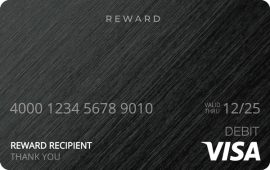
How does it work? It’s simple:
- You purchase a card with any denomination — from as little as €0.01 up to €1000
- You instantly receive the card details via email or in your personal account
- You use it to pay anywhere Visa is accepted — until the balance runs out
No banks, no paperwork, no physical plastic. It’s fast, secure, and private.
Why choose a Prepaid Visa — and how is it different?
- One-time use and full control. The card cannot be reloaded. You always know how much you’ll spend — no surprise charges or overdrafts.
- Digital-only format. No plastic, no delivery. Your card is available instantly online.
- Widespread acceptance. Works with most online stores and services: Netflix, Spotify, Steam, Amazon, PlayStation, and many more.
- Privacy and safety. Not tied to your name or bank. A smart solution for payments on unfamiliar platforms.
- A perfect gift. A prepaid Visa card is a modern way to send a bonus, reward, or personal gift. You’re not giving an object — you’re giving choice.
How to get one?
This is where the convenience of the digital era shines. A Visa Gift Prepaid Card (or simply a digital prepaid Visa) can be purchased in minutes on specialized online platforms like Baxity Store.
This method — buying Visa Gift Cards Online — lets you instantly convert your funds (including from alternative payment systems) into a fully functional Visa card. For example, you can easily use your Skrill balance to purchase a prepaid Visa card via Skrill — a simple and secure way to turn your e-wallet funds into a flexible payment method accepted worldwide.
📚 Related Articles
Why Use Skrill to Top Up Your Visa Card
When it comes to topping up your Visa card, choosing the right funding source matters. Skrill is widely used for online services, gaming platforms, subscriptions, and even cryptocurrency operations. But the reality is, not all platforms accept Skrill, and direct withdrawals or payments are not always possible.
That’s where the Skrill + Visa combination comes in — allowing you to convert your Skrill balance into a universally accepted payment method.
1. Skrill is a trusted, FCA-regulated payment system
Skrill is part of the PaySafe Group and is authorized by the UK Financial Conduct Authority (FCA Reg. No. 900015) — one of the strictest financial regulators in Europe. This ensures:
- Compliance with AML and KYC regulations;
- Segregated client funds for added protection;
- Legal clarity is ensured for every transaction — particularly when using Skrill for Visa payments.
With over 40 million users in more than 120 countries, Skrill is trusted globally for fast and secure payments.
2. A flexible digital payment gateway
Skrill is especially useful for users dealing with crypto platforms, freelance payouts, gaming, and international digital services. However, not all websites support direct Skrill payments, and some don’t offer easy withdrawal options.
In these cases, the most practical solution is a Skrill to Visa transfer — for example, using your Skrill balance to buy a digital Visa card. This approach allows you to use your funds seamlessly where only Visa is accepted, even if Skrill isn’t.
3. VIP program and exclusive Baxity benefits
Skrill offers a loyalty program with tiers: Classic, Silver, Gold, and Diamond. Each level unlocks more benefits:
- Reduced fees on transfers, conversions, and withdrawals;
- Higher limits for transactions;
- Priority customer support and personal account managers;
- Better exchange rates across multiple currencies.
Registering your account through Baxity Store gives you faster access to Silver status, meaning lower fees and higher limits for your regular Skrill to Visa operations.
4. The simplest way: Buy Visa cards online
Instead of withdrawing to a bank account, you can simply buy Visa gift cards online and pay with Skrill. It’s:
- Instant
- Safe
- Bank-free
- Globally accepted
At Baxity Store, you can choose the exact denomination, pay in a few clicks, and get your card details directly via email — ready to use.
Wrapping Up
The Skrill + Visa combination is more than just a workaround — it’s a smart tool that lets you move your money freely across platforms, currencies, and countries. Next, let’s break down how to actually use Skrill with Visa card — step by step.
How to Use Skrill with Visa
You have funds in your Skrill wallet, but the service you need to pay accepts only Visa? That’s a common scenario — and there are two straightforward solutions: either withdraw money from Skrill to your bank-issued Visa card and use it as usual, or buy a prepaid Visa card at Baxity Store using your Skrill balance. Then, use this card wherever and whenever you need.
The difference between these two Skrill to Visa methods is fundamental: the first sends money to your personal bank account, while the second creates a new, dedicated payment tool — flexible, fast, and nearly anonymous. Let’s break down both options in detail.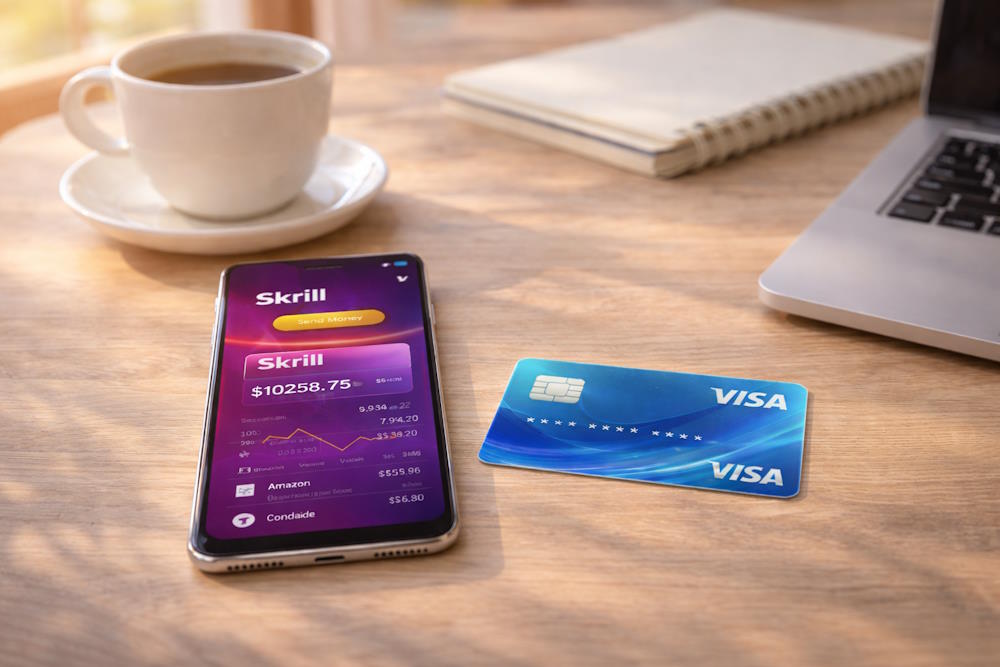
Option 1: Withdraw Funds from Skrill to Your Visa Card
The most straightforward way to send money from Skrill to a Visa card is through a direct withdrawal to your personal bank card. This method doesn’t create a new payment tool — it simply moves your funds to an existing bank account, which is ideal if you want to withdraw cash or use your primary card balance.
Step-by-step guide:
- Log in to your Skrill account.
- Go to the Withdraw.
- Choose To Visa debit card as the withdrawal option. If your card hasn’t been added yet, complete the one-time verification: 16-digit card number; Expiration date (MM/YY); Cardholder’s name (as printed on the card); CVV2 code (3 digits on the back).
- Enter the withdrawal amount.
- Confirm the transaction (you may be asked for a PIN or to verify via the Skrill app).
Note: You only need to verify your card once — not for every transaction.
What to expect:
- Processing time. The standard Skrill withdrawal time to Visa is between 1–3 business days. In many cases, funds arrive within 24–48 hours, but some banks may hold them for up to 5 days.
- Fees. Up to 3.99% of the amount. Minimum fee: €0.99. The exact fee will be displayed before you confirm the withdrawal.
- Limits. For Classic accounts, the weekly withdrawal limit is around €1,000. Silver, Gold, and Diamond VIP users enjoy much higher limits. You can always check your current limits in your account dashboard after completing verification.
This is a typical Skrill withdrawal to your Visa card: once the money reaches your bank account, you’re free to use it however you need. If your goal is simply to move money from Skrill to a Visa card you already own — this is the easiest and most familiar option.
Option 2: Buy a Prepaid Visa with Skrill via Baxity Store
This is the fastest and most effective way to solve the Skrill-to-Visa challenge. Instead of “withdrawing” funds, you buy Visa with Skrill — directly exchanging your Skrill balance for a ready-to-use digital product: you purchase a Visa prepaid card instantly.
How it works:
- Go to the Visa prepaid cards category at Baxity Store.
- Choose your desired card amount — available from small to high values.
- Select Skrill as your payment method.
- Confirm the transaction using your Skrill balance.
- Receive the card details via email or in your personal account.
Why this method is ideal for online use:
- Instant delivery. Buy a virtual Visa card with Skrill and receive it within minutes — no bank delays, no paperwork. Using the Skrill to Visa card method via Baxity Store is the fastest way to get a ready-to-use Visa card.
- Targeted use cases. Perfect for recharging gaming accounts (PlayStation Network, Xbox), managing subscriptions (YouTube Premium, ChatGPT Plus), or shopping on platforms that don’t support Skrill directly.
- Maximum security. You don’t have to share your personal bank card details on third-party websites. Instead, you buy a Visa card online with Skrill — a prepaid payment method with a fixed balance that reduces risk when paying on unfamiliar platforms.
- Gifting or budgeting. This type of card is also a great choice for gifting or setting spending limits for specific purposes. When you buy Visa gift cards online through Baxity Store, you’re in full control of how much is available on the card and where it’s used.
Benefits of Using Skrill for Visa Top-Ups
The Skrill + Visa combination is not just a way to transfer funds. It’s a flexible, fast, and secure solution for everything from daily online purchases to crypto conversion and cross-border payments. Here’s why many users choose Skrill to Visa as their go-to option.
1. Flexibility and convenience
Skrill accepts funding from cards, bank transfers, and crypto wallets. Visa, on the other hand, is the world’s most accepted online payment tool. By using Skrill to top up your Visa, you gain a versatile solution, even when the service doesn’t support Skrill directly.
2. Transparent fees and better rates
Every time you initiate a Visa card top-up, Skrill displays the exact fee before confirmation. No hidden costs. Plus, VIP users get reduced fees, making frequent transactions significantly more cost-effective.
3. Privacy and security
Skrill is FCA-regulated and compliant with KYC/AML policies. When you top up your Visa card with Skrill, you avoid exposing your bank details to third parties. For example, buying a prepaid Visa at Baxity Store means you’re using a secure method without linking your primary bank card.
4. Ideal for crypto users
Skrill supports multiple currencies, including crypto. If a service accepts only Visa, you can make a Visa payment with Skrill by converting crypto to your wallet balance and paying with a card — no need for exchanges or bank involvement.
5. Instant card delivery
Forget long bank withdrawal processes. You can buy a Visa with Skrill in just a few clicks and receive your virtual card within minutes — ready to use.
This is a typical Skrill to Visa card use case — a fast and direct conversion of your Skrill balance into a prepaid Visa product.
6. Multi-currency support
Skrill works with dozens of currencies. Baxity Store offers Visa gift cards online in USD, EUR, and GBP. This allows you to avoid double conversions and unnecessary fees on international transactions.
7. A reliable partnership with real support
Baxity Store is an official partner of Skrill. You get instant delivery, access to customer support, and order tracking. Plus, new users can qualify for Skrill Silver status faster when registering through Baxity — unlocking even more benefits.
Summary: Skrill and Visa together create a practical, globally accepted tool to manage your funds smarter. You stay in control, reduce costs, and enjoy the convenience of quick and secure payments — all without unnecessary complexity.
Potential Issues and How to Avoid Them
Even with a convenient combo like Skrill to Visa, technical hiccups can happen. Knowing what to expect helps make every exchange from Skrill to Visa smooth and hassle-free. Below are the most common situations and how to solve them quickly and safely.
| Issue | Cause | Solution |
| Delays in Skrill withdrawal to Visa card | A Skrill to Visa card transfer can take 2–5 business days to reach your bank | Check the status in your Skrill account. If it’s marked “Completed,” the delay is likely on the bank’s side. For faster results, consider buying a prepaid Visa via Skrill on Baxity Store |
| Virtual Visa card payment declined | Some merchants don’t accept Visa gift prepaid cards, or a hold exceeds the card balance | Double-check card balance, CVV, expiry, and make sure the store accepts prepaid cards. Try a different merchant to verify card activity |
| Limits or transaction blocked | Your account hasn’t passed full verification, so limits apply | Complete KYC in your Skrill account to increase limits and unlock VIP benefits — useful for larger or frequent Skrill to Visa Gift Card transactions |
| Card details not received after purchase | You bought a Visa card online with Skrill, but didn’t get the email | Check your spam folder. If nothing’s there, contact Baxity Store support with your order number and email used at checkout |
| Currency mismatch or unexpected conversion fees | Your Skrill balance is in EUR, but you bought a USD card — triggering automatic conversion | Always choose a card in the same currency as your balance. Review the payment confirmation screen before proceeding to avoid extra fees |
Pro tip: Every Skrill to Visa operation benefits from attention to detail. Keep screenshots of transactions, double-check your inputs, and don’t hesitate to contact support. Both Skrill and Baxity Store are responsive and ready to help.
Final Thoughts: Skrill + Visa
If you have funds in your Skrill wallet but need a Visa card for online use — you don’t have to wait for slow bank withdrawals. The faster and more flexible solution is to purchase a Visa gift card via Skrill and get instant access to a ready-to-use payment tool.
This method allows you to convert your balance directly into a digital Visa — ideal for subscriptions, online shopping, sending a gift, or funding another account.
A Visa gift card via Skrill offers:
- speed (delivered within minutes),
- privacy (no need to share your personal bank card),
- and global usability (accepted wherever Visa is).
So if you’re looking for a convenient way to pay online — simply purchase Visa gift card through Skrill and enjoy the freedom of secure, universal payments.
FAQ – Frequently Asked Questions
How can I buy a Visa gift card using funds from Skrill?
The easiest way is to purchase a Visa gift card via Skrill through Baxity Store. Just choose the card value, pay with your Skrill balance, and receive the card details by email within minutes.
Is there a virtual Visa card I can pay for using Skrill?
Yes. You can easily get a virtual Visa card through Skrill, which comes with a full set of payment details (number, CVV, expiry date) and works for online services, subscriptions, gaming, and more.
How to withdraw from Skrill to a Visa card?
Log in to your Skrill account, go to the “Withdraw” section, add your Visa card, and confirm the transaction. It’s a standard method to move funds from Skrill to your Visa card. A common scenario of withdrawing funds from Skrill to a Visa card.
What’s better — withdrawing to a bank card or buying a virtual Visa with Skrill?
If you value speed, flexibility, and privacy — it’s often smarter to buy a virtual Visa card with Skrill. This gives you an independent payment tool without using your main bank account.
How to withdraw money from Skrill to Visa card?
To withdraw funds from your Skrill account to a Visa card, go to the “Withdraw” section, choose “To Visa”, and enter your card details. Make sure your card is verified and eligible for online transactions. Transfers usually take 1–5 business days depending on your bank.