

Nintendo eShop
-
Nintendo Switch Online US: 3 months individual membership
6.80 € -
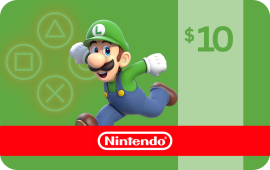
Nintendo eShop Gift Card $10
8.49 € -
Nintendo Switch Online US: 12 months individual membership
16.55 € -
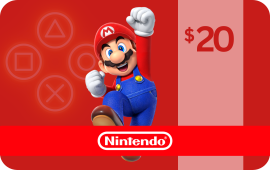
Nintendo eShop Gift Card $20
16.75 € -

Nintendo eShop Gift Card 15 GBP UK
17.13 € -

Nintendo eShop Gift Card 25 GBP UK
28.55 € -
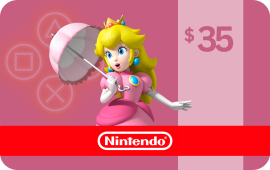
Nintendo eShop Gift Card $35
29.30 € -
Nintendo eShop Gift Card $50
41.87 € -

Nintendo eShop Gift Card 50 GBP UK
57.10 € -
Nintendo eShop Gift Card 75 GBP UK
85.65 € -

Nintendo eShop Gift Card 100 GBP UK
114.20 €


Buy Nintendo eShop Gift Card Online
With Nintendo eShop Gift Card, you no longer have to play by yourself. You can now enjoy competitive and cooperative online gaming with friends and players from around the world. A Nintendo eShop Gift Card membership also gives you access to a growing library of classic NES and Super NES games that you can play online.
Buy a Nintendo eShop Gift Card and enjoy your favorite games.
In this review, we answer the questions: can you buy a Nintendo eShop Gift Card online, and where to buy a Nintendo eShop Gift Card.
What Is a Nintendo eShop Gift Card?
Nintendo Switch Gift Cards are the perfect way to show your Nintendo fan how much you care! Nintendo eShop Gift Cards can be used to purchase Nintendo eShop memberships, which give access to online play, a growing library of classic NES games, and more. Plus, with a Nintendo eShop Gift Card, there are no worries about expiry dates or hidden fees.
How Does It Work?
Nintendo eShop Gift Cards are the perfect way to let your friends and family choose their own Nintendo eShop membership plan and games to play! With a variety of membership plans to choose from, and a wide selection of games available, Nintendo eShop Gift Cards give recipients the freedom to choose how they want to enjoy their Nintendo eShop.
Who Is It For?
Nintendo eShop Gift Cards are perfect for anyone who loves to play video games! With a Nintendo eShop Gift Card, you can purchase a subscription to the Nintendo eShop service, which gives you access to a library of over 1,000 classic Nintendo games, as well as exclusive discounts on digital games.
What Countries Is It Available In?
You can buy and redeem Nintendo eShop gift cards in the Americas, Asia Pacific, Europe, Middle East, and Africa regions. Before purchasing, please ensure the card currency is for your specific region, as these products are non-refundable.
How Tо Buy Nintendo eShop Gift Cards?
Perhaps you need to know, “where can I buy a Nintendo eShop Gift Card.” Let’s see how to get Nintendo eShop Gift Cards.
To buy Nintendo eShop Gift Cards online:
- Open a new or log into your existing account at Baxity Store.
- Select Nintendo eShop Gift Cards with the value and quantity you need.
- Add an item to your shopping cart and proceed to payment methods.
- Pay for the card with a convenient payment option and complete the purchase.
The card code will be delivered to your email (registered in Baxity Store) after placing and paying for the order in the store. It can also be copied in your personal account on the website in the “Orders” option. Now you know where to get Nintendo eShop Gift Cards.
How To Use It?
If you’ve been gifted a Nintendo eShop Gift Card or have purchased it on Baxity Store, you may be wondering how to redeem it. Redeeming your Nintendo eShop Gift Card is a simple process that can be done in just a few steps:
- Select the “Nintendo Shop” icon on the “Home Menu”.
- Select the account you want to add the credit to.
- Select “Enter Code” on the left side of the screen.
- Enter the 16-character code.
- Select “Submit”.
- Select “Continue”.
- The credit will now be added to your account.
How To Check Your Balance?
One way is to check your balance online through the Nintendo e-Shop. To do this, you’ll need to create a Nintendo account and link it to your Nintendo Switch console. Once you’ve done that, you can sign in to your account on the e-Shop, and your balance will be displayed.
Are There Any Fees Or Restrictions?
Nintendo eShop Gift Cards are a great way to give the Nintendo fan in your life the ability to purchase games and other content on the Nintendo e-Shop. There are no fees or restrictions on these cards, so the recipient can use them right away.
Is It Possible To Recharge It?
Unfortunately, it is not possible to top up a Nintendo eShop Gift Card, but you can purchase a new Nintendo eShop gift card on Baxity Store.
What Can I Buy With a Nintendo eShop Gift Card?
A Nintendo eShop Gift Card can be used to purchase Nintendo eShop subscriptions, games, and other items from the Nintendo e-Shop. This makes it the perfect gift for any Nintendo fan in your life!
Which Websites Accept It?
You can use a Nintendo eShop Gift Card code at the Nintendo eShop official website.
Pros and Cons of A Nintendo eShop Gift Card
Pros
- The recipient can use the card to buy whatever games or content they want from the Nintendo e-Shop.
- The card can be used as a last-minute gift.
- Nintendo eShop Gift Cards are a great way to show your Nintendo fan some love.
Cons
- Nintendo eShop Gift Cards can be redeemed only on the company’s official website.
- They are not reloadable.
- They cannot be exchanged for cash.
What is a Nintendo eShop Gift Card?
Nintendo eShop Gift Cards sold on Baxity are prepaid digital codes that add funds or membership access directly to a Nintendo Account. Baxity carries two distinct product types under the Nintendo category, and it is important to choose the right one for your needs before purchasing.
The first type is a Nintendo eShop Gift Card — a credit voucher that loads a fixed dollar or pound amount onto your Nintendo Account balance. That balance can then be spent freely in the Nintendo eShop on anything available in the store: full game downloads, downloadable content (DLC), in-game currency for supported titles, and more. Baxity offers eShop Gift Cards in USD denominations ($10, $20, $35, $50) and GBP denominations for the UK eShop (£15, £25, £50, £75, £100).
The second type is a Nintendo Switch Online membership — a subscription code that activates online play and other membership benefits for a set period. Baxity offers individual membership plans for the US region in 3-month and 12-month durations.
Nintendo itself needs little introduction: the company behind Mario, Zelda, Pokémon, and the Nintendo Switch — one of the best-selling gaming consoles of all time — operates the eShop as its primary digital storefront across Switch, and legacy platforms.
Can I Buy a Nintendo eShop Gift Card Online?
Yes, Nintendo eShop Gift Cards of various denominations are sold online on our website. In this review, you can find the guide on how to buy Nintendo eShop Gift Cards. The code delivery will be issued to your email or personal account once you have paid for the card.
Where Can I Get a Nintendo eShop Gift Card?
Looking for a Nintendo eShop Gift Card? Look no further than gift cards on Baxity Store! We offer a wide range of gift, gaming, and prepaid cards.
How To Get a Nintendo eShop Gift Card?
To buy Nintendo eShop Gift Cards online, you need to select the card with value in the appropriate category on Baxity Store website, as well as the payment method, and complete the purchase. The card code will be sent to you via email or you can see it in your account on Baxity Store.
What can I buy with a Nintendo eShop Gift Card?
A Nintendo eShop Gift Card credit balance is highly flexible — it can be spent on virtually anything sold in the Nintendo eShop for the matching region. Here is what that covers in practice:
- Full game downloads — purchase digital copies of Nintendo Switch titles, including first-party Nintendo games (Mario Kart, The Legend of Zelda, Metroid, Pokémon, Splatoon, and others) and third-party releases available on the eShop
- Downloadable content (DLC) — expansion packs, additional story content, character packs, and season passes for games you already own
- In-game currency and add-ons — some titles sold on the eShop allow you to purchase in-game currency or cosmetic content directly through the store using your balance
- Nintendo Switch Online membership — you can use eShop credit to pay for a Nintendo Switch Online subscription directly within the eShop, rather than purchasing a membership code separately
- Nintendo Switch Online + Expansion Pack — the higher membership tier that adds access to Nintendo 64 and Sega Mega Drive game libraries, along with DLC for select titles like Animal Crossing and Mario Kart 8 Deluxe
- Classic game libraries — through a Nintendo Switch Online membership, access to growing libraries of NES, SNES, Game Boy, Game Boy Advance, Nintendo 64, and Sega Mega Drive titles is included
Important regional note: eShop credit is region-specific. USD cards can only be redeemed on a Nintendo Account set to a US-region eShop, and GBP cards are for UK-region accounts only. Credit cannot be transferred between regional stores or converted.
What is Nintendo Switch Online and what does it include?
Nintendo Switch Online is Nintendo’s subscription service, required for online multiplayer in most Nintendo Switch games. A membership code from Baxity activates the service on your Nintendo Account for the duration purchased.
Individual membership benefits include:
- Online multiplayer — play compatible Nintendo Switch games online with friends and players worldwide, including Mario Kart, Splatoon, Pokémon, and many others
- Classic game library — access to a curated and regularly updated catalogue of NES and Super NES games playable on Switch
- Save data cloud backup — automatic cloud saves for supported games, protecting your progress if your console is lost or replaced
- Nintendo Switch Online app — companion smartphone app for in-game voice chat and game-specific features
- Special offers — occasional exclusive discounts and content available only to members
The membership codes sold on Baxity are for US individual accounts, available in 3-month and 12-month durations. They are not family plan codes and are not compatible with Nintendo Accounts registered outside the US region.
How do I redeem a Nintendo eShop Gift Card purchased on Baxity?
After your Baxity purchase is confirmed, your code arrives by email. There are two ways to redeem it:
On Nintendo Switch directly:
- From the Nintendo Switch home screen, select the Nintendo eShop icon.
- Choose the Nintendo Account you want to add the funds to.
- Select “Enter Code” from the left-side menu.
- Enter the 16-character code exactly as shown in your Baxity email.
- Select “Submit”, then “Continue”.
- The credit or membership is applied to your account immediately.
Via the Nintendo website:
- Go to nintendo.com/redeem.
- Sign in with the Nintendo Account you want to top up.
- Enter the 16-character code and confirm.
- The balance or membership activates on your account straight away.
Critical note: always confirm you are signed into the correct Nintendo Account and the correct regional eShop before entering the code. eShop credit and membership codes are locked to the account used at redemption and cannot be reversed, transferred, or re-issued to a different account.
How quickly will I receive my Nintendo eShop Gift Card code?
Your code is sent automatically the moment payment clears — no manual steps are involved on Baxity’s side. Most orders land in the inbox within a few minutes of purchase.
If the email hasn’t arrived after several minutes, two things are worth checking straight away: the spam or junk folder (delivery emails from new senders routinely get filtered there), and the “Orders” section of your Baxity account, where every purchased code is stored permanently and accessible regardless of email delivery. Crypto payments may take slightly longer to confirm depending on network congestion, but the code releases as soon as the transaction is finalised on-chain.
If 24 hours have passed and the code still isn’t visible in either place, reach out to Baxity support without waiting further.
Which payment methods are accepted?
Baxity supports a wide range of payment options for Nintendo eShop products:
- Visa / Mastercard — debit and credit card payments via supported processors
- Cryptocurrency — Bitcoin, Ethereum, USDT, and other supported coins via Cryptomus and KuCoin Pay
- Binance Pay — direct settlement from a Binance wallet balance
- Skrill — established digital wallet with broad international coverage
- Neteller — trusted e-wallet popular for fast international payments
- AstroPay (ICash.One) — prepaid voucher solution for users without bank cards
- Paysafecard — cash-based prepaid voucher available at retail locations worldwide
- Zen — European payment solution
The methods displayed at checkout depend on your selected country. The figure shown on the product page is the card’s face value — any payment processing fee appears as a separate line item before you confirm the order, with no surprises after the fact.
Can I pay with cryptocurrency?
Yes. Bitcoin (BTC), Ethereum (ETH), Tether (USDT), and other supported cryptocurrencies are accepted via Cryptomus and KuCoin Pay, with Binance Pay available as an additional option for Binance users. Crypto payments typically carry the lowest processing overhead of any method on Baxity, making them a practical choice if you want to minimise the total cost of the transaction. No bank account, card, or billing address is needed on either side.
Are Nintendo eShop Gift Cards region locked?
Yes — this is one of the most important things to check before purchasing. Nintendo eShop Gift Cards and membership codes are tied to specific regional storefronts, and a mismatch between the card’s region and your Nintendo Account’s region will result in a redemption error.
- USD cards ($10, $20, $35, $50) — for Nintendo Accounts registered in the United States. Cannot be redeemed on UK, European, or other regional accounts.
- GBP cards (£15, £25, £50, £75, £100) — for Nintendo Accounts registered in the United Kingdom. Cannot be applied to US or other regional accounts.
- Nintendo Switch Online membership codes (3-month, 12-month) — sold on Baxity as US individual memberships, compatible with US-region Nintendo Accounts only.
Your Nintendo Account’s region can be checked and, in some cases, changed in your account settings at accounts.nintendo.com — but note that region changes may affect your existing eShop balance and purchase history. If you are unsure which region applies to your account, check before buying.
What should I do if my Nintendo eShop Gift Card code is not working?
Run through these checks before contacting support — they cover the overwhelming majority of redemption issues:
- Confirm you are entering the code in the correct place — either the “Enter Code” option inside the Nintendo eShop on Switch, or nintendo.com/redeem on a browser
- Verify you are signed into the right Nintendo Account — the one whose regional eShop matches the card’s currency
- Double-check the region: a USD card will not work on a UK account, and a GBP card will not work on a US account
- Enter the 16-character code by hand rather than pasting, to rule out invisible formatting characters copied from the email
- Check that the code hasn’t already been used — each code is single-use
- Try redeeming via the Nintendo website rather than the console, or vice versa, as occasionally one route encounters a temporary error the other doesn’t
If none of the above resolves the issue, contact Baxity support with your order ID, the email address used at checkout, a screenshot of the code, and a screenshot of the error message displayed during redemption:
- Email: [email protected]
- Telegram: @baxitysupport
Do Nintendo eShop Gift Cards expire?
Nintendo eShop Gift Card codes purchased on Baxity do not have a printed expiration date, and once redeemed, the credit sits on your Nintendo Account balance indefinitely until spent. Nintendo Switch Online membership codes, once activated, run for the fixed period purchased (3 or 12 months) and do not auto-renew when bought as a code through Baxity.
That said, it is always good practice to redeem any digital code reasonably promptly after receiving it, rather than leaving unredeemed codes sitting in an email for an extended period.
Can I give a Nintendo eShop Gift Card to someone else?
Yes, and Nintendo eShop Gift Cards are among the most popular gaming gifts for Switch players of all ages. The code arrives in your Baxity email as plain text, so forwarding it to a friend, family member, or child is straightforward — they simply enter it into their own Nintendo Account via the eShop on Switch or the Nintendo website.
A couple of things worth keeping in mind when gifting: confirm that the recipient’s Nintendo Account is registered in the same region as the card you are purchasing (USD for US players, GBP for UK players), and if you’re buying for a younger player, note that a Nintendo Account is required for redemption — child accounts linked to a Family Group can receive eShop credit through the family administrator’s account.
Do I need a Nintendo Account to use a Nintendo eShop Gift Card?
Yes. A Nintendo Account is required to access the eShop and redeem any code. If you don’t already have one, registration is free at accounts.nintendo.com — you’ll need an email address to sign up. Once your account is created and linked to your Nintendo Switch, the eShop becomes accessible from the console’s home menu and credit or membership can be applied immediately.
Nintendo Accounts also serve as the login for Nintendo’s website redemption page, so the same account is used whether you redeem on console or online.
Can I get a refund for a Nintendo eShop Gift Card purchased on Baxity?
- If the code has not been delivered — get in touch with Baxity support and provide your order ID and payment confirmation. The team will investigate and resolve the situation.
- If the code has been delivered but not yet redeemed — contact support immediately with your order details.
- If the code has already been redeemed — refunds cannot be issued, as the product is considered fully delivered and consumed.
Nintendo’s own terms state that eShop funds and codes cannot be exchanged for cash and are non-refundable once applied to an account. Because all Nintendo products on Baxity are region-specific, please double-check the card’s currency and your account’s region before completing the purchase — this is the most common source of post-purchase issues and is not covered by a refund.
- Email: [email protected]
- Telegram: @baxitysupport
Full details are available in Baxity’s official Return Policy.
Why buy Nintendo eShop Gift Cards on Baxity?
- Two product types in one place — eShop credit cards (USD and GBP) and Nintendo Switch Online membership codes, covering both spending balance and subscription needs
- Instant delivery — codes reach your inbox within minutes of payment confirmation and are always retrievable from your Baxity order history
- Crypto payments accepted — pay with Bitcoin, Ethereum, USDT, Binance Pay, and more, without needing a bank card
- No hidden fees — the price on the product page is the card’s face value; any processing charge is shown transparently at checkout before you confirm
- Broad payment choice — Visa, Mastercard, Skrill, Neteller, AstroPay, Paysafecard, Zen, and crypto all accepted
- No code expiry — eShop credit codes carry no expiration date; once redeemed, the balance stays on your Nintendo Account until spent
- Great for gifting — forward the code to any Switch player and let them choose exactly what to spend it on in the eShop
- Bulk purchasing available — resellers and high-volume buyers can apply for wholesale pricing via Baxity’s partners program at baxity.com/store/partners/
Payment region
The payment options depend on your region. You can change your country.
 United States
Want to buy in bulk? Have a team?
You see the final price of the voucher! Only payment processing fees applies in the checkout.
Want to reduce additional costs to the minimum? Choose Crypto as a payment option in the checkout!
Visa, Mastercard, Zen, AstroPay, Paysafecard, Skrill, Neteller, Crypto, BinancePay