

Visa Prepaid
-
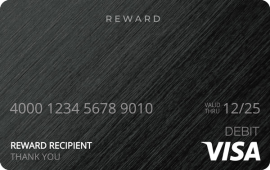
Visa Prepaid $1
1.28 €Out of stock
-
Visa Prepaid $2
2.13 €Out of stock
-
Visa Prepaid $2.1
2.21 €Out of stock
-
Visa Prepaid $3
2.98 €Out of stock
-
Visa Prepaid $4
3.83 €Out of stock
-
Visa Prepaid $5
4.68 €Out of stock
-
Visa Prepaid $10
8.93 €Out of stock
-
Visa Prepaid $15
13.27 €Out of stock
-
Visa Prepaid $20
17.69 €Out of stock
-
Visa Prepaid $25
22.12 €Out of stock
-
Visa Prepaid $26
23.01 €Out of stock
-
Visa Prepaid $40
35.40 €Out of stock
-
Visa Prepaid $50
44.24 €Out of stock
-
Visa Prepaid $60
53.09 €Out of stock
-
Visa Prepaid $100
88.49 €Out of stock


Visa Prepaid Card
Looking for a reliable and flexible way to shop, pay, or manage your spending online? The Visa Prepaid Card available at Baxity Store is the perfect solution. This digital-only card allows you to make purchases anywhere Visa debit cards are accepted around the globe, giving you a secure and convenient payment method for both online and in-store transactions.
Тhe Visa Prepaid Card ensures you can use your balance at your own pace. Whether you’re shopping online, subscribing to digital services, booking travel, or making international purchases, this prepaid card provides freedom and flexibility without linking to your personal bank account.
What is Visa Prepaid Card?
A Visa Prepaid Card is a preloaded payment card that works just like a regular Visa debit card but is not linked to a bank account. Instead, you load money onto the card in advance and then use it to make purchases until the balance runs out.
Key Features of the Visa Prepaid Card:
- Worldwide Acceptance – Use your Visa Prepaid Card anywhere Visa debit cards are accepted.
- Digital-Only Convenience – Delivered digitally via a redemption link sent to your email or Baxity account, ready to use without the need for a physical card.
- Time-Limited – The activation link expires in 90 days, and the card itself is valid for up to 6 months once activated.
- Balance & Transaction Tracking – Log in to MyPrepaidCenter anytime to check your balance and review your card details.
- Secure and Private – Keep your financial data safe by using a prepaid option instead of your main bank card.
- Wide Merchant Acceptance – Redeemable at every Internet, mail order, and telephone merchant, and accepted everywhere Visa debit cards are accepted.
- Perfect for Online Shopping – Pay for services, subscriptions, or e-commerce purchases with ease.
How Does a Visa Prepaid Card Work?
Getting and using a Visa Prepaid Card is simple and convenient:
- Purchase: After purchasing on Baxity Store, you’ll receive a redemption link by email or in your Baxity account. Follow the link to MyPrepaidCenter to activate your card. The card comes preloaded with funds when you purchase it.
- Gift Sharing: The activation code can be easily shared with another person (such as a friend, client, or colleague) for their use.
- Activation: The recipient can activate the card by following the instructions provided in the email.
- Usage: The card is ready for use immediately after activation. It can be used for purchases on any website or platform that accepts Visa cards. The card is not eligible for recurring payments or transfers to other accounts.
- Compatibility: The card is compatible with and can be added to Apple Wallet or Google Wallet.
Registration (required for online use): To use the card online, you’ll need to register it. Instructions are provided with the card. Registration usually requires entering your card information online, along with your name, billing address, and phone number. This lets you provide a matching billing address at checkout so the vendor can verify the transaction.
Important: The activation link expires in 90 days, so be sure to complete activation within that window. Once you reveal your card details, the card itself expires 6 months from that point — any unused funds are forfeited after the valid-thru date.
Who Is the Visa Prepaid Card For?
The Visa Prepaid Card is a versatile payment solution that suits a wide range of users. It’s ideal for:
- Online Shoppers – Pay securely on e-commerce sites and international platforms without exposing your bank details.
- Frequent Travelers – Use your prepaid Visa card worldwide without worrying about carrying cash.
- Digital Service Users – Subscribe to streaming platforms, gaming accounts, and software services with ease.
- Gift Givers – Send a prepaid Visa card as a digital gift, giving recipients the freedom to choose what they want.
- Budget-Conscious Users – Control your spending by loading only the amount you want to use.
- Those Without Bank Accounts – Enjoy the convenience of Visa payments without needing a traditional bank account or credit card.
What Countries Is It Available In?
Certain regions are excluded from USD card issuance due to regulatory restrictions. These include:
Afghanistan (AF), Albania (AL), Belarus (BY), Bosnia and Herzegovina (BA), Central African Republic (CF), Crimea Region (MAT), Cuba (CU), Democratic Republic Of The Congo (CD), Equatorial Guinea (GQ), Eritrea (ER), Ethiopia (ET), Guinea (GN), Guinea Bissau (GW), Iran (Islamic Republic Of) (IR), Iraq (IQ), Kazakhstan (KZ), Lebanon (LB), Libyan Arab Jamahiriya (LY), Mali (ML), Myanmar (Burma) (MM), Nauru (NR), Nicaragua (NI), Nigeria (NG), North Korea aka Democratic People’s Republic of Korea (KP), Russian Federation (RU), Somalia (SO), South Sudan (SS), Sudan (SD), Syrian Arab Republic (SY), Tunisia (TN), Turkey (TR), Ukraine (UA), Venezuela (VE), Yemen (YE), Zimbabwe (ZW)
How to Buy Visa Prepaid Cards?
Purchasing a Visa Prepaid Card at Baxity Store is fast, simple, and secure. Just follow these steps:
- Visit Baxity Store – Go to the Visa Prepaid Card section.
- Choose Your Card – Select the prepaid Visa card in the desired denomination.
- Add to Cart – Click “Add to cart” and proceed to checkout.
- Select Payment Method – Pay securely using one of the available options (crypto, e-wallets, bank transfer, and more).
- Receive Instantly – After successful payment, your digital Visa Prepaid Card details will be delivered directly to your Baxity Store account or registered email.
How to redeem Visa Prepaid Card
Redeeming your Visa Prepaid Card is quick and easy. Just follow these steps:
1. Open the Email from Baxity Store – After purchase, check your inbox for an email with your card redemption link.
2. Click the Redemption Link – This will take you to the secure card activation page. Click “Activate your reward”.
3. Fill in the Required Information – Enter any necessary data, such as your name, address, email and so on.
4. Confirm and Continue – Click “Confirm” to complete the redemption process.
5. Receive Your Card Details – Your digital Visa card number, expiration date, and CVV will be displayed on the screen.
Where and How You Can Use the Card
The Visa Virtual Reward Card can be used for online purchases, phone orders, and mail orders — it is redeemable at every Internet, mail order, and telephone merchant, and accepted everywhere Visa debit cards are accepted in the United States.
When the Purchase Exceeds Your Balance
Check whether the merchant supports split tender payments, letting you pay part of the purchase with your card and the remainder with another payment method. If the merchant doesn’t support split tender, you may be able to use your remaining balance toward a merchant gift card and combine that with another payment method.
Not Supported
- No cash access
- No recurring payments
- No cash advances or loading funds onto another card
Card Validity and Expiration
- The activation link expires 90 days after issue — complete activation within this window.
- Once activated and card details are revealed, the card is valid for up to 6 months.
- Any unused funds are forfeited after the valid-thru date, so it’s best to use the full balance before the card expires.
Using the Card Internationally
The card can only be activated within the United States. Once activated, however, it can be used internationally — except in restricted countries — subject to a 2% foreign transaction (forex) charge. Make sure your remaining balance covers this fee to avoid a decline.
Managing Your Card
- Check your balance by logging into MyPrepaidCenter.
- Find your card number and details by completing the activation and registration process, or by locating the redemption email/link from your purchase.
- Update your billing address or phone number as part of registration, to help avoid declined online purchases.
- Read the full Terms & Conditions provided at both the redemption link and the activation link before use.
How do I get my card after buying it on Baxity Store?
After your purchase is confirmed, you’ll receive a redemption link either by email or in your Baxity account. Follow the link to MyPrepaidCenter to begin activating your card.
Where can I use my card?
The Visa prepaid cards can be used for online purchases, over-the-phone payments, and mail-in orders. You can even add them to your favorite retailer, service, or fast-food mobile apps as a saved payment method.
Can I Use My Visa Prepaid Card Abroad?
Yes! As long as your card does not have country-specific restrictions printed on it, you can use your Visa Prepaid Card when traveling internationally. Simply use it anywhere Visa is accepted worldwide.
Note: If your purchase is processed in a different currency, 2% foreign transaction charge will apply, just like with a regular credit or debit card.
Can I Get Cash from an ATM or Bank?
Visa Prepaid Cards cannot be used to withdraw cash from an ATM or bank.
Can I Use My Visa Prepaid Card to Buy Fuel?
You cannot pay at the pump. To purchase fuel with your Visa Prepaid Card, you’ll need to go inside the gas station and pay the cashier directly.
How Do I Use My Card Online?
Using your Visa Prepaid Card online is quick and easy. You’ll need the 16-digit card number, the expiration date, and the security code (CVV).
Can I Add My Card to a Mobile Wallet?
Yes! You can manually add your physical or virtual Visa Prepaid Card to Apple Wallet, Samsung Pay, or Google Wallet.
📱 How to Add Your Card to a Mobile Wallet:
1. Make sure your profile includes a U.S. or Canadian mobile number, as a one-time validation passcode will be sent to you via SMS.
To add or update your number: log in, view your card details, and select Edit above your profile information.
2. For eligible virtual cards, you can also add them after redemption by clicking Add to Wallet under the Device Wallet section.
3. Once added, your card image in the wallet may look slightly different from the original, but your card number, CVV, and expiration date remain the same.
🔖 Note:
Apple and Apple Wallet are trademarks of Apple, Inc.
Google and Google Wallet are trademarks of Google LLC.
Samsung Pay is a registered trademark of Samsung Electronics Co., Ltd.
Can add money to my card?
This card can’t be loaded with your own money.
How Do I Check My Balance?
You can check your balance, card details, PIN, spending history, and more online at any time.
Simply log in to your Account and click on the card you want to view — or click the link in the original email you received when the card was issued.
Does My Card Expire?
The activation link expires 90 days after issue. Once activated, the card itself is valid for up to 6 months, after which any unused funds are forfeited.
Why was my card declined at checkout?
Usually because the purchase amount exceeded your available balance, the card wasn’t registered for online use, or the transaction type isn’t supported (e.g., cash access, recurring payments). Check your balance and registration status beforehand, and split the purchase across two payment methods if needed.
Why is my card asking for cardholder information?
Registration — entering your name, billing address, and phone number — confirms that only the registered cardholder can access the account and allows the vendor to verify your billing address at checkout.
Payment region
The payment options depend on your region. You can change your country.
 United States
Want to buy in bulk? Have a team?
You see the final price of the voucher! Only payment processing fees applies in the checkout.
Want to reduce additional costs to the minimum? Choose Crypto as a payment option in the checkout!
Visa, Mastercard, Zen, AstroPay, Paysafecard, Skrill, Neteller, Crypto, BinancePay