For millions of PUBG Mobile players, topping up their UC balance is a common routine. However, many encounter a situation where paying with a Mastercard card is simply not possible. The reason is usually not the card itself, but the fact that the game’s platform may not allow this payment method. Depending on your region and the internal rules of Google Play or the App Store, the standard in-game purchase of UC can be restricted or unstable.
This is precisely why, if your goal is to buy PUBG UC on Mastercard, you need to know the alternatives. Although Mastercard is a widespread and convenient payment method, if the platform does not accept the card for in-game purchases, players begin to look for a way to buy PUBG Mobile with Mastercard without relying on Google or Apple restrictions.
In such cases, an alternative approach to payment PUBG via Mastercard becomes relevant. At Baxity Store, we offer a secure and stable option where Mastercard is used as the payment instrument to purchase PUBG Mobile gift cards, and the transaction itself is independent of the decisions of the gaming or store platform.
Therefore, we will now examine in detail how to reliably and safely buy PUBG Mobile with Mastercard, explain all the options, and show the most convenient way through Baxity Store.

What Is PUBG Mobile UC and Why Players Buy It
Unknown Cash (UC) is the premium currency in PUBG Mobile. You cannot earn it simply by playing matches. This virtual currency is purchased exclusively with real money and is used for in-game transactions that enhance your experience and style.
So, what is UC spent on? Primarily on cosmetic and functional upgrades. This includes:
-
- Rare weapon and character skins that change your appearance.
- Special crates with random rare items.
- The Royale Pass – a seasonal progression system with exclusive rewards.
Essentially, the process to buy PUBG UC is the only way to quickly obtain items that would otherwise require months of waiting or might be missed entirely before an event ends. Players can accumulate resources without spending money – through events, missions, and seasonal activities – but these mechanics mostly provide either small free rewards or are limited by “chance” loot drops.
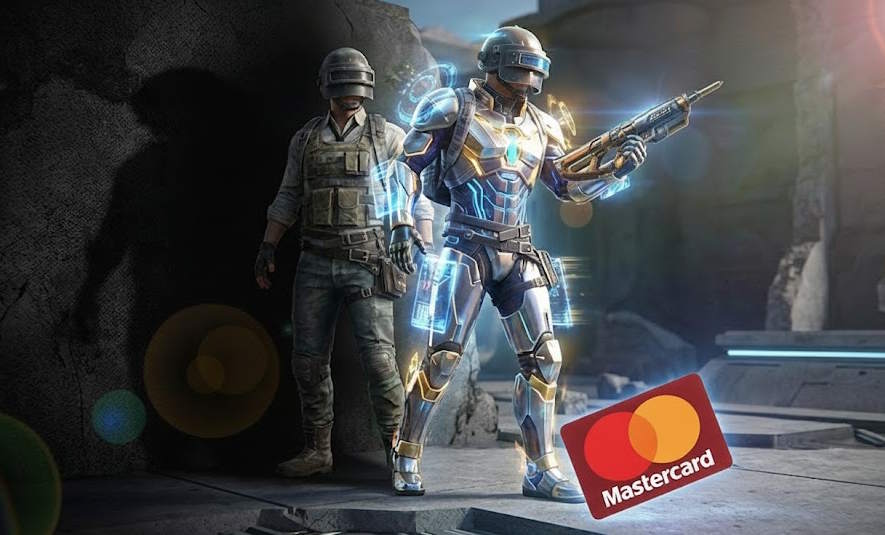 Therefore, UC is valued for the control it provides: you decide exactly what to buy, when, and in what quantity, without relying on randomness. This is especially important when it comes to time-limited content: a season ends, an offer disappears, and without UC, you simply won’t have time to complete the necessary progress. Another key, often underestimated point: UC is essentially “tied” to your game account and displayed in your specific profile – meaning after a top-up, you use it within the game as a standard balance.
This is precisely why players look for methods, for example, to buy PUBG UC via Mastercard, or use other payment methods that guarantee access and exclusivity. PUBG gift cards remain very popular – a method to quickly and safely top up your account with UC by placing an order in just a few clicks to get back into the game with new gear. Instead of waiting or hoping to get items through gameplay, a direct PUBG UC purchase guarantees the desired content immediately, allowing you to customize your profile and stand out on the battlefield.
Ways to Buy PUBG Mobile UC Using Mastercard
When you need to quickly top up UC, using a Mastercard is a logical choice. You have two primary methods to complete this transaction, and the best option often depends on your region and account type. To make a payment in PUBG via Mastercard, you can either go through the in-game system or use an external platform. Understanding the details of paying for PUBG Mobile with a Mastercard via each channel will help you choose the smoothest path.
📚 Related Articles
In-app purchases inside PUBG Mobile
The most direct way to pay for PUBG with Mastercard is through the game’s built-in store. When you select a UC pack, the game redirects you to your platform’s payment page (Google Play for Android or App Store for iOS). Your Mastercard must be pre-linked to your account there.
The direct process of payment for PUBG with Mastercard seems simple, but issues often arise at the authorization stage:
- Your bank may block an international transaction if it is not typical for your region.
- Furthermore, the processing of the payment goes through the Google/Apple system, which may add its own fees or have technical restrictions for certain card types (e.g., virtual or prepaid).
If the platform does not allow the transaction, the game simply does not offer an alternative payment method — this cannot be changed from the user’s side.
Using external platforms that accept Mastercard
An alternative is external online stores specializing in the sale of in-game currency. Their advantage is avoiding the limitations of built-in systems. In this case, the UC purchase happens outside the game, and Mastercard is used as a standard payment instrument during checkout. This allows you to complete a purchase for PUBG Mobile via Mastercard without relying on Google Play or App Store restrictions.
The safest and most stable option on this path is purchasing official PUBG Mobile gift cards. You buy a digital voucher, which you then activate in the game. This is the ideal method for those who want to reliably buy PUBG UC on Mastercard without the risk of being blocked by the game platform.
- At the same time, it’s important to be cautious: not all sites offer official products, and using dubious services carries risks for your account and the transaction itself. That is why you should choose verified stores with official game support.
Baxity Store, as a verified reseller, provides legitimate codes, and the payment process goes through a secure gateway, making the entire transaction transparent and safe. You receive an official PUBG Mobile product, pay for it with your card, and activate it directly in your account — quickly, securely, and without linking the card to your game profile.
How Buying PUBG Mobile UC with Mastercard Works in Practice
In practice, buying UC in PUBG Mobile with a Mastercard may look simple, but the payment itself goes through several processing layers. This is exactly why players do not see “Mastercard” as a separate button in the game and why available payment options can vary.
When UC is purchased, the transaction usually follows this path:
- card → payment processor → Google Play or App Store → PUBG Mobile
The platform is responsible for verifying and approving the transaction, while the game only receives the final result and credits UC to the account.
For this reason, even if you are used to paying for PUBG UC with a Mastercard, you are not actually paying the game directly. The payment is handled by Google or Apple, and additional payment gateways and aggregators may apply their own checks and filters. This explains why a card can work perfectly for other online purchases but fail during in-app transactions.
How to Buy PUBG Mobile UC with Mastercard via Baxity Store
When standard in-game payment is unavailable, Baxity Store always offers a way to buy PUBG UC with Mastercard in any amount. It’s a fast and reliable method to purchase a gift card PUBG through the Mastercard system. You buy a digital voucher for the required amount and pay with your Mastercard. This method allows you to top up your PUBG UC balance without linking your card to your game account and without being subject to Google Play or App Store restrictions.
Below is a step-by-step guide and the necessary requirements.
Step-by-step purchase flow
Here is a clear plan to buy PUBG Mobile with Mastercard quickly and easily:
- Go to the Baxity Store website and open the Gaming Credits category. Then, find the PUBG Mobile gift card page and proceed to product selection.
- Choose the required UC denomination or gift card value. If needed, you can use several cards to buy PUBG UC for the desired amount or cover the purchase total. Pay attention to the currency of your cards — this helps avoid potential blocks from the payment system.
- Check availability. If a specific denomination is temporarily out of stock, it can still be ordered — delivery for such cards may take up to 72 hours.
- Add the product to your cart and proceed to checkout. At this stage, you must log into your Baxity Store account. If it’s your first time on the site, complete a short registration and verification — a standard requirement for transaction security.
- Select Mastercard as the payment method and complete the purchase. Payment is made in the usual way using your card details. This is where Mastercard is used as the payment instrument, not as an in-game method.
- Receive the code and activate it in PUBG Mobile. After successful payment, the PUBG Mobile gift card code is sent to your verified email. You then activate it on the PUBG Mobile website to receive UC in your account.
This way, you can buy PUBG UC online, using Mastercard without the technical restrictions of the platform, while purchasing official products.
What you should prepare before purchasing
Before proceeding with a purchase of PUBG Mobile UC with Mastercard, it’s worth checking a few things:
- The region of your PUBG Mobile account — it must match the region of the gift card.
- An active Mastercard — debit, credit, or prepaid, with online payment capability and sufficient balance.
- Access to the email linked to your Baxity account to receive the digital code.
- A verified Baxity account to ensure fast processing. If it’s your first time on the site, you need to complete a short registration with verification.
These simple steps will help you easily, quickly, and without issues to buy PUBG UC on a Mastercard and instantly receive the in-game currency in your account.
Why Many Users Choose Baxity Store for Mastercard Payments
When the question arises of how to reliably make a purchase in PUBG via Mastercard, Baxity Store often proves to be the best answer. Its popularity among players is based on several simple yet important advantages that make the UC top-up process fast, profitable, and secure.
Key reasons for Baxity Store’s popularity:
- A wide selection of official digital products for different needs. These can include PUBG gift cards as well as Mastercard prepaid cards and other gift/prepaid solutions. This means you choose not a “random code,” but a clear product tailored to your payment scenario and region.
- Favorable terms: Baxity offers special conditions for bulk purchases and regular promotions on popular PUBG gift cards, allowing for significant savings.
- Broad availability: The service is available to players from most countries worldwide, offering a stable top-up method regardless of local platform restrictions.
- Simplicity and security: The entire process — from choosing the UC denomination to receiving the code via email — takes just a few minutes. Payment is made through secure gateways, and you receive an official digital product that activates instantly in the game.
Advantage comparison scheme:
| Direct purchase in PUBG Mobile | Purchase via Baxity Store |
| Dependent on Google Play/App Store restrictions | Stable and global availability |
| Standard prices | Bulk discounts and regular promotions |
| Requires linking a card to your account | Secure payment with any Mastercard, including prepaid |
It is precisely this set of advantages — speed, savings, and security — that makes Baxity Store the primary choice for those who want to buy UC for PUBG Mobile using Mastercard in the most convenient way possible.
What Happens After a Mastercard Payment
After a successful payment, the result may not appear instantly — this is normal. Following a top-up for PUBG via Mastercard, the system first confirms the transaction and then either sends the code or shows the delivery/order fulfillment status.
What to check first:
- Email: The voucher code is sent to your email address. This takes up to 5 minutes. If it’s not there, check your Spam folder.
- Order status in your store account.
Normal statuses:
- Processing — payment is being processed.
- Pending — a temporary verification delay.
- Completed / Delivered — code sent or order fulfilled.
After receiving the code, don’t forget to activate the voucher on the official PUBG Mobile website in the Redeem Code section: pubgmobile.com. After activation, UC typically appears in the account within a few minutes — which is precisely why purchasing a gift card PUBG UC via Mastercard is considered the fastest method.
Common Problems When Using Mastercard for PUBG Mobile UC
Even when choosing the convenient method to buy PUBG UC with Mastercard, technical obstacles can arise. Understanding their causes helps quickly resolve the issue and successfully purchase PUBG Mobile with Mastercard. The main problems and their solutions are outlined below.
The most convenient way to analyze them is using a table:
| Problem | Likely Cause | Solution |
| Payment declined by the bank | Insufficient funds, the bank blocks the transaction as suspicious, daily limit reached. | 1. Check your card balance. 2. Contact your bank to confirm the possibility of international online payments. 3. Try to make the payment later or use another card. |
| Authorization error (e.g., “Invalid card details”) | Card details entered incorrectly: wrong number, expiration date (MM/YY), or CVV code. | Carefully check and re-enter all data from the front and back of the physical card. Ensure the card is active. |
| Payment successful, but code not received | Technical delay in order processing (up to 15-30 min.), code went to the “Spam” folder, incorrect email provided. | 1. Wait 5-15 minutes. 2. Carefully check the “Spam” or “Promotions” folder in your email. 3. Log into your Baxity Store account and check the “Orders” section. 4. If the code is not found, contact Baxity support with your order number. |
| “Payment method not available in your region” error | Your bank or the Mastercard payment system imposes geographic restrictions on transactions with specific stores or regions. | 1. Try using another Mastercard, possibly from a different bank. 2. Contact your bank regarding the possibility of paying in international online stores. 3. Consider alternative payment methods on Baxity Store (other cards, e-wallets). |
| Code activated, but UC not appearing in the game | Code entered with an error, activation occurred for the wrong game account (region), technical delay in the game. | 1. Make sure you entered the code correctly, without confusing characters. 2. Ensure you are logged into the correct PUBG Mobile account and that the account region matches the voucher region (e.g., GLOBAL). 3. Wait 10-30 minutes and restart the game. If the currency is not credited, contact PUBG Mobile support with your purchase receipt. |
Key takeaway: Most problems arise due to restrictions from your bank or data entry errors. If the payment went through but you didn’t receive the code, first check the “Spam” folder and your personal account on Baxity Store. Contacting the store’s support with your order number always helps resolve the issue fastest.
Things to Know Before Choosing Mastercard for PUBG Mobile UC
Paying for UC with a Mastercard combines familiar security with practical simplicity.
- Security by Standard. Every transaction is protected by bank authorizationand the 3-D Secure This ensures that you are the one confirming the payment, without any additional setup.
- The Advantage of the Voucher Model. The key difference lies in the payment method. When you purchase an official code, you do not link your card to the game. Instead, you top up PUBG with Mastercardon Baxity Store, and then activate the received voucher in PUBG. This provides direct control: pay → receive code → activate.
This scheme is the essence of a smooth top-up for PUBG via Mastercard, making the process straightforward and free of technical risks.
Ready for a simple purchase? Buy PUBG UC Now at Baxity Store — choose your denomination and receive the code instantly.
FAQ (Frequently Asked Questions)
Is it safe to enter my Mastercard details on Baxity Store
Yes, it is safe. Baxity Store uses encrypted connections and works with licensed payment providers. Your data is processed according to high-security standards. Moreover, by purchasing a gift card PUBG UC with Mastercard, you do not link your card to your game account, adding an extra layer of protection.
How long to wait for the code after payment?
The code is sent instantly, usually within 2-5 minutes after a successful PUBG Mobile payment with Mastercard. If the email is not in your inbox, check your “Spam” or “Promotions” folders. The code is also always available in the “Orders” section of your personal account on Baxity Store.
How exactly does the top-up via this method work?
The process of buying PUBG Mobile with Mastercard through Baxity Store takes three steps: (1) you buy a digital code (voucher) on the site, paying with Mastercard; (2) you receive this code via email; (3) you enter the code in your account on the official PUBG Mobile website to credit the UC. This is the complete process of a top-up for PUBG via Mastercard.
What to do if the payment went through, but the code doesn’t activate in the game?
First, make sure you entered the code correctly and that the region of your PUBG Mobile game account matches the region of the purchased voucher (e.g., GLOBAL). If the problem persists, contact Baxity Store support with your order number — we will help check the status of the code.
Can I use a virtual or gift Mastercard?
Yes, to purchase PUBG UC with Mastercard, you can use virtual, debit, credit, and gift (prepaid) Mastercard cards. The main requirement is that the card must have sufficient funds for payment and be activated for online transactions.