For many PUBG Mobile players, buying UC directly with a bank card can be a real challenge. Even if you have a Visa card, trying to pay Visa on PUBG Mobile often fails due to regional restrictions, internal bank policies, or preset limits on online gaming payments. As a result, purchasing in-game currency can turn into a chain of declines and unnecessary verification steps. However, this does not mean your in-game options are limited.
In practice, there is a working solution. Instead of paying directly in the game, users can buy PUBG UC with a Visa card through alternative mechanisms that operate more reliably across different countries and are not tied to a specific bank. That is why many players choose to buy PUBG Mobile with a Visa card indirectly, using trusted intermediary tools rather than in-app payments. Baxity Store is exactly the service that brings these options together in one place.
At Baxity Store, you can top up your PUBG Mobile balance via Visa using gift cards and vouchers, keeping full control over your spending while avoiding common restrictions associated with online gaming payments. How this works in practice and what details you should consider — read on.

What Is PUBG Mobile UC and How It Is Purchased
Unknown Cash (UC) is the primary currency in PUBG Mobile. This virtual money provides access to the most sought-after in-game items. With UC, players can purchase character and weapon skins, unlock crates with random rewards, and activate the Royale Pass, which grants access to seasonal bonuses and exclusive rewards such as unique character and weapon skins. Essentially, UC directly impacts the gaming experience but does not provide gameplay advantages, maintaining balance among players.
From a currency standpoint, UC is not stored outside the account and is directly tied to your in-game profile. After being credited, it is displayed in your in-game balance and can only be used within PUBG Mobile. That’s why it’s crucial to choose a reliable store for top-up that guarantees correct delivery and transaction security.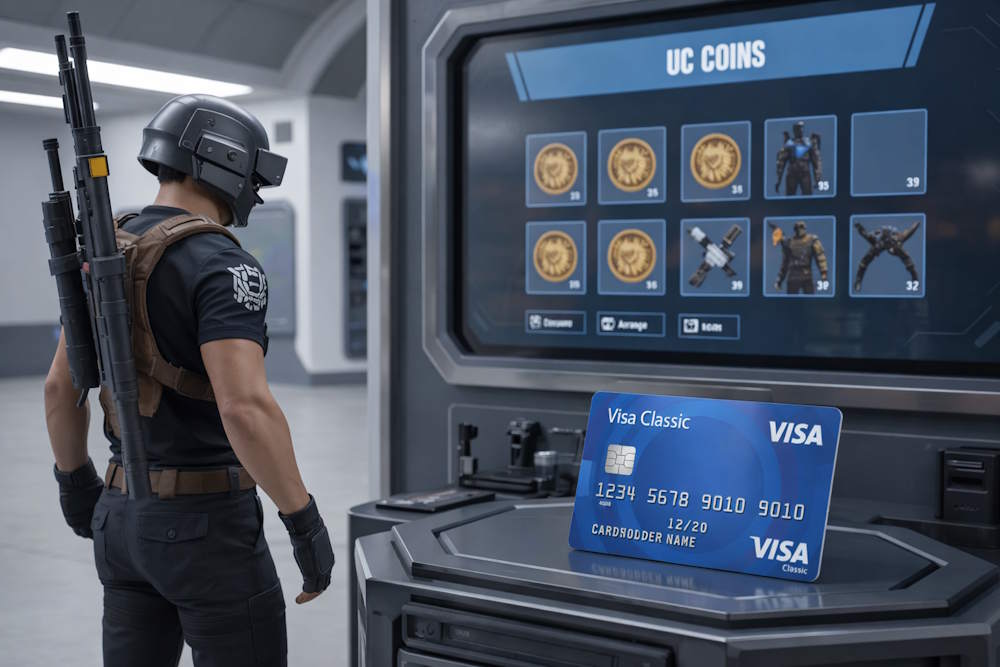
There are several main mechanisms for replenishing your in-game UC balance, each with its own pathway.
- The most direct method is an in-app purchase through the PUBG Mobile client itself. This process is controlled by your operating system, and payment goes through the Apple App Store or Google Play stores. UC is credited instantly, but the availability of this method depends on your region, currency, and account settings.
- Alternatively, players can use digital gift cards or vouchers. These are prepaid codes of a specific UC denomination that can be purchased from various online retailers and game stores. By redeeming these codes on the official game portal, you credit UC directly to your account, which is a flexible purchasing option.
Understanding these basic methods is the first step. The next is choosing the right payment instrument for the transaction, and most players choose a Visa for PUBG Mobile UC top-up. While the standard in-app top-up method seems simpler, many players look for more flexible and economically advantageous solutions. This often leads them to trusted platforms specializing in in-game currencies, where you can conveniently buy UC for PUBG using various payment methods, including major credit and debit cards.
📚 Related Articles
How You Can Buy PUBG Mobile UC with a Visa Card
So, there are two main real ways to buy PUBG UC with a Visa card, but each has its nuances. The choice between them determines the final price, convenience, and security of the transaction.
- The first path is payment through official app stores,
- the second is purchasing digital game credits from authorized resellers.
Understanding both options helps avoid common problems, such as payment rejection. Moreover, a direct Visa payment for PUBG may fail due to regional restrictions, bank security blocks, account currency mismatches, or technical limits.
Alternative methods, on the contrary, often prove to be more stable and profitable, especially for international players. It is precisely the difference between these approaches that should be considered when choosing the optimal scenario for your PUBG payment via Visa.
In-app purchases processed via App Store or Google Play
The most straightforward way to top up UC allows you to pay for PUBG Mobile using a Visa card directly linked to your Apple ID or Google account through the PUBG Mobile client. You simply select a UC package in the game, confirm the purchase, and the payment is processed via the platform’s secure system. UC is credited to your account instantly.
For many players, this looks like the easiest option, as it makes it possible to top up PUBG Mobile with a Visa card in just a few clicks.
However, in practice, this method comes with several limitations:
- The success of the transaction depends on the account country, selected currency, internal bank rules, and preset limits. If the account region does not match the country where the card was issued, the payment may be blocked.
- Payment declines are common when Visa for PUBG Mobile has restricted online usage or additional security controls enabled.
- Banks may also reject the transaction if it is treated as an international payment or exceeds a daily limit.
- Debit cards, prepaid cards, and virtual Visa cards often face a higher decline rate due to stricter authorization policies within app store payment systems.
- Bank currency conversion fees can add unexpected extra charges to the final cost.
Buying PUBG Mobile UC through third-party services
The alternative approach — purchasing UC through third-party aggregator services, such as on the Baxity Store platform — is more versatile. Instead of a direct UC transfer, you buy a digital product: an official PUBG Mobile gift card or voucher with a specified UC value. After payment, you receive an activation code to use in the official PUBG redemption center. This process is a straightforward way to top up your PUBG Mobile account with a Visa card.
- Its main strength is stability, as it bypasses the strict regional and card-type checks from app stores.
- It offers enhanced privacy (your card details go to a secure payment gateway, not directly to a game account) and security, as you only share your game UID, not login credentials.
- You have full control over the purchase amount, which is often more favorable than in-app prices.
- Whether you use a credit, debit, prepaid, or virtual Visa, the process remains the same and is generally more reliable for successfully purchasing UC for PUBG Mobile with Visa.
An additional advantage of using such PUBG cards is clear cost control without the risk of unexpected charges.
How to Buy PUBG Mobile UC with a Visa Card via Baxity Store
If the standard in-app payment method is not suitable for any reason, the optimal solution is to use an authorized payment solution aggregator. Baxity Store is a platform that specializes in digital products – top-up cards for many services.
But it is important to understand: here, you are not buying UC directly with money; instead, you are purchasing an official digital PUBG voucher of a specific UC denomination. It is this product that you pay for with your Visa card, after which you receive an activation code and enter it into the official PUBG Mobile redemption center.
This chain of actions makes the process stable and allows you to buy PUBG Mobile with a Visa card safely, because your bank sees the transaction as a purchase of a digital product from a known store, not as a direct top-up of a gaming account, which is often blocked.
The main goal for you is to buy PUBG Mobile UC with a Visa card quickly and reliably, and Baxity Store provides exactly this scenario. The platform supports Visa among the main payment methods, and an operational support service is ready to help in case of any questions.
Step-by-step purchase flow
Follow this simple, numbered guide to top up your PUBG Mobile account with a Visa card quickly and securely.
- Navigate to Baxity Store: Go to the Baxity Store website and select the main “Gaming Credits” category.
- Find PUBG Mobile Products: Locate and click on the PUBG Mobile section or use the direct link to the category. Here you will see a wide range of available denominations.
- Select Your UC Amount: Choose the desired UC value. To reach a specific total amount of UC or match your budget, you can purchase and pay for multiple vouchers in a single order.
- Add to Cart & Log In: Click “Add to Cart” for your selected item. Then, proceed to your shopping cart. Important: At this stage, you must log in to your Baxity Store account. If you are a new user, complete the quick registration and verification process. This step is crucial for your account’s security and is required to use certain payment methods, including Visa.
- Complete the Visa Payment: In the checkout, select “Visa” from the list of available payment options. Enter your card details (number, expiry date, CVV) securely in the payment gateway as you normally would for an online purchase. Confirm the payment to finalize your PUBG Mobile top up with Visa.
- Receive & Redeem Your Voucher: Immediately after a successful payment, the digital voucher code will be sent to the email address linked to your verified Baxity Store account.
You can then use this code in the official PUBG Mobile redemption center to instantly credit the UC to your in-game balance.
What you need before buying
Before starting the purchase of a PUBG Mobile gift card with Visa, ensure you have everything necessary:
- An active PUBG Mobile account.
- A Visa card with sufficient balance. Cards of any type work: credit, debit, prepaid, or virtual.
- Online payments enabled in your bank settings.
- A valid and verified email address on Baxity Store to receive the activation code.
To avoid payment issues, ensure the currency of your Visa card for PUBG Mobile matches the transaction currency supported for your region. Some UC packages on the site may be marked as temporarily out of stock for instant delivery. These items are often still available for purchase but will be delivered to your email with a delay (typically up to 72 hours).
With these conditions in place, you will be able to make a purchase for PUBG Mobile with a Visa card without complications and securely through the Baxity Store platform. This approach is also suitable for users who want to pay for PUBG Mobile with Visa without directly linking payment details to their gaming account.
Why Choose Baxity Store for Visa-Based PUBG Mobile UC Purchases
Choosing Baxity Store for topping up your UC with a Visa card provides not just a functional payment method but a range of key advantages that make the process maximally beneficial and secure:
- Security & Privacy: Your payment data is processed through encrypted gateways that comply with international standards. Baxity Store does not store your full card details, and your personal information is protected by a privacy policy.
- Transparency & No Hidden Fees: The price you see on the site is final. No additional markups or unexpected service charges when making a payment for PUBG Mobile with a Visa card.
- Competitive Prices & Favorable Terms: Baxity Store offers UC at competitive prices, often lower than the official in-app rates. Regular promotions and a discount system for bulk purchases (e.g., from 10 cards) allow for significant savings.
- Responsive Support: The support team is ready to help with any questions regarding your order, payment, or activation of your Visa card for PUBG Mobile, ensuring peace of mind at every step.
- Fast & Guaranteed Delivery: Codes are delivered instantly after payment if the item is in stock. If the chosen denomination is not available for immediate dispatch, delivery still occurs within a guaranteed timeframe (typically up to 72 hours), and you receive an official, fully functional voucher.
- Guarantee of Product Legitimacy: All PUBG Mobile gift cards and vouchers are official digital products, licensed for global activation. You receive a 100% guarantee that the purchased UC will be correctly credited to your game account without the risk of blocking.
It is these advantages that make Baxity Store the ideal aggregator for making a safe and profitable purchase for PUBG Mobile with a Visa card, which cares both about the security of your transactions and the convenience of obtaining in-game currency.
What to Expect After Paying with a Visa Card
After successfully completing and confirming the payment, your payment for PUBG Mobile with Visa is processed automatically. The Baxity Store system sends a digital activation voucher code to your email. Here is what to pay attention to next:
- Code Delivery Speed: If the item was in stock, the activation code arrives almost instantly, typically within seconds to a few minutes. The code will be sent to the email address linked to your verified Baxity Store account and will also appear in the “My Orders” section on the website. If you purchased a denomination marked as “Delayed” or temporarily unavailable for instant dispatch, receiving the code will take more time. In such cases, delivery is handled manually by the Baxity Store team within a guaranteed period—usually up to 72 hours.
- How to Activate UC: To finalize the top-up of PUBG via Visa, go to the official PUBG Mobile redemption website (the link will be in the email with the code), log in with your game account, enter the received code, and confirm. UC will be credited to your in-game balance almost immediately after activation.
- Checking Your UC Balance: You can verify a successful top-up directly in the game, in the profile or store section where your current amount of Unknown Cash is displayed.
Common Issues When Buying PUBG Mobile UC with Visa
Sometimes, the process of making a payment for PUBG with a Visa card can encounter technical hurdles. Understanding common issues and their solutions will help you complete your purchase quickly. The main difficulties and ways to overcome them are outlined in the table below.
| Problem | Probable Cause | Solution |
| Payment Declined by Bank | The bank may flag the transaction as suspicious (especially for virtual or prepaid cards), there may be insufficient funds on the card, or the online payment limit has been exceeded. | 1. Ensure sufficient balance and no active limits. 2. Contact your bank to confirm or temporarily allow the transaction. 3. Try using a different card. |
| Incorrect Data Entry | Incorrect card number, expiry date, CVV, or an incorrect in-game UID (Player ID). | Double-check all entered details. Pay special attention to your in-game UID, as it is the key identifier for correct UC delivery. |
| Additional Currency Conversion Fee | If the card currency differs from the purchase currency, the bank may apply an additional conversion fee. | 1. Review your bank’s international transaction fees. 2. Check the transaction currency on the Baxity Store website before payment. 3. Consider using a card in the purchase currency to reduce extra charges. |
| Regional Restrictions | The bank or payment system may block transactions from certain regions or specific website categories, such as gaming. | 1. Inform your bank about planned online gaming payments. 2. Make sure the country in your Baxity account matches your PUBG Mobile region. 3. Try another available payment method on the site. |
If the issue persists and payment with your Visa card for PUBG still fails, contact Baxity Store support directly with the error details for the fastest resolution.
Key Things to Know Before Using a Visa Card for PUBG Mobile UC
Using a Visa card for in-game purchases requires caution. Here are the key things to know for security and value:
- Security First: Never enter your card details on unverified sites. Use only official platforms (App Store, Google Play) or authorized resellers with a secure HTTPS connection.
- Spending Control: Before linking your card, set up monthly spending limits or mandatory password confirmation for each purchase in your account settings (Google/Apple).
- Financial Awareness: UC is virtual currency with real value. Set an entertainment budget and stick to it.
The most convenient way to follow these rules is to use a trusted intermediary. Buying UC for PUBG Mobile with a Visa card through an authorized reseller like Baxity Store is safer and often more advantageous. You are not paying for a direct top-up but for an official digital product—a Pubg Gift Card, which bypasses banking blocks. This gives you full control over the one-time purchase amount, protects your card data, and guarantees you receive a legitimate code.
FAQ
Is it possible to get UC for PUBG Mobile via Visa?
Yes, absolutely. The most reliable method is to purchase an official PUBG Mobile voucher (gift card) from an authorized digital retailer using your Visa card. You then redeem the received code in the game.
Can I directly buy PUBG UC with a Visa card in the game?
You can try through the in-app purchase system (App Store/Google Play). However, this method is often subject to regional restrictions and may fail. Using a trusted third-party store to purchase a voucher is generally a more stable and successful way to buy PUBG UC with a Visa card.
What types of Visa cards are accepted?
Most platforms, including official app stores and reputable resellers, accept major types of Visa cards: credit, debit, prepaid, and virtual cards, provided they are enabled for online and international transactions.
Why was my Visa payment for PUBG declined?
Common reasons include: insufficient funds, daily transaction limits set by your bank, the card not being enabled for online/international payments, or your bank’s fraud prevention system blocking the transaction. Contacting your bank to authorize the payment usually resolves this.
Is it safe to use my Visa card for these purchases?
It is safe when you use official platforms like App Store/Google Play or reputable, secure aggregators. Ensure the website uses HTTPS encryption and has clear privacy policies. Never enter your card details on unfamiliar or unsecured sites.