

You want to top up your gaming account Steam via Paysafecard. And that makes sense, because it’s a safe and convenient method that is in huge demand among players all over the world. Many users choose to Steam pay with Paysafecard to keep a tight grip on their budget: you only spend the amount you purchased beforehand. No credit limits, no surprises on your statement. The platform supports direct top-ups via Paysafecard in many regions, but this method does have certain restrictions based on country and transaction amount. That’s why experienced gamers often choose an alternative route: they buy official Steam Gift Cards at the Baxity Store. This allows you to get the code instantly and top up your balance without any extra checks, even if the direct method isn’t available in your region. Next, we’ll figure out how to pay with Paysafecard on Steam correctly and profitably.
Why Steam Wallet Credits Are Popular Among PC Players
Experienced gamers don’t wait until the moment of purchase — they top up in advance to avoid missing a good deal when it matters.
- Instant checkout during sales. During seasonal Steam sales, discounts can reach 50–90%, but popular titles sell out fast. If your balance is already topped up, the checkout process takes just seconds — no entering payment details, no bank confirmations. This matters most during major global sales when speed is everything.
- Full budget control. When you top up Steam Wallet with Paysafecard, you decide the funding amount upfront and stick to it. No automatic subscriptions, no credit limits, no “extra” purchases. This approach works especially well for teenagers or anyone who sets a clear spending limit on games and digital entertainment.
- Perfect for gifting. Steam balance easily turns into a universal gift. When you buy a Steam Gift Card, the recipient chooses what to spend it on — a game, DLC, or in-game content. It’s more practical than gifting a specific title they might already own.
- Flexible spending. Wallet funds aren’t just for buying games. You can spend them on DLC, in-game currency, software, soundtracks, or even gifts for friends. One balance unlocks everything the platform offers.
A topped-up wallet means being ready to buy at any moment. No waiting, no extra verification, no risk of missing a great deal. That’s why more and more users see prepayment as a strategic choice, not a spontaneous decision.
Understanding Paysafecard: A Prepaid Payment Solution
Paysafecard is one of the most widespread prepaid tools in Europe, allowing you to pay for online purchases without a bank card. Instead, you use a 16-digit code that you receive after buying a voucher. The funds are already loaded onto this code — all you need to do is enter it on the website where you want to make a purchase. No registrations, no personal data, no risks related to financial information leaks. This is especially important in times when online security becomes not just an advantage but a necessity. That’s why gamers often choose Paysafecard for their Steam purchases.

What makes Paysafecard convenient for gamers:
- Full spending control.You buy a voucher for a specific amount — for example, €10, €25, €50, or €100 — and you cannot spend more than what’s on it. This is an ideal option for those who want to clearly plan their gaming budget.
- No need to provide your name, address, or bank card details for payment. The merchant only sees the 16-digit code, which cannot be linked to your identity.
- The code works as a one-time key. After use, it becomes invalid, so even if someone intercepts transaction data, they cannot use it again.
- Vouchers are sold at hundreds of thousands of locations across Europe: gas stations, kiosks, supermarkets, post offices. Just buy it, get the code, and use it.
- If the purchase amount exceeds a single voucher’s value, you can combine up to 10 codes in one transaction. This is convenient when you want to buy an expensive game or several items at once.
- For regular payments, it’s worth creating a free myPaysafecard account on the payment service’s website. There you can store your balance, combine multiple vouchers into one, and pay with a single click without entering long codes every time.
That’s why millions of gamers across Europe choose Paysafe for Steam Wallet and any purchases on the platform. It’s not just about security or control — use Paysafecard on Steam is about the freedom to spend money on games the way you want, without unnecessary questions from banks, without the risk of automatic deductions, and without needing to enter payment details every time. Paysafecard provides what matters most — confidence that your funds are under control, and the purchase process takes just seconds.
Ways to Add Steam Wallet Credits Using Paysafecard
There are two ways to top up your Steam with Paysafecard. The first is direct top-up within Steam. The second is using a gift card purchased separately. Both options let you add funds without a bank card, but they work differently.
The key is to understand which method works best for you when adding funds to your Steam Wallet. Each has its own features, and knowing the difference will help you choose the right one.
Method 1. Direct pay with Paysafecard on Steam
Before choosing this method, check if it works in your region. There’s also a main rule: the currency of your voucher must match your Steam account currency.
| Region | Countries | Status |
| Europe | Poland, Germany, Czech Republic, France, Spain, Italy, Austria, Slovakia, Greece (via MyPaysafecard), Baltic countries | Available |
| America | Mexico, Brazil, Peru, Uruguay | Available |
| UK & Switzerland | United Kingdom, Switzerland, Cyprus | Available |
| USA & Canada | Paysafecard is sold there, but Steam often does not offer it as a direct payment option | Check at checkout |
| Asia | Japan, China, Korea, Israel | Not available |
Important about regional restrictions:
Steam strictly ties payment methods to your account currency. For example, if you bought a voucher in Germany (euros) but your account is registered in Poland with PLN currency, you won’t be able to activate the voucher.
Top-up limits:
Paysafecard sets limits depending on whether you’re registered with MyPaysafecard:
- Without registration — limit up to €50 per transaction
- With MyPaysafecard account — limit up to €1000 per transaction
- Minimum top-up amount — from €5 or equivalent in other currencies
Fees to know about:
- Currency conversion. If your voucher currency doesn’t match your account currency, a fee of about 2% is charged.
Method 2. Buying Steam Gift Cards with Paysafecard from verified resellers
If direct payments aren’t available in your region or you’re facing limits, there’s a simple solution. You can buy Steam Card Gift Cards from trusted providers, paying with your Paysafecard. These are official prepaid vouchers that activate directly in Steam.
📚 Related Articles
Advantages of this method:
- No regional restrictions. Even if your Steam doesn’t support Paysafecard, you can still top up your balance through a gift card.
- No amount limits. Available denominations from 5 to 100 dollars/euros, you can combine multiple cards.
- Fixed currency. You immediately see the card’s currency and can choose one that matches your account.
- Instant delivery. The code arrives by email right after payment.
- Activation guarantee. Verified resellers are responsible for code functionality.
What to choose for paying Steam Wallet via Paysafecard?
- If your country is in the “green zone” of the table above and your purchase amount doesn’t exceed the limits, you can pay for Steam with Paysafecard
- But if you want to avoid currency conversion fees, the risk of losing funds through unused vouchers, or regional restrictions, consider the alternative.
So:
- Direct method— convenient but limited by region and amounts.
- Buying a Steam gift card with Paysafecard— a more universal tool, especially when direct top-up isn’t available.
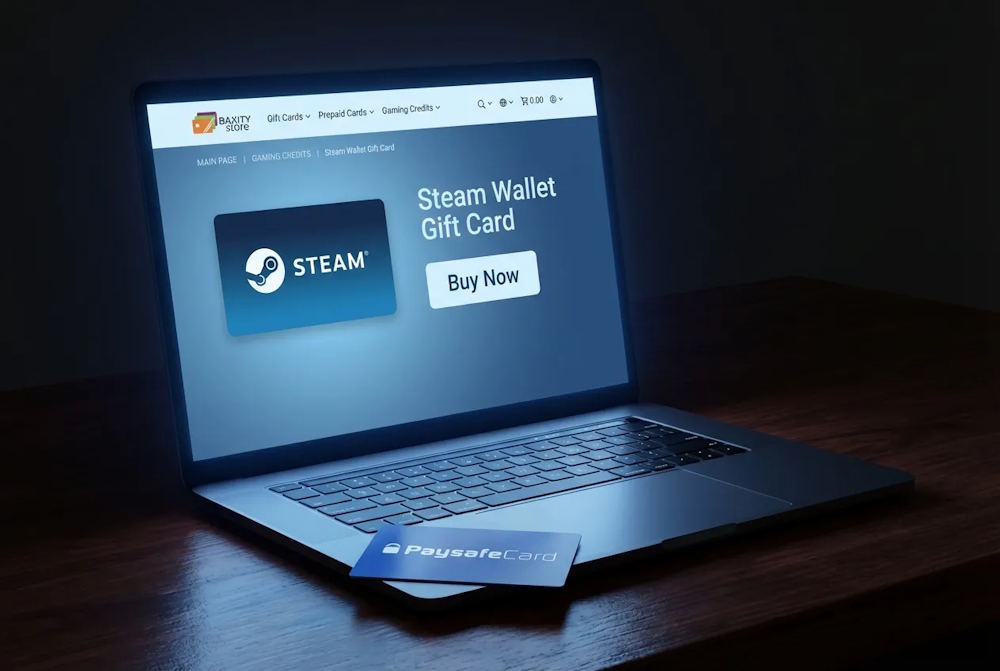
Buying Steam Gift Cards with Paysafecard on Baxity Store
If you choose to top up via a gift code, it’s important to buy it from a trusted store. At Baxity Store, we offer official Steam Gift Certificates in different denominations and currencies — so you can select the exact option that matches your Steam account region.
We don’t limit customers to one format. Instead, we provide flexibility and transparent purchase conditions.
Why customers choose Baxity Store
- Multiple denominations and currencies. USD, EUR, and other available options — you choose the code that fits your account region, reducing the risk of activation issues.
- Instant delivery. After purchase, the digital code is sent automatically. In most cases, delivery takes just a few minutes.
- Transparent pricing with no hidden fees. The final amount is displayed before payment confirmation. No unexpected charges after the transaction.
- Bulk purchases from 10 units. If you need multiple codes — for gifts, giveaways, or resale — we provide individual offers for bulk purchase starting from 10 units.
- We also run regular promotions and special offers, allowing you to buy at a better rate than standard retail pricing.
Next, let’s walk through the purchase process step by step — from selecting a denomination to receiving your digital code.
Purchase Flow Overview
The process of buying Steam Vouchers with Paysafecard at Baxity Store takes no more than 5 minutes:
- Go to the Gaming Creditscategory on the main page, then select the Steam section.
- Choose the desired denomination (options range from $5 to $200, €10–€50, as well as regional cards).
- Check the card currency — it must match your Steam account currency exactly.
- Add the card to your cart and proceed to checkout.
- If you’re new to the site, quickly register and complete a short verification.
- Select Paysafecardas your payment method, enter the 16-digit voucher code, and confirm the payment.
- The Steam Gift Certificatescode will be instantly sent to your email.
This is how you top up your Steam Wallet with Paysafe — buy an official voucher, pay with Paysafecard, and get the funds added to your balance.
Redeeming the Steam Wallet Code
Once you have the code, you need to activate it on Steam. The redeem process is equally simple through both the website and the Steam client:
Through the website:
- Log in to your Steam account.
- Click on your profile in the top right corner.
- Select “Account Details”→ “Add funds to your Steam Wallet”.
- Click “Redeem a Steam Gift Card or Wallet Code”.
- Enter the 16-digit code and confirm.
Through the Steam client:
- Launch the Steam application.
- Click on your profile in the top right corner.
- Go to “Account Details”→ “Add funds to your Steam Wallet”.
- Select “Redeem a Steam Gift Card or Wallet Code”.
- Enter the code and confirm.
After successful activation, the amount is instantly credited to your balance. This is how you can put Paysafe money into your Steam Wallet without any hassle. Regular top-up through Baxity Store ensures you always have funds ready — especially during seasonal sales when speed matters.
Steam Wallet Credit Amounts and When to Choose Them
Choosing the right amount for topping up your Steam Wallet via Paysafecard depends on what you plan to buy. Steam offers thousands of games across different price ranges — from small indie projects to massive AAA blockbusters. Understanding which denomination works best for different situations helps avoid extra transactions and ensures you always have the right balance on hand.
| Amount | When to Choose | Examples |
| €5 / $5 | For trying indie games, buying small DLCs, or using remaining balance during sales | Stardew Valley, Hollow Knight, Terraria (on discount) |
| €10 / $10 | For a quality indie title or a season pass for your favorite game | Hades, Dead Cells, Celeste, The Witcher 3 DLCs |
| €20 / $20 | For discounted AAA titles from previous years or several indie games at once | The Witcher 3 Complete Edition, Portal 2, Mass Effect Legendary Edition |
| €25 / $25 | A universal gift option — balanced budget so the recipient can choose any game | Ideal for Steam Gift Card Online |
| €50 / $50 | For buying a new AAA release or pre-ordering with bonuses | Cyberpunk 2077, Baldur’s Gate 3, Elden Ring, Starfield |
| €100 / $100 | Best during major seasonal sales to grab 2–3 top titles with 50–70% discounts | God of War Ragnarök, Spider-Man 2, or a full seasonal game bundle |
For topping up Steam via Paysafecard through Baxity Store, all these denominations are always available, including regional options. Just make sure to check the card currency — it must exactly match your Steam account currency.
Common Issues When Paying with Paysafecard on Steam
Payment with Paysafecard is generally reliable, but there are several important details to understand in advance. Most Problems with Paysafecard on Steam are not caused by technical failures — they are related to regional rules, transaction limits, or currency mismatches.
Let’s review the most common situations.
Code Not Accepted
The most frequent reasons are:
- The voucher currency does not match your Steam account currency.
- Paysafecard is not supported in your Steam region.
- The transaction exceeds the allowed limit.
Steam strictly enforces regional settings. If your account is registered in UAH or USD and the voucher was purchased in another currency, the transaction will be declined automatically.
What to do: Always check your account currency in Steam settings before making a payment.
Limit Exceeded
For anonymous Paysafecard users, the usual limit is up to €50 per transaction. If you attempt to use a larger amount or combine multiple vouchers, the system may require verification through a MyPaysafe account.
What to do: Either split the payment into smaller transactions or complete verification within your Paysafecard account to increase the limit.
Regional Mismatch
If you recently changed your account country or are using a VPN, Steam may block the payment automatically. In such cases, the Paysafecard option may not even appear in the checkout.
What to do: Make sure your Steam region matches your actual location and account currency.
Method Not Available in Your Country
In some regions, Paysafecard is simply not offered as a payment method. This is not a technical issue — it is Steam’s regional payment policy.
What to do: If the direct method is unavailable, the most practical alternative is to use a Steam Gift Card. You purchase the code separately and activate it in your account without relying on direct payment processing.
In most cases, issues arise due to region or currency mismatches rather than problems with the service itself. If the direct payment method is unavailable or restricted, buying a Steam Gift Card remains a stable and predictable way to top up your balance.
Is Paysafecard a Good Choice for Steam Wallet Top-Ups?
When choosing a payment method for Steam, there are usually three options: a bank card, an e-wallet, or a prepaid voucher. Paysafecard stands out where control, privacy, and simplicity matter most.
| Criteria | Bank Card | E-wallet | Paysafecard |
| Privacy | Requires entering card details | Often requires identity verification | Only a 16-digit voucher code |
| Spending Control | Risk of recurring charges | Limited by wallet balance | Fixed limit — spend only the loaded amount |
| Convenience for Teenagers | Requires personal bank card | Usually 18+ verification | Parents buy a voucher — child redeems it |
| Gift Format | Bank transfer only | Recipient must have an account | Give a code — recipient chooses any game |
To buy Steam Games with Paysafe, you don’t have to use direct payment on the platform. Many gamers choose an alternative route: buying a gift card from a trusted store and then activating it in their account. This removes all issues with regional restrictions, limits, and technical glitches.
If you want to top up your Steam Wallet with Paysafecard, Baxity Store is the ideal choice. It’s fast, secure, and gives you full control over your budget. Most importantly, you get exactly what you came for: funds in your Steam account without any hassle. And it’s better to buy Steam Gift Card with Paysafe in advance, so you don’t miss out on a great deal during a sale.
FAQ
How to pay with Paysafecard on Steam?
To pay for a purchase on Steam using Paysafecard, add the game to your cart and proceed to checkout. From the list of payment methods, select Paysafecard, enter the 16-digit code from your voucher, and confirm the transaction. The funds are deducted instantly, and the game appears in your library.
Why won’t Steam accept my Paysafecard?
The most common reason is a currency mismatch. Your Steam account is tied to a specific currency (euros or dollars, for example), and your Paysafecard voucher must be in that same currency. Also, check if you can top up Steam with Paysafecard in your region — this payment method isn’t supported in all countries.
Can I top up Steam with Paysafecard if I’m not in Europe?
Yes, but with limitations. Direct payments from Paysafecard to Steam work mainly in European countries and some regions of the Americas. If the method isn’t available in your country, you can buy a Steam gift card from an online store and pay for it with Paysafecard.
What’s the limit for topping up Steam with Paysafecard?
For unregistered users, the limit is usually €50 per transaction. If you create a free myPaysafecard account and verify your identity, the limit increases to €1000. The minimum top-up amount is €5 or equivalent in other currencies.
Is it safe to use Paysafecard for Steam?
Absolutely safe. Paysafecard doesn’t require entering any personal or banking information. You use a one-time 16-digit code that becomes invalid after the transaction. Even if someone intercepts the code, they can’t use it again.
How can I transfer Paysafecard to Steam Wallet if direct payment isn’t available?
The simplest solution is to buy a Steam gift card from a trusted online store. You pay for it with your Paysafecard, receive the code by email, and activate it in your account. This works in any region without limits on amount or currency.
i usually use paysafecard for games cause i dont really like putting my bank card on random sites. didnt even think about buying a Steam gift card with it tbh. if direct payment doesnt work, that might actually be easier. might try it next time.
That’s a smart move, Jim! Relying on Paysafecard is one of the best ways to keep your banking details private, especially with how many platforms are out there now.
Converting your Paysafecard balance into a Steam Gift Card is actually a great “plan B.” It’s often faster than direct checkout, and it helps you stick to a set gaming budget since the funds are pre-loaded.
If you decide to try it for your next Steam sale haul, just make sure you’re getting your gift card from a trusted partner like Baxity Store to keep that “security-first” mindset going.
Happy gaming!
Steam sales happen all the time so i try to keep a bit of balance in my wallet anyway. paysafecard kinda makes sense for that since you cant overspend. never tried the gift card option before but yeah, sounds pretty simple tbh.
You’ve got the perfect timing! Since the Steam Spring Sale starts this Thursday (March 19), having that balance ready now is a pro move.
You hit on the biggest benefit of Paysafecard: it’s essentially a physical budget. Once that voucher is used, the ‘faucet’ is off, which is a lifesaver when Steam starts throwing 90% discounts at your entire wishlist.
The gift card option is a great backup too—especially if you’re ever in a region where Steam’s direct Paysafe integration is acting up or if you want to snag a specific denomination that isn’t available at your local kiosk. It’s all about having those funds ‘locked and loaded’ so you can checkout in seconds before the servers get slammed on sale day!