Steam Adds Wishlist Categories and Expands Game Gifting Options
Steam has rolled out a substantial update to its wishlist and gifting systems, introducing custom wishlist categories, improved search tools, more flexible sharing options and new ways to buy games as gifts.
The changes make wishlists more useful for players with large collections of saved games, while also connecting them more closely with Steam’s gifting system. Users can now organise games into their own categories, share specific filtered versions of a wishlist and adjust notifications based on those categories.
At the same time, Steam has expanded gifting with guest purchases, delivery by email and improved support for gifts between regions with different prices.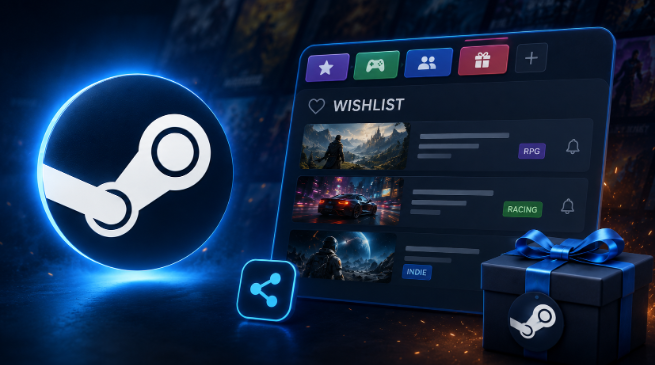
Steam Wishlists Now Support Custom Categories
One of the biggest changes is the introduction of custom categories for Steam wishlists.
Previously, players could organise their wishlists using existing sorting and filtering tools. The new system provides another layer of organisation by allowing users to create their own categories and assign wishlist games to them.
The categories can be based on virtually any personal criteria. A player might create separate groups for games discovered during a particular event, titles designed for controller play, games they intend to purchase later or products they are considering as gifts.
Once categories have been created, users can filter their wishlist by selecting a category at the top of the page or through the My Categories area associated with individual games.
Steam has also made it possible to assign frequently used categories directly from the store page of a game through the wishlist menu. This means players do not necessarily have to return to the main wishlist whenever they want to organise a newly added title.
Wishlist Notifications Can Be Limited by Category
Categories are not limited to organising games visually. Steam has integrated them with wishlist notifications as well.
Players can configure their wishlist notifications so that they apply only to particular categories. This gives users more control over which saved games generate notifications and makes categories useful for separating higher-priority titles from games that are being tracked more casually.
For players who have accumulated large wishlists over time, this can make the system easier to manage.
Steam Improves Wishlist Search and Game Discovery
The wishlist update also introduces several smaller changes designed to make finding and reviewing saved games easier.
Search on the wishlist page has been improved and now includes autocomplete, helping users find individual titles more quickly.
Steam will also identify wishlist games that have playable demos. Players can opt in to notifications when demos become available for games they have saved, adding another way to follow titles before purchasing them.
Another visual change appears when users hover over a game’s image. Steam can now display the game’s microtrailer, allowing players to get a quick look at a title without leaving their wishlist.
Steam has also adjusted the appearance of the wishlist page to improve contrast and readability.
Steam has addressed how users move to and from their wishlists across different versions of the platform.
Navigation has been improved in web browsers, on mobile devices, in the Steam desktop client and on SteamOS. The changes are designed to make it easier for users to return to their previous location after visiting a wishlist.
Although less prominent than custom categories, the improvement should make browsing more convenient for players who regularly move between store pages and their saved games.
Sharing is another major part of the update.
Steam users could already share links to their wishlists, but the new system allows much more specific versions of a list to be shared.
Players can now create a shareable link for a particular category or for a wishlist after filters have been applied. For example, someone could create a category specifically for birthday gift ideas and send only that selection to friends or relatives.
A unique shareable link can be generated through the Share button at the top of the wishlist. People receiving the link can view the shared selection even if the wishlist is otherwise hidden by the owner’s privacy settings.
Users can revoke these links at any time.
The shared link shows only the games included in the currently filtered version of the wishlist, allowing users to decide exactly which selection they want others to see.
Steam Expands Guest Purchases to Games
The wishlist changes arrive alongside a broader update to Steam’s gifting system.
Steam introduced guest checkout in 2024, initially allowing people without Steam accounts to purchase digital gift cards and hardware. The latest update expands this option to games.
A person can now receive a shared wishlist link and purchase a game as a gift without first creating a Steam account.
This makes Steam wishlists more useful outside the platform itself. Friends and relatives who do not use Steam can open a shared wishlist and purchase a game for the recipient.
If a guest buyer wants to make the purchase a surprise, the gift can also be sent to an email address.
Games and Gift Cards Can Be Sent by Email
Steam’s gifting system now supports email delivery for both games and digital gift cards.
The email address does not need to match the address that the recipient used when creating their Steam account. Instead, the recipient receives an email containing a link that can be used to sign in to a Steam account and claim the gift.
There are several restrictions players should be aware of.
An email gift must be accepted within 30 days. If it is not claimed during that period, Steam automatically refunds the purchase. Because of this limitation, gifts sent through email cannot be scheduled for delivery at a future date.
Steam also states that the recipient must live in the same country as the buyer for this type of email gifting.
Steam Changes How Some Cross-Region Gifts Work
Steam has also changed the process for buying games for friends in regions where prices are higher.
Previously, users in this situation had to use digital gift cards and determine the amount needed based on the price of the game in the recipient’s region.
Under the updated system, users can purchase the game directly as a gift. When the recipient is located in a region with a higher price, Steam uses the higher product price applicable to that friend’s region during checkout.
This form of cross-region gifting is available only when the recipient is already on the buyer’s Steam friends list.
The two updates are closely connected.
A shared Steam wishlist can now function as more than a simple list of games someone wants. People receiving the link can use it as a starting point for buying a game or sending a digital gift card.
Steam’s updated wishlist and gifting features include:
- Games can be purchased directly from another user’s shared wishlist.
- Digital gift cards can also be sent directly from a user’s wishlist.
- Gifts can be sent to people who are not Steam friends in supported gifting scenarios.
- Filtered wishlists and individual categories can be shared.
- Recipient information can be filled in automatically when someone follows a shared wishlist link and chooses to purchase a gift.
- Guest checkout makes it possible to complete supported purchases without a Steam account.
Combined with custom categories, these features make it possible to create dedicated gift lists rather than sharing an entire wishlist.
What the Steam Wishlist Update Means for Players
The update turns Steam’s wishlist into a more flexible tool for organising games, following upcoming releases and sharing purchase ideas.
Custom categories are particularly useful for players with extensive wishlists. Instead of relying entirely on Steam’s standard filters, users can build their own system around genres, priorities, events, controller support, gifts or other personal criteria.
Demo indicators and demo notifications also make the wishlist more useful for following games before release, while microtrailers provide another way to quickly review saved titles.
The gifting changes extend that usefulness beyond the wishlist owner. A carefully organised category can now be shared with someone else, including people who do not have their own Steam account, and used to simplify the process of selecting and purchasing a gift.
Steam Gift Cards Remain Another Way to Add Wallet Funds
The changes give Steam users more ways to organise the games they want and make it easier for friends and relatives to purchase gifts directly. Steam Wallet funds remain another option for players who prefer to choose their own games, DLC or other eligible content from the Steam Store.
Baxity Store offers Steam codes across a range of currencies and denominations, with individual products subject to availability. Players planning to purchase a code should check its currency and regional requirements before ordering to make sure it is suitable for the intended Steam account.
Steam codes can be particularly useful when a wishlist contains several possible purchases and the player would rather decide which title to buy later, including during one of Steam’s sales or promotional events.