

Openbucks
-

Openbucks $1
1.30 € -
Openbucks $5
4.78 € -
Openbucks $10
9.13 € -
Openbucks $15
13.56 € -
Openbucks $20
18.08 € -
OpenBucks $25
22.60 € -
Openbucks $50
45.20 € -
Openbucks $100
90.39 € -
Openbucks $250
218.11 €Out of stock
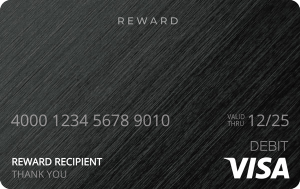

Openbucks
BENEFITS
◼ You do not need to register as a user in order to use the Openbucks Service.
◼ Obucks Cards and prepaid access products issued by Openbucks Merchants never expire.
◼ Obucks Cards and prepaid access products issued by Openbucks Merchants are not subject to fees.
◼ Obucks Cards are issued by Openbucks and are redeemable only with Openbucks.
◼ Openbucks will not charge a fee for currency conversions.
NOTE!
◼ If your Obucks Card redemption requires a currency conversion, for every currency conversion, the system will apply the average daily interbank market rate published by a third-party foreign currency data provider (Reuters).
◼ Lost or stolen Obucks Cards will not be replaced. Baxity Store shall not be liable to you for lost or stolen Obucks Cards or use of any Obucks Cards by third parties through the Openbucks Service. You are solely responsible for keeping your Obucks Card information safe and for any activity conducted using your Obucks Card.
◼ You may not access the Openbucks Service in territories where its contents, features, or practices are not permitted, or in countries or jurisdictions which are not permissible under Openbucks internal policies. It is your responsibility to check the restrictions of the card use before purchasing the item from our store.
You want to pay for an online game, grab some in-game currency, or top up a digital service — but you do not have a credit card, or you simply prefer not to use one online. This is exactly the situation Openbucks was designed for. An Openbucks gift card lets you pay at thousands of supported merchants using a prepaid code, no bank account or card details required. This guide explains what obucks gift cards are, how the redemption process works, what you can spend them on, and where to get your code instantly on Baxity Store.
Buy Openbucks Gift Card Online
When you want to buy openbucks gift card online, the platform you choose matters. Baxity Store is a verified international reseller of digital vouchers and prepaid products with over ten years of experience in fintech, operating across more than 100 countries. Ordering is fast, the delivery is instant, and the process is built for buyers in regions where conventional payment methods are limited or unavailable.
The available denominations on Baxity cover the full range — from smaller amounts suited to a single in-game purchase to larger values for ongoing spending across multiple sessions. Selecting the right denomination before you buy is the simplest way to avoid leaving unused balance on a card. The product pages display the denomination clearly, along with currency and any regional details, so you know exactly what you are getting before you confirm. This is also why obucks gift cards from Baxity are a popular choice for repeat buyers — the process is quick to repeat and the codes arrive without delay.
Delivery is digital and instant. Once your payment is confirmed, the openbucks gift card code is sent directly to your registered email address and appears in your Baxity account dashboard. There is no waiting, no shipping, and no physical card to handle. The code is ready to use at checkout within seconds of your order being processed.
To complete a purchase, a registered Baxity account is required. Registration takes under two minutes and is free. Once your account is set up, your order history — including any obucks cards you have purchased — is available in one place. If you need to access a code again after delivery, it is there in your dashboard whenever you need it.
How to Buy an Openbucks Gift Card on Baxity Store
The ordering process is straightforward. Follow these steps to complete your purchase and get your code:
Step 1: Register Your Baxity Account
- Go to baxity.com and click Register.
- Enter your email address and create a password.
- Confirm your registration via the verification link sent to your inbox.
- Your account is active and your dashboard is ready to use.
Step 2: Go to the Openbucks Product Page
- Navigate to Оpenbucks.
- Browse the available denominations and select the value that matches your intended purchase.
- Review the product details — denomination, currency, and delivery format — before proceeding.
Step 3: Add to Cart and Proceed to Checkout
- Click Add to Cart on your chosen denomination.
- Review your cart to confirm the correct product and quantity.
- Click Checkout to begin the payment process.
Step 4: Select a Payment Method and Confirm Your Order
- Choose your preferred payment method: Visa, Mastercard, Apple Pay, Google Pay, crypto, or e-wallet.
- Review the order total, including any processing fee shown transparently at this stage.
- Confirm your order to complete the transaction.
Step 5: Receive Your Code and Redeem It
- Your code is delivered instantly to your registered email and account dashboard.
- Go to a supported merchant and select Openbucks or oBucks at checkout.
- Choose “Cash and Gift Cards” or “More payment options” if Openbucks is not listed directly.
- Enter your 16-digit card number and PIN when prompted.
- Confirm the payment — your balance is applied instantly and your order is complete.
Openbucks Gift Card Features and Benefits
Openbucks is a prepaid payment platform founded in 2011 by Silicon Valley entrepreneurs. It was built specifically to give people without bank accounts or credit cards a secure way to pay online. In July 2020, the Paysafe Group — the company behind Paysafecard, Skrill, and Neteller — acquired the Openbucks platform. That acquisition expanded the network and brought Openbucks into a broader ecosystem of alternative payment methods trusted by millions of users globally.
The appeal of obucks gift cards goes beyond being an alternative to credit cards. The format carries a specific set of features that make it the right tool for a buyer who values privacy, budget control, and simplicity above everything else.
Here is what makes this prepaid card stand out:
- No expiry date. Your openbucks gift card code remains valid indefinitely. There are no inactivity fees, no balance deductions after a set period, and no pressure to spend before a deadline.
- No hidden fees. The denomination on the card is the amount you get to spend. No service charges are deducted from your balance.
- No registration required. You do not need to create an Openbucks account to use a card. Enter the code at checkout and your payment goes through.
- Financial privacy. No credit card number, no bank account details, no personal information is shared with the merchant. Only the card code and PIN are entered.
- Budget control. Because each card holds a fixed value, you spend exactly what you loaded — nothing more. This makes the prepaid format useful for managing gaming budgets or digital subscriptions.
- Multi-card support. Up to five Openbucks cards of the same brand can be combined in a single transaction, covering purchases that exceed the value of one card.
- Flexible denominations. Cards are available in a wide range of values — from $1 to $250 — allowing you to match the card to your intended purchase precisely.
These features make the Openbucks format particularly well-suited to online gaming, digital content, and any merchant where privacy and spending control matter. The no-expiry policy alone sets it apart from many prepaid alternatives that begin deducting balance after months of inactivity. Obucks cards are especially popular in markets where credit card access is limited or where buyers prefer to keep their banking details private.
Using an Openbucks Gift Card Code for Online Payments
Understanding how the payment code actually works at the point of purchase saves confusion at checkout. The process is not identical to entering card details — it routes through the Openbucks payment gateway, and that routing is worth understanding before you start a transaction.
Here is a breakdown of what you can purchase across the main supported categories:
| Category | Examples |
| Online gaming | Riot Games, Wargaming, BigPoint, Plarium, Razer, Albion Online, Hero Wars |
| Payment aggregators | Xsolla, Paymentwall, G2APay |
| Entertainment & streaming | Spotify, Netflix, Hulu, Amazon Prime Video, iTunes |
| E-commerce | eBay, GameStop, Uber |
| Education | Udemy, Coursera, Khan Academy |
The redemption flow works as follows. At the merchant’s checkout page, look for the Openbucks or oBucks payment option. It is sometimes listed under “Cash and Gift Cards” or found inside a “More payment options” menu. Selecting it redirects you to the Openbucks payment gateway. There you choose the oBucks card type, enter your 16-digit card number, and — if your card includes one — your 4-digit PIN. The payment is processed instantly and you are returned to the merchant with the order confirmed.
There is one important point about combining cards. If a single prepaid card does not cover the full purchase amount, you can enter up to five Openbucks cards of the same brand in sequence on the gateway until the total is reached. Prepare the codes and PINs before you start the checkout to avoid interruptions mid-transaction. Any remaining balance after a partial spend stays on the card and is available for future use.
Checking your balance is straightforward. Visit the Openbucks website, navigate to the balance check section, and enter your 16-digit card number and PIN. The remaining value is displayed immediately. It is worth checking before starting a purchase to avoid a failed transaction at the final step.
Common Redemption Issues and How to Resolve Them
Even with a valid card, things occasionally go wrong at checkout. Most problems have a direct cause and a straightforward fix.
| Problem | Why It Happens | What to Do |
| Code not accepted at checkout | Merchant does not support Openbucks in your region | Check the Openbucks merchant list before buying; confirm the merchant accepts it in your country |
| “Invalid code” error | Typo, extra space, or code already redeemed | Re-enter manually character by character; check your delivery email for the original code |
| PIN not required — field missing | Some newer cards use a single code with no PIN | Enter only the 16-digit number; leave the PIN field blank if shown |
| Insufficient balance mid-checkout | Purchase total exceeds single card value | Combine up to five cards on the gateway, or add a secondary payment method to cover the difference |
| Balance not updating after redemption | Display delay on balance check page | Wait a few minutes and refresh; contact Openbucks support if the issue persists |
Why Buy Obucks Gift Cards from Baxity Store
There are good reasons to choose Baxity over other sources when you want to buy obucks gift card. The advantages are practical and directly relevant to the way most buyers actually pay and operate online. Players who regularly obucks buy online know that speed and reliability at delivery matter as much as price — a code that arrives instantly is worth more than a marginally cheaper one that takes hours to process. Baxity delivers on both.
- Instant digital delivery. Your code arrives in your email and account dashboard the moment your payment is confirmed. No delays, no queuing, no manual processing.
- Cryptocurrency accepted. Binance Pay and other crypto options are fully supported. This makes Baxity a reliable option for buyers in markets where standard card payments are blocked or restricted.
- E-wallet options. Skrill, Neteller, AstroPay, and Paysafecard are all accepted at checkout. These payment methods cover buyers across regions where banking access is limited.
- Visa, Mastercard, Apple Pay, and Google Pay. Standard card and mobile wallet payments work through supported processors for buyers who prefer conventional checkout.
- Transparent pricing. The price shown on the Baxity product page is the price you pay for the card. Any payment processing fee is displayed clearly before you confirm — nothing is added after the fact.
- Order tracking via your Baxity account. Every purchase is logged to your account dashboard, giving you a clear record and easy access to retrieve your code if needed.
To buy openbucks card online on Baxity, a Baxity account is required. Registration is free and takes under two minutes. Once your profile is active, every order — including all obucks gift cards — is tracked and accessible from your dashboard at any time.
Final Thoughts
A prepaid Openbucks card is one of the most straightforward tools available for paying online without a bank card. It requires no registration, exposes no financial data, and gives you precise control over what you spend. Whether you are funding a gaming session, purchasing digital content, or topping up a service, obucks cards handle the transaction cleanly and instantly. The no-expiry policy means there is no pressure to use the balance immediately — it stays available until you need it.
Baxity Store makes it simple to obucks buy online with instant code delivery, honest pricing, and a broad range of payment methods that work for buyers in any region. Browse the full selection of available denominations and have your code in your inbox within minutes of confirming your order.
What is an Openbucks Gift Card?
An Openbucks Gift Card — also known as an Obucks card or Obucks code — is a prepaid digital card issued by Openbucks Corp. that functions as an alternative payment method for online games and digital entertainment. Rather than working like a traditional gift card that loads a balance onto a store account, Openbucks operates as a payment network: you spend the card’s value directly at the checkout of a participating game or merchant, entering the card number and PIN when prompted, with no platform account required.
The card was built specifically for people who want to pay for online gaming without using a bank card or sharing financial details — making it a popular choice for players who value privacy, spend control, or simply prefer cash-equivalent methods for digital purchases. Openbucks is accepted across hundreds of online games and merchants, with support routed through major payment gateways including Xsolla, Paymentwall, and Tebex.
Baxity offers Obucks cards in denominations of $1, $5, $10, $15, $20, $25, $50, and $100.
Can You Buy an Openbucks Gift Card Online?
Yes, Obucks Gift Cards of various denominations are sold online on our website. In this review, you can find the guide on how to buy Obucks Gift Cards. The code delivery will be issued to your email or personal account once you have paid for the card.
Where Can I Get an Openbucks Gift Card?
Looking for an Obucks Gift Card? Look no further than gift cards on Baxity Store! We offer a wide range of gift, gaming, and prepaid cards.
How To Get an Openbucks Gift Card?
To buy Obucks Gift Cards online, you need to select the card with value in the appropriate category on Baxity Store website, as well as the payment method, and complete the purchase. The card code will be sent to you via email or you can see it in your account on Baxity Store.
What can I buy with an Openbucks Gift Card?
Obucks cards are designed for online gaming and digital entertainment spending. At any merchant that lists Openbucks as a payment option at checkout, the card can be used to purchase:
- In-game currency and top-ups — virtual coins, gems, tokens, credits, and other premium currencies used across hundreds of online games
- Game items and cosmetics — skins, heroes, weapons, character customisations, and other in-game purchases available through the merchant’s own checkout
- Memberships and subscriptions — gaming service subscriptions, battle passes, and premium tiers offered by participating titles
- Digital content — DLC, expansion packs, and other downloadable additions sold through supported storefronts
Well-known titles and publishers that accept Openbucks include Riot Games (League of Legends, Valorant), Wargaming (World of Tanks), BigPoint, Plarium (Raid: Shadow Legends), and Habbo, among hundreds of others. Openbucks is also accepted through aggregators like Xsolla and Paymentwall, which means a wide range of games using those payment platforms support it.
Important: Openbucks is not a universal gift card and is not accepted everywhere. Before purchasing, verify that the specific game or merchant you intend to spend at lists Openbucks or oBucks as a payment option — typically found under “Cash and Gift Cards” or “More Options” at checkout. The full merchant list is available on the Openbucks website.
How do I redeem an Openbucks Gift Card purchased on Baxity?
Openbucks works differently from most gift cards — there is no standalone redemption portal or account balance to load. Instead, the card is spent at the moment of purchase inside a supported game or merchant’s checkout. Here is the exact flow:
- Go to the checkout of the game or online merchant where you want to make a purchase.
- Select “Cash and Gift Cards” as your payment method — on some sites this option is listed under “More Options” or “More Payment Options”.
- You will be redirected to the Openbucks payment gateway via PaysafeCard.
- Select “oBucks” or “Openbucks” from the available gift card options.
- Enter your 16-digit card number and, if applicable, your 4-digit PIN from the Baxity email.
- Confirm the payment — the card balance is applied to that purchase instantly, and you are returned to the merchant with the order completed.
Note on PINs: Openbucks has been transitioning its cards from a 16-digit number + 4-digit PIN format to a single 16-digit number only. Cards from Baxity may come with or without a PIN depending on the batch — follow the instructions on the gateway based on what your code contains.
Splitting a purchase across multiple cards: if the total exceeds the balance on a single card, you can combine up to five Openbucks cards of the same brand within a single transaction by entering them sequentially on the gateway until the full amount is covered.
How quickly will I receive my Openbucks Gift Card code?
Payment confirmation triggers automatic code dispatch on Baxity’s side — for the vast majority of orders the code arrives in your inbox within a few minutes. The process involves no manual steps under normal conditions.
Two situations can extend that window: email filtering (spam and junk folders are the first place to look if nothing has arrived after a few minutes), and cryptocurrency payments, which require on-chain confirmation before the order is finalised. Your code is always available in the “Orders” section of your Baxity account as a backup, regardless of what happens with email delivery. If neither location shows a code after 24 hours, contact Baxity support directly.
Which payment methods are accepted?
Baxity supports a broad set of payment options for Openbucks purchases:
- Visa / Mastercard — standard debit and credit card payments
- Cryptocurrency — Bitcoin, Ethereum, USDT, and other supported coins via Cryptomus and KuCoin Pay
- Binance Pay — instant settlement directly from a Binance wallet
- Skrill — widely accepted digital wallet for international payments
- Neteller — trusted e-wallet with fast cross-border transaction support
- AstroPay (ICash.One) — prepaid voucher solution for users without bank cards
- Paysafecard — cash-based prepaid voucher sold at retail locations worldwide
- Zen — European payment solution
Available options at checkout vary by country. The price shown on the Baxity product page reflects the Obucks card’s face value — any payment processing fee is listed as a distinct, transparent line before order confirmation.
Can I pay with cryptocurrency?
Yes. Baxity accepts Bitcoin (BTC), Ethereum (ETH), Tether (USDT), and other cryptocurrencies processed via Cryptomus and KuCoin Pay, with Binance Pay available as an additional route for users who hold funds in a Binance wallet. Paying with crypto generally results in a lower overall cost compared to card-based methods, since processing fees are minimal, and no banking details are involved on either side of the transaction.
Are Openbucks Gift Cards region locked?
Obucks cards sold on Baxity are issued in USD and are intended for use globally. No account registration is required to use them, and Openbucks does not apply fees for currency conversions — if your purchase triggers a currency conversion, the system applies the average daily interbank rate published by Reuters at the time of the transaction.
That said, Openbucks itself notes that the service may not be available in all territories, and some countries or jurisdictions may be restricted under Openbucks’ internal policies. It is your responsibility to confirm that Openbucks is accessible and permitted in your region before purchasing. Additionally, the availability of Openbucks as a payment option depends entirely on whether the specific merchant you want to spend at has integrated it — this varies by game and platform regardless of geography.
What should I do if my Openbucks Gift Card code is not working?
Because Openbucks functions as a payment gateway rather than a traditional gift card balance, most redemption issues come down to a small set of causes. Work through these before contacting support:
- Confirm that the game or merchant you are trying to pay at actually supports Openbucks — not all sites do, and the option must be present at checkout before the card can be used
- Look for the payment option under “Cash and Gift Cards” or “More Options” — Openbucks is sometimes labelled as oBucks on certain sites and may not be immediately visible
- Enter the 16-digit card number and PIN (if applicable) manually rather than pasting, to rule out hidden characters copied from the email
- Check that the card hasn’t already been fully spent in a previous transaction — you can verify the remaining balance on the Openbucks website
- If combining multiple cards, remember the limit is five cards of the same brand per transaction
- Try a different supported browser or clear your browser cache, as the PaysafeCard gateway occasionally has display issues in certain environments
If the code appears valid but still won’t process, contact Baxity support with your order ID, the email used at checkout, and a screenshot of both the code and any error message:
- Email: [email protected]
- Telegram: @baxitysupport
Do Openbucks Gift Cards expire?
No. Obucks cards issued by Openbucks carry no expiration date and are not subject to inactivity or service fees. The balance remains available indefinitely from the date of purchase. Once the card is used at a merchant checkout, the funds are applied instantly to that transaction and whatever remains on the card stays available for future purchases.
As with any digital code, Baxity recommends keeping the card details secure and not sharing the code or PIN with anyone. Lost or stolen Obucks cards are not replaced by Openbucks — you are solely responsible for the security of the code after it is delivered.
Can I combine multiple Openbucks cards for a single purchase?
Yes. If a single card doesn’t cover the full cost of a purchase, Openbucks allows you to use up to five cards of the same brand within one transaction. During the checkout flow on the Openbucks payment gateway, you enter each card’s details in sequence until the total purchase amount is satisfied. This makes it practical to buy smaller-denomination cards and pool them for a larger spend without needing to buy a single high-value card.
Cards of different brands (for example, an Obucks card and a CVS card) cannot be combined with each other — the five-card limit applies only to cards of the same type within the Openbucks network.
Can I give an Openbucks Gift Card to someone else?
Yes. The code is delivered as plain text to your Baxity email, so forwarding it to a friend or family member is entirely straightforward. The recipient uses the code directly at the checkout of any supported game — no account setup or additional steps needed on their end. Obucks cards make a practical gaming gift precisely because they are not tied to a specific game or platform: the recipient can spend the value at whichever supported title they play.
One thing worth noting: Openbucks is primarily oriented toward online PC gaming merchants. Before gifting, it is worth confirming that the person you’re buying for plays games that actually accept Openbucks at checkout, since the card has no value outside the Openbucks merchant network.
Can I get a refund for an Openbucks Gift Card purchased on Baxity?
- If the code has not been delivered — contact Baxity support with your order ID and payment confirmation, and the team will investigate.
- If the code has been delivered but not yet used — reach out to support immediately with your order details.
- If the code has already been spent at a merchant — refunds are not available, as the product is considered fully delivered and used.
Openbucks cards are non-refundable and non-exchangeable for cash once issued — this is consistent with Openbucks’ own terms. Please verify that your intended merchant supports Openbucks before completing your purchase on Baxity, as compatibility issues do not qualify for a refund.
- Email: [email protected]
- Telegram: @baxitysupport
For full terms, refer to Baxity’s official Return Policy.
Why buy Openbucks Gift Cards on Baxity?
- Instant code delivery — your Obucks code lands in your inbox within minutes of payment and is always accessible from your Baxity order history
- Wide denomination range — eight pack sizes from $1 to $100, covering everything from a single small in-game purchase to a larger top-up
- No account required to use — Obucks cards are spent directly at game checkouts with no Openbucks profile or registration needed
- No expiry, no fees — cards carry no expiration date and Openbucks charges no service fees on the consumer side
- Crypto payments accepted — pay with Bitcoin, Ethereum, USDT, Binance Pay, and more, with no bank card or financial details required
- No hidden fees — the price shown is the card’s face value; any processing charge is shown separately at checkout
- Multiple cards can be combined — stack up to five cards per transaction to cover larger purchases
- Broad payment choice — Visa, Mastercard, Skrill, Neteller, AstroPay, Paysafecard, Zen, and crypto all supported
- Bulk purchasing available — high-volume buyers and resellers can apply via Baxity’s wholesale partners program at baxity.com/store/partners/
Want to be notifie
Payment region
The payment options depend on your region. You can change your country.
 United States
Want to buy in bulk? Have a team?
You see the final price of the voucher! Only payment processing fees applies in the checkout.
Want to reduce additional costs to the minimum? Choose Crypto as a payment option in the checkout!
Visa, Mastercard, Zen, AstroPay, Paysafecard, Skrill, Neteller, Crypto, BinancePay