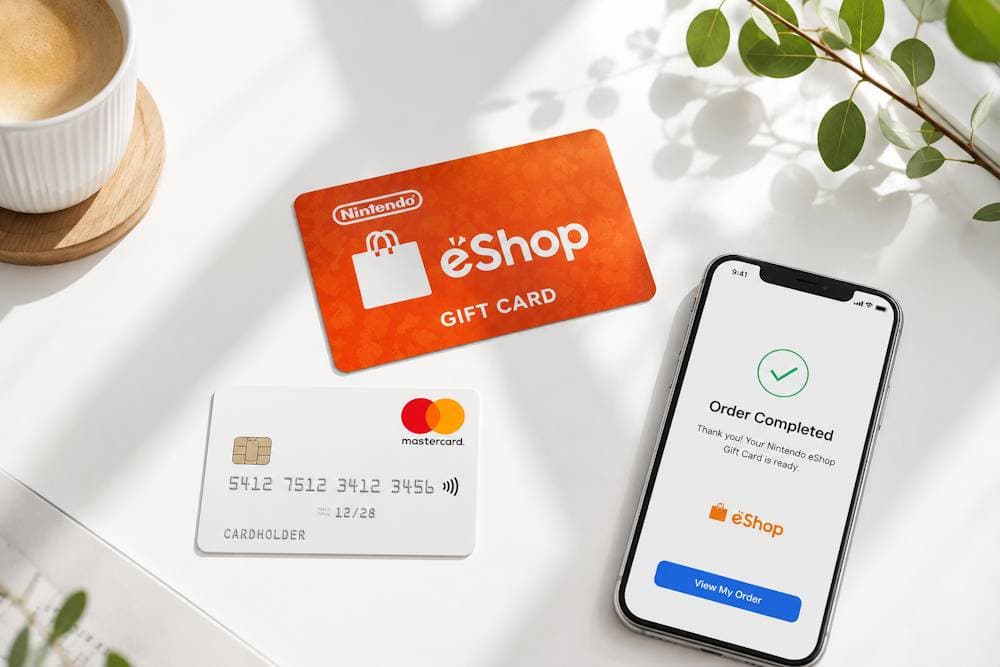
Paying for purchases on Nintendo eShop with Mastercard is standard practice for millions of players. However, some banks block international transactions on gaming platforms or process them with delays. When a payment doesn't go through, even a few minutes can be enough to miss a launch-day purchase or a flash sale. That's why many players prefer a more flexible way to pay on Nintendo eShop with Mastercard. That's exactly where Nintendo eShop gift cards become a practical alternative. They let you fund your balance without paying with your bank card every time. For players who usually top up Nintendo with Mastercard, this is a simple way to avoid declined payments and keep gaming expenses under control. In this guide, we'll explain why Nintendo eShop cards are becoming more popular, how to choose the right value, what to check before making a purchase, and how to receive your digital code quickly and without unnecessary hassle.
Nintendo eShop Cards
Why Mastercard Is Commonly Used for Nintendo eShop Payments
Mastercard is one of the world's most widely used payment systems. It operates in more than 220 countries and territories, supports payments in 150+ currencies, and connects around 150 million merchants. These figures are published in the Mastercard 2024 Annual Report. That is why paying for Nintendo eShop with Mastercard is a familiar option for most users.
Players usually choose Mastercard for several reasons:
- Global acceptance. Most users already have a Mastercard and use it every day for both online and in-store purchases. As a result, there is no need to open a separate account or switch to another payment method just to buy games, DLC, or a Nintendo Switch Online subscription. In most cases, the same card you already use is all you need.
- Fast payment processing. Mastercard payment authorization usually takes just a few seconds, which is especially important for digital purchases. When a long-awaited game is released or a limited-time sale goes live, nobody wants to wait for banking procedures to be completed. At the same time, the final processing of the transaction also depends on the card issuer, so additional verification or delays may occasionally occur.
- Built-in payment protection. Mastercard uses tokenization, a technology that replaces your card number with a unique digital identifier during an online transaction. An additional layer of protection is provided by Mastercard Identity Check (3D Secure) whenever it is required by the issuing bank. That is why using Mastercard for Nintendo eShop remains not only convenient but also a secure way to pay.
As a result, global acceptance, fast payment authorization, and advanced security features make Mastercard for Nintendo one of the most convenient ways to pay for digital purchases. Even so, a reliable payment system cannot guarantee that every international transaction will be approved without additional checks, as much depends on the policies of the card issuer. That is why many players are increasingly choosing Nintendo gift cards as a more predictable way to top up their balance.
Nintendo eShop Cards
Nintendo eShop Cards as an Alternative to Direct Card Payments
Even if you usually pay with a bank card, it does not mean this is the most convenient option in every situation. As a result, many Nintendo players now prefer to fund their eShop balance with Nintendo Gift Card rather than pay at checkout every time. The prepaid format gives you greater control over your spending: you decide when to buy the code, how much to add to your balance, and when to use it.
Most users make this choice for several reasons:
- No need to link your bank card. Not everyone wants to save their card details in a Nintendo account. A Nintendo gift card lets you top up your balance without using your bank card for every individual purchase. This is especially useful if several family members use the same console or if you simply prefer not to store your payment information in your account.
- Easier budget control. The prepaid format helps you spend only the amount you planned in advance. This is especially useful for parents who manage their children's gaming purchases or for players who set a fixed monthly gaming budget. The same principle applies when you top up Nintendo with a prepaid Mastercard — you decide how much to spend first and then use only that amount.
- Buy the code in advance. You do not have to buy a game at the same moment you add funds to your balance. There's no need to redeem your code as soon as you receive it. You can save it for a future purchase, use it when a game you've been waiting for is released, take advantage of a limited-time promotion, or give it to someone as a digital gift.
- A convenient gift option. If you are not sure which game someone wants, a Nintendo eShop gift card is a simple solution. Instead of guessing, you give them the freedom to choose the game, DLC, or subscription that suits them best.
That is why even players who usually pay Nintendo with Mastercard often choose gift cards as a more flexible way to add funds to their account. So, what can you actually buy once your Nintendo eShop balance has been topped up? Let's explore the most popular choices among Nintendo players.
What Nintendo Users Usually Spend eShop Balance On
When you buy Nintendo Cards, you are not buying a specific game. Instead, you add funds to your eShop balance and decide later how to spend them. This gives you more flexibility and lets you take advantage of any offer that appears in the Nintendo eShop. The eShop catalog features thousands of digital products, from blockbuster exclusives to lesser-known indie titles. Most players add funds using Mastercard before shopping in the eShop, making Mastercard for Nintendo purchases a convenient way to keep their balance ready for four main types of content.
Popular Nintendo Exclusives
The most common way players spend their balance is on games available only for Nintendo Switch. Popular franchises such as The Legend of Zelda, Super Mario, Mario Kart, and Animal Crossing attract millions of players worldwide. Every major release generates huge interest, so many users top up their balance in advance and rely on Mastercard for Nintendo because it is a fast and convenient way to prepare for launch-day purchases.
Additional Content and Expansions
Your balance can also be spent on DLC, Expansion Passes, season passes, or individual content packs. This is especially convenient when new expansions are released gradually. For example, the expansion for The Legend of Zelda: Tears of the Kingdom or additional tracks for Mario Kart 8 Deluxe cost extra. Topping up Nintendo eShop with Mastercard or any other method ensures you always have the right amount ready for such purchases.
Nintendo Switch Online Features
Your balance is not limited to games. It can also be used to purchase a Nintendo Switch Online membership. If you prefer not to enable recurring card payments, simply add the required amount to your balance and pay for the subscription manually. You can also purchase digital membership codes for 3 or 12 months, depending on your needs. For many players, this approach is more practical and easier to manage than paying for Nintendo Online with Mastercard through automatic renewal.
Nintendo eShop Cards
Indie Titles and Special Offers
Major blockbusters are not the only thing that attracts players. Dozens of indie projects appear in the eShop every week: Hades, Hollow Knight, Celeste, Stardew Valley, and many others. They cost significantly less than exclusives and often match them in quality. They are especially worthwhile during sales, when discounts reach 50–70%. Such purchases do not require a large balance — $10–20 is enough. And this is where the convenience of paying with Mastercard in Nintendo eShop is especially noticeable — small transactions go through quickly and without unnecessary checks. Thus, the Nintendo eShop balance is a universal tool. Exclusives, expansions, subscriptions, and indie titles are just the main spending categories. The key point is that you can top up your balance via card once for any amount and then spend it on anything in the catalog. This gives you complete freedom of choice without being tied to monthly recurring charges. Next, let us look at how to buy Nintendo eShop cards with Mastercard from a verified retailer.
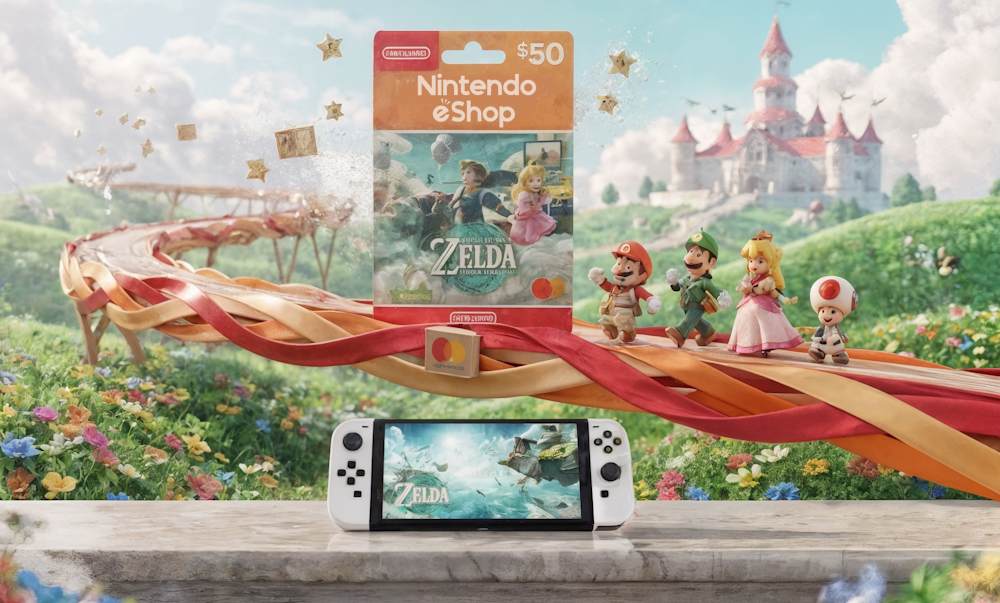
Buying Nintendo eShop Cards with Mastercard on Baxity Store
When you decide to buy a Nintendo Gift Card online, the next question is where to buy it. There are hundreds of websites offering digital gift cards, from large marketplaces to small online stores. However, not all of them are equally reliable. The most common risks include receiving an inactive code, buying a card for the wrong region, or falling victim to fraud. Before placing an order, it is worth checking a few important things.
- Seller reputation. Look for reviews on independent platforms rather than relying only on testimonials published on the seller's own website. If there is little information about the seller or most reviews are negative, it is better to look elsewhere. A trustworthy retailer works with official suppliers or is a verified reseller, which greatly reduces the risk of receiving an invalid, already redeemed, or blocked code.
- Activation guarantee. A reliable seller should guarantee that every code they deliver can be redeemed successfully. If no activation guarantee is provided, consider it a warning sign.
- Delivery and customer support. A digital code should normally arrive within a few minutes after payment. Long delivery times may indicate that the seller does not keep codes in stock and purchases them only after receiving your order. It is also worth checking whether customer support is available if you need assistance.
- Payment security. Make sure the website uses SSL encryption and trusted payment providers. This helps protect your card details throughout the payment process.
These are exactly the standards followed by Baxity Store. As a verified reseller, we work only with official suppliers of digital products, protect every payment with SSL encryption, deliver activation codes by email, and offer wholesale pricing for orders of 10 or more cards. If you want to buy Nintendo with Mastercard, simply follow these steps:
- Choose your Nintendo eShop card. On the Baxity Store homepage, open the Gaming Credits category and select Nintendo eShop. Choose the card value that suits your needs or add several cards to your cart if you plan to top up a larger balance. Before adding a card to your cart, always check the region, currency, and card type. Some cards can be redeemed as standard eShop balance, while others are designed specifically for Nintendo Switch Online membership.
- Sign in or create an account. After adding all the products to your cart, proceed to checkout. At this stage, you will be asked to sign in to your Baxity Store account or create a new one. Registration takes only a minute and requires nothing more than your email address and a password. For security reasons, Baxity Store may also ask you to complete a brief verification process, especially for higher-value orders. This additional step helps prevent fraud and keeps digital purchases secure.
- Complete your order. Click Checkout, choose Mastercard as your payment method, accept the Baxity Store Security Policy, and select Place Order. You will then be asked to enter your Mastercard details, including the card number, expiration date, and CVV code. Depending on your bank, you may also need to complete a 3D Secure authentication before the payment is approved.
- Receive your activation code. Once your payment has been successfully processed, you will receive an email containing your 16-digit activation code. The code will also be available in your Baxity Store account under the Orders In most cases, delivery takes only a few minutes.
In short, Mastercard payment for Nintendo through Baxity Store offers a fast and secure way to receive a genuine eShop code with minimal risk. Instead of relying on a direct payment that may occasionally require additional bank checks, you receive a ready-to-redeem voucher. In the next section, we'll show you how to redeem your eShop code on your Nintendo Switch console or through the Nintendo website.
📚 Related Articles
- Buy Nintendo eShop Cards with Crypto
- Buy Nintendo eShop cards with Visa Card
- Buy Nintendo eShop Cards with NETELLER
- Buy Nintendo eShop Cards with Paysafecard
- How to Top Up Nintendo eShop with Skrill
How Nintendo eShop Card Redemption Works
After purchasing a digital card, you will receive a 16-digit activation code by email. This code is what adds funds to your Nintendo eShop balance, regardless of the card value or the payment method you used. Whether you use Mastercard for Nintendo or choose another payment option, the redemption process is exactly the same. You can redeem the code either on your Nintendo Switch console or through the official website using any browser.
| Redeem on Nintendo Switch | Redeem on the Nintendo Website |
|---|---|
| Use your Nintendo Switch console to redeem the code directly through Nintendo eShop. | If your console is not nearby, you can redeem the code using any web browser. |
| 1. Sign in to your Nintendo Account on your Nintendo Switch console. | 1. Sign in to your Nintendo Account on the official Nintendo website. |
| 2. Open Nintendo eShop. | 2. Open the Redeem Code page. |
| 3. Select Redeem Code from the left-hand menu. | 3. Enter your 16-digit activation code. |
| 4. Enter your 16-digit activation code. | 4. Confirm the redemption. |
| 5. Review the information and confirm the redemption. | Once your account syncs, the updated balance will also be available on your Nintendo Switch console. |
| Your Nintendo eShop balance will be updated automatically after the code is redeemed. | Your Nintendo eShop balance will be updated automatically after the redemption is completed. |
An activation code can only be redeemed once. After a successful redemption, the code becomes invalid, and its full value is credited to your Nintendo eShop balance. For this reason, keep your code in a safe place until you redeem it and never share it with anyone else. Most issues that users mistakenly associate with Mastercard payment for Nintendo are actually caused by something else, such as selecting the wrong region, currency, or card type before completing the purchase. In the next section, we'll look at the most common mistakes to avoid before buying a Nintendo eShop card.
Common Issues to Check Before Buying Nintendo eShop Cards
Most issues with digital gift cards happen before the purchase rather than after it. Spending just a few minutes checking important details can help you avoid redemption errors or unnecessary delivery delays. Whether you plan to make purchases through Nintendo eShop with Mastercard or use another payment method, it is worth checking the following before placing your order. Here's what you should verify before buying any Nintendo eShop voucher:
| What to Check | Why It Matters |
|---|---|
| Card Region and Currency | The region and currency of your gift card must match your Nintendo Account. For example, a US card cannot be redeemed on a European account. Likewise, if your account is set to euros but you purchase a card in US dollars, the code will not work. Always check both the region and the currency on the product page before placing your order. |
| Email Address | Your activation code will be sent to the email address you provide during checkout. If the address is invalid or contains a typo, you will not receive your code. Make sure you use an active email account, double-check it before confirming your order, and remember to check your spam folder if the email doesn't arrive within a few minutes. |
| Available Mastercard Balance | Before paying for Nintendo purchases with Mastercard, make sure your card has enough available funds to cover not only the cost of the gift card but also any bank fees or currency conversion charges your bank may apply. Declined transactions are often caused by insufficient funds or daily spending limits. |
| Stable Internet Connection | Both the purchase process and code redemption require a reliable internet connection. A connection failure may interrupt the payment process or cause redemption errors. |
In addition, always buy from a trusted reseller. This significantly reduces the risk of receiving an already redeemed code or a card intended for the wrong region. A reliable seller also provides clear product descriptions, so you always know exactly what you are purchasing. In short, taking a few extra seconds to check the card's region, currency, email address, available balance, and internet connection can save you unnecessary frustration later. Whether you use Mastercard with Nintendo eShop or choose another payment method, these precautions apply to every purchase. If everything checks out, both your purchase and code redemption should go smoothly.
Conclusion
If you value convenience, more control over your spending, and greater flexibility when shopping for digital content, Nintendo eShop Cards remain one of the easiest ways to add funds to your account. Whether you usually top up Nintendo with Mastercard or prefer another payment method, a digital gift card lets you avoid many of the issues that can sometimes occur with direct card payments while giving you the freedom to spend your balance whenever you choose. If you're looking for a trusted place to buy your next Nintendo eShop Card, Baxity Store offers a wide selection of card values, fast email delivery, secure payments, and dedicated customer support. As a verified reseller, we work only with official suppliers, so you can be confident that every activation code you receive is genuine. Ready to get started? Buy a Nintendo Gift Card from Baxity Store and enjoy a fast, secure, and hassle-free way to top up your Nintendo eShop balance.
FAQ
Can I pay for a Nintendo eShop Card with Mastercard?
In most cases, yes. Any Mastercard that supports online payments should work. However, some banks may apply restrictions to international or digital transactions, so it's worth checking your card settings before completing your purchase.
Why might my Mastercard payment be declined?
A payment may fail for several reasons, including insufficient funds, daily spending limits, additional bank security checks, an unsuccessful 3D Secure verification, or temporary restrictions on international transactions. If your payment is declined, your bank can usually tell you the exact reason.
Do I need to link my Mastercard to my Nintendo Account?
No. If you're purchasing a Nintendo eShop Card, there's no need to save or link your Mastercard to your Nintendo Account. Simply redeem the activation code, and the card's value will be added to your Nintendo eShop balance.
Can I buy a Nintendo eShop Card now and redeem it later?
Yes. You can redeem your digital code whenever it suits you. This is especially convenient if you're waiting for an upcoming game release, planning to shop during a seasonal sale, or buying the card as a gift.
Is it safe to buy Nintendo eShop Cards with Mastercard from Baxity Store?
Yes. Baxity Store is a verified reseller that works exclusively with official suppliers of digital products. We also protect every transaction with SSL encryption, helping ensure that you receive a genuine activation code and a secure purchasing experience.


Comments
Sign in to join the conversation. Every comment is reviewed before it appears on the page.
Sign in to comment
You need an account to leave a comment. Sign in and your name will be used automatically.
No comments yet. Be the first to write one.