Nintendo eShop opens access to thousands of digital products — from new games and DLC to Nintendo Switch Online subscriptions and other content. However, not all users want to pay with a bank card or enter its details with every purchase. Many gamers are searching for a more convenient and secure way to top up their balance. This is where prepaid payment methods come in handy, particularly Paysafecard. Many players have already appreciated the benefits of using Paysafecard for Nintendo purchases. This method allows you to buy a Nintendo eShop gift card without linking a bank account directly. Such an approach opens access not only to digital games but also to Nintendo Switch Online subscriptions, DLC, and additional content. Modern gaming increasingly relies on digital solutions. Read our guide to find out how and where to safely and quickly buy a Nintendo gift card with Paysafecard.
Nintendo eShop Cards
Why Nintendo Players Choose Paysafecard
As digital purchases became more popular, the demand for secure online payment methods also increased. That is why Paysafecard, launched in Austria in 2000 as a prepaid payment service, quickly became popular among gamers. It allowed users to pay for digital content without a bank card while helping them manage their spending more effectively. Today, Paysafecard is available in more than 50 countries, is accepted by thousands of online stores, and has been closely connected with the gaming industry since its early years.
The service's popularity is also confirmed by its partnerships.
- In 2010, Paysafecard became one of the payment methods available on Steam in many European countries.
- Later, Paysafe expanded its partnership with Microsoft, making this payment method available to Xbox users. These integrations demonstrate the trust of some of the world's largest gaming companies and confirm that Paysafecard has become a familiar payment solution for millions of gamers.
Many players choose Paysafecard for Nintendo because it allows them to pay for digital purchases without using a bank card. Nintendo Switch is often shared by the whole family, so not everyone has a personal payment card or wants to link one to their Nintendo Account. Prepaid payment methods make digital purchases more accessible while giving users greater control over their spending.
Nintendo eShop Cards
Why Nintendo Switch payment with Paysafecard remains popular
- Better spending control. A prepaid payment method lets you decide your budget before making a purchase. This is especially useful during seasonal Nintendo eShop sales, when new releases, DLC, and other digital entertainment can easily push you beyond your planned spending.
- Accessible to more users. Nintendo Switch is popular with adults, teenagers, and children alike. If you do not have a bank card or simply prefer not to use one for online purchases, many users consider Paysafe for Nintendo a convenient prepaid alternative.
- More privacy. When using Paysafecard, you do not have to enter your bank card details every time you make an online purchase. This reduces the amount of financial information shared online and gives additional confidence to users who value privacy.
However, there is one important detail. Nintendo eShop does not support direct payments with Paysafecard. That is why many users choose an alternative solution before making purchases in Nintendo eShop. How this works and why this approach has become so popular is explained in the next section.
📚 Related Articles
- Buy Xbox Gift Cards with Paysafecard
- Get PlayStation Store Credits with Paysafecard
- Buy Steam Wallet Credits with Paysafecard
- Buy PUBG Mobile UC with Paysafecard
- What Sites Accept Paysafecard? Full Guide
- How to Use Paysafecard: The Complete Guide
- Paysafecard Review: What Is Paysafecard and How It Works
- Paysafecard Alternatives: Apps Similar to Paysafecard
Why Many Users Buy Nintendo eShop Cards Separately
Since Nintendo eShop does not support direct payments with Paysafecard, many users look for alternative ways to add funds to their accounts. One of the most convenient solutions is to buy a Nintendo eShop Gift Card from a verified reseller, pay for it with Paysafecard, and then redeem the code in a Nintendo Account. The entire process takes only a few minutes while giving users much greater payment flexibility.
Why buying a Nintendo prepaid card with Paysafecard has become such a popular choice:
- Better spending control. When you buy a Nintendo Gift Card online, you always know the exact amount that will be added to your balance after redemption. This makes it easier to plan your budget, avoid unexpected overspending, and choose the denomination that best fits your needs.
- A convenient gift option. A Nintendo eShop Gift Card gives the recipient the freedom to decide how to use the balance. It is a practical choice when you are not sure which digital content someone would like most.
- More privacy. When you purchase a Nintendo prepaid card with Paysafecard, you do not have to share your bank card details during the payment process. This reduces the amount of financial information used during the transaction and makes online purchases more comfortable for users who value privacy.
- Top up your balance in advance. Many players add funds to their accounts before seasonal sales or major game releases. When the content they want becomes available, the balance is already there, allowing them to complete the purchase immediately while gradually expanding their digital library.
Buying a Nintendo eShop Gift Card has become much more than just an alternative payment method. For many players, it is a practical way to plan purchases, control spending, and enjoy a more flexible payment experience. Once the balance has been added, a wide range of new digital adventures becomes available — and in the next section, we'll look at exactly what you can use it for.
What You Can Buy with Nintendo eShop Cards
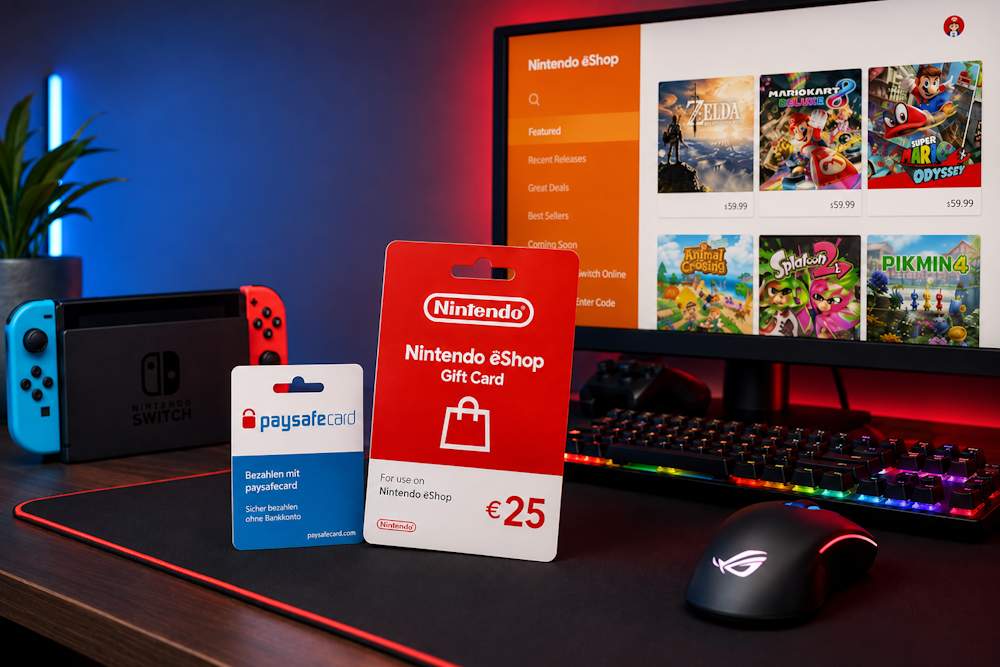
After redeeming your Nintendo Gift Card, the funds are instantly added to your Nintendo Account balance. You can then use them to purchase digital content available in Nintendo eShop, giving you instant access to thousands of products without entering your payment details every time you make a purchase. Once your balance has been topped up, you can use it for:
- Full digital games. Nintendo eShop offers thousands of titles across a wide range of genres, from Nintendo exclusives such as The Legend of Zelda, Super Mario, and Pokémon to popular releases from independent and international studios. Once purchased, each game is permanently added to your digital library and remains linked to your Nintendo Account.
- DLC and Expansion Passes. If you already own a game, you can use your balance to purchase story expansions, new characters, additional levels, maps, season passes, and other downloadable This allows you to continue your favourite adventures without having to buy the base game again.
- Indie games. Nintendo eShop is regularly updated with new independent titles, many of which become major hits. Indie games often deliver unique gameplay experiences at a more affordable price.
- Nintendo Switch Online. Your account balance can be used to purchase or renew a Nintendo Switch Online membership. It provides access to online multiplayer, cloud save data backup, a library of classic NES, Super NES, and Game Boy games, along with additional benefits depending on the selected membership plan.
- Other digital content. Depending on the game, you can also purchase in-game currency, content packs, bonus items, and other digital content available through Nintendo eShop.
Whether you add funds to Nintendo eShop with Paysafecard or another available payment method, your balance can be used for a wide variety of digital content. The only thing left is to decide what you want to play next. The next step is choosing a reliable platform where you can safely buy a Nintendo eShop card with Paysafecard. Here's what you should pay attention to before making your purchase.
Nintendo eShop Cards
How to Buy Nintendo eShop Cards with Paysafecard at Baxity Store
The first step is choosing a trusted retailer. The store you choose determines whether you receive a valid code or risk running into fraudulent sellers. Not every retailer guarantees code activation or secure payment processing, which is why purchasing from a trusted platform is essential. Baxity Store is a verified reseller with more than 10 years of experience in the fintech industry. The platform specializes in digital gift cards and vouchers and sources its digital products from trusted suppliers. As a result, you can safely add funds to your Account for Nintendo eShop with Paysafecard while minimizing the risks associated with buying digital codes. Why choose Baxity Store:
- Guaranteed code activation. Every card is verified before sale to ensure you receive a valid activation code.
- Instant delivery. In most cases, your code is sent to your email immediately after payment confirmation, so you can start shopping without unnecessary waiting.
- Secure payments. All transactions are protected with modern encryption technology, keeping your payment information safe.
- Flexible payment methods. Baxity Store accepts Paysafecard for Nintendo, bank cards, cryptocurrencies, and other popular payment options.
- Dedicated customer support. If you have any questions before or after your purchase, the Baxity Store support team is ready to help.
- Wholesale pricing. Special discounts are available when purchasing 10 or more gift cards, making Baxity Store a great choice for businesses and bulk buyers.
Below, we'll show you step by step how to buy Nintendo cards with Paysafecard on Baxity Store.
Choose the Correct Nintendo eShop Card
The process of buying a Nintendo eShop Gift Card or Nintendo Switch Voucher with Paysafecard starts with choosing the right product. From the Baxity Store homepage, open the Gaming Credits category and select Nintendo. Here you'll find all available Nintendo products, organized by product type, currency, and denomination.
- Choose the correct currency. You can switch between USD and GBP to browse available products more conveniently. Nintendo Gift Cards are available in the following denominations:
- USD: $10, $20, $35, and $50.
- GBP: £15, £25, £50, £75, and £100.
- Select the right product type. If you want to add funds to your Nintendo eShop balance, choose a Nintendo Gift Card in the required denomination. If you want to purchase or renew a subscription, select Nintendo Switch Online, available as 3-month or 12-month memberships. This is a separate digital product that gives you access to online multiplayer, cloud saves, and a growing library of classic Nintendo games.
Before adding the product to your cart, make sure the selected region matches your Nintendo Account and double-check the denomination. Once everything is correct, click Add to Cart. The next step is paying for your Nintendo eShop Gift Card or Nintendo Switch voucher with Paysafecard.
Nintendo eShop Cards
Pay with Paysafecard
After adding the card to your cart:
- Click the "Checkout" button. At this stage, the system will ask you to log in to your account or register. Registration on Baxity Store takes just a few minutes and is required for a secure purchase. This verification step helps keep your purchase secure.
- Next, select a payment method. In the list of available options, find Paysafecard. After selecting it, confirm your agreement with the Baxity Store security policy. Click "Place order" — this will redirect you to the payment page.
- On the payment page, enter the 16-digit PIN code of your Paysafecard voucher. Make sure your voucher balance is sufficient to cover the order amount and to reload your Nintendo eShop via Paysafecard.
- After entering the code, confirm the payment. The system will process the transaction instantly, and the funds will be deducted.
Please note: if your voucher does not have enough funds, the payment will fail, and you will not be able to buy Nintendo with Paysafecard. In that case, use another voucher or choose a different payment method.
Receive Your Nintendo eShop Code
Once your payment with Paysafecard for Nintendo has been successfully completed, your code will be sent to the email address associated with your Baxity Store account. This happens automatically and takes less than a minute. You can also find the code in your account under the "Orders" section. Keep the code in a safe place until activation. Your code consists of 16 letters and numbers and can only be redeemed once. It is designed for one-time use. Make sure you received the correct code for your region. If the code does not arrive within a few minutes, check your "Spam" folder. If you still cannot find the email, contact Baxity Store support. That's it — the process of purchasing a Nintendo eShop Gift Card with Paysafecard is now complete. The only step left is to redeem your code in your Nintendo Account.
Nintendo eShop Cards
How to Redeem Nintendo eShop Cards
Once you've received your code, you can redeem it in two ways: through your Nintendo Switch console or on the official Nintendo website. Regardless of which method you choose, your funds or subscription will be added to your Nintendo Account automatically and will be available immediately after activation. Let's look at both options.
Redeem on Nintendo Switch
- From the Home menu, open Nintendo eShop.
- Select the Nintendo Account where you want to add the funds.
- From the left-hand menu, choose Redeem Code.
- Enter the 16-character eCode from your email.
- Click Submit and confirm the redemption.
The funds are added to your account instantly and are immediately available for any purchases in Nintendo eShop. There is no difference whether you purchased your card with Paysafecard for Nintendo Switch or any other payment method—the redemption process is exactly the same.
Redeem on the Nintendo Website
The redemption process is exactly the same on the official Nintendo website. A code for Nintendo with Paysafecard is redeemed exactly the same way as any other Nintendo voucher.
- Sign in to your Nintendo Account on the official Nintendo website.
- Open your profile and go to the Nintendo eShop settings.
- Select the Redeem Code
- Enter your code and confirm the redemption.
Your balance will be updated automatically after the code has been redeemed.
Nintendo eShop Cards
Before completing your purchase, take a moment to double-check a few important details. Most issues with Nintendo eShop with Paysafecard are not related to the payment itself but to selecting the wrong card currency, choosing the wrong product type, or entering incorrect account information. Spending just a few minutes checking these details can help you avoid delays and receive your code without any problems.
| What to Check | Why It Matters |
|---|---|
| Card Currency | Nintendo eShop Gift Cards are available in different currencies, including USD and GBP. The gift card currency must match your Nintendo Account region; otherwise, the code cannot be redeemed. |
| Product Type | Before completing your purchase, make sure you're buying the correct product: a Nintendo eShop Gift Card to top up your balance or a Nintendo Switch Online membership to start or renew your subscription. |
| Paysafecard Balance | If you're planning to top up Nintendo eShop with Paysafecard, make sure your voucher has enough balance to pay for the selected gift card or subscription. |
| Baxity Store Account Email | Your digital code will be sent to the email address linked to your Baxity Store account. If the email address is incorrect or you don't have access to it, receiving your code may be delayed. |
| Card Denomination | If the game or subscription costs more than a single gift card value, calculate the required amount in advance. You can purchase multiple gift cards and redeem them one after another if needed. |
If you've checked everything in advance, Paysafecard for Nintendo makes the payment process fast and convenient, and your digital code is delivered almost immediately after the transaction is confirmed. You can then redeem your code and start shopping in Nintendo eShop without unnecessary delays.
Conclusion
Purchasing Nintendo eShop cards via Paysafecard is a convenient, secure, and fast way to top up your balance. With this method, you don't need to enter your bank details every time you make a purchase. You stay in control of your spending and receive your code instantly after payment. By choosing Baxity Store, you gain extra confidence — it's a verified reseller with ten years of experience. The platform guarantees code activation, instant delivery, and payment protection. The purchase process takes just a few minutes, and the code you receive can be activated right away. Thanks to paying via Paysafecard for Nintendo, digital purchases become accessible to everyone, regardless of whether they have a bank card. And Baxity Store ensures the reliability of every transaction. It's the perfect solution for those who value time, security, and convenience.
FAQ
Can I buy a Nintendo Switch Voucher with Paysafecard?
Yes. Although Nintendo eShop doesn't support direct Paysafecard payments, you can buy a Nintendo Switch Voucher with Paysafecard from Baxity Store. Once your payment is complete, you'll receive a digital code that simply needs to be redeemed in your Nintendo Account.
What can I buy after redeeming a Nintendo eShop Gift Card?
Once you've added funds to your balance, you can purchase digital games, DLC, Expansion Passes, indie titles, in-game content, and Nintendo Switch Online memberships. The funds remain in your Nintendo Account until you're ready to spend them.
How long does it take to receive my code after payment?
In most cases, your code is delivered by email within a few minutes after your payment has been confirmed. You can also find it in your Baxity Store account under the Orders section. If you haven't received the email, check your Spam folder or contact the Baxity Store support team.
Is it safe to top up Nintendo with Paysafe?
Yes. If you're looking to top up Nintendo with Paysafecard, it's important to buy digital cards only from trusted sellers. Baxity Store is a verified reseller, guaranteeing original codes, secure payment processing, instant code delivery, and professional customer support.


Comments
Sign in to join the conversation. Every comment is reviewed before it appears on the page.
Sign in to comment
You need an account to leave a comment. Sign in and your name will be used automatically.
No comments yet. Be the first to write one.