If you use Neteller for online payments, you’re already accustomed to having full control: your balance is always at hand, transactions are fast, and there’s no need to link a bank card. It’s only natural to want the same level of flexibility when making purchases on Steam — paying for games and topping up your balance directly from your e-wallet, without unnecessary steps after logging into your account.
However, when it comes to using Neteller with Steam, things work a bit differently. Direct payment is not always available, which pushes users to look for a more practical way to utilize their funds. These limitations have nothing to do with the wallet itself — they stem from the platform’s regional settings and restrictions.
One of the most convenient solutions is to purchase a Steam card online and add the funds to your balance using a code. This gives you the same control over your spending, without being dependent on whether a specific payment method is supported in your region.
Next, we’ll take a closer look at how this mechanism works, when it makes more sense than direct payment, and how to make your Neteller top-up as simple and secure as possible.

Why Many Users Choose Neteller for Steam Payments
Neteller has been on the market since 1999. From the very beginning, it focused on the online gaming and gambling industry. That’s why all the mechanisms inside the system are tailored to players’ needs: speed, security, minimal fees, and flexible conditions.
Today, Neteller is not just an e-wallet but a full-fledged financial service regulated by the UK Financial Conduct Authority (FCA). Every transaction operates under one of the strictest regulators in the world.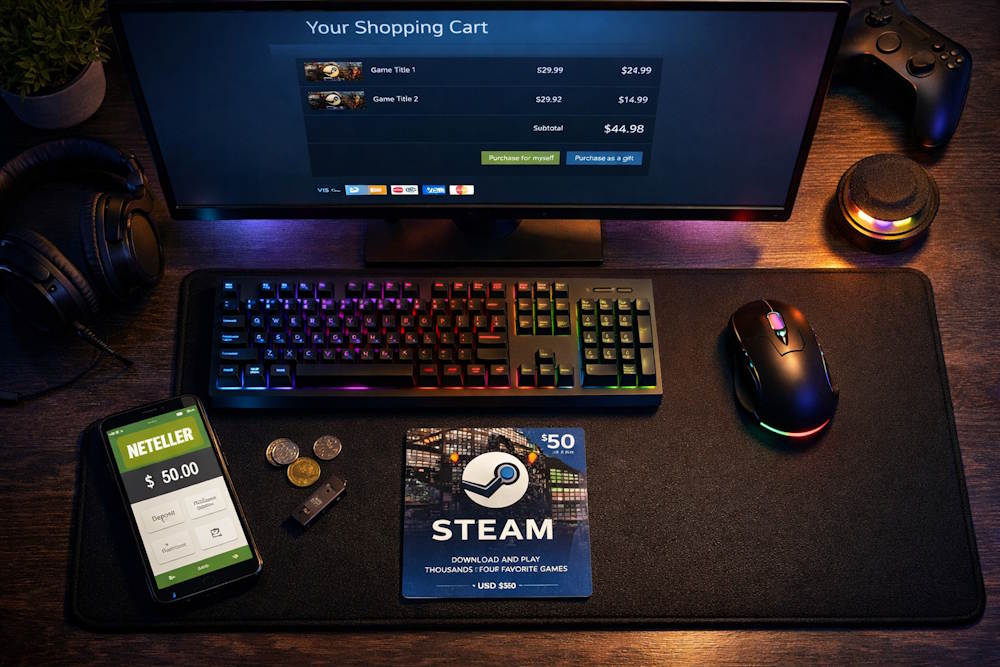
What this means for gamers:
- Transparent terms with no hidden fees.
- Fund protection at the level of banking institutions.
- Ability to dispute transactions if issues arise with the store.
This matters especially for Steam. Banks often block payments to gaming stores due to their internal security settings. Neteller avoids these problems because it acts as an intermediary between your account and the platform. When you make a Steam payment via Neteller, your bank no longer sees that transaction — only the initial wallet top-up that happened earlier.
- Loyalty program. Neteller has several tiers: Standard, True, VIP. The more you use the wallet, the higher your status. Higher status means lower fees, exclusive offers, and Knect loyalty points. For gamers who buy regularly, this is direct savings. The more Steam wallet top-ups via Neteller you make, the cheaper each subsequent transaction becomes.
- Neteller processes payments instantly. No waiting for bank processing, no one-time passwords every time. For Steam, this is critical during big sales. When a discount lasts for a limited time, a 15-minute delay could cost you 30-50 percent more.
- Security.When paying through Neteller, your bank details aren’t shared with the store. Steam only sees that the payment came from the wallet. If Steam’s platform suffers a data breach, your financial information remains protected — because it was never there. Neteller uses encryption and two-factor authentication for additional account protection.
- Budget control.You can keep funds separate from your main account, set monthly limits, and stay within them. Every Steam payment via Neteller stays within your planned spending.
- Neteller works in most European countries. But here’s the catch: having the wallet doesn’t guarantee Steam accepts it for direct payment. In Poland, Czech Republic, Hungary, Baltic countries, Greece, and Portugal, Neteller is either missing from Steam’s payment methods or works with restrictions.
That’s where the alternative comes in. Steam Gift Vouchers purchased through Neteller solve this problem. You pay with your preferred method, get a code, redeem it after login — and the funds are on your balance. No dependence on whether Neteller works directly in your country.
Next, we’ll look at what Steam Wallet credits are, how they work, and why keeping them ready makes sense.
What Steam Wallet Credits Are and How They Work
Steam Wallet is the internal balance of your Steam account. The principle is simple: you top up your wallet in advance, then use those funds to purchase games, DLC, and other content. Essentially, it’s a digital account within the platform.
Your balance is displayed in the top right corner of the Steam client — always visible. Funds aren’t tied to any specific game; they stay in your account and are spent gradually.
Why this is convenient: regular game purchases, subscriptions, shopping during seasonal sales. No need to enter card details every time or wait for bank confirmations.
What you can keep in Steam Wallet:
- Funds in different currencies (depends on your account region);
- Bonuses and cashback from certain games;
- Gift codes redeemed on your account.
The maximum balance is around $2000 or equivalent. For the average player, that’s more than enough.
There are different ways to top up your balance, depending on the country: bank card, PayPal, other payment systems. Steam online top-ups via Neteller are also popular, though they don’t work in every country. But there’s always an alternative — a Steam Gaming Gift Card.
Once the funds are in your wallet, the real fun begins — choosing games. And this opens up more possibilities than just buying what you’ve wanted for a while. Next, we’ll look at how to use your balance for different types of purchases.
Buying Games and DLC with Wallet Credits
The Steam catalog has tens of thousands of titles. Games of any genre, downloadable content, soundtracks, artbooks. A separate category is DLC, which adds new content to games you already own.
The Steam community helps with choices. Before buying, you can read reviews, check screenshots, discuss the game on forums. This saves time and money.
Seasonal sales are the best time to shop. Discounts reach 90%, but prices change fast. This is where topping up your Steam wallet via Neteller in advance comes in handy. Funds are already on your balance — you grab the game at the sale price before it changes.
Steam Wallet for Software and In-Game Items
Steam isn’t just about games. The platform also offers useful software: 3D modeling tools, video editors, development utilities. All of this can be purchased from your wallet balance.
But the majority of transactions are in-game purchases. Many games have their own stores where you can buy skins, weapons, characters, and XP boosters with virtual currency. This applies to hits like CS, Dota 2, PUBG, and hundreds of other games.
What else you can spend your balance on:
- In-game currency;
- Cosmetic items for characters;
- Tournament tickets and in-game event passes;
- Creative and productivity software.
There are no fees for these purchases. You pay exactly what the item costs. No hidden charges, no extra conversion fees if your wallet currency matches the store currency.
For active players, the Steam Community Market comes into play. You can sell items earned in games or collectible trading cards there. The proceeds go to your wallet balance, ready for new purchases. It’s a form of exchange where in-game valuables turn into platform credit.
This way, Steam online top-ups via Neteller let you participate in the full cycle: buy a card, redeem the code, spend on games or items, play, earn rewards, sell them, buy something else. All without extra fees.
Can You Pay Steam Directly with Neteller
The short answer — sometimes yes, but not everywhere. Whether you can pay on Steam with Neteller depends on your account country, local payment agreements, and regional restrictions set by the platform.
| Where Neteller Most Often Works | Where It May Not Work or Works with Limitations |
| United Kingdom | Poland |
| Germany | Czech Republic |
| France | Hungary |
| Italy | Baltic countries |
| Spain | Greece |
| Netherlands | Portugal |
| Scandinavian countries | Most Eastern European countries |
But even in countries where Neteller is officially supported, it’s not always available for wallet top-ups. Sometimes this method works only for direct game purchases, while adding funds to your balance isn’t possible. So you can only partially use the Neteller payment method on the Steam platform.
Important to understand:the absence of a direct payment option doesn’t affect your library or access to games you already own. You can still buy new titles and download them once funds are credited to your balance — the only question is how you top up.
How to check if Neteller works in your case:
- Log into the Steam client;
- Go to account settings;
- Open the “Wallet Details” section;
- Check the list of available payment methods.
If Neteller is on the list, you can try to top up your Steam wallet with Neteller directly. If not, you’ll need to use other options.
Namely — you can buy a Steam gift card from a store that accepts Neteller and activate the code. This adds just one extra step but completely solves the problem of geographical restrictions. Next, we’ll go through this method step by step.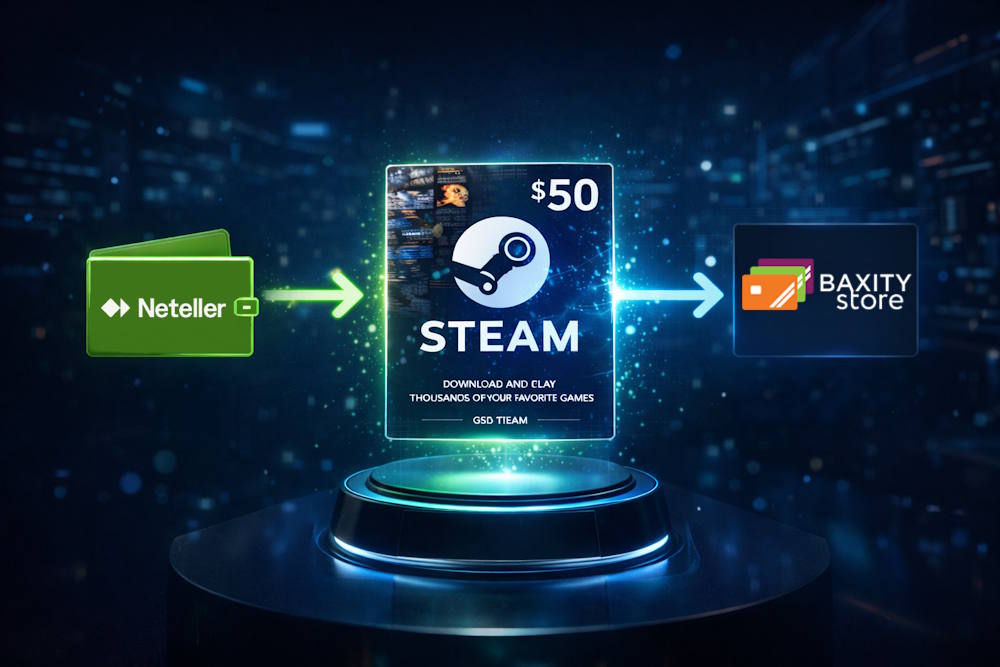
How to Buy Steam Wallet Credits with Neteller on Baxity Store
The process takes just a few minutes. Here’s a step-by-step guide.
Step 1. Go to the Baxity Store homepage.
Open your browser and navigate to Baxity Store. In the top menu, find the “Gaming Credits” category and click on it. Then select Steam Gift Cards from the list. You’ll be taken to the page with all available denominations.
Step 2. Choose your card amount.
Steam gift cards come in various denominations. Pick the one that fits your budget — whether for a specific game purchase or just adding funds in advance. Click on your chosen amount and add it to your cart.
Step 3. Log in or create an account.
If you already have a Baxity Store account, simply log in. If you’re a first-time user, you’ll need to register. The process includes a quick verification step for security but takes no more than a minute.
Step 4. Select Neteller as your payment method.
In the checkout section, you’ll see several payment options. Choose Neteller from the list. You’ll then be redirected to the Neteller login page where you can confirm the transaction from your balance.
Step 5. Confirm the payment.
Authorize the payment through your Neteller wallet. Once confirmed, the system processes your order instantly.
Step 6. Receive the code via email.
Immediately after payment confirmation, the Steam Gift Certificate online arrives in your email inbox. This is a digital code ready to be redeemed.
Step 7. Activate the code in Steam.
Open your Steam client, go to “Add Funds to Wallet,” select “Redeem a Steam Gift Card,” enter the code, and the money appears on your balance. Now you’re ready to shop.
This method works for everyone, regardless of whether you can pay with Neteller in Steam directly in your country. Recharging your Steam wallet with Neteller through Baxity Store adds just one simple step but removes all geographical restrictions.
The whole process takes less than five minutes from start to finish. No waiting, no bank delays, no failed transactions.
📚 Related Articles
Steam Gift Card Amounts and When to Choose Them
Baxity Store offers a wide selection of Steam Voucher Cards in different currencies and denominations. You can find popular USD cards ($5, $10, $20, $50, $100, $200), as well as regional options for countries such as India (INR), Poland (PLN), Hong Kong (HKD), and the Philippines (PHP). This variety allows you to plan your spending more flexibly and use your balance as a prepaid fund for future purchases.
Choosing the right amount depends not only on your budget but also on what you plan to buy.
| When to choose smaller amounts ($5–$25) | When to choose larger amounts ($50–$200) |
| When you plan to buy a game on sale and know the final price | During major seasonal sales (Summer Sale, Winter Sale) |
| When you want to test the service before making a larger purchase | Before the release of AAA titles priced around $60–$70 |
| When you need a precise top-up without leaving extra funds on your balance | When you want to add funds for several months ahead |
| When you are buying an indie game or a single DLC | When you plan to purchase multiple games or bundles |
The idea is simple: money in your wallet means you are ready to buy. When sales begin, prices can change quickly. Having funds ready on your account is convenient regardless of how you added them — by card, PayPal, or if you decided to buy Steam with Neteller.
For many players, the main obstacle is that Neteller isn’t accepted for direct payments in their region. A gift card solves this: you buy the code where Neteller is accepted, then activate it on Steam. One extra step, and the problem is gone. Using Neteller to top up your Steam wallet via a gift card works no matter where you are. You purchase the card, get the code, and redeem it — the funds are on your balance, ready to spend.
If you’re unsure about the amount, think about your gaming habits. For regular purchases, a larger denomination is convenient to have in reserve. For occasional spending, smaller amounts work just fine.
Important Things to Consider Before Using Neteller
Before paying for purchases or adding funds through Neteller, it’s worth paying attention to a few technical details. They are simple, but they can help you avoid delays during payment or while receiving your code.
- Wallet verification status
First, make sure your Neteller wallet is fully verified. For small payments this may not always be necessary, but larger transactions can trigger additional checks. If you plan to use funds from Neteller for Steam purchases regularly, completing the basic verification in advance helps prevent payment limits or interruptions.
- Possible fees
In some cases, the e-wallet may charge a fee for funding or currency conversion. This is not directly related to the Steam platform itself, but it can affect the total cost of the transaction. For example, when adding money to your Steam wallet with Neteller, it’s a good idea to check the conversion rate and any additional charges before confirming the payment.
- Entering your details correctly
Another important point is accuracy when placing an order. Make sure the email address you provide is correct, because this is where the code will be sent after purchasing a Steam card with Neteller. Even a small mistake in the email address may delay the delivery of the voucher.
- Device and connection stability
It’s also recommended to complete the purchase using a stable internet connection — preferably on a desktop or PC. This reduces the risk of transaction interruptions while confirming the payment in your Neteller wallet.
In most cases, the process takes only a few minutes. As long as your wallet is verified, the payment details are entered correctly, and your connection is stable, the transaction should go through smoothly.
Final Thoughts on Buying Steam Wallet Credits with Neteller
Neteller is about control and speed, while Steam is about that moment when you want to click “Buy” and start downloading your game right away. Even if funding Steam from Neteller directly doesn’t work in your region, that doesn’t mean you have to postpone your purchase.
Just take one simple step: choose a Steam card denomination in Baxity Store, pay with Neteller, and the code will arrive in your email. Then you simply redeem it in your account and spend the balance as usual. This is the easiest way to buy Steam with Neteller without stress or technical surprises.
Why is it convenient?
- Neteller works where bank cards may be declined;
- A gift card bypasses geographic payment restrictions;
- The code arrives in your email within a minute;
- No hidden fees and no unexpected charges;
- Baxity Store regularly runs special offers and discounts;
- Wholesale pricing is available for purchases of 10+ cards;
- Baxity Store is a verified reseller of gift cards, ensuring reliability and fast delivery.
Want to buy Steam with Neteller right now? Visit Baxity Store, choose your card value, complete the payment, and receive your code. Five minutes — and you’re ready to play.
Frequently Asked Questions
How do I get a code for my Steam wallet if I pay with Neteller?
Purchase a gift card on Baxity Store, pay with Neteller — and the code arrives in your email. This is how most people get a Steam wallet code with Neteller when direct payments aren’t available.
How fast is the top-up?
If you need to top up Steam with Neteller quickly, this is the fastest way. The code arrives within a minute after payment confirmation.
Can I use Neteller to top up if it’s not accepted directly in my country?
Yes. Even where Neteller for Steam isn’t available as a direct payment method, a gift card solves the problem. Buy the code — redeem it on Steam with no restrictions.
What do I do with the code next?
Log into Steam, go to the wallet section, enter the code. Anyone can top up Steam via Neteller this way, no matter which country they’re in.