When users need to top up their PlayStation Store balance quickly, most of them choose the most convenient option — mobile payments. That means no card details, no delays, and just a few taps to complete the checkout. As a result, more gamers prefer buying PlayStation gift cards with Apple Pay to access games, subscriptions, and digital content without extra steps. In practice, however, the situation is not always that simple. Paying with Apple Pay on PlayStation may work inconsistently or may not be available at all depending on the account region, device settings, and other factors. As a result, users often face the same problem: the payment method exists, but it cannot actually be used. This is exactly why more gamers are switching to an alternative solution — using a digital top-up code to add funds to their balance.
PlayStation Gift Card
Buy Now and Pay with Apple Pay
In this article, the Baxity Store team breaks the situation down step by step. We explain why Apple Pay works differently across PSN regions, what limitations users encounter most often, and which alternative method allows users to add credits without dealing with unnecessary restrictions. We have gathered practical experience, verified information, and clear recommendations into one complete guide — with no guesswork and no confusing explanations.
Apple Pay for PlayStation Store Payments
Apple Pay is no longer just a payment tool for in-store purchases. Today, it has become one of the most widely used checkout methods for digital services, subscriptions, and gaming content. For Apple users, it is one of the fastest ways to pay online: there is no need to manually enter card numbers, CVV codes, or billing details — payments are confirmed instantly with Face ID or Touch ID.
PlayStation Gift Card
Buy Now and Pay with Apple Pay
Technically, Apple Pay works differently from a traditional bank card. During a transaction, the system does not send your actual payment details to the merchant. Instead, it generates a unique token — a one-time digital identifier linked specifically to that payment. Even if transaction data were exposed, the real card number and CVV would remain protected. This is exactly why Apple Pay is considered one of the safest payment methods for digital purchases. For PlayStation users, the process is especially convenient. You open the PlayStation Store, confirm the payment through your iPhone or Apple Watch, and the entire checkout takes just 2–3 seconds. No switching between apps, no re-entering payment details, and no risk of making mistakes during the transaction.
Why gamers prefer Apple Pay for digital purchases:
- checkout takes only a few seconds;
- there is no need to enter card details repeatedly;
- billing information is not shared with the store;
- payments are confirmed through Face ID or Touch ID;
- Apple Wallet securely stores the card for future purchases;
- payments can even be approved directly using an Apple Watch.
That is why more users are trying to use Apple Pay on PlayStation for faster balance top-ups and digital purchases. However, PlayStation Store payment with Apple Pay is not available in every region or on every device. This is where most users start running into payment issues.
Can You Use Apple Pay on PlayStation Store
The short answer is yes — but with important limitations. Apple Pay is technically supported in the PlayStation Store, yet its actual availability depends on several factors at once. This is exactly why so many users get confused: for some players the payment works instantly, while others do not even see Apple Pay among the available payment methods.
- Account Region Is the Main Limitation. The biggest factor is the region of your PSN account. Sony uses different payment gateways for different countries, and Apple Pay is supported only in selected regional payment systems. If your account is registered in the United States, the United Kingdom, Canada, or certain EU countries, the chances of seeing Apple Pay in PlayStation Store are much higher. In many other regions, however, the option is simply unavailable. This is not a technical issue — it is part of Sony’s regional payment policy.
- The Device Also Matters. The device used for the purchase can also affect payment availability. On PS5 and PS4 consoles, Apple Pay is not supported directly through the Store interface. The web version of the PlayStation Store is more flexible, but support still depends on the account The best support for Apple Pay is currently available through the PS App on iPhone, although even there the feature is limited to selected countries.
- Currency and Billing Restrictions. Another common issue involves currency and billing settings. Even if Apple Pay for PlayStation payments is available in your region, the currency of your PSN account still has to match the currency of the card linked to Apple Wallet. If the currencies do not match, the transaction may be declined automatically without a clear explanation. For users, this often looks like a random error, while in reality the problem is caused by regional billing restrictions.
| Factor | Apple Pay Available | Apple Pay Unavailable |
|---|---|---|
| PSN Region | USA, UK, Canada, selected EU countries | Most Eastern European, Asian, and Latin American regions |
| Device | PS App (iOS), web version of PlayStation Store | PS5 and PS4 Store interface |
| Currency | Matches Apple Wallet currency | Does not match Apple Wallet currency |
Because of these limitations, Apple Pay in PlayStation Store works only for a portion of users. For everyone else, the payment option may either disappear completely or fail during checkout. In the next section, we will explain why these restrictions exist from a technical perspective and why digital gift cards often become the more reliable alternative.
PlayStation Gift Card
Buy Now and Pay with Apple Pay
Why Apple Pay May Not Work for PSN Purchases
Even if Apple Pay is available in your region and appears among the payment methods, it does not guarantee that the transaction will go through successfully. Several systems are involved during a PSN purchase: Apple Pay, the user’s bank, Sony’s payment gateway, and PlayStation Network itself. If a problem appears at any stage, the payment may be declined without a clear explanation.
📚 Related Articles
- How to Activate Your PlayStation Gift Card and Stay Safe
- Get PlayStation Store credits with Mastercard
- Get PlayStation Store credits with Visa Card
- Get PlayStation Store credits with Crypto
- Get PlayStation Store credits with Neteller
- Get PlayStation Store Credits with Paysafecard
- Where to Buy Playstation and Xbox Gift Cards for Turkey
- How to pay on PlayStation Store with Skrill?
- All PlayStation Subscriptions in 2025 – Choose the Plan
- PlayStation Gift Cards – Overview from Baxity and FAQs
Most issues happen when users try to complete a PSN top up with Apple Pay. Apple Pay may work perfectly for purchases in other digital services, but once users try to add funds to their PSN balance, the payment can suddenly fail or freeze during confirmation. In some cases, the same card works for one purchase but gets rejected for another.
The most common reasons for payment errors:
- the PSN account region does not match the Apple Wallet region;
- the bank blocks certain digital transactions;
- the card currency does not match the PSN account currency;
- Some Sony payment gateways have limited Apple Pay support;
- the system automatically flags the transaction as unusual.
Another frustrating part is the lack of clear error messages. In most cases, users only see a generic notification saying that the payment could not be completed. There is usually no explanation whether the issue comes from the bank, Apple Pay, regional restrictions, or PSN itself. That is exactly why PSN recharge through Apple Pay often turns into multiple failed attempts without understanding the real cause of the problem. In practice, this means one thing: even when Apple Pay is technically supported, the payment experience can still be inconsistent. This is why many gamers switch to digital gift cards as a simpler and more reliable way to add funds to PSN without dealing with regional or payment-related restrictions.
Alternative Way to Buy PlayStation Store Credits with Apple Pay
After all the limitations of direct Apple Pay payments in PSN, many users start looking for a more stable way to top up their balance. That is why more and more gamers today use Apple Pay to buy a PlayStation gift card. The logic is simple: Sony may limit Apple Pay inside its own store, but it cannot restrict how Apple Pay works on other platforms. To buy a PlayStation card with Apple Pay, all you need is an internet connection. No extra apps, no complicated setup. You pay with Apple Pay, receive the code, redeem it in the PS Store — and the balance is ready to use. This approach allows users to get PlayStation credits with Apple Pay without dealing with regional restrictions. For many users, this turns out to be a much simpler solution. There is no need to check payment gateway compatibility, repeat verification steps, or search for the reason behind another failed checkout attempt. But the popularity of this method is not explained by Apple Pay compatibility alone. The format of PSN gift cards, digital delivery, and instant code access also play a major role. Let’s look at these advantages in more detail.
PlayStation Network Gift Cards
PlayStation Network gift cards online are official PSN wallet top-up cards. They give users full control over their balance: you decide how much money to add and when to use it. No automatic charges and no hidden fees. Another major advantage is flexibility — these cards work perfectly as a gift for friends, children, or colleagues. It is a universal option that almost any gamer will appreciate.
Digital PSN Codes
Electronic PlayStation gift card is a fully digital product. There is no dependence on physical stores, business hours, or local availability. All you need is internet access. You can buy a code late at night, during holidays, or while traveling. No physical restrictions and no waiting time — the code is delivered directly to your email wherever you are.
Instant Delivery Options
Most PlayStation online vouchers are delivered within minutes after payment confirmation after Apple Pay payment confirmation. This becomes especially important during seasonal sales, when even a few minutes can determine whether you manage to grab a discounted game in time. No delays, no waiting — the system works automatically 24/7.
How to Buy PSN Credits with Apple Pay Step by Step
Speed is not the only factor that matters when buying a gift card online. The code must be authentic, the balance must match the selected denomination, and delivery should work without delays. That is why it is important to buy gift cards from a verified seller. So, if you are looking for how to buy a PlayStation gift card with Apple Pay safely and reliably — without complicated setup or payment verification issues — Baxity Store is an official reseller with more than 10 years of experience. The platform accepts Apple Pay for PlayStation gift cards and other digital products, processing payments from more than 100 countries worldwide. Users receive original digital products, secure payment processing, and customer support in case of any order-related questions. This is especially important for PSN codes, where an invalid voucher or delivery issue can mean wasted time and money.
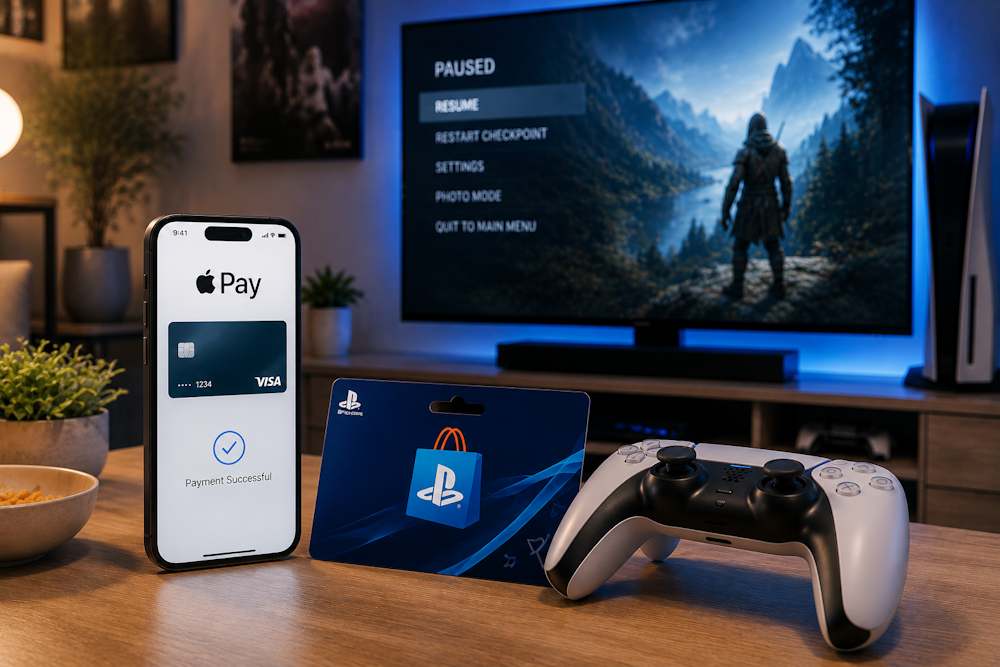
To buy PlayStation gift cards with Apple Pay, you only need to follow a few simple steps.
- Open the Gaming Credits category on the Baxity Store homepage and go to the PlayStation section. Here you can choose from different PSN gift card denominations for quick PlayStation Store balance top-ups.
- Select the preferred card denomination and add it to your cart.
- Open your cart and sign in to your Baxity Store account. If this is your first purchase, the platform may request a short verification process. This is an important security step that helps protect users from fraudulent transactions and ensures safe digital code delivery.
- During checkout, select Apple Pay as the payment method and confirm the transaction.
- Paying for a PSN gift card with Apple Pay takes only a few seconds: two taps, and the payment is complete. Once the transaction is approved, the order automatically moves into processing.
- Check your email or your Baxity Store account. In most cases, the digital code is delivered within a few minutes after payment confirmation. That is why many users prefer using Apple Pay to buy a PlayStation gift card instead of relying on direct PSN payments.
Tips for Safe and Fast Transactions
Most problems with digital gift cards can be avoided before the payment is even completed. A few simple checks help users avoid losing money because of the wrong region, an incorrect email address, or purchases made through unreliable websites. This becomes especially important when making a PlayStation top up with Apple Pay for an account registered in another region.
| Rule | What to Do | Why It Matters |
|---|---|---|
| PSN account region | Check the country selected in your PS Store account settings | Gift cards only work in the region they were issued for |
| Email address | Double-check the spelling before placing the order | The digital code is delivered directly to your email |
| Seller | Choose an official reseller of digital gift cards | This reduces the risk of invalid or already used codes |
| Payment method | Use PlayStation top up with Apple Pay through a secure Apple Wallet | Tokenization helps protect card details during payment |
| Adding funds | Buy PS Store funds with Apple Pay only through trusted platforms | This lowers the risk of delivery or activation issues |
| Code activation | Activate PSN credit with Apple Pay immediately after receiving the code | This helps verify the code validity and balance faster |
Users who regularly check these details in advance usually save time and avoid most problems related to digital purchases.
Conclusion: The Best Way to Use Apple Pay for PSN
When PlayStation Store declines payments or does not support Apple Pay in your region, gift cards remain the simplest solution without complicated setup or linking a bank card directly to PSN. That is why more and more gamers today prefer buying a PlayStation gift card with Apple Pay instead of relying on direct PlayStation Store payments. At Baxity Store, users can quickly purchase PlayStation gift cards for different PSN regions with instant digital delivery and secure Apple Pay checkout. As an official reseller, Baxity Store provides only original digital codes without the risk of invalid vouchers or unreliable marketplace sellers. There is no need to waste time checking payment gateway compatibility. Simply choose the denomination, pay with Apple Pay, and get access to your content without unnecessary barriers. Buy a PlayStation gift card with Apple Pay today and see how simple PSN top-ups really are..
FAQ
Can I use Apple Pay directly on the PlayStation Store?
In most regions, the answer is no. Apple Pay is only available in a limited number of countries due to differences in Sony's payment gateways. On the PS5 console, the option is completely absent. In the web version of the store and the PS App, it only appears for accounts registered in the US, the UK, Canada, and select EU countries. If your region is not on that list, direct payment via Apple Pay is unavailable. That is exactly why gift cards remain the universal solution.
Why does my Apple Pay payment get declined even though my card is active?
The most common reason is a currency mismatch. Your PSN account currency must match the currency of the card in your Apple Wallet. For example, an account registered in the US with a card issued in euros will trigger a declined transaction. Another common reason is regional blocking within Sony’s payment system. Some gateways do not support tokenized Apple Pay requests and return an error without explaining the cause.
Is it safe to buy PSN codes with Apple Pay on third-party platforms?
Yes, as long as the platform is a verified reseller. Apple Pay uses tokenization to protect your data: your card number is never shared with the merchant and is replaced with a one-time digital identifier. This means your payment details stay safe even if the platform experiences a data breach. Baxity Store, as an official reseller, also verifies every code before sending it out, eliminating the risk of an inactive voucher.
How long does code delivery take after payment?
In most cases, the code arrives in your email within one to two minutes after payment confirmation. If the email does not show up, check your spam folder. Automated messages sometimes get filtered into spam folders. It is also important to make sure your email address was entered correctly during checkout.
What should I do if the code does not activate?
First, check your PSN account region. A code can only be activated in the region it was issued for. If your account is registered in the US and the code was purchased for the UK, activation will not work. Second, make sure you are entering the code in the correct section: PS Store → Redeem Codes. If the region matches and the code still does not work, contact the seller's support team. At Baxity Store, all codes are verified before delivery, and our support team will help resolve the issue.
Comments
Sign in to join the conversation. Every comment is reviewed before it appears on the page.
Sign in to comment
You need an account to leave a comment. Sign in and your name will be used automatically.
No comments yet. Be the first to write one.