Sometimes you just log into the game, spot a cool new skin, and want to grab it in two seconds right from your couch. That’s exactly what Apple Pay is made for — tap, confirm, done. No extra steps. As a multiplayer shooter with millions of players, PUBG Mobile keeps releasing new content regularly. And the in-game currency — UC — is what unlocks all of it. That’s why paying for PUBG Mobile with Apple Pay just makes sense when you value your time. It’s fast, convenient, and works right from your device.
If you’re looking to buy PUBG UC with Apple Pay without any worries, there are a couple of simple ways to do it. At Baxity Store, we’ve put together two methods that actually work. No complicated schemes — just legit options that have been tested and proven. Pick the one that works for you and top up your account in minutes.
What Is PUBG Mobile UC and Why Players Buy It
UC is the main virtual currency in PUBG Mobile that unlocks all premium content. Without topping up, your balance stays limited to basic rewards, and a significant part of the game’s features simply remains unavailable.
What exactly players buy with UC
- Royale Pass — access to the full set of seasonal rewards,
- Elite skins and outfits — cosmetics that often have limited sale periods,
- Crate sets — chance to get rare items,
- Seasonal collections and event offers.
Essentially, UC unlocks the content that creates the feeling of progress and status in the game.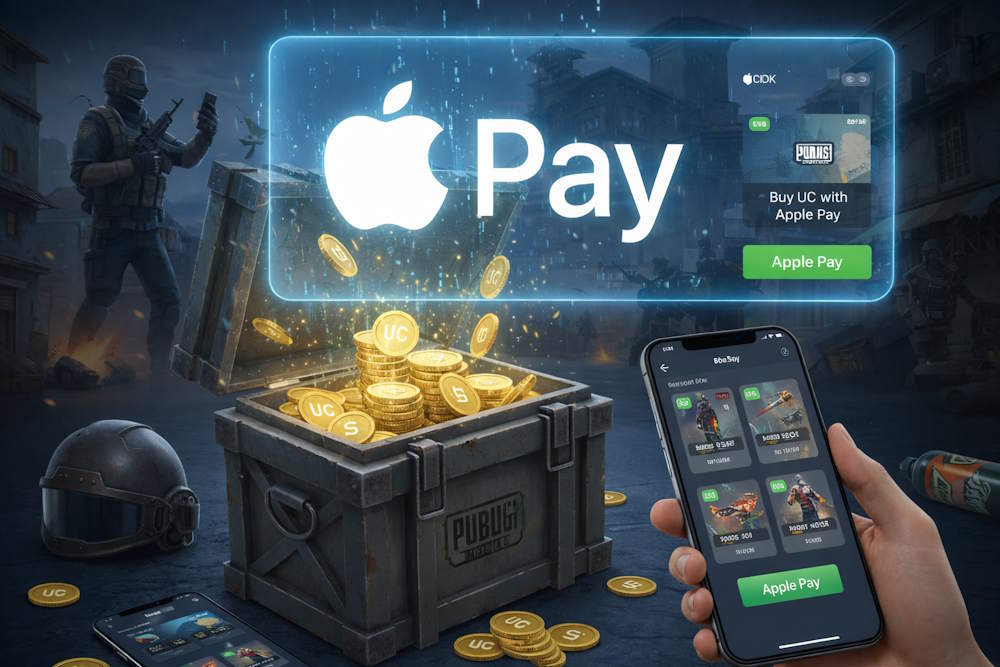
Why players don’t stick to free rewards only
- Free events give only a portion of the content,
- Collecting rewards stretches over several seasons,
- Some items have limited availability time,
- Missed seasons don’t always come back.
In the fast pace of modern gaming, waiting means missing out on current content. This becomes especially noticeable when a new Royale Pass drops. Without UC, you only get the basic rewards — roughly 20-30% of the total content. The premium track gives you way more exclusive items that either never return or cost significantly more in separate crates later on.
That’s exactly why players top up UC when they need it, not when “luck happens to strike.” And when it comes to payment, some users choose to purchase PUBG with Apple Pay as a convenient way to complete the transaction without unnecessary delays. Others use PUBG vouchers for fixed denominations and full spending control.
UC in PUBG Mobile isn’t just a number on your balance. It’s access to the full game features at a specific moment of the season.

Ways to Buy PUBG Mobile UC Using Apple Pay
Topping up PUBG Mobile UC with Apple Pay can be done in two ways. The first is directly inside the game. The second is through gift cards purchased on external platforms. Both work, but they differ in reliability and whether you’ll have to deal with errors afterward.
When it comes to PUBG Mobile with Apple Pay, it’s important to understand that not all methods are equally available in different regions. Sometimes direct in-game payment fails with an error, and then the only option is an alternative way to top up.
In-app purchases inside PUBG Mobile
The first option is buying directly inside the game. You select a UC package, confirm payment through Apple Pay, and the funds are charged from the payment method linked to your account.
In this scenario, if you choose to pay for PUBG with Apple Pay, the entire transaction goes through the App Store and depends on your Apple ID settings, region, and payment method availability. Essentially, this is topping up PUBG via Apple Pay handled by the Apple ecosystem itself.
The advantage is speed. The downside — if the payment fails or shows an error, it’s hard to influence the process since the transaction is processed automatically within the platform. For example, if your Apple ID is registered in the US but you play on a European PUBG account, the payment will almost certainly fail. Banks also often block app store transactions, flagging them as suspicious — especially if you haven’t made similar purchases before.
📚 Related Articles
- Buy PUBG Mobile UC with Visa Card
- Buy PUBG Mobile UC with Zen Wallet
- Buy PUBG Mobile UC with Binance Pay: Complete Guide
- Buy PUBG Mobile UC with Mastercard
- Buy PUBG Mobile UC with Paysafecard
- Buy PUBG Mobile UC with Crypto
- Buy PUBG Mobile UC with NETELLER
- Complete PUBG Mobile FAQ Guide
- How to top up PUBG Mobile with Skrill
- PUBG Mobile Gaming Credits in Bulk
- PUBG Mobile Gift Cards – Where to Buy and How to Redeem?
Buying gift cards funded via Apple Pay
The second option is to first purchase a digital top-up code, pay for it with Apple Pay, and then activate it in your account. When you pay for PUBG with Apple Pay online, the transaction happens on an external website, not inside the game. The code gets delivered instantly to your email.
In this model, you purchase PUBG vouchers with a fixed denomination, then top up your balance in the account yourself. This way you can top up PUBG with Apple Pay without directly linking your bank card to your gaming profile.
The main difference is control and predictability. While standard purchases depend entirely on your account settings, the voucher model works as a separate, completed transaction with a clearly defined amount. Plus, this is the only working method when, due to regional restrictions, topping up PUBG Mobile UC with Apple Pay directly in the game is simply not possible.
Plus, buying through gift cards lets you control your budget precisely. The game often doesn’t have the exact denomination you need — so you end up taking more and leaving unused UC on your balance. With a code, you pay exactly what a specific item costs.
How Buying PUBG Mobile UC with Apple Pay Works in Practice
Apple Pay is a digital wallet that replaces your physical card when making payments. When you decide to buy UC for PUBG Mobile with Apple Pay, none of your card details are shared with the store or the game. Instead, tokenization handles the entire process.
How it actually works:
- You select the item and tap the payment button
- The system asks for confirmation via Face ID, Touch ID, or password
- One tap — and the payment goes through
- Inside the game, it looks like any regular transaction
For you, everything happens simple and fast. No long forms, no waiting.
When it comes to security, Apple Pay payment for PUBG is much safer than entering your card directly. You never expose your card number, expiration date, or CVV code. The store only sees a one-time token that can’t be used again. Even if someone intercepts the transaction data, they can’t withdraw money a second time.
PUBG Mobile with Apple Pay turns topping up your account into a one-click action. The same principle works on external platforms where you buy gift cards. At checkout, you simply select Apple Pay, confirm the payment — and the code arrives in your email instantly. No extra steps, no stored card details on websites. This works even on sites that don’t store payment data. Apple Pay generates a unique token for each transaction. If a store’s database ever gets compromised, your financial details stay safe.
How to Buy PUBG Mobile UC with Apple Pay via Baxity Store
If the standard in-game purchase works unstable or you don’t want to link your card to your gaming account, using the voucher model makes more sense. At Baxity Store, payment goes through as a separate digital transaction, after which you receive a code and activate it in the game yourself.
This approach gives you control. The card isn’t connected to your PUBG Mobile profile, and UC is credited after code activation. It’s convenient when you need to make a PUBG Mobile with Apple Pay purchase without depending on your Apple ID region or in-game store restrictions.
On the category page, you can buy PUBG UC in the denomination you need and pay with Apple Pay. After payment confirmation, the code is sent instant to your email, and you can activate it right away. This is exactly how PUBG UC with Apple Pay works through Baxity Store — separate purchase, separate code, full control over the crediting process.
It’s worth noting that topping up PUBG with Apple Pay via voucher isn’t a way to “bypass” the system — it’s an official model using gift codes, provided by the game platform itself.
Step-by-step purchase flow
How to do it step by step:
- Go to the Baxity Store website.
- Open the “Gaming Cards” section and select PUBG cards.
- Choose the UC denomination you need.
- Click “Buy” and proceed to checkout.
- Log in or complete quick registration.
- Select Apple Pay as your payment method.
- Confirm the payment with Face ID or Touch ID.
- The code will arrive in your email within seconds.
- Activate it in the PUBG Mobile game.
- After activation, restart the game to refresh your balance — UC appears instantly, but sometimes it takes a quick server reconnect.
The whole process takes no more than three minutes. The code arrives instantly, and UC appears in your account right after activation. No waiting, no “check back later” messages.
What you should prepare before purchasing
To buy PUBG UC with Apple Pay without delays, prepare in advance:
- An Apple device with Apple Pay set up— iPhone, iPad, or Mac with an active payment method. Face ID or Touch ID should be enabled.
- A payment method in Apple Pay— a card with sufficient balance for the purchase. You can check it beforehand to avoid payment errors.
- Your PUBG Mobile account— the profile where you plan to activate the code. Make sure you know the login credentials.
- A browser on any device— computer, tablet, or phone. Just need to access the Baxity Store website.
- An accessible email address— this is where the code will be sent after payment. Double-check that you entered it correctly.
Important about denominations: unlike standard in-game payments where amounts are often fixed, Gift Card PUBG Mobile let you flexibly choose the exact UC amount you need. You can grab multiple cards of different denominations and collect exactly what a specific purchase requires — no leftover balance sitting idle on your account.
If you top up regularly or buy for streams or giveaways, check out wholesale options. When ordering 10 or more cards, Baxity Store offers special pricing — beneficial for personal bulk purchases and for those running gaming communities.
Why Many Users Choose Baxity Store for Apple Pay Payments
When it comes to topping up UC, players usually compare two scenarios: standard in-game purchase or a separate transaction through a specialized platform. The difference is in the level of control, stability, and predictability of the result.
Many switch to buying vouchers because it gives more control. It’s not a “workaround” — just a different payment method that helps avoid typical in-game payment errors.
Why people choose Baxity Store
- Official products.The store sells PUBG cards — official digital codes. No “transfers from someone else’s account” or shady donor schemes. You get a legitimate code with a clear denomination.
- Instant delivery.After payment confirmation, the code is sent to your email instantly. No waiting, no “managers” manually checking your payment.
- Transaction security.When you buy UC for PUBG Mobile with Apple Pay on Baxity Store, your card details never reach the game. Payment is confirmed with biometrics, and your card isn’t linked to your PUBG profile.
- Experience and reliability.Baxity Store has been in fintech for over 10 years. That means established payment processes, stable infrastructure, and clear order handling rules.
- While in-game topping up PUBG with Apple Pay can depend on your App Store region or Apple ID settings, Baxity Store bypasses these limitations. You buy a code and activate it yourself on whatever account you need.
- And one more thing — transparency. You see the final payment amount upfront, with no hidden fees that sometimes get added when paying through the App Store in certain regions.
If you’re looking to buy PUBG Mobile UC with Apple Pay, Baxity Store gives you a separate transaction, secure payment, instant code delivery, and full control over activation.
Common Problems When Using Apple Pay for PUBG Mobile UC
Even with a convenient tool like Apple Pay, issues can sometimes come up. A payment might not go through, a code might not activate, or the payment method itself might not appear. Below are the most common problems and how to fix them without contacting support.
| Problem | Why It Happens | What to Do |
| Payment declined by bank | Bank blocks the transaction due to fraud suspicion or insufficient funds | Check your card balance. If funds are available, contact your bank and confirm you initiated the payment. You can also add a different card to Apple Pay. |
| Code won’t activate in the game | The code might be region-locked, and your PUBG account is set to a different region | Make sure your gaming account region matches the code’s region. If the issue persists, contact Baxity Store support with your payment receipt — the team will verify the code manually. |
| Apple Pay doesn’t show as a payment option | Apple Pay is not set up on the device or an unsupported browser is being used | Make sure Apple Pay is activated in your wallet and use a supported browser such as Safari on iPhone or Mac when placing your order on Baxity Store. |
Sometimes a code won’t activate because of a simple input error. Make sure you’re entering the exact code you received, with no extra spaces. The easiest way is to copy it from the email and paste it into the game. If you’re trying to top up PUBG Mobile with Apple Pay and the payment fails, the issue is often with your bank or regional restrictions. When you buy UC for PUBG with Apple Pay on Baxity Store, there are fewer complications — the payment is processed separately, and the code can be activated on any account.
And if you prefer to pay for PUBG with Apple Pay directly in the game, keep in mind that success depends on your Apple ID settings and App Store region.
Final Thoughts on Buying PUBG Mobile UC with Apple Pay
There are two ways to top up your account: directly in the game or through gift cards on external platforms. The first one is fast but depends on your Apple ID region, bank settings, and the in-game store’s mood. The second one is less obvious but works every time the standard method fails with an error.
Apple Pay makes both options convenient. No need to enter card details, no need to store them on websites. Confirm the payment with your fingerprint or face — and you’re done. But if you want to avoid surprises, it makes more sense to use trusted platforms.
Baxity Store gives you exactly what standard purchases lack: stability and control. You buy a code, get it instantly, and activate it in the game yourself. No card linked to your account, no dependence on your region. Simple, secure, and hassle-free.
If you’re tired of dealing with errors every time you want to buy a new skin or Royale Pass, try a different approach. Pick the denomination you need from PUBG Gift Cards, pay with Apple Pay, and get the code in minutes. After that — just play.
Ready to top up? Choose your denomination, pay with Apple Pay, and get back to the game in minutes.
FAQ
Is it safe to buy UC through third-party sites?
Yes, if you’re using trusted platforms like Baxity Store that work with official codes, not shady “top-ups” from unknown sources.
Can I top up PUBG with Apple Pay if it doesn’t work in the game?
Yes. That’s exactly what gift cards are for. You buy a code on an external site, pay with Apple Pay, and activate it in the game. This bypasses App Store regional restrictions.
Why should I buy UC with Apple Pay instead of entering my card directly?
Because when you buy PUBG UC with Apple Pay, your card details never reach the seller. Instead, a one-time token is generated. Even if the site gets hacked, your financial data stays safe.
What if the code doesn’t arrive in my email?
Check your Spam folder first. If it’s not there, contact Baxity Store support — payment receipts are stored. You’ll be able to confirm that you topped up PUBG with Apple Pay, and they’ll resend the code.
Can I buy UC for a friend in another country?
Yes. Codes are region-specific, so just make sure you pick the right region card for their account.
Why don’t I see Apple Pay as an option in the game?
This depends on your Apple ID country and whether the payment method is supported in that region. External platforms don’t have this problem — you can use Apple Pay to top up PUBG there without any restrictions. If you need a quick and reliable way to top up PUBG with Apple Pay, Baxity Store is the simplest option.