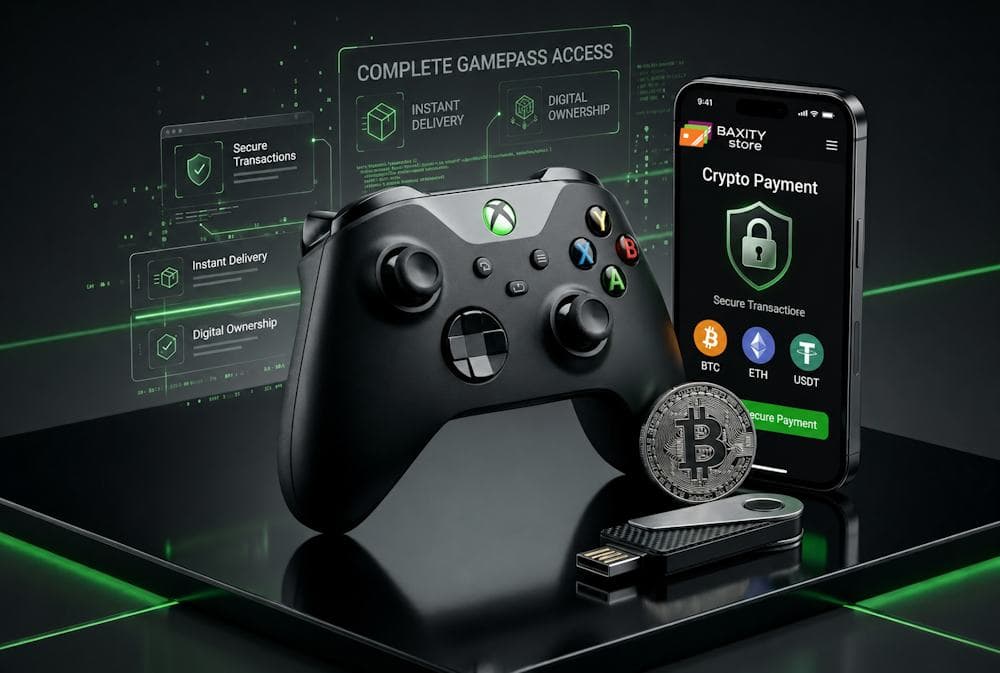
For many gamers, cryptocurrency has become a practical alternative to traditional payment methods. Yet a large number of Xbox users still rely on bank cards that may block gaming purchases or add unnecessary fees. Others continue buying physical gift cards in stores, even though faster and more convenient options are already available online. In reality, topping up Xbox with crypto takes only a few minutes. All you need to do is purchase an Xbox gift card and pay for it with cryptocurrency. No banks, no additional verification, and no unnecessary questions. Everything is simple and convenient, which is why such purchases have long become a common practice across the global market. In this article, we will show you step by step how to use crypto to buy Xbox games and other content without unnecessary complications. We will explain the key points of choosing the right denomination, activating your card, and making secure payments. Let's start with the essentials.
Xbox Gift Card
How Crypto Fits Modern Xbox Purchases
Today, Xbox is first and foremost a digital platform. This changes the approach to payment: it must be instant, secure, and accessible from anywhere in the world. This is exactly where cryptocurrency takes center stage. Banks often create barriers for gaming purchases. They may block transactions, set limits, or charge extra fees for international transfers. All of this slows down the process and forces players to look for alternatives. Cryptocurrency works differently — it is not subject to banking decisions, has no geographical restrictions, offers lower fees, and does not require sharing personal data. For gamers, this translates into four key advantages:
- A blockchain transaction takes mere minutes, regardless of the amount or the sender's country.
- Your crypto is yours to spend, no questions asked.
- Banks charge up to 5% for international transfers, while crypto fees typically do not exceed 1.5%.
- You don't share your banking details with third parties — just your wallet address is enough.
That is why more and more gamers are choosing to pay for Xbox with crypto — it's convenient, cost-effective, and comes with no unnecessary questions from the bank. Crypto for Xbox is becoming a logical choice for those who regularly buy games and subscriptions. If you want to pay for Xbox online with cryptocurrency, it is entirely possible. The key is knowing the right way to do it.
Why Gift Cards Are Used with Crypto
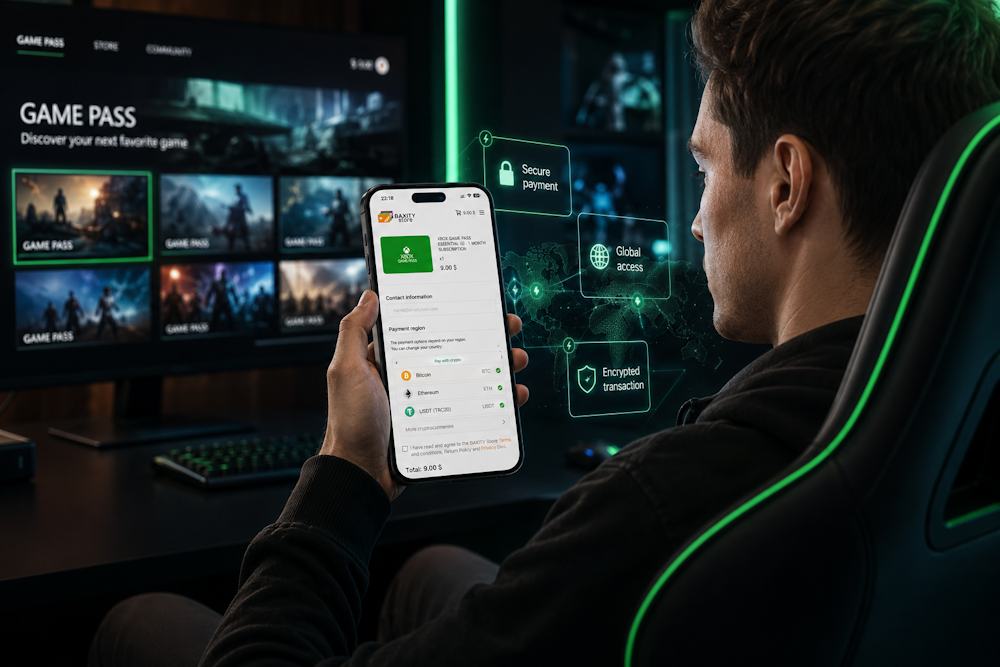
The problem is simple — you can't pay for Xbox straight from your crypto wallet. There is just one obstacle: cryptocurrency still cannot be used as a direct payment method in Microsoft Store. This is a conscious company policy, as Microsoft works only with fiat currencies and traditional payment systems. Microsoft currently does not support direct cryptocurrency payments in the Xbox Store. As a result, users typically rely on gift cards purchased with crypto. But this does not mean there is no way to use crypto for Xbox. Gift cards become the tool that bridges digital assets with the Microsoft ecosystem. You buy an Xbox gift with crypto, receive a code, and use it to top up your balance. No unnecessary questions, no extra verifications, no banking limits. Here is why an Xbox card online is the best solution:
- InstantThe card code arrives via email immediately after the payment is confirmed. No delays, no waiting, no calls to support. Just get the code and activate it in minutes.
- You do not share your banking details with third parties. Only your crypto wallet address is needed. No risks of confidential data leaks.
- The card can be used for any purchase in the Microsoft Store: games, subscriptions, movies, apps. It does not limit you to one type of content.
- Gift cards work in any region, even where the Microsoft Store does not accept local bank cards. Keep in mind that gift cards are not valid indefinitely, so it is generally a good idea to redeem them within their validity period.
- You avoid bank fees for international transfers and currency conversion. You avoid bank charges for international transfers and currency conversion, paying only the standard blockchain network fee.
That is why more gamers now choose to buy Xbox gift with crypto — it's becoming a popular payment method worldwide. Xbox gift card with crypto is not just a workaround — it is a way to bypass banking restrictions without extra effort, making purchases in the Xbox Store simpler and more accessible.
What You Can Get with Xbox Gift Cards
Xbox gift cards unlock far more than just game purchases. After all, a gift card is much more than just a digital code. It provides access to the entire Microsoft Store catalog, from new games and subscriptions to movies and apps. That is why users who use crypto for Xbox often choose gift cards as a universal tool for digital purchases. After purchasing an Xbox gift card with crypto, there is no need for an additional exchange of funds — your balance can be used for a wide range of purchases across the Xbox ecosystem.
Xbox Gift Card
Games and Add-ons
The most popular use of Xbox gift cards is buying games. Once your balance is topped up, you gain access to thousands of digital products in the Microsoft Store, ranging from the latest AAA releases to indie hits and classic titles that remain popular for years. However, the possibilities go far beyond games alone. Your balance can also be used to purchase story expansions, season passes, in-game currency, and other digital content.
- For example, you can easily buy packs for Fortnite, Call of Duty, EA Sports FC, and other popular games without having to use separate payment methods for every purchase.
The main content categories available for purchase include:
- full games;
- DLC and story expansions;
- season passes;
- in-game currency;
- cosmetic items and bonus packs.
That is why many gamers choose an Xbox gift card as a convenient way to access new content. A single balance allows you to pay not only for games themselves but also for everything that makes the gaming experience more engaging and personalized.
Xbox Gift Card
Game Pass and Services
Games are only one part of the Xbox ecosystem. A significant number of users spend money on digital services that provide additional gaming features, cloud functionality, and access to extensive content libraries. The best-known example is Game Pass, which allows players to enjoy hundreds of games across console, PC, and cloud gaming without having to purchase each title separately. For many gamers, this model is more cost-effective than regularly buying new releases, especially for those who try several new games every month or want access to Microsoft titles on launch day. Xbox gift cards can also be used to pay for other services available through Microsoft Store:
- Game Pass Core;
- Game Pass Ultimate;
- EA Play;
- additional Microsoft digital services.
If you plan to use a gift card for an Xbox subscription, it is worth choosing a denomination that matches your needs in advance. For an annual subscription, it is often more practical to top up a larger amount at once, while monthly plans can be covered through regular balance replenishment. This approach is particularly convenient for users who make Xbox purchases through crypto and want to control spending on digital services without automatic charges from a bank card.
📚 Related Articles
- Buy Xbox gift cards with Visa Card
- Buy Xbox gift cards with NETELLER
- Buy Xbox gift cards with Paysafecard
- Buy PUBG Mobile UC with Paysafecard
- Which Xbox Subscription Should You Choose?
- How to get a refund from Steam, Xbox, PS and more?
Movies and Apps
The possibilities of Xbox gift cards are not limited to games and subscriptions. Your account balance can also be used to purchase digital content from Microsoft Store. This is especially convenient for users who use their console not only for gaming but also as a multimedia hub. The store offers movies from a wide range of genres, from the latest releases to timeless classics. Content can be rented or purchased depending on your needs. Everything you buy remains linked to your Microsoft account, making it easy to access your library across multiple devices. In addition to entertainment content, your balance can be used for apps and useful digital tools. Microsoft Store offers software for learning, creativity, productivity, and everyday tasks. That is why many users view a Microsoft gift card not only as a gaming product but also as a versatile solution for digital purchases. The main content categories available through Microsoft Store include:
- movies and TV content;
- educational apps;
- creative and multimedia software;
- productivity tools;
- other digital content within the Microsoft ecosystem.
This versatility is one of the reasons why more users choose to buy Xbox through crypto, using gift cards to access different categories of digital content from a single account. But choosing the right platform to purchase your gift card is just as important. We'll cover that next.
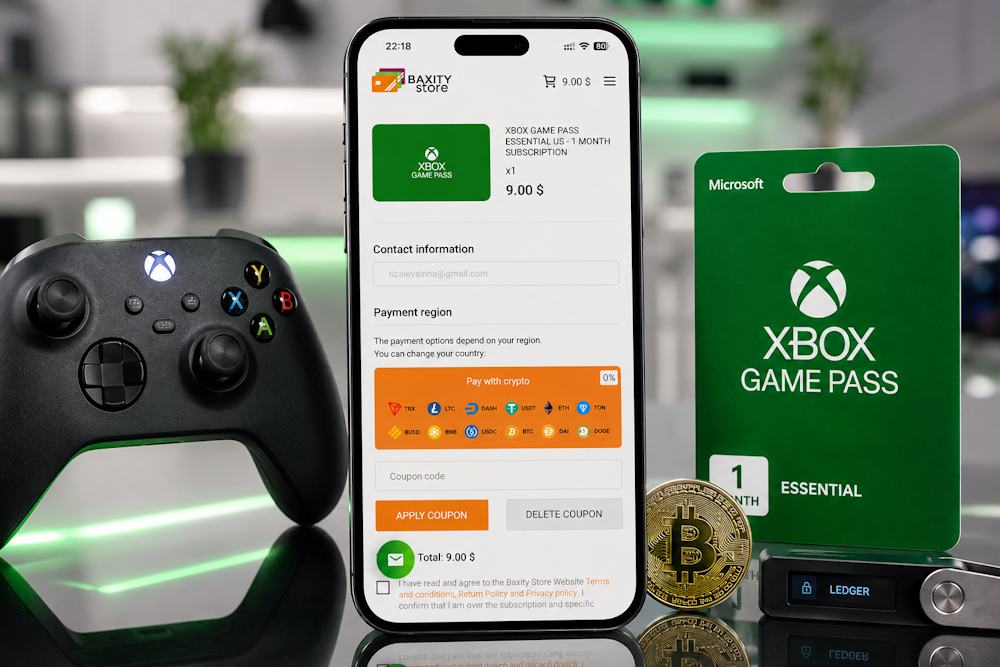
Buying Xbox Gift Cards with Crypto on Baxity Store
Choosing a reliable seller is important for any online purchase, but it is especially important when buying gift cards. It directly affects:
- how quickly you receive your code;
- the security of your payment;
- and your confidence that the card will be activated successfully.
Baxity Store is a verified reseller of the brands featured on the platform, which means all codes are sourced through official distribution channels. In addition, the store offers:
- wholesale pricing for orders of 10 cards or more;
- secure payments protected by modern encryption technologies;
- and responsive customer support.
That is why many users choose Baxity Store when they want to buy an Xbox gift card with crypto quickly and without unnecessary risks.
Xbox Gift Card
The purchasing process is straightforward and takes only a few minutes
- Selecting the product. On the Baxity Store homepage, navigate to the "Gaming Credits" category, then select Xbox cards. The page offers various denominations, so you'll find the right option. If you need multiple cards, you can add them to your cart one by one.
- Adding to cart. Choose the desired denomination (e.g., $10, $25, $50, $100) and click the "Add to cart" button. If you're planning to buy several cards, repeat this step for each denomination.
- Registration or login. Only at this stage, go to your cart and log in to your Baxity Store account. If this is your first time here, register and complete a brief verification. This is an important security step — it protects your purchases from unauthorized access.
- Checking out. Click "Checkout" and select "Pay with crypto" as your payment method. Check the box agreeing to Baxity Store's security policy, then click "Place order." On the payment page, choose your currency and network (e.g., USDT via TRC20 or ERC20). For beginners, we recommend TRC20 — fees are lower and transactions are faster.
- Payment. In the new window, copy the wallet address or scan the QR code. Send the exact amount from your crypto wallet. Make sure you selected the correct network, otherwise funds may be lost.
- Receiving the code. After the blockchain transaction is confirmed, the card code will be sent to your email. This usually takes from a few seconds to 5–10 minutes, depending on network congestion. Check your inbox (sometimes the email may land in the spam folder).
This simple process makes it easy to buy Xbox gift card products without unnecessary complications. In addition, an Xbox voucher through crypto can be purchased for personal use, as a gift, or even in advance for future purchases, which can be useful given the ongoing volatility of cryptocurrency markets. By using a trusted platform, you can be confident that your wallet remains secure and that the entire purchasing experience stays transparent and fully digital.
Steps After Purchase: How to Use Your Card
After purchasing your Xbox gift card and receiving the code by email, the only thing left to do is activate it within the Microsoft system. The process takes just a few minutes and does not require any special knowledge. The activation process is as follows:
- Sign in to your Microsoft account and go to the Microsoft code redemption page at microsoft.com/redeem. Be careful not to use third-party websites to avoid potential fraud.
- Click the Redeem button or select the gift card redemption option.
- Enter the code you received in the designated field. Make sure to enter it carefully without extra spaces or typing errors. Once entered, click Next or Redeem to continue.
- Confirm the activation. The system will display the amount added to your balance and may offer direct access to the Microsoft Store catalog.
After activation, you can use the funds to purchase games, add-ons, in-game currency, Game Pass subscriptions, and other digital content. That is why many users prefer Xbox purchases through crypto: cryptocurrency is used when buying the gift card, while all purchases after activation are made through the standard Microsoft account balance. This approach effectively allows users to pay Xbox through crypto, even though Microsoft Store does not directly support cryptocurrency payments. After their first purchase, many users continue to fund Xbox with crypto through gift cards because the process remains simple, fast, and convenient.
Choosing the Right Gift Card Amount
The Xbox gift card denomination you choose affects both your budget and how often you need to make purchases. If the amount is too small, you may need to buy another card sooner than expected. If it is too large, part of the balance may remain unused. Here are three common scenarios that can help you choose the right denomination.
- One-Time Purchase. Check the price of the game in Microsoft Store and choose a card that covers the required amount. For example, if a game costs $59.99, a $60 or $75 card will usually be sufficient. This is a convenient option for users who make purchases only occasionally.
- A gift card adds funds to your balance as a one-time top-up, so for subscriptions it is best to choose a denomination that covers your preferred period of use — one month, three months, or a full year. For example, a year of Game Pass Ultimate costs approximately $180. In this case, a $150–200 card is often the most practical choice. That is why, when choosing an Xbox voucher through crypto for regular use, it makes sense to select a denomination that covers several months at once. This reduces the number of purchases and potential transaction costs.
- Future Spending. Many users purchase an Xbox voucher through crypto in advance. A $100–150 card allows you to prepare for future purchases ahead of time. In practice, this means locking in part of your gaming budget in US dollars, which can be especially useful during periods of cryptocurrency price volatility.
How to Choose the Ideal Denomination
| Your Goal | Recommended Denomination |
|---|---|
| One Game | $25–75 |
| Game Pass for a Month | $15–20 |
| Game Pass for a Year | $150–200 |
| Future Reserve | $100–150 |
Choosing the right denomination makes Xbox payment through crypto more efficient, while a well-planned purchase allows you to comfortably pay Xbox through crypto without unnecessary expenses.
Tips for Paying with Crypto Smoothly
Paying with cryptocurrency usually takes only a few minutes, but mistakes during the transfer can lead to delays or even loss of funds. Whether you are purchasing a gift card for Xbox Store through crypto for the first time or already have experience with cryptocurrency transactions, it is worth taking a few seconds to verify the details before confirming your payment.
| What to Check | Why It Matters |
|---|---|
| Transfer Network | It must match the network specified on the payment page. |
| Wallet Address | Even a single mistake may result in lost funds. |
| Payment Amount | Always send the exact amount shown in your order. |
| Network Fee | Different blockchain networks have different transaction costs. |
| Transaction Status | Wait for blockchain confirmation before closing the payment page. |
| Payment Details | Keep the transaction hash until your order is completed. |
Following these simple recommendations makes Xbox Store payments through crypto faster and more secure. That is why experienced users treat every crypto payment for Xbox with the same level of attention as any other financial transaction.
Conclusion: Why Baxity Store Is Your Best Choice for Xbox Crypto Purchases
Cryptocurrency and Xbox are a natural combination. Speed, security, and independence from traditional banking systems make crypto a convenient payment option for gamers. The only obstacle has been the lack of direct cryptocurrency support in Microsoft Store. Fortunately, Xbox gift cards provide a simple and effective solution. Xbox gift cards serve as a bridge between your crypto wallet and hundreds of games, subscriptions, and other digital products. They work across different regions, are not limited by banking restrictions, and allow users to make purchases throughout the Microsoft ecosystem using cryptocurrency.
- That is why Baxity Store is worth considering. As a verified reseller, it guarantees valid codes, secure payments, and fast delivery. The entire process — from choosing a card to activating it — takes only a few minutes. In addition, wholesale pricing for orders of 10 cards or more makes larger purchases even more cost-effective.
If you are looking for a simple and reliable way to use crypto for Xbox purchases, Baxity Store is an excellent choice. In addition, you can buy Xbox through crypto with minimal fees and receive your code quickly. And if you regularly top up your balance, an Xbox gift card with crypto provides a convenient way to access everything the Xbox ecosystem has to offer. Choose Baxity Store and make your gaming experience faster, simpler, and more accessible.
FAQ
Does Xbox accept cryptocurrency directly?
No, Microsoft does not accept cryptocurrency as payment in the Xbox Store. The company works only with fiat currencies and traditional payment systems. So any attempt to pay with crypto directly is doomed to fail. But that doesn't mean you can't use crypto for Xbox — gift cards solve this problem.
Can I buy an Xbox gift card with cryptocurrency?
Yes, this is one of the easiest ways to use cryptocurrency for Xbox. You buy a card from a trusted platform (like Baxity Store), pay with crypto, and receive an activation code. No banks, no unnecessary questions.
How long does it take to receive the code after payment?
Usually, the code arrives via email within a few seconds or minutes after the transaction is confirmed on the blockchain. The time depends on network congestion. In most cases, it's almost instant.
Can I use the card in a different region?
No, Xbox gift cards are typically tied to the region of your Microsoft account. Before purchasing, make sure the card matches your region. Otherwise, you won't be able to activate it.
Do I need to create an account on Baxity Store to make a purchase?
Yes, purchasing on Baxity Store requires registration and a brief verification. This is an important security step that protects your purchases from unauthorized access.
Comments
Sign in to join the conversation. Every comment is reviewed before it appears on the page.
Sign in to comment
You need an account to leave a comment. Sign in and your name will be used automatically.
No comments yet. Be the first to write one.