

For many gamers, the most obvious way to fund their account and pay for purchases on Steam is with Visa. Visa cards are widely used for online payments, making them a convenient tool for buying games, DLC, and other digital content. However, many players don’t realize that you can easily buy Steam credits with Visa without linking your card directly to your Steam account. All you need is to purchase, for example, a Steam gift card. There is also an option to top up Steam wallet via Visa gift card, and it takes just a few minutes.
These methods offer several advantages: they allow you to control your spending better, avoid sharing payment details on the gaming platform, and decide the top-up amount in advance. The key is to choose a reliable gift card seller.
In this article, we’ll explore how Visa payments work on Steam, what alternatives exist, and why many users prefer digital Steam vouchers as a more convenient way to add funds to their balance.
What Is Visa and Why It’s a Priority Payment Option
When it comes to online payments, most users choose Visa for good reason. It is an international payment system operating in over 200 countries and partnering with 14,000 banks worldwide. Its infrastructure processes up to 30,000 transactions per second, ensuring instant fund crediting when purchasing games or DLC.
For gamers, it is essential that payments go through quickly and without delays. During checkout on Steam with Visa, data is automatically protected by tokenization technology. This means the actual card number is replaced with a unique code that cannot be stolen. That is why many prefer payment with Visa on Steam — it is not only convenient but also secure.
Another reason players opt for purchases on Steam with Visa is the additional protection of 3D Secure. If the system detects suspicious activity, it requests confirmation via SMS or a banking app. In such cases, the bank assumes responsibility for security, not the buyer. For regular Steam purchases, this is critically important, especially when dealing with large amounts during sales.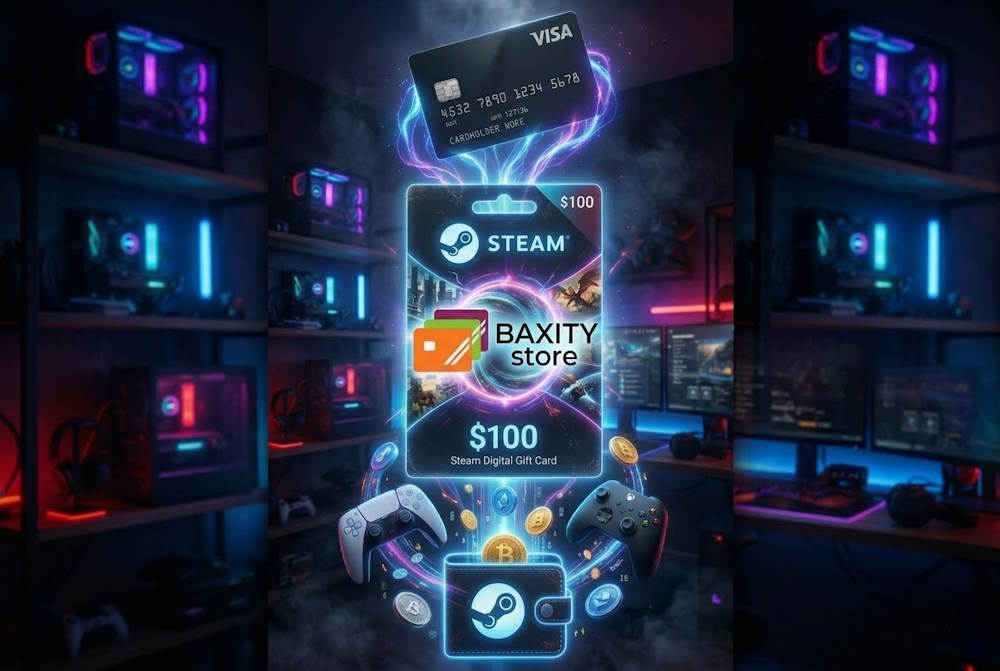
What Steam Wallet Credits Are Used For
Steam Wallet is an internal digital account for users on the Steam platform. It functions like an electronic wallet: you deposit funds in advance and then spend them on any content without entering card details each time. This approach not only saves time but also adds security, especially when it comes to regular purchases.
Funds in the wallet can be used to buy games, in-game items, add-ons, and even software from various publishers represented in the Steam store. It is a universal tool for the entire platform ecosystem, used by millions of players daily. The convenience lies in topping up the balance once and then spending it without additional confirmations.

Main uses of Steam Wallet:
- Buying new releases on launch day.
- Purchasing DLC and expansions for existing games.
- Paying for in-game currency and cosmetic items.
- Acquiring software and creative tools.
- Gifting games to friends (can be sent via inventory).
That is why many players choose to add money to Steam wallet with Visa in advance to have a ready balance for purchases. Experienced users who want to control their budget and avoid linking a bank card to the platform often make a Steam purchase with a Visa gift card. This allows them to spend exactly as planned and immediately get funds for new games.
📚 Related Articles
- The Ultimate Guide to Steam Problems & How to Fix Them (2026)
- Buy Steam Wallet credits with Crypto
- Buy Steam Wallet credits with Neteller
- Buy Steam Wallet Credits with Paysafecard
- How to pay on Steam with Skrill
- How to Recharge a Steam Card?
- How to get a refund from Steam, Xbox, PS and more?
- What is a Steam Gift Card?
- Steam Gift Cards FAQs – How to Buy and Redeem
Buying Games and Add-ons
Every week, dozens of new releases appear on Steam, and the platform’s library now includes over 50,000 titles. To immediately purchase a game that catches your interest, it is wise to have funds ready in advance.
In addition to games themselves, players often buy add-ons (DLC) for their favorite projects. These can include new storylines, additional characters, weapons, or cosmetic sets. Without DLC, many modern games are considered incomplete, so topping up the balance regularly becomes necessary.
Advantages of buying games through Steam Wallet:
- Instant access after payment — no need to wait for delivery.
- Refund option within 14 days (if played for less than 2 hours).
- Automatic updates and cloud saves.
- A single library across all devices.
A convenient way to prepare for purchases is to get a Steam Gift Certificate online in advance. This allows you to add funds without linking a card to your account. And when a new release catches your eye, you simply use a Visa gift card on Steam — activate the code and instantly receive funds in your wallet.
Paying During Steam Sales
Seasonal sales on Steam are the biggest event of the year for millions of players. Summer, winter, autumn, and themed events slash prices on thousands of items by up to 90%. During these days, competition for the best deals is fierce, and hesitation can cost you.
Time-limited offers and flash deals are common during sales. If you already have funds in your account, just one click is enough to purchase a game at a discount. However, if you need to enter card details, there is a risk of missing a good price while your bank processes the payment.
Why it is wise to top up your wallet before a sale or keep one or several Steam cards online ready:
- Time savings — no need to enter payment details.
- No bank rejections due to limits or suspicious transactions.
- Budget control — you only spend what you deposited.
- Ability to buy gifts for friends instantly.
To prepare for a sale, you can recharge your Steam wallet with a Visa gift card — a procedure that takes just a few minutes but saves you from queues during the rush. And if you prefer to stay anonymous, simply get a Visa gift card for Steam and activate it before the discounts begin.
Can You Buy Steam Wallet Credits Directly with Visa on Steam?
Yes, you can directly top up Steam wallet with Visa card, as the platform supports Visa as one of its main payment methods. Users can link a card to their account and use it for all purchases on the platform. The process is standard: choose a game, add it to the cart, and select card payment.
When you add funds to Steam wallet with Visa directly on the platform, the system sends a request to your bank. Everything then depends on your card settings and the financial institution’s policies. Sometimes, additional confirmation via an app or SMS is required to complete the transaction.
During payment processing, Steam checks not only fund availability but also region compliance. If the card was issued in one country but the account is registered in another, the transaction may be rejected. Some banks also block international payments by default, and this needs to be fixed separately.
What to know about paying with a Visa card on Steam:
- The card must support international online payments.
- The region of your Visa card for Steamshould ideally match your account region.
- First-time transactions may require bank verification.
- A Steam Gaming Gift Card is an alternative that does not require card linking.
That is why many players choose gift cards as a simpler option. No need to worry about payment system compatibility — it is convenient, fast, and does not require entering card details on the platform.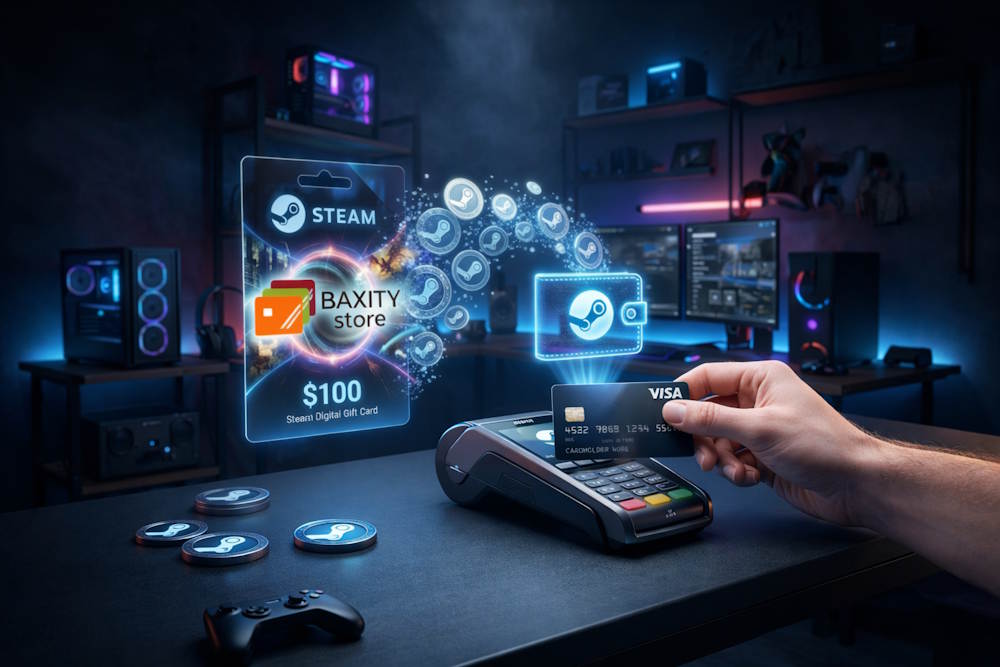
How to Buy Steam Gift Cards with Visa via Baxity Store
To buy a Steam gift card with Visa through Baxity Store is a straightforward way to add funds to your wallet without any hassle. The entire process takes only a few minutes and does not require linking your card directly to your Steam account. You receive a digital code that can be activated whenever it suits you.
Step-by-step guide on how to pay for a Steam voucher with a Visa card:
- Go to the Baxity Store website. On the main page, find the “Gaming Cards” category and select the Steam section. Various denominations are available to suit any budget.
- Choose the desired denomination. Click on the appropriate option (from $5 to $200, €10 to €50) to add the item to your cart. Make sure the card currency matches your Steam account currency.
- Log in or register. If you are new to the platform, create an account and complete quick verification. This is a standard security procedure that takes only a few minutes.
- Select your payment method. Choose Visa from the available payment options, using your bank card.
- Confirm the payment. After entering your card details, confirm the transaction via your banking app or SMS. The system processes the payment instantly.
- Receive the code by email. An email with the digital voucher will arrive in your inbox immediately after payment. This code allows you to activate funds in your wallet — essentially, just in digital form.
- Activate the code on Steam. In the Steam client, go to “Games” → “Activate a Product on Steam.” and enter the received code. The funds appear instantly.
Why choose Baxity Store:
- Official codes. All cards are licensed and ready for activation.
- Flexible denominations. Choose an amount for any budget — from small top-ups to major purchases.
- Wholesale offers. For those needing multiple cards (from 10 units), special conditions and discounts are available.
- Regular promotions. Special offers allow you to purchase cards at more favorable prices.
- Customer support. Assistance is always available if you have any questions.
Baxity Store offers various Steam gift vouchers in different denominations, allowing you to plan your spending flexibly. This is especially convenient when you want to buy a game during a sale or give a gift to a friend.
Why Some Visa Payments Get Declined and How to Avoid It
Sometimes an attempt to pay for a purchase on Steam with a Visa card may result in a payment decline. Most often, the issue is not related to the Steam platform itself, but to your bank’s settings or online transaction processing rules. Banks may block suspicious transactions, restrict international payments, or require additional confirmation before allowing a charge to go through. Understanding the reasons helps resolve the problem quickly and avoid it in the future.
Most common reasons for Visa payment declines on Steam:
- Bank limits.Many banks set daily limits on online payments, especially for cards rarely used for internet purchases.
- International restrictions.If your Steam account is registered in a different country, the bank may block the transaction as suspicious.
- Prepaid card rules.Not all prepaid cards support international online payments or may require prior registration.
- Charge processing errors.Sometimes a payment fails due to technical issues on the bank’s or payment system’s side.
- 3D Secure disabled.Without additional transaction confirmation, some banks automatically decline payments.
Practical tips for successful payment:
- Contact your bank.Find out whether international online transactions are allowed on your card and increase the daily limit if necessary.
- Enable 3D Secure.If your bank supports this technology, make sure it is activated — this increases the chances of payment approval.
- Check your account region.If you travel frequently, ensure that your account region matches the country where your card was issued.
If bank restrictions cannot be resolved, gift cards come to the rescue. There are two types:
- Steam gaming gift card — this is a card directly for topping up your Steam wallet. You can pay for it with Visa, but it is simply purchasing a code; banks usually do not block such transactions.
- Visa gift card — this is also a prepaid card with a fixed amount. It works like a regular card but is not linked to your bank account and cannot be reloaded. You can purchase such a card at Baxity Store as well, pay using any convenient method, activate it, and then use this Visa gift card on Steam.
Topping up Steam wallet through a Visa gift card solves several problems at once:
- You do not need a bank card at all.
- The amount is fixed — you will not spend more than planned.
- No international restrictions if the card is activated for online payments.
- Anonymity — data is not linked to your account.
So, to avoid declines with direct Visa card payments, it is worth checking your card settings in advance and ensuring it is suitable for international online purchases. If the problem persists, using gift cards becomes the optimal solution.
Steam Gift Card Denominations and When to Choose Each
Steam Card Online are available in various denominations — from as low as $5 up to $100 and more, and in different currencies including euros, US dollars, and others. This variety allows you to choose the exact amount for a specific purchase, whether it is a small add-on or a new AAA release. If you need a larger amount, you can always buy several cards at once. Understanding price categories helps you select the optimal denomination without leaving unnecessary funds in your wallet.
- During seasonal sales (summer, winter, autumn), prices on thousands of items drop by up to 90%. During this period, it is convenient to have mid-range cards (€50–$100) ready to take advantage of limited-time offers. For example, pay Steam with Visa gift card allows you to instantly pay for purchases without delays caused by bank verification.
- When giving gifts to friends or family, it is important to consider their gaming preferences. If you are unsure what games the person enjoys, a universal option is a mid-range denomination of $25–$50. This provides enough freedom of choice without obligating the recipient to spend a large amount at once. Additionally, a Steam Card Online can be purchased at any time and sent via email with a personal message.
- Many players also choose to top up Steam through a Visa gift card as a way to control their budget: buy a card for a specific amount and spend exactly what you planned. This is especially useful for parents who want to limit their children’s spending or for those who simply prefer not to exceed their gaming budget.
Denomination comparison table:
| Denomination | Best Suited For | Purchase Examples |
| €1–10 | Small add-ons, skins, indie games on sale | DLC, in-game currency, cosmetic items |
| €10–25 | Indie hits, mid-range games | Popular indie titles, last year’s releases on sale |
| €25–50 | New releases, AAA games | Latest blockbusters, pre-orders |
| €50–100 | Collector’s editions, game bundles | Bundles, seasonal sales |
| €100–200 | Maximum top-up, multiple AAA games | 2–3 new releases at once, a generous gift |
Conclusion: The Smart Way to Use Visa for Steam Purchases
Visa remains one of the most convenient payment methods for Steam purchases. It works quickly, is supported by most banks, and allows you to top up your wallet instantly. However, even with this reliable method, issues can sometimes arise — bank limits, international restrictions, or additional security checks.
Buying Steam gift cards through Baxity Store is a fast and reliable way to buy Steam Credits with Visa without any problems with bank processing. You choose the desired denomination, pay with your Visa card, and receive the code via email within minutes. Gift cards do not depend on bank settings, do not require 3D Secure, and go through without delays.
Why choose Baxity Store for topping up:
- Instant code delivery to your email after payment.
- No declines due to bank limits or international restrictions.
- Budget control — spend exactly what you planned.
- Anonymity — card details are not shared with the Steam platform.
- Ability to gift to a friend at any time.
Topping up Steam wallet online with Visa through Baxity gives you extra flexibility and peace of mind. Choose Baxity Store for your Steam gift card purchases — fast, secure, and hassle-free!
FAQ
Can I use a Visa card to pay for purchases on Steam?
Yes, you can. Paying with a Visa card on Steam is a standard and widely accepted method. It works for both direct purchases and wallet top-ups. Just ensure your card is activated for international online transactions. This way, your payment with Visa on Steam will go through without any issues.
How can I use a Visa gift card to top up my Steam wallet?
Using a Visa gift card to Steam wallet is simple. First, make sure the card is activated and registered on the issuer’s website. Then, during checkout on Steam, enter the card details just like you would with a regular Visa card. The funds will be credited to your Steam balance instantly. For a secure purchase of such gift cards, visit Baxity Store — they offer reliable digital codes with fast delivery.
Why should I buy a Steam card with Visa instead of paying directly on Steam?
Paying directly with your Visa card on Steam is convenient, but it can sometimes be blocked by banks due to spending limits or security checks. When you buy a Steam card with Visa through Baxity Store, you get a digital code that works instantly and avoids those bank-related issues. It’s the same secure payment with Visa, but with guaranteed success and no risk of decline.
What should I do if my Visa card payment is declined on Steam?
First, check if your card supports international online transactions and has sufficient funds. You may also need to enable 3D Secure or contact your bank to adjust daily limits. If the problem continues, the easiest solution is to buy a Steam card with Visa on Baxity Store. This way, you still pay with Visa, but avoid bank restrictions entirely — your payment with Visa on Steam becomes instant and hassle-free.
Paying with a Visa card on Steam is simple: choose a game, add it to your cart, enter your card details, and confirm the payment through your bank. Steam does not charge any hidden fees — only the game price is deducted. However, your bank may apply a small currency conversion fee if your card currency differs from your Steam account region. To avoid any bank surprises, you can always pay with Visa on Steam by purchasing a gift card first — it’s the same secure
Visa usually works for me but yeah, sometimes payments just get declined out of nowhere. happened during a sale once and i missed the deal, still salty about it 😅. using gift cards seems like a safer backup tbh.
Ouch, missing a deal during a big sale because of a random decline is the worst! 😅 That’s exactly why many people keep a few digital gift cards as a backup. They don’t expire and you can redeem them instantly, so you’re never at the mercy of a bank’s ‘mood’ when the timer on a sale is ticking down. Definitely a safer way to secure those deals!
i dont really like saving my card on Steam, so this voucher method actually makes sense.
Spot on, Tommy! Keeping your primary billing info off third-party platforms is a smart move for digital hygiene. The voucher method gives you that extra layer of control without tethering your bank account to your library. Glad to have you on board! 🎮