Cryptocurrency has been a standard way to pay for digital services for years. Many gamers keep their funds in Bitcoin, Ethereum, or USDT, which is why the topic of Steam and crypto is increasingly relevant. But is it possible to pay with crypto directly? Valve (the company that owns Steam) stopped accepting Bitcoin back in December 2017 due to high volatility and large network fees. Since then, the company’s official position hasn’t changed, despite the growth of the crypto market. However, if you have crypto and want to spend it on games, there’s a simple and completely legal solution — using crypto to buy Steam credit through digital gift cards. They instantly convert cryptocurrency into Steam Wallet balance with no extra hassle. In this guide, we’ll break down how it works, why it’s safe, and where to buy these cards at the best rates.

Crypto and Digital Gaming: Why This Combination Is Growing
The gaming industry was one of the first areas where cryptocurrency began to be actively used for online purchases. The reason is simple: most products in gaming are already fully digital — games, DLCs, in-game items, or virtual currency. In this model, cryptocurrency works naturally: a user sends a blockchain transaction and receives a digital code or access to content. This explains why more gamers now use crypto on Steam than ever before.
By 2025, the Web3 gaming market reached $39.65 billion, growing more than 22% annually. And this isn’t just hype — the number of unique wallets interacting with gaming projects daily remains consistently high even during periods of market cooldown. People are actually using crypto for games, not just speculating with it.
That’s why more and more gamers are looking for ways to pay with crypto on Steam. Even though the platform itself doesn’t accept cryptocurrencies directly, interest in using crypto on Steam continues to grow. The market simply finds workarounds — or rather, direct and legal solutions through gift cards.
The main reasons for this trend are quite practical:
- Global payments. Cryptocurrency works as a universal currency that doesn’t depend on banking systems or regional restrictions.
- Fast transactions. Payments go through blockchain without banking intermediaries, so the transaction can be significantly faster.
- More privacy. Users don’t need to share their bank card details during online purchases.
- Convenience for digital goods. Crypto easily converts into codes, vouchers, or game balance.
The result is a simple formula: crypto buys a gift card, the gift card tops up Steam. No banks, no extra questions, just a clean transaction from your wallet to your gaming account.
This growing demand hasn’t gone unnoticed. While Steam doesn’t process crypto directly, the market has built an entire infrastructure around using crypto with Steam. And if you’re wondering how to actually use your digital coins on the platform, the next section explains exactly that — turning your assets into Steam balance through the simplest method available.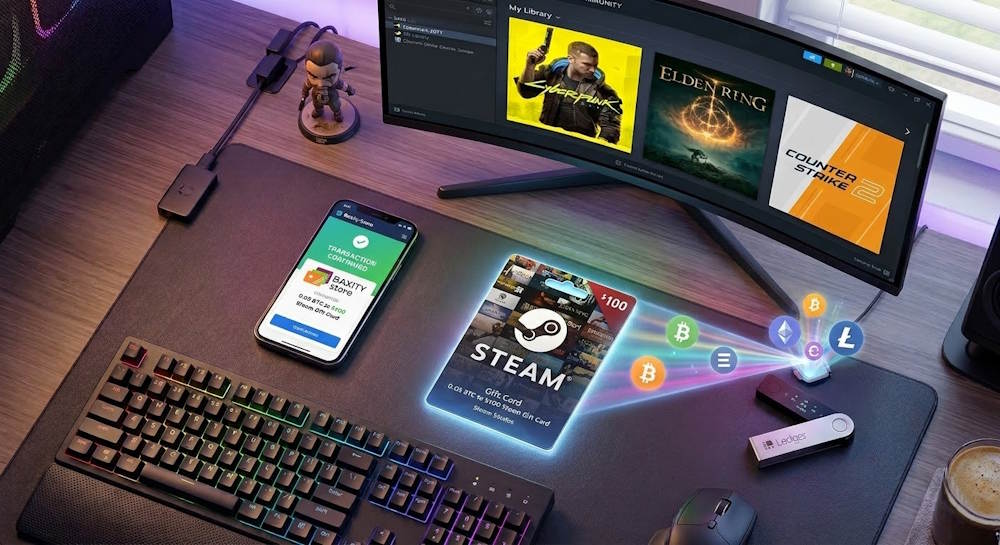
How Steam Wallet Credits Fit into the Crypto Economy
Steam Wallet is simply a balance within the platform. It represents a number of credits you can spend on items in the Steam store. And the key thing: this balance doesn’t care where the money came from.
The system doesn’t know whether the balance was topped up with a bank card or by activating a gift card code purchased with Bitcoin. For the system, it’s always just “+5” or “+50”. This is the simple logic of how to top up your Steam wallet online with crypto — the platform registers an increase, and the source of funds simply doesn’t matter.
This “blindness” of Steam to the source of funds is what makes cryptocurrency usage possible. You don’t pay Steam directly — you buy a code, then activate it. The platform only sees the code, and the code doesn’t care how it was purchased. Every topup follows this same logic.
Where Do These Codes Come From
Steam creates top-up codes and sells them through verified stores worldwide. These codes function as digital voucher items that hold real value within the platform. From there, they reach retail — physical stores, online marketplaces, and services that accept cryptocurrency.
Such a code is purchased with Bitcoin, Ethereum, or USDT — granting access to the closed ecosystem of Steam, which typically remains outside traditional banking channels. This entire process represents a perfect intersection of crypto and Steam working together.
What You Can Buy with Steam Wallet Credits
When you top up your Steam Wallet via a gift card, the entire platform’s catalog opens up for you. And since you now have Steam Credit with cryptocurrency, you can spend it on:
| Category | What You Can Purchase |
| Games | Over 50,000 titles — from indie projects to AAA blockbusters |
| DLC | Additional content, new levels, characters, skins, music packs |
| In-game currency | Coins, credits, crystals in games that support transactions through Steam |
| Software | Programs and applications available on the Steam store |
| Hardware | Controllers, Steam Link devices, and other physical merchandise |
| Gifts | Games and DLC for friends without needing to transfer money |
In practice, Steam Wallet replaces your bank card within the platform. Whether you use traditional banking or Steam Credits with crypto, the result is the same — access to the largest gaming marketplace in the world.
Why This Matters for the Crypto Economy
Cryptocurrency exists in a decentralized world without borders. Steam is a centralized platform with millions of users. They seem incompatible at first glance. But this is exactly where using crypto with Steam proves its value.
Gift cards serve as the bridge connecting these two worlds without forcing either to change. You stay in the crypto world while paying, and enter Steam when you activate the code. For crypto, this is an ideal model: your assets work where it’s convenient and convert when you need them.
Every successful topup demonstrates that Steam Credits with crypto are simply a practical reality — not a hack, not a loophole, just a straightforward way to use digital assets for digital entertainment.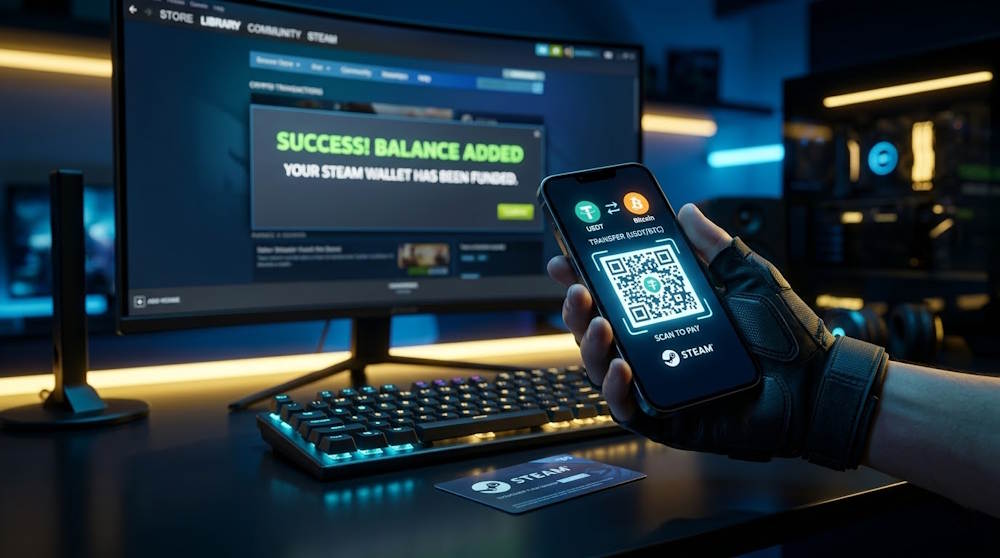
Buying Steam Gift Cards with Crypto Instead of Paying Steam Directly
Since Steam doesn’t support direct crypto payments, gamers use a much more practical approach — purchasing gift cards. The Steam gift card has become a universal tool that converts cryptocurrency into Steam balance without complex integrations or technical limitations.
The method is simple: a digital code is purchased from a specialized store using cryptocurrency, then activated in Steam Wallet. This is exactly how buy Steam gift card with crypto works — today it’s the standard solution for gamers who want to spend crypto assets on games.
This approach offers several important advantages:
- Compatibility. The gift card adds to your regular Steam balance, so it can be used for any purchases on the platform.
- Simplicity. No need to set up crypto wallets or wait for new payment methods.
- Global access. Buy the card online and activate it from any region where Steam is available.
- Flexibility. Spend your balance on games, DLCs, or in-game items.
Gift Card as a Universal Key
A Steam gift card bought with crypto isn’t just a way to top up your account. It’s a universal solution for different situations:
- For gifting a game to a friend — the code can be sent directly.
- For those in countries with restricted international payments — crypto bypasses borders.
- For users without a bank card — a gift card serves as a replacement.
Most importantly: Steam doesn’t distinguish where the code came from. So there are no restrictions on how you spend the funds.
📚 Related Articles
- The Ultimate Guide to Steam Problems & How to Fix Them (2026)
- Buy Steam Wallet credits with Neteller
- Buy Steam Wallet Credits with Paysafecard
- How to pay on Steam with Skrill
- How to Recharge a Steam Card?
- How to get a refund from Steam, Xbox, PS and more?
- What is a Steam Gift Card?
- Steam Gift Cards FAQs – How to Buy and Redeem
Why Specialized Services, Not Random Sellers
When you decide to purchase a Steam card with crypto, choosing a reliable place matters. Not because gift cards are complicated, but because scammers exist in the market.
Specialized services offer what random Telegram sellers can’t:
- Instant code delivery;
- Fair rates with no hidden fees;
- Support if something goes wrong;
- Transparency of every transaction.
That’s why you should buy Steam Gift Cards where it’s the main business, not a side hustle. In such places, you can easily purchase a Steam card, pay with cryptocurrency, and instantly receive a digital code ready for activation.
Step-by-Step: From Crypto Payment to Steam Wallet Credits (Video)
When you have Bitcoin or Ethereum and a Steam sale just started, speed matters. Steam doesn’t accept crypto directly — instead, you buy a gift card with cryptocurrency in a specialized store, then redeem the code in Steam. The whole process takes about 15 minutes, but knowing each step helps you avoid scams and unnecessary fees.
Steam gift cards work as prepaid codes. Before you buy Steam with crypto, it’s important to choose a reliable marketplace that offers official gift cards — specifically Steam card. Then:
- Select the gift card denomination you need.
- Pay with crypto by scanning the QR code from your wallet.
The process is intuitive, so let’s move to the next step.
Transaction Confirmation in the Network
Once the crypto payment is sent, the system waits for transaction confirmation on the blockchain. This standard verification step ensures the payment reached the merchant.
During this time, the blockchain verifies that the funds were sent and that enough network nodes have confirmed the payment. Confirmation time depends on the crypto network and its current load — usually a few minutes. Possible limit restrictions or network fees should be considered before sending.
What affects confirmation speed:
| Factor | Impact |
| Network | USDT on TRC-20 confirms in seconds, while Bitcoin transactions may take 20–30 minutes |
| Transaction fee | Higher fees usually give transactions higher priority for miners or validators |
| Network load | During peak network activity, confirmation times may increase due to transaction queues |
| Required confirmations | Different services require different numbers of confirmations before considering a payment final |
Once the network confirms the payment, the merchant automatically receives the signal. The system generates a unique card code — this is how paying with crypto for Steam works on trusted services. The code appears instantly in your account and is sent to your email.
Redeeming the Gift Card in Steam
With the code in hand, you need to activate it in your Steam account through the profile menu. This is how you add Steam credits with crypto. All you need is the code and access to your account:
- Open the Steam client or website.
- In the top menu, select “Account Details” then “Add Funds.”
- Choose “Redeem a Steam Gift Card” or “Redeem a Code.”
- Enter the code carefully.
- Click “Continue.”
The system checks the code instantly. If correct, your balance updates. You’ve just topped up your Steam wallet using crypto.
What’s Next
After activation, your Steam gift card online purchase shows up in your profile as regular balance — exactly the same as funds from a bank card. You can spend it on:
- Games (over 50,000 titles);
- DLC and extra content;
- In-game currency;
- Gifts for friends.
Here’s how topping up Steam with crypto works: you fund your account by buying a card with cryptocurrency, get a code, and redeem it. No banks, no extra questions.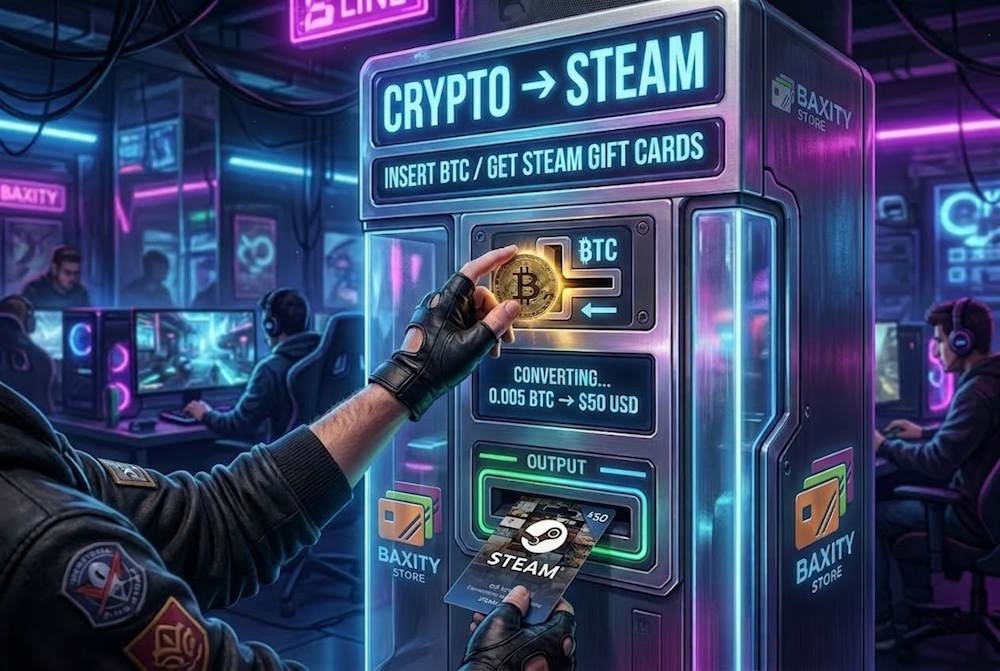
Best Use Cases for Steam Wallet Credits Purchased with Crypto
After you’ve topped up your Steam wallet with crypto, the credits work exactly like any other funds on the platform. This is exactly why so many users choose to fund Steam with crypto through gift cards — your cryptocurrency simply converts into regular balance for any type of purchase.
When This Actually Helps
- Seasonal Sales. Summer, winter, holiday sales — the best time to have funds ready. With a clear wishlist in mind, the only thing left is waiting for that discount.
- This is when topping up Steam with cryptocurrencygives you an advantage: the money is already on your account, and you don’t depend on bank transfer speeds.
- New Releases. Game drops on Friday evening? Banks are closed, your card might get declined. But if you already have balance — you buy instantly. Crypto payments for Steamdon’t care about banking hours or weekends.
- Need a present? Buy a gift card with crypto and just send the code to a friend. No bank transfers, no fees, no waiting.
- Top Up in Advance. Bitcoinrate is good right now? Buy a card now, activate it later. The balance won’t disappear, and game prices only go up.
Why This Beats a Regular Bank Card
Topping up your Steam wallet through crypto opens up the exact same possibilities as regular balance:
- Add games to your wishlist and wait for discounts.
- Grab multiple titles during a sale.
- Pre-order upcoming releases.
- Buy DLC for your favorite games.
No restrictions. The platform doesn’t care where the money came from.
Who Needs This
Crypto payments on Steam become the only option when:
- Your bank blocks transactions to gaming platforms.
- Your country restricts international payments.
- You don’t have a bank card.
- You prefer not to share personal financial data.
This is why more and more gamers choose cryptocurrency to fund their Steam accounts. It’s not just convenient — often, it’s the only way that works.
Things to Check Before Paying with Cryptocurrency
Cryptocurrency offers freedom, but that freedom comes with responsibility. When a payment goes through a bank card, support can be contacted and a transaction disputed if something goes wrong. With crypto, it’s different: a mistake means lost funds forever. That’s why before buying a Steam card, there are several things worth checking.
What to Check Before Paying
- Crypto Network. Bitcoinexists only on the Bitcoin network. USDT exists on multiple networks: TRC-20, ERC-20, BEP-20. If someone sends USDT on ERC-20 to an address that only accepts TRC-20, the funds are lost permanently. Always check which network the merchant supports and select the same one in the wallet.
- Transaction Fees. During peak hours, Bitcoinnetwork fees can spike. If the fee is set too low, the transaction might get stuck for hours or even days. Current fee levels should be checked before sending.
- Transaction Limits. Some wallets have withdrawal limits. Additionally, the merchantmay have minimum or maximum limits for different cryptocurrencies. Checking this in advance prevents situations where payment isn’t possible.
- Confirmation Time. If a card is needed urgently (for example, a sale ending in an hour), choosing cryptocurrencies with fast confirmation makes sense. USDTon TRC-20 or Solana confirm in seconds. Bitcoin during busy times can take 30–40 minutes.
- Exchange Rate. Some services show one rate but charge more at payment. Reliable merchantslock the rate immediately when an order is placed. The exact amount should be visible before confirming the payment in the wallet.
- Seller Reputation. Before paying with crypto for Steam, it’s important to ensure the service is trustworthy. Forum reviews, how long they’ve been operating, support availability — all of this matters. If a site was created yesterday and offers “the best rates,” that’s a red flag.
This is why many users choose established platforms like Baxity Store, which have years of experience, transparent terms, and responsive support. Exchange rates are clear, transactions are secure, and the process is designed to be as smooth as possible.
Why This Matters
Using crypto for Steam top-ups through gift cards is a safe method, but only when each step is controlled and dealing with a reliable merchant. Cryptocurrency doesn’t forgive mistakes. One wrong character in an address, one wrong network choice — and money is gone.
At the same time, choosing a trusted service like Baxity Store provides not only security but also convenience: instant code delivery, fair rates, and support if something goes wrong.
Common Beginner Mistakes
- Sending Bitcointo an Ethereum address.
- Setting the fee too low “to save money”.
- Picking the first random exchange — acrypto exchange for Steam cards.
- Ignoring wallet limits.
All of these mistakes are easy to avoid with proper attention.
Why Baxity Store Is a Convenient Way to Use Crypto for Steam
Cryptocurrency is ready, and Steam is waiting. The only thing left is finding a place where these two worlds connect quickly, securely, and without unnecessary questions. For those who prefer using crypto with Steam, Baxity Store exists precisely for this — a marketplace that has been operating since 2016 and knows everything about topping up Steam.
Why Baxity Store
- Official Cards. All Steam Gift Cards at Baxity Store are licensed codes that activate directly on the platform. This is an official Steam product, so no account issues ever arise.
- Convenient Denomination Selection. The catalog offers cards ranging from 5 to 100 dollars, euros, and other currencies. No need to combine multiple cards to reach the desired amount — everything works instantly.
- Instant Delivery. After transactionconfirmation, the code appears in the personal account within seconds. No delays — just quick results. This is what a smooth payment with crypto for Steamlooks like.
- Transparent Exchange Rate. The conversion rate is locked immediately when placing an order. You see the exact amount in Bitcoin, Ethereum, or USDTbefore payment confirmation.
- Support That Actually Works. If questions arise — technical issues, code problems — support responds quickly and helps resolve the situation. No templates or automated replies.
- Favorable Terms for Bulk Purchases. Orders of 10 or more cards qualify for wholesale pricing. The larger the volume, the lower the cost per card. This works well for regular top-upsor buying cards for friends.
- Regular Discounts and Promotions. Baxity Store frequently runs saleson gaming cards. Checking the catalog regularly might lead to catching a good deal.
How to Recharge Steam Wallet with Crypto at Baxity Store
On the Baxity homepage, select the Gaming Cards section. Then:
- Find Steam in the categories;
- Choose the desired denomination — 5, 10, 20, 50, or 100;
- Click Buy Now;
- Select payment method — Bitcoin, Ethereum, USDT, or other cryptocurrency;
- Confirm the payment in the wallet.
After transaction confirmation, the code automatically appears on screen, is sent to email, and stored in purchase history. The entire verification process takes just minutes, and there are no hidden limits on how much you can recharge. That’s how simple it is to recharge your Steam wallet with crypto.
Why It’s Beneficial
Topping up Steam with cryptocurrency at Baxity Store means:
| What You Get | Why It Matters |
| Speed | If a sale starts at 3 AM, the purchase can be made immediately without waiting for bank verification |
| Savings | No bank fees and possible wholesale discounts when buying larger volumes |
| Security | Card details remain private and purchase history stays confidential, ensuring full privacy |
| Accessibility | Cryptocurrency payments are accepted without unnecessary restrictions or complicated banking checks |
| Flexibility | You can recharge exactly the amount you need — perfect for buying a game from your wishlist |
This is why more and more gamers choose Baxity Store for regular top-ups. Whether it’s your first time using crypto for Steam or you’re a seasoned pro, the process stays simple and reliable.
For the best experience, browse Steam gift cards in our shop and see for yourself how easy cryptocurrency transactions for Steam can be.
FAQ: Frequently Asked Questions About Recharging Steam with Crypto
Will my Steam account be banned if I buy a card from a third-party platform?
If you buy from a verified reseller, no, it won’t be banned. Steam only bans accounts in cases of fraud. Baxity Store is verified, and all codes are licensed. This is why many people choose crypto for Steam specifically at Baxity Store — it’s safe and reliable.
How long does it take to receive a Steam card code?
Usually, the code arrives within 5–15 minutes after transaction confirmation. Delays are only possible due to network congestion. During peak sales, it’s better to choose cryptocurrencies with fast confirmation. If you want to use cryptocurrency for Steam cards, choose USDT on the TRC-20 network.
How do I choose the right card region?
This is the most important detail. Each card’s description specifies which region it’s intended for. If your account is registered in the US and you buy a card for Europe, it won’t activate. Before purchasing, check your profile settings. Mistakes cost money, so be careful when buying Steam cards with crypto.
Can I get a refund for a Steam card if I make a mistake?
With cryptocurrency, it works differently than with banks. Refunds are only possible if the code wasn’t activated due to a technical issue. If you chose the wrong region — funds cannot be returned. So double-check everything before payment. For cryptocurrency transactions for Steam or any platform, this is the standard rule.
Can I buy a Steam card with crypto without registration and verification?
No, registration and verification are mandatory. This is a requirement from financial regulators to prevent fraud. If a service offers purchases without these procedures — it’s a scam. The main advantage of legitimate services is that Steam never sees how you bought the card. Your data is protected, but identification is required. This makes paying for Steam with crypto safe for everyone.