A Visa card is something almost every other player has. But when it comes to paying for Robux, many people discover for the first time that not all cards work the same way on the platform. Some go through instantly, others get declined without explanation. Some require additional verification that the cardholder may not be able to complete. And that can make using Visa on Roblox seem more complicated than expected.
In reality, it is fairly simple once you know which option to choose. There is a direct payment with Visa, or you can buy an online Robux Gift Card with Visa — an option that can often help when the standard payment method does not work.
This article offers practical insight into how to buy Robux with Visa, without unnecessary theory. We explain why some cards work while others do not, what to check before purchasing a Gift Card, and how to get Robux without unnecessary steps.
Roblox Gift Card
Using Visa Cards for Roblox Purchases
Card payments have already become a familiar way to pay for digital gaming purchases. According to a Visa study published in 2025, Visa cardholder spending on gaming entertainment in Europe grew by 16.7% in 2024. That's 40% higher than overall Visa card spending growth. Spending on gaming entertainment also grew 60% faster than travel, 75% faster than fashion, and 85% faster than theater and cinema. This makes gaming one of the most dynamic segments of Europe's digital entertainment landscape.
For Roblox, paying with a Visa card means using an already familiar payment method. Users choose the desired Robux package and pay with a card they already use for other online services. Data from Visa Consulting & Analytics puts the monthly average for European gamers at nearly 1.6 gaming transactions, suggesting that this spending is routine rather than occasional. That's why many players look for ways to use Visa for Roblox purchases — it's a natural extension of their everyday payment habits.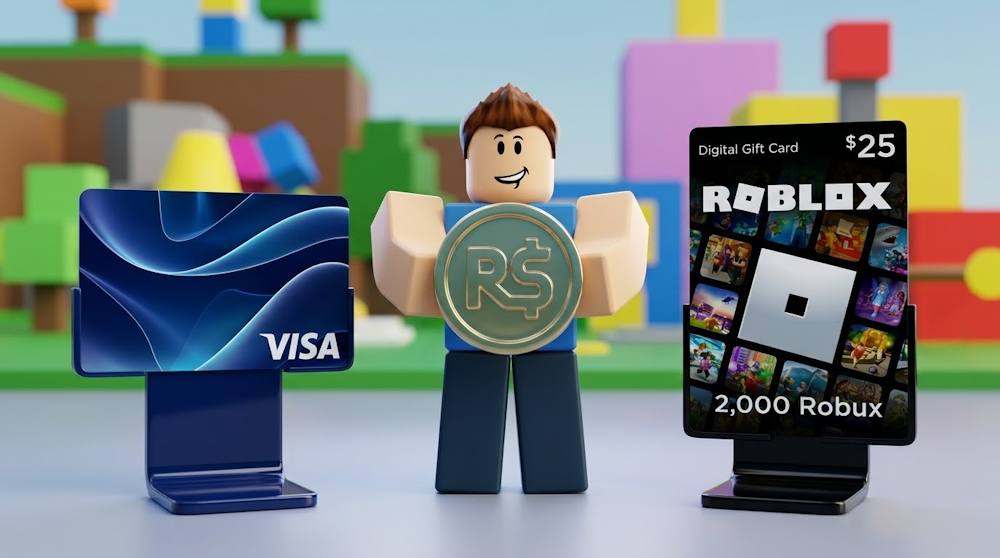
Why Using Visa for Roblox Is Convenient
- A familiar payment method. For many users, using a Visa card for Roblox purchases is an extension of their usual online payment habits, with no need to learn a new payment process.
- Convenient for regular purchases. Gaming expenses often consist not of a single large purchase but of repeated transactions. A Visa card allows users to pay for the purchases they need as they go.
- Flexibility in choosing the amount. Users can choose an available Robux package based on their current needs and plan their spending on digital content accordingly.
- Spending control with prepaid Visa. For those who want to set a budget for gaming purchases in advance, a prepaid Visa card with a separate balance may be a good fit. This allows users to set a personal limit for such expenses.
Visa works well for both occasional purchases and for users who regularly spend money within the gaming universe. For many players, the ability to use a Visa card to buy Robux means using the same familiar payment method they already apply to other digital purchases.
Roblox Gift Card
Can You Pay for Robux Directly with a Visa Card?
Yes, Roblox supports direct Robux purchases by card, including credit, debit, and prepaid cards in the browser version of the platform. This allows users to purchase Robux with a Visa card directly during checkout.
How Does Direct Payment with Visa Work
The process depends on where you make the purchase:
| Platform | How Payment Works |
|---|---|
| Roblox Website | The user selects a Robux package, proceeds to checkout, chooses a card payment method, enters their card details, and confirms the transaction. Once the payment has been successfully processed, the Robux are added to the account. |
| Mobile App (Google Play / Apple App Store) | Purchases in the Roblox mobile app are processed through the relevant app store. Therefore, the ability to buy Robux with Visa depends not only on the card itself but also on the store's payment system. |
What Depends on Your Region and Card Type?
The available payment options may vary depending on the user's country:
- Roblox offers localized pricing in selected countries.
- If a local currency is not supported, prices may be displayed in USD by default.
- Currency conversion for card payments is handled according to the terms of the bank or financial provider that issued the card.
The card type can also affect the available payment options. In addition to standard credit and debit cards, Roblox specifically lists prepaid cards as a supported payment method in the browser version. This means users can buy Robux on Roblox with a prepaid Visa card, provided the card supports online transactions.
In practical terms, the process is straightforward: you select the package you want and pay for it by card through the available checkout. However, a particular Visa card may still be declined because of the card details or the transaction itself.
Why Some Visa Cards Do Not Work on Roblox
Even though Roblox supports Visa payments, that doesn't guarantee a specific card will go through. A payment can be declined for various reasons, and most of them are related not to Robux itself but to the card's settings or the specifics of a given transaction.
Before using a Visa card to buy Robux, it's worth checking several common reasons why a payment might be declined.
- The card is not enabled for online transactions. Some cards may have separate restrictions on online purchases. Prepaid cards may also require prior activation or registration of a billing address with the card provider.
- Incorrect billing address. The billing address must match the details registered for the card. If the billing information entered during payment doesn't match what the bank or card provider has on file, the transaction may be declined.
- Insufficient available funds. The card must have enough funds to cover the full transaction amount. In some cases, currency conversion or additional conditions tied to the specific card should also be taken into account.
- The bank blocked the transaction. Banks use their own fraud protection systems. As a result, an individual payment may be automatically declined even if the card details were entered correctly. In such a situation, it's worth checking for notifications from the bank or contacting customer support.
- Errors in the card details. An incorrectly entered card number, expiration date, or CVC code can also cause a decline. Before trying again, it's worth double-checking all the details entered at checkout.
- The payment didn't pass Roblox's fraud-prevention checks. Even correct card details and a sufficient balance don't always guarantee a successful transaction.
Important for prepaid cards: If you're paying with a prepaid card, don't repeatedly retry the same failed transaction. Roblox warns that multiple attempts can create pending charges and temporarily hold part of the funds on the card.
A payment decline doesn't necessarily mean that using Visa for Roblox is not available altogether. The issue is often related to the specific card's settings or the transaction itself. If direct card payment doesn't work for a particular purchase, there is another option: buy a Roblox Gift Card first and pay for it with your Visa card.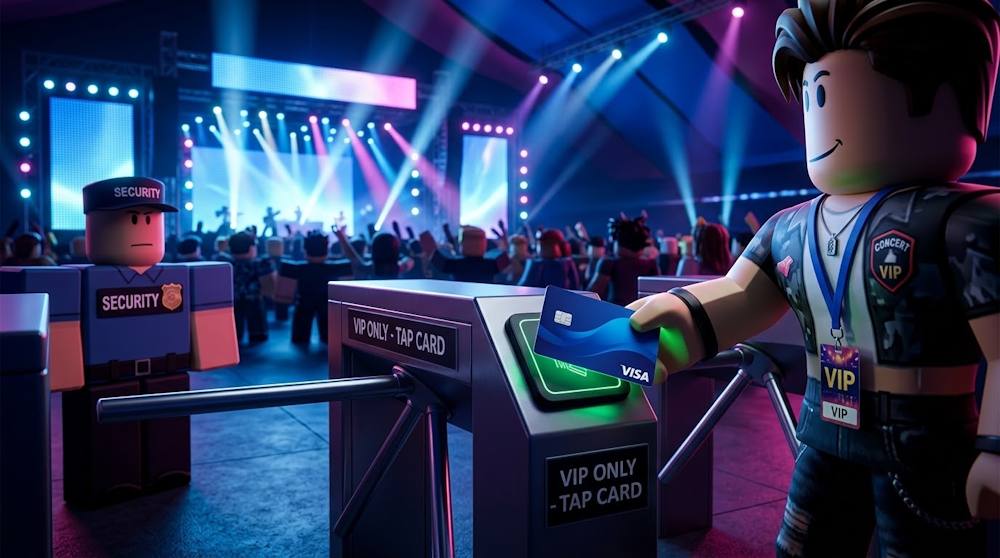
Getting Roblox Credit Through Gift Cards Instead of Direct Card Payments
A Roblox Gift Card purchased with Visa is more than just a way to add funds. Once redeemed, a currency-denominated Gift Card adds Roblox Credit to the account, which can then be used for different purposes within Roblox. Instead of making a direct payment using a prepaid Visa card to buy Robux, the player purchases a code, redeems it, and receives Credit in their Roblox account. This means that the primary bank card does not need to be used for subsequent purchases made with that Credit.
Compared with a direct bank card payment, paying for a Roblox Gift Card with Visa gives users more control over their spending:
- you determine the amount in advance;
- you can use the Gift Card as a gift;
- you can use it to pay for purchases for a child.
In addition, the details of your primary bank card are not involved in purchases made with the resulting Roblox Credit. That is why some players choose to buy Robux with Visa through a Roblox Virtual Gift Card as a practical option that provides more flexibility in choosing the amount and how the funds are used.
Roblox Gift Card
| Criterion | Direct Payment from Visa to Roblox | Roblox Gift Card |
|---|---|---|
| Privacy | Payment details are provided during checkout; depending on the account settings, the card may also be saved for future purchases. | The Gift Card code is used to add Roblox Credit, so the primary bank card does not need to be entered for subsequent purchases made with that Credit. |
| Spending control and charges | Spending depends on the available card limit. Recurring charges apply only when the card is used for subscription services. | The fixed denomination determines the amount of Credit added to the account. The Gift Card itself does not create automatic charges or automatic reloading. |
| Gifting | A regular card payment does not provide a dedicated gifting function. | The Gift Card code can be given to another person to redeem on their Roblox account. |
| Separation from the primary card | The bank card is used directly for the purchase. | The primary bank card is not required for purchases made with already redeemed Roblox Credit. |
| Funding and reload | The same card can be used for subsequent payments as long as it remains available for online transactions. | A Gift Card adds a specific amount of Credit and is not an ongoing funding source. Once the Credit is used, additional funds require another payment method or another Gift Card. |
The Roblox Credit you receive can be used in several ways. Let's look at the main scenarios below.
Roblox Gift Cards for Robux
After redeeming a Gift Card, Roblox Credit is added to your account and can be used to purchase Robux. This is useful when you want to determine your spending amount in advance: the Gift Card denomination sets your Credit balance, and you can then choose an available Robux package based on that balance.
During the purchase process, Roblox automatically offers the largest Robux package that can be purchased with your available Credit balance. If you prefer a different package, you can go to the Robux purchase page and select another option.
What you need to know when funding your Roblox account with Visa through a Gift Card:
- Remaining Credit. If you have a remaining balance that is not enough for a full package, you can convert it into Robux using the Convert Credit to Robux button on the redeem page.
- Visa cannot be used to cover the remaining balance. Credit cannot be combined with a bank card in a single purchase. If you do not have enough Credit for the selected package, you need to use another payment method.
- Currency and region. A Gift Card purchased in another country can also be redeemed; Roblox automatically converts its value into the currency of the account. It is therefore important to check the terms of the specific card before purchasing.
Before purchasing, it is worth deciding which Robux package you need and choosing the appropriate denomination. If you choose a digital Robux Gift Card, check its currency and redemption terms before paying.
Roblox Gift Cards for Premium Membership
Roblox Credit received after redeeming a Gift Card is a convenient option not only for buying Robux with Visa, but also for purchasing eligible subscriptions. This is especially relevant following changes to Roblox’s subscription system: on April 30, 2026, Premium was closed to new subscribers and Roblox Plus was launched.
If you already have Premium, you can continue using your subscription until you cancel it. Once canceled, Premium cannot be purchased again. Existing subscribers continue to receive their monthly Robux stipend.
For new subscriptions, Roblox Plus is now available. It is a separate subscription with a different set of benefits:
- The basic Plus plan does not include monthly Robux, but gives a 10% discount on in-game purchases and avatar items. Starting from the third consecutive month, the discount increases to 20%.
- Plus 500, Plus 1000, and Plus 2000 include the corresponding amount of Robux credited each month.
- Plus also provides access to free private servers and other subscription benefits.
So, if you want to pay for Roblox with Visa, you can buy a Roblox Gift Card with your card, redeem the code, and receive Roblox Credit. This Credit can be used to purchase Roblox Plus through Web/Desktop — Roblox explicitly lists Gift Card Credits among the available payment methods for Plus. At the same time, keep in mind that a Gift Card is a one-time top-up, not an automatic source of funds. Plan your Roblox top-up with Visa in advance and consider the subscription terms and the date of the next payment if the subscription renews automatically.
Therefore, a Gift Card can be more than a way to get Robux: it can also provide Credit for an eligible subscription. All that remains is to make the right Gift Card selection based on its denomination, currency, and redemption terms.
Buying Roblox Gift Cards on Baxity Store
Before making a purchase, it is important to make sure that you are buying from a reliable seller. Unscrupulous resellers may sell a used code or fail to deliver it at all. Here is what to look for:
- Code guarantee. The seller should work with official suppliers.
- Delivery speed. The code should be delivered immediately after payment.
- Security. SSL encryption and protection of payment data.
- Support. The ability to get help if needed.
Baxity Store meets all of these criteria. It is a verified reseller that works with official suppliers, guarantees the authenticity of its codes, offers Roblox Gift Cards with instant delivery by email, and provides a bonus in the form of wholesale pricing for purchases of 10 or more cards. In addition, the website is protected with SSL encryption, and support is available 24/7.
Here's how to buy a Roblox Gift Card with Visa on Baxity Store and add Credit to your Roblox account:
- Go to the catalog. On the Baxity Store homepage, open the Gaming Credits category and find the section with Roblox Gift Cards. Go to the page with the available denominations.
- Choose a denomination. Add one or more cards to your cart. Check the currency, denomination, and quantity. If you need several cards, you can add them to the same order. Baxity Store also offers bulk purchases for larger quantities.
- Log in or register. Before placing your order, make sure you are using the correct Baxity Store account. This is important because after payment, the code is sent to your email and remains available in your order history.
- Go to Checkout and choose a payment method. If you want to buy Robux with Visa, select Visa from the available payment methods, agree to the security policy, and click Place order. On the payment page, enter your Visa card details and confirm the payment.
- Receive the code. Once the payment is confirmed, the digital code is sent to your email and also remains available in your Baxity Store order.
- Redeem the Gift Card on Roblox. Go to the official Roblox redemption page, log in to the account you want to use, enter the code you received, and click Redeem. For cards with a currency-denominated value, the amount is added as Roblox Credit, which can then be used to purchase Robux and other eligible items.
Note that certain Roblox Gift Cards may provide a bonus of up to 25% more Robux when the redeemed Credit is used to purchase Robux. The availability and amount of this bonus are determined by Roblox. This is worth considering as a potential benefit when choosing how to fund your account. Before paying, double-check the denomination, currency, and other important steps that we will cover below.
Important Things to Check Before Purchasing
Before you use a Visa card to buy Robux and choose a Roblox Gift Card as your payment route, it is worth taking a minute to check a few details. They may seem minor, but they are among the most common reasons for problems: the code may not redeem as expected, or there may not be enough funds on the card. Here is a practical checklist:
| What to check | Why it matters | What to check before purchasing |
|---|---|---|
| Card region | Roblox Gift Cards can be redeemed in different countries, but specific cards may have their own terms and currency conditions. | Check the product description for the card's country, currency, and any specific redemption terms. |
| Card currency | If the card is denominated in a different currency from your account, Roblox converts the value when the code is redeemed. | Make sure you understand the applicable conversion and that the resulting amount works for you. |
| Denomination | A denomination that is too large can make spending harder to control, while a smaller one may require another purchase. | Choose an amount you actually plan to spend. If you are buying several cards, check the total amount in your cart. |
| Visa Card balance | There must be enough funds on the card to pay for the order. | Check your Visa Card balance and take into account any possible fees or additional payment requirements. |
| Billing details | Incorrect billing information can result in a declined payment. | Check your billing address and other details you enter during checkout. |
| Seller | A reliable seller reduces the risk of receiving an invalid or previously used code. | Check the seller's reputation, card description, delivery terms, and available support. |
After purchase, also check which account you're logged into before you redeem the code. The simple flow is to buy a Gift Card with Visa and redeem the Roblox code to get your Credit. That account will receive the Credit — so make sure you're logged into the right one.
Conclusion
Buying Robux with Visa can be simple — if the card, billing details, and Roblox payment system are compatible. Still, direct card payments don't always work, especially with certain prepaid cards. If paying with Visa directly doesn't work for you, a practical alternative is a Roblox Gift Card. You can pay for the Gift Card with Visa, redeem it on your Roblox account, and use the Credit to buy Robux and make other eligible purchases on Roblox.
FAQ
Can I buy a Roblox Gift Card with Visa?
Yes. You can use Visa to pay for a Roblox Gift Card. Enter your card details at checkout, and once the payment is confirmed, you get the code by email.
Why does paying for Roblox with Visa sometimes fail?
Common reasons include mismatched billing details, restrictions on the card, or fraud-prevention checks by the bank or Roblox. If paying for Roblox with Visa directly doesn't work, you can consider a Gift Card instead.
Can I pay for a Gift Card with Visa if direct Roblox payment doesn't work?
Yes — that's the workaround. You buy a Roblox Gift Card with Visa from a third-party platform, get the code, redeem it on Roblox, and top up your balance. This lets you use Visa without making the card payment directly on Roblox.
Is it safe to enter Visa details on third-party sites?
When entering Visa details on a third-party site, use a trusted seller and check the site's payment and security information before paying. Baxity Store supports Visa payments and provides customer support if you have questions about an order.
What if my Visa payment failed but the money was charged?
If this happened while buying a Gift Card, first check your order status. If the payment was charged but no code arrived, contact the seller's support. If the failed payment was made directly on Roblox, check whether the charge is still pending and contact your bank or Roblox Support if necessary.
📚 Related Articles
- Buy Nintendo eShop Cards with Visa Card
- Buy Xbox Gift Cards with Visa Card
- Buy Steam Wallet Credits with Visa Card
- How to Buy Crypto with Visa?
- Buy Roblox Robux with Crypto
- Buy Roblox Robux with NETELLER
- Buy Roblox Robux with Paysafecard
- How to Top Up Roblox with Skrill
That's why it's worth choosing a trusted seller. Baxity Store lets you buy Roblox vouchers with instant delivery, official codes, and 24/7 support. Go to the catalog, choose the denomination you need, and top up your balance using the payment method that is most convenient for you.


Comments
Sign in to join the conversation. Every comment is reviewed before it appears on the page.
Sign in to comment
You need an account to leave a comment. Sign in and your name will be used automatically.
No comments yet. Be the first to write one.