AstroPay is a convenient digital wallet used by millions of gamers worldwide, while Steam remains the largest digital game distribution platform today. It is only natural that more users are looking for ways to use AstroPay with Steam for everyday purchases. However, there is no direct AstroPay payment option available in the European version of Steam, since Valve has not enabled this feature for EU countries. Still, this does not mean you cannot buy Steam with AstroPay if you choose the right alternative approach.
Funding your balance on Steam with AstroPay is possible through digital top-up cards that work as a simple and reliable method of adding funds without linking a bank card to your account. In this guide, the Baxity Store team explains how to top up your Steam Wallet with AstroPay quickly, safely, and with instant access to your credits using solutions available in our store.

Why Gamers Use Astropay for Steam
AstroPay has earned the trust of millions of gamers worldwide thanks to its simplicity and reliability. The service operates in over 150 countries, including nations across Latin America, Asia, Africa, and Europe. As of 2025, the platform has surpassed 9 million users, and the mobile app has been downloaded more than 10 million times via Google Play alone. This global reach makes Astropay for Steam one of the most accessible payment solutions for players from all corners of the world.
The main advantage of the service is the ability to make payments without a credit card. AstroPay works as a prepaid wallet that can be topped up with cash, bank transfer, or through local payment systems. For residents of regions with limited access to banking services, this is often the only option for international online purchases. You decide in advance how much you are willing to spend on games and avoid the risk of exceeding your budget.
Here are the key benefits of AstroPay for gamers:
- Global coverage.Over 150 countries and support for dozens of local currencies.
- Spending control.The prepaid model helps you plan your gaming budget with precision.
- Instant transactions.Funds are credited within seconds, which is crucial during seasonal sales.
- High level of security.Your bank card details are never shared with third parties.
For gaming payments via Astropay, neither a bank account nor a credit history is required. The platform supports over 200 top-up methods and processes millions of transactions every month. Although the direct method to pay Steam with Astropay is unavailable in the European region, the alternative route via digital codes works flawlessly. That is precisely why the service has become an indispensable tool for gamers in dozens of countries worldwide.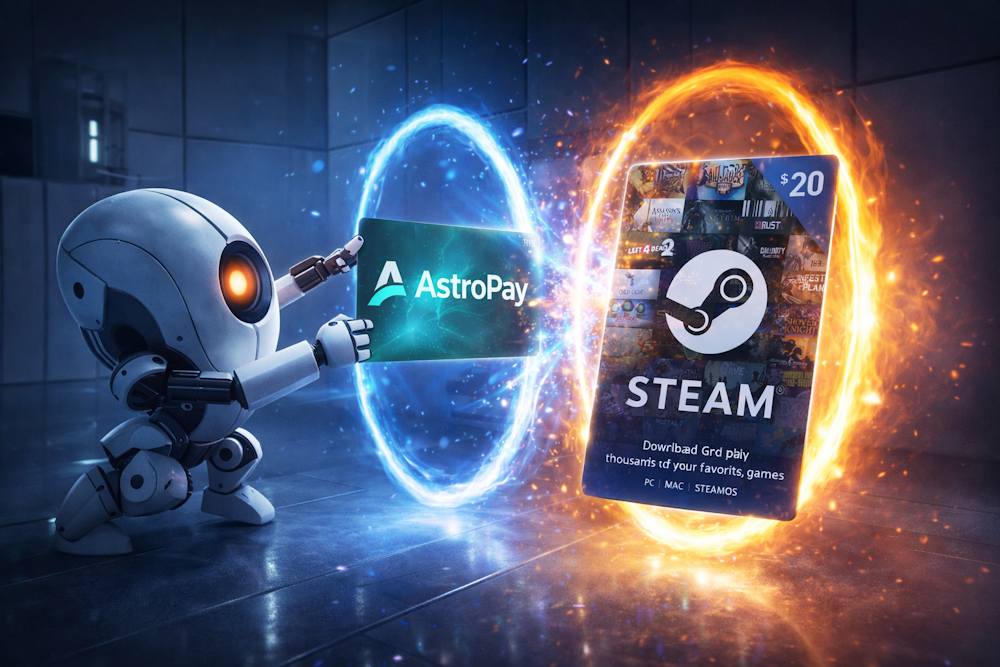
What You Can Buy with Steam Wallet Credits
Steam Wallet is a universal digital wallet that grants access to a vast ecosystem of gaming content. Many users mistakenly believe that these funds are only suitable for purchasing games. In reality, the range of possibilities is much broader. Once you receive credits for Steam via Astropay, you gain access to thousands of items on the Valve platform.
The official Steam store features over 30,000 games along with thousands of add-ons, applications, and virtual goods. The balance in your account has no expiration date and remains available until the moment of purchase. This means you can plan your spending in advance or wait for seasonal sales to get the most value for your money.
Here are the main categories of items you can purchase with your Steam balance:
- Full game titles.From AAA blockbusters to independent indie projects.
- Expansions and DLC.Extensions, season passes, and additional storylines.
- In-game content.Skins, weapons, battle passes, and consumables.
- Tools for creativity, animation, and development.
- Steam Deck, VR headsets, and accessories.
Steam also offers a convenient gifting service. You can purchase a game or a digital card for a friend, and the funds will automatically convert to the currency of their account. This is especially handy if you want to surprise a gamer from another country.
Let us take a closer look at each of the main purchase categories.
📚 Related Articles
- The Ultimate Guide to Steam Problems & How to Fix Them (2026)
- Buy Steam Wallet credits with Zen Wallet
- Buy Steam Wallet credits with Binance Pay
- Buy Steam Wallet Credit with Google Pay
- Buy Steam Wallet credits with Apple Pay
- Buy Steam Wallet credits with Mastercard
- Buy Steam Wallet credits with Visa Card
- Buy Steam Wallet credits with Crypto
- Buy Steam Wallet credits with Neteller
- Buy Steam Wallet Credits with Paysafecard
- How to pay on Steam with Skrill
- How to Recharge a Steam Card?
- How to get a refund from Steam, Xbox, PS and more?
- What is a Steam Gift Card?
- Steam Gift Cards FAQs – How to Buy and Redeem
Full Games and New Releases
Full game titles are the first thing Steam Wallet funds are used for. The platform’s catalog includes over 50,000 titles ranging from high-profile AAA blockbusters to intimate indie projects created by small studios. The balance in your wallet allows you to purchase any game from this vast selection.
Pre-orders deserve a separate mention. You can place an order weeks or even months before the official release date. On launch day, the game automatically appears in your library. Developers often incentivize early purchases with bonus content or a small discount.
Once you top up your Steam wallet with Astropay (for example, by purchasing a gift card), your virtual balance becomes a full-fledged payment method. There are no restrictions on game selection. You can buy a fresh release at full price or wait for a seasonal sale to save significantly. Every purchase on Steam via Astropay grants access to Valve’s entire library without exception.
Here are the most popular game categories available for purchase:
- AAA titles.Cyberpunk 2077, Elden Ring, Baldur’s Gate 3, and other big-budget hits.
- Indie games.Hades, Stardew Valley, Hollow Knight — masterpieces from independent developers.
- Half-Life, Portal, Left 4 Dead, and other legendary series from Valve itself.
Pre-orders.Access to new releases immediately upon launch with possible bonuses.
In-Game Content and Extras
Steam Wallet grants access not only to games but also to a vast amount of additional content within them. This is a separate world of possibilities that often goes unnoticed by new platform users.
Expansions (DLC) are full-scale extensions for your favorite games. New storylines, additional locations, characters, and gameplay mechanics. For instance, the Phantom Liberty expansion for Cyberpunk 2077 or Shadow of the Erdtree for Elden Ring offer dozens of hours of additional gameplay. All DLCs are purchased through the standard Steam shopping cart, so your balance works without limitations.
In-game content is another important spending category for modern gamers. This includes:
- Season passes (Battle Pass).Grant access to exclusive rewards in many popular games.
- Cosmetic items.Weapon skins in CS2, hats in Team Fortress 2, character skins in Dota 2.
- Experience boosters, in-game currency (if the game supports payment via Steam).
It is worth noting an important nuance regarding the usage of funds. Not all in-game purchases go through Steam. For example, V-Bucks in Fortnite or crystals in Genshin Impact require direct card payment and do not support Steam Wallet. However, the vast majority of games in Valve’s library are compatible with the platform’s wallet. Payment for Steam with Astropay or another payment service allows you to access all this variety of content without unnecessary obstacles.
But first, let us find out whether it is even possible to top up Steam Wallet with Astropay and how exactly to do it.
Is Astropay Available for Steam Payments
Valve supports dozens of payment methods on Steam, but their availability depends on your account region. Users from Brazil, Argentina, Mexico, and certain Asian countries see the AstroPay logo directly on the checkout page. For them, online payments for Steam via Astropay are a standard option alongside bank cards.
For European accounts, the situation is different. AstroPay is absent from the list of available payment methods. The reason lies in Valve’s policy regarding local payment systems. The company integrates only those services that have significant reach and demand in a specific region. Despite its global presence, AstroPay has historically focused on emerging markets. In Europe, the platform has not gained the same popularity, so Valve has not added it to the list of direct methods for EU countries.
The second reason is technical. Even if you have a virtual AstroPay card, a direct payment on Steam with Astropay may be declined. Steam verifies that the country specified in your payment profile matches the region of your account. If your wallet is registered to a country that does not match your Steam region, the transaction will not go through.
Here are the key limitations to be aware of:
- Account region binding. The payment method must correspond to the country specified in your Steam store settings.
- Lack of direct partnership. Valve has not signed an agreement with AstroPay for the European market.
- Currency mismatch. Even if payment is technically possible, conversion may lead to additional costs.
So, can you use an Astropay wallet for Steam directly in Europe? Currently, this option is not available. However, this does not mean the funds in your account will remain unused. There is a proven alternative route — purchasing digital Steam gift cards through platforms that accept AstroPay. This is the method we will explore in the next section.
How Astropay Works with Steam Gift Cards
Since direct top-up of Steam via AstroPay is unavailable for European users, there is a simple way to use your digital wallet for game purchases. It involves buying digital Steam gift cards through platforms that accept AstroPay as a payment method.
The mechanism is straightforward. Instead of attempting to pay for a game directly in Steam, you purchase a digital code from an intermediary website. Steam card as gift cards, available on platforms like the Baxity Store, come with a fixed denomination. You select the amount, pay for it via AstroPay, and receive the code by email. After activating the code in Steam, the funds are credited to your internal wallet.
Why is this method the most reliable? Using Steam with Astropay through gift cards eliminates the issue of regional restrictions. Intermediary platforms accept AstroPay from users in dozens of countries, including all of Europe. You do not need to worry about matching your account region with your wallet region.
However, it is important to carefully choose the platform for your purchase. Not all websites offering digital cards are equally trustworthy. Pay attention to the seller’s reputation, the presence of reviews, and the transparency of delivery terms. Verified services guarantee instant delivery of official codes and transaction security.
Here are the key advantages of buying a Steam gift card via Astropay:
- Bypassing regional restrictions.AstroPay is accepted on intermediary platforms worldwide.
- Instant Delivery.The code arrives by email immediately after payment.
- Budget control.You spend exactly the amount of the chosen card.
The convenience of a Steam gift card with Astropay is especially noticeable for gifting. You can buy a card, pay for it via AstroPay, and send the code to a friend. Every purchase on Steam via Astropay using a gift card is a simple way to get the content you want without unnecessary obstacles.
In the next section, we will walk through the entire process step by step.
Guide to Buying Steam Wallet Credits with Astropay
Baxity Store offers a fast and secure way to top up Steam with AstroPay. The entire process takes just a few minutes and requires no special knowledge. Here is a step-by-step guide.
- Step. Select a Card. On the Baxity Store homepage, go to the “Gaming Credits” category and select the Steam section. Here you can buy Steam gift cards of various denominations. Pay attention to the card currency — it must match the region of your Steam account. Add the desired denomination to your cart.
- Step. Registration. Proceed to the cart and log in to your Baxity Store account. If this is your first purchase, register and complete a short verification process. This is an important step for the security of your account and transaction protection.
- Step. Payment via AstroPay. Select AstroPay from the list of payment methods. The system will redirect you to the payment gateway where you need to confirm the transaction. If you are using a mobile device, payment is completed via QR code in the app.
- Step. Receiving the Code. Immediately after payment confirmation, the code is sent to your email address. If you are buying vouchers for Steam as a gift, simply forward the received code to the recipient.
- Step. Activation in Steam. Open the Steam client, go to “Account Details,” and select “Redeem a Steam Wallet Code.” Enter the received code — the funds will be instantly credited to your internal wallet.
If you want to purchase a Steam gift card for a friend, the process is exactly the same. After receiving the code, simply send it to the recipient. Recharge Steam via Astropay through Baxity Store works flawlessly for users from any region.
Tips to Avoid Problems During Purchase
Before you buy a Steam Gift Card online, it is important to check a few technical details of your Steam account. This will help avoid errors during code activation and ensure funds are credited correctly. This is especially relevant for users who plan to use AstroPay for gaming payments in digital services and want to control their finance spending without the risk of transaction declines.
Here are the key points to pay attention to before placing an order.
| Potential Issue | How to Avoid It |
| Currency Mismatch | Your Steam account is strictly tied to the currency specified during registration. A card in EUR will not activate on an account where the primary currency is USD or PLN. Always check your current account currency in the profile settings in the top right corner of the Steam client. |
| Regional Incompatibility | Steam gift cards are region-dependent. A code purchased for the European region cannot be activated on an account registered in the USA or CIS countries. Ensure the card region matches the country specified in your Steam profile. |
| Code Delivery Delay | After successful payment via AstroPay, the code is delivered instantly. If the email does not appear in your Inbox within a few minutes, check your Spam folder. In case of technical delays, you can always find the code in your Baxity Store account under the “Orders” section. |
| Bank or Payment System Decline | Some financial institutions may block transactions to virtual wallets. If your payment via AstroPay does not go through, contact your bank’s support service or try an alternative method to top up your AstroPay balance. |
| Incorrect Code Entry | The code consists of 16 characters (digits and letters). Enter it carefully, avoiding extra spaces. Remember: the code can only be activated once and becomes permanently linked to your account after activation. |
If you decide to buy Steam Gift Certificates for a friend or relative, make sure you know the region and currency of their account. This will help avoid unpleasant situations where the gift cannot be activated due to settings mismatch.
Following these simple rules ensures that the process of topping up Steam via AstroPay will be quick and trouble-free.
Conclusion
Topping up Steam with AstroPay is real, fast, and secure. Although direct integration is unavailable for European users, a purchase on Steam via Astropay through gift cards works flawlessly. You do not need a credit card, nor do you need to worry about regional restrictions or complex settings. Simply choose the desired denomination on Baxity Store, pay for it via AstroPay, and activate the received code in Steam.
Choose Baxity Store for fast and secure top-ups of your gaming account. Buy Steam Gift Cards with Astropay safely and quickly.
FAQ: Astropay and Steam Wallet
Can I pay for a game on Steam directly via AstroPay from a European account?
Currently, direct integration of Steam with Astropay is unavailable in the European region. Valve has added this payment method only for select countries in Latin America, Asia, and Africa. For European users, the only working option is purchasing digital gift cards through intermediary platforms.
Is it safe to buy Steam Gift Cards on third-party websites?
Safety depends on the platform you choose. Trusted services like Baxity Store use bank-level encryption and do not store customer payment data. Before purchasing, check for an SSL certificate, real user reviews, and transparent delivery terms. Avoid websites that offer cards at suspiciously low prices.
What should I do if the code does not arrive by email after payment?
First, check your Spam or Promotions folder. Second, log into your account on the website where you purchased the card — the code is usually duplicated in the “Orders” or “Purchase History” section. If the code is not there either, contact the platform’s support team and provide your order number. At Baxity Store, such issues are resolved within minutes.
Why is it important to check the card currency before purchasing?
Your Steam account is strictly tied to the currency selected during registration. A card in EUR will not activate on an account where the primary currency is USD or PLN. The system will simply display an error, and you will waste time contacting support. Always check your account currency in your Steam profile settings before placing an order.
AstroPay itself does not charge a fee for transactions to partner platforms. However, your bank or payment system may apply a currency conversion fee if you top up your wallet in a currency different from the one used for payment. To avoid unnecessary costs, top up AstroPay in the same currency you plan to use for purchasing the Steam card.
Can I use one Steam card for multiple accounts?
No. Each activation code is unique and becomes tied to a specific Steam account after the first use. It is impossible to activate the same code again on a different account. If you want to top up multiple accounts, you need to purchase a separate card for each one. That is precisely why payments on Steam via Astropay through gift cards are the most flexible solution — you can buy exactly as many cards as you need for all your accounts.