Zen is often used for online payments in digital services, especially when you need to pay for games quickly without using a bank card directly. That is why many users look for a way to buy Steam with Zen Wallet, for example before seasonal sales or when purchasing a new release. But the platform itself, Steam, does not support such payments directly. This forces users to look for a reliable service that allows them to add funds to their balance without complex setups or payment declines.
The most convenient solution in this situation is digital Steam gift cards, which can be obtained quickly at Baxity Store as a verified reseller of the represented brands. This is the method users typically choose when they need to use Zen for Steam Wallet for future purchases on the platform.
In this article, we will describe the process step by step: from selecting the card to adding funds to your account. We will also cover how to choose the right denomination based on your goals and what to pay attention to for a successful transaction.

Zen Wallet for Online Gaming Purchases
Zen Wallet is a European e-wallet that allows users to pay for digital services without sharing bank card details with every website separately. For gamers, this means faster transactions, better spending control, and fewer risks when making international payments. It supports transactions in euros, US dollars, and other currencies. The wallet can be topped up via bank transfer, card payment, or from another digital wallet. All transactions are confirmed through the mobile App using two-factor authentication.
The popularity of Zen Wallet for gaming is explained by several advantages over traditional payment methods:
- Security — bank card details are not shared with the merchant. Payments are confirmed through the App on your device, which reduces the risk of data interception.
- Spending control — users can set daily or monthly limits. This is especially useful for regular purchases on gaming platforms.
- Speed — transactions are confirmed with a single tap in the app, and funds are deducted instantly without additional bank processing delays.
However, you will not normally find Zen among standard Steam payment methods with Zen, which means direct payments on Steam are usually not available through it. That is why users rely on an alternative approach — adding funds to Steam Wallet using digital gift cards. This method works regardless of the account region and avoids common payment restrictions.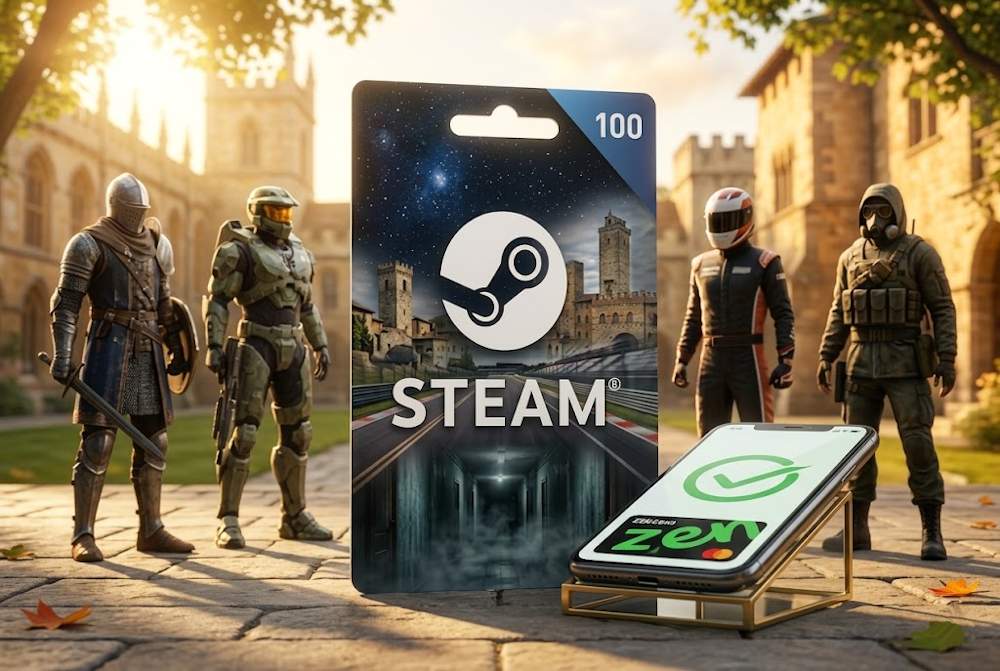
How Steam Wallet Credits Fit into Your Gaming Experience
Steam Wallet is the internal balance of a Steam account, used to purchase games, DLC, in-game items, skins, and marketplace content without re-entering payment details for each transaction. Once topped up, the funds are available immediately, so completing a purchase takes only a few seconds.
This is why many users top up their balance in advance — especially before seasonal sales or major new releases. When funds are already in the account, you can quickly confirm the purchase and avoid missing a good deal due to payment delays. This approach offers several advantages:
- Access to the full catalog— any game, DLC, or cosmetic item becomes available in seconds.
- Budget control— you decide how much you are willing to spend and do not exceed that amount.
- Participation in sales— when a seasonal promotion starts, you already have funds in your balance and can buy at the lowest prices.
📚 Related Articles
- The Ultimate Guide to Steam Problems & How to Fix Them (2026)
- Buy Steam Wallet credits with Binance Pay
- Buy Steam Wallet Credit with Google Pay
- Buy Steam Wallet credits with Apple Pay
- Buy Steam Wallet credits with Mastercard
- Buy Steam Wallet credits with Visa Card
- Buy Steam Wallet credits with Crypto
- Buy Steam Wallet credits with Neteller
- Buy Steam Wallet Credits with Paysafecard
- How to pay on Steam with Skrill
- How to Recharge a Steam Card?
- How to get a refund from Steam, Xbox, PS and more?
- What is a Steam Gift Card?
- Steam Gift Cards FAQs – How to Buy and Redeem
The Steam Wallet balance is used for:
- purchasing full versions of games;
- buying DLC and additional content;
- buying skins and in-game items;
- paying for items on the Steam Market;
- setting up or renewing a subscriptionin supported games.
Another reason to top up the balance in advance is the ability to make purchases even when your usual payment method is temporarily unavailable in your region or not supported by the platform. This is where using Zen for Steam Wallet becomes relevant. You can get Steam Credits through Zen Wallet using digital gift cards and then activate them on the platform. This ensures full access to content without the need to link a bank card.
Performing a top up to Steam Wallet through Zen is a way to always stay in the game without extra steps or delays.
Limitations of Using Zen Wallet on Steam
Although Zen is widely used for digital payments, it is not included among the standard Steam payment methods. During checkout, the system simply does not offer Zen as an available option after the approval stage, even if the wallet works perfectly with other digital services. This is not a limitation of the wallet itself, but rather a technical characteristic of the platform: the list of available payment methods is configured separately for each region and depends on local payment providers.
Typically, these include:
- credit and debit cards (Visa, Mastercard);
- PayPal;
- regional services (such as Sofort, iDEAL, Bancontact).
That is why it is usually not possible to add funds to Steam with Zen Wallet directly through the standard payment menu. The reasons for this limitation include:
- Platform policy — Valve integrates only payment systems that meet its security and scalability requirements;
- Regional availability — even if Zen operates in your country, Steam may not support it due to the absence of a direct partnership;
- Technical integration — adding a new payment provider requires agreements, verification procedures, and API adaptation, which takes time.
However, in addition to direct payments, Steam also uses its own balance top-up model based on activation codes. Instead of processing a direct transaction, the platform allows users to redeem a Steam Wallet code with Zen or another payment method after purchasing a digital gift card.
That is why, in practice, users rely on an alternative approach — adding funds through digital Steam voucher cards paid for with Zen Wallet. This method makes it possible to fund a Steam balance regardless of the account region and use Zen for purchases without the limitations of standard payment methods.
A Practical Way to Use Zen Wallet for Steam
Since it is not possible to buy Steam with Zen directly, users rely on an alternative and proven approach — purchasing digital gift cards. This makes it possible to top up a Steam Wallet with Zen without violating Steam’s policies and ensures that the funds are credited successfully.
The process itself is straightforward: in the Steam Gift Card Shop you place an order for a digital Steam gift card, pay for it using your Zen Wallet, receive an activation code, and redeem it to add funds to your gaming account balance. This method works regardless of your region, device type, or the availability of specific payment methods.
Digital Steam Gift Certificates offer several practical advantages for players:
- they work regardless of the availability of local payment methods;
- they allow the use of alternative wallets such as Zen;
- they are suitable for quickly adding funds before seasonal sales;
- they do not require linking a bank card to a Steam account;
- they can be used as a gift or as a reserve balance for future purchases;
- they help users manage and adjust their spending more effectively
For these reasons, digital gift cards remain a universal solution for users who want a stable way to pay for purchases on Steam without delays or transaction failures.
Buying Steam Wallet Credits with Zen Wallet Step by Step
Adding funds to Steam through Zen is possible using digital gift cards — a simple process that takes only a few minutes. An online purchase of Steam Wallet credits with Zen is quick and easy to complete, even for first-time users, since all steps follow a clear sequence and do not require any complicated setup.
In practice, the process includes just three steps:
- choosing a card with the appropriate denomination;
- completing the payment via Zen Wallet;
- redeeming the received code in your Steam account
After a short verification during checkout, the user receives a digital Steam Gift Card with Zen Wallet, which can be used immediately to add funds to the account balance.
In the next sections, we’ll look at each step in more detail to show how quickly and securely the process works.
Pick the Right Steam Card
The first step is choosing a gift card that matches both your Steam account region and the amount you plan to add. This is important because the currency of the card must correspond to your account settings; otherwise, the code may not activate successfully.
Go to the Gaming Credits section and select Steam. There you will find denominations available in different currencies, including USD, EUR, PLN, INR, and others. You can also buy a Steam Card in various denominations, making it easy to choose the option that fits your planned spending — whether you are purchasing a specific game, DLC, or preparing your balance ahead of seasonal sales.
The main rule is simple: the card currency should match the currency of your Steam account. If you are unsure, you can check this in the upper-right corner of the Steam interface after logging in. When selecting a card, it is also worth considering:
- the denomination based on your planned purchases;
- the option to combine multiple cards to reach the required amount;
- the delivery speed of the digital activation code after placing an order;
- available discount offers, which are often provided;
- bulk purchase options — if you need more than 19 cards, you can request individual pricing through the Wholesale Purchases page.
Choosing the correct card helps avoid activation delays and allows you to proceed smoothly to the next step — completing the payment with Zen Wallet.
Complete the Payment via Zen Wallet
Once the card has been added to the cart, the next step is payment. Baxity Store operates as a verified reseller of the represented brands, so all transactions — including the purchase of a Steam gift card with Zen Wallet — are processed securely and without delays. The payment process includes the following steps:
- Authorization or registration — go to your cart and sign in to your Baxity account. If this is your first time using the store, create a new account. Verification of your account is an important security step. It takes only a minute but helps protect your funds and purchase history.
- Choosing the payment method — on the checkout page, select Zen as your payment option.
- Confirming the transaction — open the Zen mobile app and approve the payment. This process allows you to securely pay for a Steam Digital Gift Card with Zen without entering your bank card details on third-party websites.
- Receiving the code — after successful payment, the activation code will be sent to the email address provided during registration. You can also find it in your personal account under the “Orders” section.
As a result, the Steam Digital Gift Card with Zen becomes available for activation within seconds after payment, allowing you to quickly add funds to your Steam Wallet.
Add Funds to Your Steam Profile
After receiving the digital code, the next step is activating the card in your Steam account. This is the stage where the actual topup of your balance takes place, after which the funds become immediately available for purchasing games and other digital content. This can be done either through the Steam client or via a web browser.
To complete a recharge of your Steam Wallet with Zen, simply activate the received code in your Steam profile:
| Via Steam Client | Via Web Browser |
| 1. Open the Steam application and sign in to your account | 1. Go to the Steam website and sign in to your account |
| 2. Click your profile in the upper-right corner | 2. Open your account settings |
| 3. Select Add funds to your Steam Wallet or Redeem a code | 3. Select Wallet → Redeem a code |
| 4. Enter the received activation code | 4. Enter the activation code and confirm |
After successful activation, you will see a notification confirming that the funds have been added. The balance is credited instantly, without additional processing or waiting for payment confirmations.
As a result, purchasing a gift card to recharge Steam Wallet with Zen completes the process, and the balance becomes available for any purchases in the Steam Store.
How to Decide on the Right Amount
Choosing the right gift card denomination depends on how you plan to use your Steam balance. A well-chosen amount helps you avoid unnecessary spending, pay for purchases faster, and prepare your account in advance for sales or new game releases.
The easiest way is to focus on three typical usage scenarios:
- One-time game purchase: If you plan to buy a specific title, it is enough to choose a denomination close to its price. This allows you to immediately pay Steam with Zenby activating a Steam Gift Card without leaving a remaining balance.
- Regular expenses (DLC, in-game items, subscriptions): In this case, it is better to use medium denominations to top up your balance periodically and have access to purchases without re-entering payment details. This approach is convenient for those who regularly buy additional content or cosmetic items.
- Preparation for seasonal sales: During major Steam Sales, it is more advantageous to add a larger amount to your balance in advance. This allows you to complete purchases quickly at the lowest prices and not miss offers due to payment delays. In such situations, users often choose larger denominations to build up a reserve of Steam Credits With Zen Walletahead of time.
Tips for a Smooth Purchase Experience
Before paying for a digital Steam card with Zen, it is worth checking a few technical details in advance. This helps prevent transaction delays and ensures fast delivery of a Steam Card with Zen without additional checks or repeated steps.
| What to check | Why it matters |
| Correct email address during registration | The activation code is sent to your email. A mistake in the address may delay delivery |
| Stable internet connection | Interruptions during payment may affect transaction confirmation |
| Completed account verification in Baxity | Verification speeds up order processing and improves transaction security |
| Matching the card region with your Steam account region | Ensures the code activates correctly without repeated attempts |
| Sufficient balance in Zen Wallet | Allows you to complete the payment without restarting the order process |
| Checking the Spam folder | Sometimes the activation email may be filtered depending on your email provider settings |
Following these recommendations helps you complete purchases on Steam with Zen smoothly and receive your activation code without unnecessary delays
Conclusion
Using digital gift cards is a simple and reliable way to add funds to your Steam balance, even when direct payment with Zen is not supported by the platform. This approach allows you to quickly fund a Steam Wallet with Zen, avoid transaction declines, and prepare your account for purchases or seasonal sales without unnecessary delays.
At Baxity Store, you can choose from a wide range of Steam gift card denominations with secure payment and fast code delivery, making it easy to select the option that best matches your needs.
Visit the Steam gift card catalog at Baxity Store today and add funds to your balance quickly, conveniently, and without payment limitations.
FAQ
Why does Steam not accept Zen directly?
Steam supports a fixed set of payment methods — cards, PayPal, and a few regional services. Adding a new payment provider requires technical integration and agreements, which Valve implements slowly. That is why Zen is not listed among the available payment options. However, there is an alternative: you can purchase a Steam Gift Card on Baxity and pay for it with Zen.
Is it safe to buy Steam cards through a third-party store?
Yes, as long as you choose a trusted seller. Baxity Store operates as a verified reseller of the represented brands, and all transactions go through secure payment gateways. Additionally, you do not share your card details directly with the store — the payment is processed through Zen.
What should I do if the code does not arrive by email?
First, check your spam folder — code emails sometimes end up there. If the code is still missing, log in to your Baxity Store account and go to the “Orders” section. All purchased cards and their codes are displayed there. If it is still empty, contact customer support.
Can I activate the card if the currency does not match?
No, the card currency must match your Steam account currency. If they differ, the code will not work. You can check your account currency in the top right corner of the Steam page after logging in. On Baxity, you can select a card in the required currency.
Is there a fee when purchasing a Steam card through Zen?
The fee depends on the specific product and payment method. During checkout on Baxity Store, you will see the final amount to be debited. There are no hidden fees.
How long is the code valid after purchase?
Most Steam cards are valid for 12 months from the date of purchase. After activation, the funds in your Steam Wallet do not expire — they remain in your account until you spend them.