Today’s gamers expect fast and convenient ways to purchase digital content. More and more gamers prefer cryptocurrency because it enables quick transactions without relying on a bank card. That is why Binance Pay is becoming an increasingly popular payment method among Xbox users.
However, not everyone knows the easiest way to use cryptocurrency for purchases within the Microsoft ecosystem. In this article, we’ll show you how to use Binance Pay for Xbox, explain why gift cards have become the most convenient solution, and show you how to buy an Xbox Gift Card with Binance Pay safely and at a great price from Baxity Store, a verified reseller of digital vouchers.
How Binance Pay Works for Xbox Purchases
Cryptocurrency is increasingly being used to pay for digital products and online services. Unlike traditional bank payments, it is not tied to banking hours, enables fast international transactions, and lets you spend your digital assets without first withdrawing funds to a bank card. To make crypto payments faster and easier, Binance introduced Binance Pay.
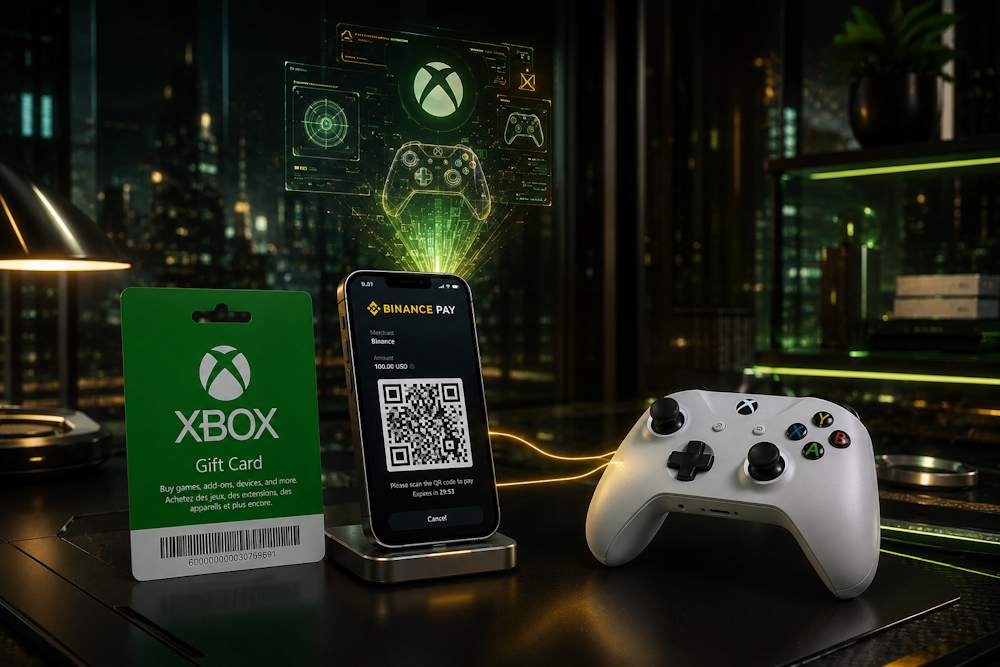
Binance Pay is a payment system integrated into the Binance ecosystem. It allows you to pay directly from the balance of your crypto wallet without using a bank card or third-party payment services. Simply select Binance Pay at checkout, confirm the payment in the Binance app, and your transaction is completed within seconds.
 For many users, this is more than just a matter of convenience. It is also a smarter way to manage digital assets. Whether you receive payments in cryptocurrency, trade digital assets, or simply keep part of your savings in Bitcoin, Ethereum, or USDT, there is no need to convert your crypto into fiat every time you want to make a digital purchase. Binance Pay lets you use your cryptocurrency for everyday online payments.
That is why more gamers are choosing Binance Pay for Xbox purchases. The main advantages of this payment method include:
- Fast payments. Transactions are confirmed within seconds, so there is no need to wait for traditional bank transfers.
- Payments are made directly from your Binance account without entering your bank card details.
- Global accessibility. Cryptocurrency allows you to pay for digital products regardless of your location, avoiding many of the limitations associated with international bank payments.
- Multiple cryptocurrency support. You can spend the digital assets already available in your Binance account without converting them into fiat currency first.
However, despite all the advantages of crypto payments, there is one problem. You cannot buy Xbox with Binance Pay directly through your Microsoft account. But that does not mean you have to stop using cryptocurrency for games and digital content. Instead, you can buy an Xbox Gift Card with Binance Pay and use the redeemed balance to make purchases across the Xbox ecosystem. We’ll explain why this method works in the next section.
📚 Related Articles
- Overview of All Xbox Subscription Plans
- How to Buy Xbox Gift Cards with Visa Card?
- Buy Xbox Gift Cards with Google Pay Online
- Buy Xbox Gift Cards with Apple Pay Easily and Securely
- Buy Xbox Gift Cards with Mastercard
- Buy Xbox Gift Cards with Crypto Online
- Xbox Paysafecard Payments: Full Guide
- How to Get a Refund from Steam, Xbox, PlayStation & More
Why Many Users Prefer Gift Cards Instead of Direct Crypto Payments
Unfortunately, you cannot pay in the Xbox Store using Binance Pay. The reason is simple: Microsoft does not support direct cryptocurrency payments. You cannot link a crypto wallet to your Xbox account or pay for games, subscriptions, or other digital content directly with Bitcoin, Ethereum, or USDT. This is due to Microsoft’s payment policy, which is built around fiat currencies and traditional payment methods.
Even if you find a way to buy Xbox with Binance Pay through a crypto payment processor (a service that accepts cryptocurrency and processes crypto payments), it is often not a guaranteed or reliable solution and may involve:
- High transaction fees.
- Complex identity verification.
- Additional restrictions and requirements.
In addition, many of these services are not available in every country or apply their own regional limitations. As a result, the payment process often takes longer, costs more, and does not always end with a successful transaction.
You can avoid all of these issues by choosing to buy an Xbox Gift Card. An Xbox Gift Card acts as a bridge between your crypto wallet and the Microsoft ecosystem, allowing you to top up your account balance through Microsoft’s official redemption system. That is why more and more users choose an Xbox voucher with Binance Pay instead of looking for complicated alternatives. In the next section, we’ll explain why this approach offers so many advantages and why it has become the preferred choice for Xbox users.
Benefits of Buying Xbox Gift Cards with Binance Pay
The main advantage of combining an Xbox Gift Card with Binance Pay is that this combination solves many of the challenges gamers face while unlocking new possibilities. Here are the key reasons to purchase an Xbox Gift Voucher with Binance Pay:
- Speed + Instant Activation. Purchase your gift card with Binance Pay and receive your gift code by email shortly after your payment is successfully processed. Instant delivery means you can redeem the code right away and top up your Xbox balance without unnecessary waiting.
- Savings + Budget Control. When you buy a digital Xbox Card with Binance Pay, you avoid the extra steps involved in withdrawing cryptocurrency before making a purchase. At the same time, you stay in complete control of your gaming budget. Since you choose the card value yourself, you always know exactly how much you are spending and can never spend more than the balance available on the gift card.
- Security + No Bank Card Required. You do not need to share your bank card details with third-party websites. Payments are securely confirmed through your Binance account. In addition, a Microsoft Gift Card is not linked to your bank account, providing an extra layer of privacy and financial protection.
- Global Accessibility + Flexibility. Binance Pay can be used by customers around the world. Xbox Gift Cards can also be redeemed in supported regions, provided that the card’s region matches your Xbox account region. Simply purchase the code, redeem it, and use your balance whenever you want.
- A Perfect Gift + Freedom of Choice. Buying an Xbox Prepaid Card with Binance Pay gives you a practical and thoughtful gift for any gamer. Instead of guessing which game someone wants, you let them decide how to spend their balance on games, subscriptions, add-ons, or other digital content.
- Crypto Flexibility + No Manual Conversion. Pay with the cryptocurrency already available in your Binance wallet. Binance Pay automatically calculates the payment using the current exchange rate, so there is no need to withdraw your funds to a bank account before completing your purchase.
By choosing Binance Pay for Xbox, you combine the convenience of cryptocurrency payments with the simplicity of Xbox Gift Cards. You get a fast, secure, and flexible way to top up your Xbox balance. Now let’s look at everything you can buy after redeeming your gift card.
What You Can Buy with Xbox Gift Cards
Once you redeem your Xbox Card Online, its value is added to your Microsoft account balance. From then on, you can use those funds just like any other balance added to your account. There is no need to complete a new payment every time you want to buy a game or other digital content. Spend your balance whenever you want on almost anything within the Microsoft ecosystem. Your balance does not expire, so you can use it whenever it is most convenient for you.
This is especially useful during seasonal sales. You can top up your Xbox balance with Binance Pay in advance, and when discounts or a long-awaited release appear in the Microsoft Store, you will be ready to complete your purchase in just a few clicks.
What can you buy?
- Full Games. Choose from the entire Xbox Store catalog, from the latest releases to timeless classics. Once purchased, the game remains in your library according to Microsoft’s licensing terms.
- DLC and Add-ons. Expand your games with new story campaigns, characters, weapons, skins, in-game currency, and other downloadable content.
- Xbox Game Pass, Game Pass Ultimate, and Game Pass Core are available as separate digital products. However, it is important to remember that an Xbox Gift Card is a one-time balance top-up, not a recurring subscription payment. Subscription services require dedicated activation cards valid for a specific subscription period.
- Movies and TV Shows. Rent or purchase digital movies and TV shows available through the Microsoft Store in supported regions.
- In-Game Content. Buy season passes, virtual currency, exclusive items, and other digital bonuses for supported games.
Before making a purchase, it is important to understand that not every platform guarantees valid activation codes. That is why you should choose a reliable seller if you want to buy an Xbox Gift Card with Binance Pay. Purchasing from a trusted verified reseller helps protect you from fraud and invalid codes, so it is always worth checking the store’s reputation and customer reviews before placing your order.
How to Buy Xbox Gift Cards with Binance Pay on Baxity Store
When buying digital vouchers, choosing a reliable seller is just as important as choosing the right payment method. This determines whether you receive a valid code for the correct region, how quickly it is delivered, and whether you can redeem it successfully on your Microsoft account.
That is why thousands of users choose Baxity Store.
- We are a verified reseller, offering only official digital products and providing a secure purchasing process.
- Every product page includes detailed information, including the activation region, available denomination, and redemption instructions, helping you choose the right product and avoid common mistakes.
- We support more than 100 payment methods, including cryptocurrency, and offer over 40 types of digital gift cards. You can also purchase Xbox Game Pass with Binance Pay or choose another digital product for the Microsoft ecosystem, depending on your needs.
Now let’s go through the entire purchasing process step by step — from choosing the right voucher to completing your payment and receiving your activation code.
Select the Correct Xbox Voucher
Go to the Baxity Store homepage. In the “Gaming Credits” category, select the Xbox section. The Baxity Store catalog offers not only standard Xbox Gift Cards but also Xbox subscription cards for activating subscriptions. Each product page clearly shows the region, denomination, and card type.
- First, pay attention to the activation region. The catalog features cards for different countries and currencies, so the voucher region must match your Microsoft account region. For convenience, you can filter products by currency at the top of the page — for example, USD, GBP, EUR, ZAR, INR, MXN, or AED.
- Next, select the denomination you need. Baxity Store offers cards of various values — approximately from 3 to 100 EUR (or the equivalent in other currencies). This allows you to top up your balance with the exact amount needed for your future purchase. If necessary, you can add several cards of different or the same denomination to your cart at once. Please note that when ordering 10 or more cards, a separate wholesale pricing policy applies (see the Wholesale Purchases page).
After you have selected the right option, add the card to your cart. Double-check the denomination and region before proceeding to checkout. This will save your time and prevent the need for refund requests.
Complete Payment via Binance Pay
After adding your voucher to the cart, click Checkout. If you are not already signed in to your Baxity Store account, you will be prompted to do so at this stage. New customers need to complete a short registration and verification process. This is a standard security procedure that usually takes no more than a few minutes.
- Select Pay with Crypto as your payment method.
- Tick the checkbox to confirm that you agree to the Baxity Store Security Policy, then click Place Order.
- A crypto payment page will open, where you need to choose Binance Pay from the list of available payment methods and supported currencies.
- The system will automatically generate both a QR code and a payment code. Open the Binance app, scan the QR code or copy the payment code, then confirm the transaction using your crypto wallet.
Although you are purchasing a gift card rather than topping up your Xbox account directly, this is the easiest way to complete an Xbox top-up with Binance Pay. Once your payment has been successfully confirmed, your order will be processed, and the digital code will be sent to the email address you provided during checkout.
Redeem the Xbox Gift Card Code
Once your payment has been successfully completed, your order will be processed and the digital code will be sent to the email address you provided during checkout. In most cases, this takes anywhere from a few seconds to a few minutes. If you cannot find the email in your inbox, be sure to check your Spam or Junk folder.
To use your voucher, you need to redeem the code on your Microsoft account. You can do this in one of the following ways:
- Go to microsoft.com, enter your code, and confirm the redemption.
- Alternatively, you can redeem the code directly on your Xbox console or through the Microsoft Store app.
- Once the code has been redeemed, the balance will be added to your Microsoft account immediately, allowing you to purchase games, add-ons, subscriptions, movies, and other digital content available in the Microsoft ecosystem.
Please remember that each code can only be redeemed once. After it has been used, it becomes invalid.
Things to Know Before Paying with Binance Pay
Before placing your order, it is worth checking a few important details. Taking a couple of minutes to review them can help you avoid the most common issues during payment and gift card activation. Most problems are not caused by the lack of direct Binance Pay support on Xbox. Instead, they are usually related to selecting the wrong card region, an unverified Binance account, or mistakes made during the checkout process.
| What to Check | Why It Matters |
| Binance account verification | Your Binance account must meet Binance’s verification requirements and have access to the Binance Pay service. |
| Xbox Gift Card region | The region of the gift card must match the region of your Microsoft account. |
| Crypto balance | Make sure your wallet has sufficient funds, taking possible exchange rate fluctuations into account. |
| Internet connection | Do not interrupt the payment process while confirming the transaction in the Binance app. |
| Shopping cart review | Before completing your order, double-check the card denomination, currency, and quantity. |
Following these simple recommendations will help you complete your purchase smoothly and redeem your code without any issues. If this is your first time using Binance Pay for Xbox or you plan to pay for an Xbox Live subscription with Binance Pay, spending a few minutes on these checks can save you time and help you avoid the most common mistakes.
Conclusion
Using cryptocurrency to pay for Xbox digital content is much easier than it may seem. Simply purchase an Xbox Gift Card, redeem the code, and use your Microsoft account balance to buy games, subscriptions, and other digital content.
If you’re looking to buy an Xbox Card Online quickly and securely with Binance Pay, Baxity Store offers official digital vouchers, a simple purchasing process, and professional customer support. Choose the card that suits your needs and start enjoying everything the Xbox ecosystem has to offer today.
FAQ
Can I pay for Xbox purchases directly with Binance Pay?
No. Microsoft does not currently support direct cryptocurrency payments. That is why many users choose Binance Pay for Xbox by purchasing an Xbox Gift Card, which can then be redeemed on their Microsoft account. This is the official and most convenient way to use cryptocurrency for Xbox purchases.
Can I pay for Xbox Live with Binance Pay?
Not directly. If you want to use Binance Pay for Xbox Live, the easiest solution is to purchase the appropriate gift card or subscription card and redeem it on your Microsoft account.
How quickly will I receive my Xbox Gift Card after payment?
In most cases, your digital Xbox Gift Card code is delivered by email within a few minutes after your payment has been confirmed. Some products may require up to 72 hours for delivery, and this information is always displayed on the product page before you place your order.
What should I do if I haven’t received my code by email?
First, check your Spam or Junk folder. Then make sure you entered the correct email address during checkout. If the email is still missing, contact the Baxity Store support team for assistance.
Can I redeem an Xbox Gift Card in a different region?
No. An Xbox Gift Card can only be redeemed if its region matches the region of your Microsoft account. Always check the card’s activation region before purchasing to avoid redemption issues.
Can I complete my purchase using a smartphone?
Yes. You can place your order from either a smartphone or a computer. If you are using a web browser, do not close the page until your Binance Pay transaction has been fully confirmed.
What should I do if I experience a payment or activation issue?
First, verify that you selected the correct card region, that your Binance account has completed the required verification, and that your internet connection is stable. If the issue persists, contact the Baxity Store support team and provide them with your order number along with a brief description of the problem. If the issue is related to the website interface or the checkout process, the support team will help you resolve it.