You want to top up your Steam balance, buy a subscription, or make a secure online purchase. You know that Paysafecard is ideal for this. Your money, however, is currently in Skrill. A logical question follows: how can you top up Paysafecard with Skrill? The issue is that topping up Paysafecard is impossible at all, because Paysafecard is not an account. It is a prepaid voucher with a fixed PIN code. That does not mean your Skrill balance is useless for your goal. There is a fast way: instead of “topping up,” you can instantly buy a new digital Paysafecard voucher online and pay for it with your Skrill wallet. It takes a few minutes and gives the same result—a code you redeem to get a working PIN for payment.
In this article, we will explain in detail why a direct transfer Skrill to Paysafecard is impossible, show a step-by-step way to buy Paysafecard with Skrill, and help you avoid common mistakes so you achieve your goal without extra effort.
What Is Paysafecard and How Its Prepaid System Works
Paysafecard is not a regular card or a wallet. It is a prepaid voucher, or simply an electronic equivalent of cash for the online world. You buy a voucher for a specific amount and then use it for secure online payments without revealing your banking details.
Key principles:
- PIN codes: Each Paysafecard Voucher comes with a unique 16-digit PIN code. This code is the key to your balance.
- Fixed denominations: Vouchers are sold in standard amounts, such as 10, 25, 50, or 100 euros, dollars, pounds, and so on, depending on the region.
- No bank account required: This is the main advantage. To buy and use Paysafecard, you typically do not need a bank account or a credit card. The scheme works like paying with cash: you load the amount in advance, and that money protects you from overspending.
📚 Related Articles
How it works in practice:
- You buy a voucher in a physical store (gas stations, supermarkets, kiosks) or online. If you bought a digital voucher from a partner store, redeem the activation code first to obtain your 16-digit PIN.
- When paying in an online store that accepts Paysafecard, you choose this method in the payment window.
- Instead of entering card details, you enter your 16-digit PIN code.
- The system instantly verifies the code and deducts the amount from the voucher balance.
Important note for digital vouchers: If you buy a Paysafecard online, the seller (e.g., Baxity) typically provides you with a voucher or activation code, not the final PIN. To get your 16-digit PIN, you usually need to redeem this code in your myPaysafecard account. The steps for this are covered later in the article.
If one voucher is not enough, many checkouts let you combine up to 10 PIN codes for a single payment.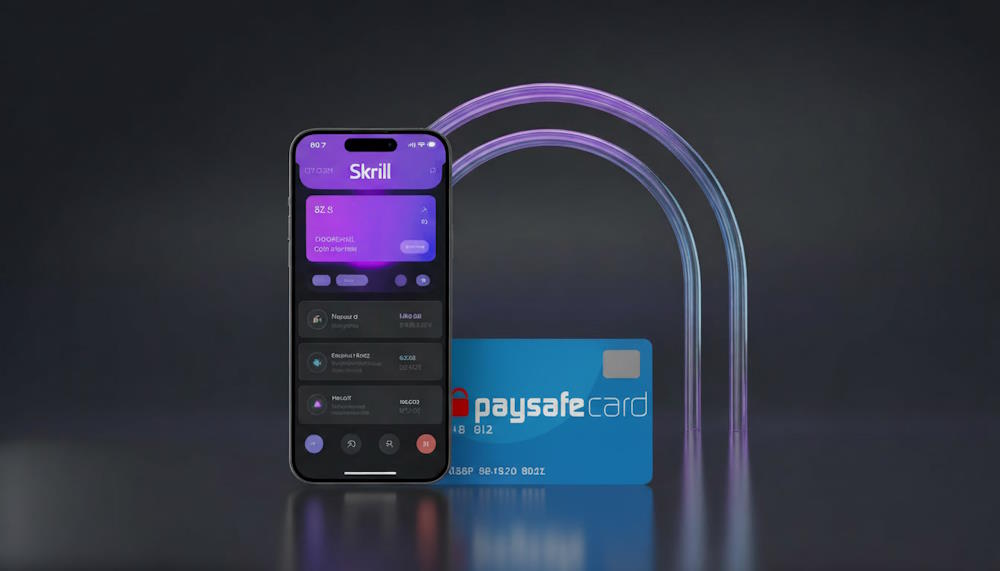
Where Paysafecard works and what people use it for
Paysafecard is available in more than 50 countries, mainly across Europe, North America, Australia, and some countries in Latin America and Asia.
This payment method is especially popular among users who value security and anonymity, as well as those who do not have a bank card.
Main use cases:
- Online games and entertainment: Payments in Steam, PlayStation Store, Xbox, Nintendo, and various gaming and iGaming platforms.
- Digital services: Subscriptions to streaming services (for example, Netflix), purchases in Google Play, social networks, or telecommunications services.
- General online shopping: Many online stores accept Paysafecard as an alternative payment method.
Regional restrictions matter:
Although the service is available in many countries, specific retail locations, currency denominations, and even the list of supported merchants may vary depending on your region. Some vouchers purchased in one country may have limitations when used in other geographic areas.
That is why, when buying Paysafecard with a Skrill wallet, it is important to choose the correct country and currency for using the voucher.
What is myPaysafecard (Account) and What is it For?
Now that we know Paysafecard is a voucher, a natural question follows: where do you keep it and how do you manage multiple codes? The answer is myPaysafecard (also known as Paysafecard MyAccount). The key is to understand this is not a separate e-wallet for holding money. Instead, it’s a personal account or, more simply, a manager for your prepaid vouchers.
Its primary purpose is to give you control over one or more PINs. Here’s what you can do through myPaysafecard:
- Combine Multiple Vouchers. If you have, for example, two €25 vouchers, you can register them in your account and use their combined value (€50) for a single larger purchase. Without the account, you would have to enter each PIN separately.
- Create Virtual Payment Details. After registering vouchers, the system often provides you with virtual payment details (similar to a card number and CVC code). You can use these details to pay directly on websites that accept Paysafecard, just like a regular card.
- Activate Digital Vouchers. This is the crucial point for our topic. When you buy a digital voucher from a partner store (like Baxity), you receive a code that must be activated in your myPaysafecard account to make it usable for payment. To convert it into a working PIN, you must:
- Log into your myPaysafecard account.
- Find the “Activate a voucher”
- Enter the code you received.
- The system then generates and adds a standard 16-digit Paysafecard PIN to your account, which is now ready to use.
The Core Takeaway: You can only “top up” or add funds to myPaysafecard in one way — by activating a new voucher within it. Without this step, your account balance remains zero. This is precisely why any attempt to find a button for directly topping up myPaysafecard from Skrill, a bank card, or any other source is bound to fail. The account is designed for managing vouchers, not for receiving transfers.
Can You Top Up Paysafecard With Skrill?
No. A direct top-up of your existing Paysafecard PIN with funds from your Skrill account is not possible. This is a key technical limitation that comes from the very nature of these two payment tools.
Explanation: As we have already established, Paysafecard is not an account—it is a prepaid digital voucher. When you buy it, you receive a PIN code with a fixed balance. This code is designed for one-time use. The system has no function to “add funds to this PIN,” unlike an e-wallet (such as Skrill), where the balance can be topped up multiple times.
In simple terms, you cannot transfer Skrill to Paysafecard the same way you cannot send money from a bank account to a utility bill that has already been paid. However, if you need Paysafecard and your funds are in Skrill, this is not a dead end. There is a real and effective way: instead of a direct transfer, you can buy Paysafecard with Skrill, using Skrill as your payment method. This process is not tied to your old PIN code—it results in a new one.
So the answer to “How do I transfer money from Skrill to Paysafecard?” is not simply “you can’t.” You can use your Skrill balance effectively to buy Paysafecard and receive a brand-new PIN code for instant use.
In the next sections, we will look at practical ways to do this step by step.
Practical Ways to Use Skrill When You Need a Paysafecard
Since a Skrill deposit to Paysafecard isn’t possible, you need a workaround. In practice, there are two main ways to combine Skrill and Paysafecard, each with its own pros and cons. The right choice depends on what matters more to you: maximum anonymity or speed and convenience.
Comparison of methods
| Criterion | Method 1: Withdraw funds to a bank card and buy in-store | Method 2: Buy a digital voucher online |
| Speed | Slow. Withdrawing funds from Skrill to a card takes 1–5 banking days, plus time to find a store. | Instant. You receive an activation code by email or in your account right after payment, then redeem it to generate your 16-digit PIN. |
| Convenience | Low. It requires two separate, time-consuming steps: a banking transaction and a trip to a store. | High. The whole process—from choosing the denomination to receiving the code—happens online in a few minutes in one browser window. |
| Availability | Limited. It depends on whether stores that sell Paysafecard Vouchers are available in your city or region. | Global. It works anywhere with stable internet, regardless of your location. |
| Anonymity | High. If you withdraw cash and buy the voucher in-store with cash, the operation remains fully anonymous. | Limited. An online purchase via a payment platform leaves a digital trail, but the authorization process is secure. Your new prepaid code can still be used anonymously. |
| Main advantage | A physical voucher in hand and the feeling of full confidentiality. | Instant access to the code without leaving home or waiting for bank transfers. |
As the comparison shows, buying a digital voucher online is clearly the faster and more convenient way to purchase Paysafecard via Skrill for most users: you pay with Skrill and receive an activation code right away, which you redeem to get your payment PIN. However, if maximum anonymity is critical for you, the first method is worth considering. Next, we will break down both options in detail and show how to buy Paysafecard via Skrill without unnecessary steps.
Withdraw Skrill Funds to Your Bank and Purchase a Paysafecard Voucher Offline
This method follows the classic Paysafecard workflow. It includes two main stages.
1) Withdraw funds from Skrill. In the Skrill app, you initiate a withdrawal to your bank card or bank account. Two key points matter here:
- Limits and fees. Skrill has its own daily, weekly, and monthly withdrawal limits, which depend on your account’s VIP status level. A bank transfer fee may also apply, which increases the final cost of the transaction.
- Currency conversion. If your Skrill balance is in one currency and your bank account is in another, a currency exchange will be applied at Skrill’s rate, which can add extra cost.
2) Find a local seller and buy the voucher offline. After the funds reach your card (this can take up to 5 business days), you need to find a Paysafecard partner store—typically a newsstand, gas station, or supermarket—and buy a physical card with a PIN code.
Method summary: This is the slowest and least convenient option because it involves waiting and extra fees. It is not a direct buy Paysafecard by Skrill flow, but only an indirect workaround.
Buy a Paysafecard-Compatible Digital Voucher Online Using Skrill via Baxity Store
This is the most efficient way to get Paysafecard via Skrill quickly. Instead of a physical card, you instantly receive a digital code by email. Here is how to buy Paysafecard online with Skrill on the Baxity Store platform:
How to buy Paysafecard with Skrill on Baxity Store (quick step by step):
- Go to the main page and open the Paysafecard Online Purchas category:
- Choose the denomination you need and add the product to your cart.
- Open your cart and log in. If this is your first time on Baxity Store, create an account (registration takes a couple of minutes).
- At checkout, select Skrill and confirm the payment in your wallet via a QR code—this is where you authorize the transaction.
- After confirmation, you will receive a digital voucher code by email or in your Baxity account. To get your final 16-digit Paysafecard PIN, you need to redeem this activation code in your myPaysafecard account. After that, the PIN is ready to use
This option lets you buy Paysafecard with Skrill quickly, simply, and reliably. It removes the need to withdraw funds or travel to stores, giving you a ready-to-use code within minutes.
Why Skrill Is a Convenient Tool for Paysafecard Purchases
Even without a direct integration, the combination of Skrill and Paysafecard is a practical way to pay online. Skrill acts as a funding wallet, while Paysafecard gives you a prepaid PIN for checkout. This keeps the process fast and controlled. It also helps you avoid sharing card details with random merchants.
Key advantages
- Fast transactions: One Skrill transaction and you can move straight to getting your Paysafecard code. This is useful when you need to pay “right now,” not after a bank transfer clears.
- Privacy: Online payments leave a digital trace, but Skrill lets you avoid entering your bank card details across dozens of sites. The voucher PIN is then used at checkout, which adds a cleaner privacy layer.
- International flexibility: Skrill works across many countries and supports multiple currencies, so it is a strong international option when local banking methods are slow or limited.
- No bank card needed at checkout: You pay from your Skrill balance, so you do not need to keep typing card details or linking a card to every platform.
Skrill Fee for Paysafecard: where the costs appear
In most cases, the cost is not “the voucher fee,” but currency conversion or account-level charges. If your Skrill balance currency differs from the voucher currency, conversion can apply. That is why it helps to match the voucher currency to the platform you plan to pay on.
Summary: Skrill is convenient because you can get Paysafecard without extra “bank loops”—one payment, and you have a PIN code ready to use. It saves time, reduces card exposure, and keeps spending under control through fixed denominations. If you want to get your code quickly with no unnecessary steps, you can choose the right denomination of Paysafecard gift cards on Baxity Store and receive it in digital form.
Common Issues Users Face and How to Avoid Them
When trying to combine Skrill and Paysafecard, users often encounter the same obstacles. Understanding these pitfalls is key to a smooth experience. Below is a clear guide to the most frequent issues and how to avoid them.
| Problem / User Misconception | Why It Happens & The Reality | Practical Solution & How to Avoid It |
| Attempting to make a deposit from Paysafecard to Skrill. | A common error from searching for a reverse transaction. Reality: since obtaining a Paysafecard via Skrill is a one-way purchase, transferring funds from a voucher back to Skrill is technically impossible. | Focus on the correct direction. Funds only flow from Skrill to purchase a voucher. There is no function to top up Skrill using Paysafecard. |
| Purchasing a voucher incompatible with your region. | Users search for Paysafe vouchers but overlook the territorial restrictions specified by the seller. The voucher will be rejected if the merchant’s country or currency doesn’t match. | Always read the product description carefully. Before purchasing on any site, including Baxity, ensure the voucher is valid for your country and the required payment currency. |
| Trying to use the seller’s code directly for payment. | After payment, the user receives an activation code and tries to enter it at the online shop’s checkout, resulting in an error. Reality: this code must first be redeemed in your myPaysafecard account to generate a working PIN. | Follow the process correctly: 1) Receive code -> 2) Activate/Redeem it at my.paysafecard.com -> 3) Receive your 16-digit PIN -> 4) Use the PIN for payment. Do not skip the second step. |
| Confusion over the remaining balance after a partial payment. | If a purchase amount is less than the PIN’s value, the user may not know where to check or how to use the remaining funds. | Use the official account. All balance control happens through myPaysafecard. There, you can always check available amounts on your activated PINs and combine them for future payments. |
| Hidden costs when paying with Skrill. | At the checkout, the user only sees the voucher’s face value but doesn’t account for a potential Skrill transaction fee or unfavorable currency conversion rates. | Review the final charge amount. Before confirming the payment in Skrill, check the total amount to be deducted, including all fees, to ensure it aligns with your expectations. |
Key Takeaway: Most issues are resolved by carefully reading the seller’s instructions, clearly understanding the difference between an activation code and a final payment PIN, and using the official myPaysafecard account to manage your funds.
Final Thoughts: Skrill + Paysafecard in Real Usage Scenarios
The search for a direct Skrill to Paysafecard top-up method ends with a clear answer: it doesn’t exist. These are two separate financial tools not designed for direct integration. However, this doesn’t create a deadlock, but rather defines a simple, two-step workflow.
The practical solution is to shift your mindset from “topping up” to purchasing. You can seamlessly use your Skrill balance as a payment method to buy a new Paysafecard digital voucher from a trusted online retailer. This process effectively converts your e-wallet funds into the prepaid codes you need, without requiring a bank card or cash withdrawal.
Therefore, to solve the initial problem of using your Skrill funds where Paysafecard is accepted, you don’t need a technical workaround within the apps themselves. You need a reliable store. If you want to complete this process quickly and securely, you can get your Paysafe Card Online directly via Baxity Store, using Skrill at checkout. This actionable step provides the real-world bridge between the two services.
Frequently Asked Questions (FAQ)
Can I directly top up my Paysafecard using Skrill?
No, this is technically impossible. Paysafecard is a fixed-value voucher, not a refillable account. You cannot transfer funds from Skrill to an existing Paysafecard PIN code.
How can I buy a Paysafecard with Skrill then?
You can use your Skrill balance as a payment method to purchase a new digital Paysafecard voucher from an authorized online store. This is the correct way to buy a Paysafecard with Skrill. The process is a standard online purchase, not a direct wallet-to-wallet transfer.
Why was my Skrill payment for a Paysafecard voucher declined or limited?
A common reason is your Skrill account’s transaction limits. When users search for “Skrill Paysafecard limit”, they’re usually running into the spending ceilings tied to their Skrill VIP status. Higher VIP levels come with increased transaction limits. These limits apply to all merchant payments, including buying prepaid vouchers. You can check your current VIP status and its corresponding limits in your Skrill account settings.
What is the exact step-by-step process to get a Paysafecard using Skrill?
The most efficient process is: 1) Choose your voucher amount on the Baxity Store. 2) At checkout, select Skrill as your payment method and authorize the transaction. 3) Receive your digital activation code via email. 4) Redeem this code in your myPaysafecard account to generate the final 16-digit PIN for spending.
I paid with Skrill but got a code, not a PIN. What is it?
You received an activation code (or voucher code). This is standard when purchasing Paysafecard by Skrill from an official reseller. You must redeem this code on the official Paysafecard website (my.paysafecard.com) to convert it into a spendable PIN. You cannot use the activation code directly at an online shop.
Can I transfer money back from a Paysafecard to my Skrill account?
No, you cannot. Funds on a Paysafecard are locked onto that specific PIN and can only be spent with merchants that accept it. There is no mechanism to transfer a balance from a prepaid voucher back to an e-wallet like Skrill.
Is it safe to buy Paysafecard online using Skrill?
Yes, when using reputable and authorized platforms like the Baxity Store. The transaction is protected by Skrill’s payment authorization and the seller’s security. Always ensure you are on a legitimate site, check for a secure HTTPS connection, and follow the official activation instructions provided after purchase.