Introduction
The Nintendo Switch has captivated over 132 million players with its revolutionary hybrid design and an unparalleled library of exclusive games. For many, it represents a perfect fusion of home console power and handheld freedom, delivering magical experiences from the living room to the commute.
Yet, beneath this shimmering surface lies a landscape riddled with friction—a series of deliberate design choices and curious omissions that define the Nintendo experience as much as its iconic franchises do. From the infamous Joy-Con drift that severs the player’s connection to their game, to an online service that feels a generation behind, the Switch ecosystem presents a unique paradox. It is a platform of both boundless creativity and baffling restriction, of unparalleled portability hamstrung by fragile components and finite battery life.
This reality has even shaped the marketplace around the console. The demand for solutions and workarounds has given rise to essential third-party services, such as retailers like the Baxity Store, which provides global access to Nintendo eShop Gift Cards. These services become lifelines for players in regions with limited direct support, offering a workaround for the console’s rigid digital economy and highlighting the complex, globalized network that sustains modern play.
This article delves deep into the multifaceted challenges facing Nintendo players. We move beyond simple complaints to explore the “why”: the engineering trade-offs, the philosophical stances, and the business strategies that have led to a console beloved by millions, yet perpetually at odds with the expectations of the modern gaming world. We examine the hardware’s physical vulnerabilities, the quirks of its digital ecosystem, the frustrations of its online infrastructure, and the philosophical implications of Nintendo’s unwavering control. This is an investigation into the price of innovation and the hidden complexities of playing in Nintendo’s walled garden.
What exactly is Joy-Con Drift?
Joy-Con drift is a hardware malfunction where the Nintendo Switch’s Joy-Con analog stick registers directional input (up, down, left, right, or diagonals) without any physical touch from the user. The console interprets this false signal as legitimate movement, causing characters to slowly wander, camera angles to spin uncontrollably, or menu cursors to glide on their own. It fundamentally breaks the connection between player intent and in-game action.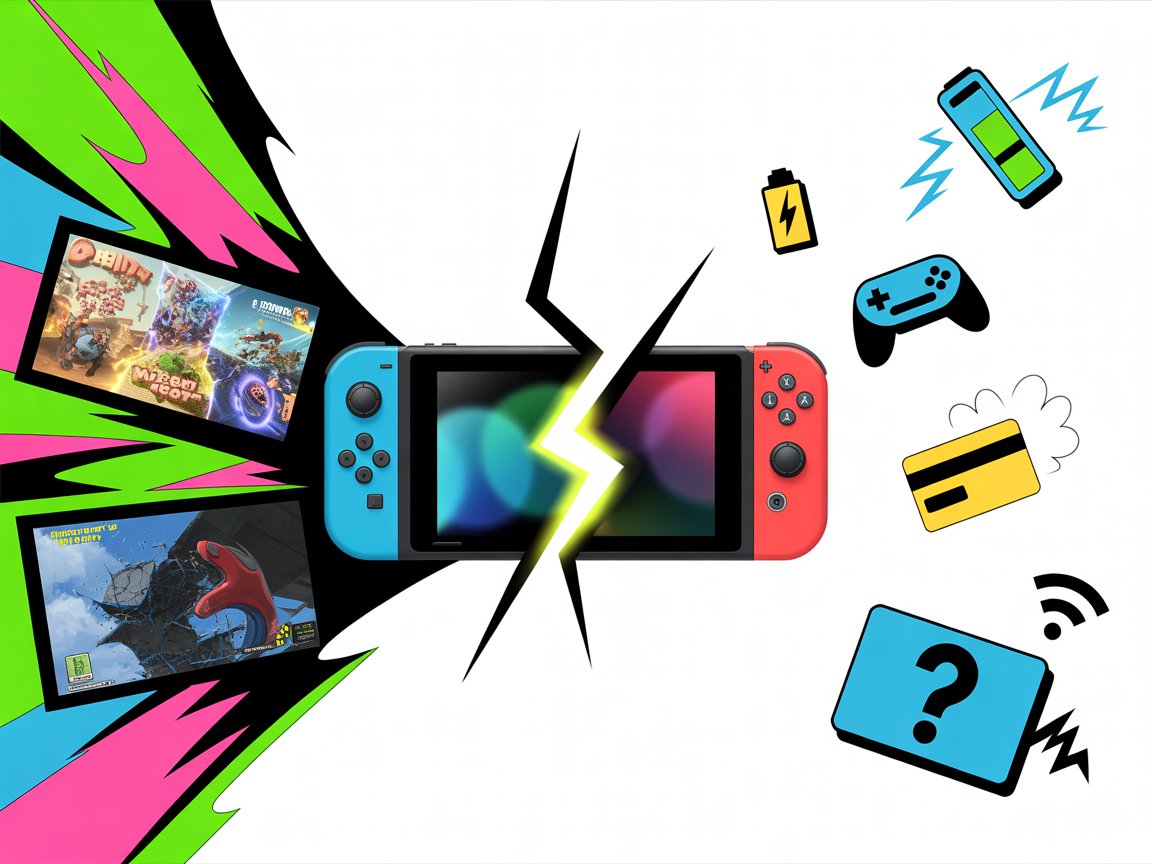
What causes it? Scientifically, what’s failing inside the stick?
The issue stems from the internal design and materials of the analog stick module. The primary culprits are:
- Potentiometer Wear & Contamination: The stick’s position is measured by two potentiometers (one for horizontal, one for vertical). A sliding wiper moves across a conductive carbon track. Over time:
Abrasion: The wiper physically wears down the carbon track.
Contamination: Dust, debris, or even particles worn off the components themselves (a process called “potentiometer dust”) accumulate on the track.
This contamination or wear creates false electrical contacts, which the system reads as movement.
Weak/Failing Contact Springs: Tiny metal domes under the stick provide tactile feedback for the L3 click. If these weaken or deform, they can create inconsistent pressure on the potentiometer, leading to erratic readings. - Material Degradation: The internal components, particularly the conductive tracks and contact pads, are made from relatively soft, inexpensive materials not engineered for the millions of micro-movements common in gaming.
Is it a design flaw or just “normal wear and tear”?
This is the core of the legal and consumer relations battle. Critics and multiple lawsuits argue it is a fundamental design flaw:
- Ubiquity: The rate of occurrence is far higher than for analog sticks on other major controllers over a similar lifespan.
- Predictability: It occurs across all Joy-Con models (original, revised, Lite, OLED) and even the Pro Controller to a lesser extent, suggesting a systemic component issue.
- Premature Failure: Drift can appear within months, not years, of normal use—well before a reasonable consumer would expect a critical failure.
Nintendo’s initial silence and subsequent, quiet repair program are often cited as implicit acknowledgment of an underlying flaw, rather than isolated misuse.
📚 Related Articles
How has Nintendo officially responded?
Their response has evolved under intense public and legal pressure:
- Initial Silence (2017-2019): Dismissed as isolated cases, advising users to recalibrate sticks or buy new Joy-Cons.
- Free Repair Program (2019-Present, in many regions): Facing class-action lawsuits and regulatory scrutiny (notably from consumer groups in Europe and a U.S. congressional inquiry), Nintendo began offering free out-of-warranty repairs for drifting Joy-Cons in North America, Europe, and other regions. This policy was never a broad “announcement” but confirmed in support communications.
- “Improved” Models: While never explicitly admitting fault, Nintendo has filed patents for more durable stick designs and is believed to have quietly implemented minor revisions in newer Joy-Con batches (identifiable by serial number). However, reports suggest even these can develop drift.
What are my rights? Can I get a free repair?
- Yes, in most cases. If you are in a region with the repair program (like the Americas, Europe, UK, Japan), Nintendo will typically repair drifting Joy-Cons for free, even if they are out of warranty. You must initiate a repair request through Nintendo’s official support website.
- Important Caveats:
* The program may not cover Joy-Cons bundled with special edition consoles.
* “Joy-Con Lite” sticks (built into the Switch Lite console) are also covered, but require sending in the entire console.
* Third-party/unauthorized modifications will void your eligibility.
What are the legal and industry implications?
Joy-Con drift has become a landmark case in consumer electronics:
- Class-Action Lawsuits: Multiple suits have been filed and consolidated in the U.S. Some have been pushed into arbitration, but the pressure was a key driver for the free repair program.
- Regulatory Scrutiny: It sparked investigations into “planned obsolescence” and right-to-repair debates in the EU and U.S.
- Industry Wake-Up Call: It has forced a conversation about controller durability standards and corporate accountability for widespread hardware failures. Nintendo’s reputation for quality hardware took a significant, lasting hit.
Are there any permanent fixes I can do myself?
While Nintendo’s repair is the safest official route, the repair backlog and downtime have fueled a DIY community:
- Short-Term: Using electrical contact cleaner (specifically non-conductive plastic-safe varieties like Deoxit D5) sprayed under the stick’s rubber skirt can dissolve debris and *temporarily* resolve drift for weeks or months. This is low-risk if done carefully.
- Moderate-Term: Replacing the entire analog stick module. Kits (~$15) and tutorials are widely available. This requires soldering (for some models) or careful ribbon cable connection and is moderately technical. It voids your warranty but gives you a new, yet still potentially flawed, stick.
- Important Warning: Aggressive “cleaning” with rubbing alcohol or compressed air can push debris further in or damage components. Opening the Joy-Con is delicate and risks damaging ribbon cables, latches, or screws.
Is the newer “OLED Model” or “Switch 2” immune?
- OLED Model Joy-Cons: They use the same internal analog stick design. Users and teardowns confirm they are not immune and can experience drift, though Nintendo may be using slightly revised parts.
- The Future (“Switch 2” or Successor): This is the billion-dollar question. The widespread nature of the issue, legal settlements, and patents for new stick mechanisms make it highly likely Nintendo will adopt a different, more durable technology (like Hall Effect sensors, which use magnets and are virtually immune to drift) in their next major hardware iteration. Failure to do so would be a monumental PR and commercial risk.
Why does this feel like such a betrayal to Nintendo fans?
The emotional impact is profound because it conflicts with Nintendo’s core brand identity:
- Heritage of Quality: Nintendo built its reputation on incredibly durable hardware (e.g., the original Game Boy).
- Player-First Philosophy: Drift directly undermines the “pure fun” and seamless immersion Nintendo aims to create.
- The Cost: At $80 USD for a new pair, Joy-Cons are a premium-priced accessory. A critical failure feels like a violation of the value proposition and trust.
It represents a rare but glaring disconnect between Nintendo’s legendary software excellence and a deeply flawed hardware component, leaving players to choose between sending away their controllers, paying for replacements, or attempting risky fixes for a problem they feel shouldn’t exist.
Nintendo Switch Hardware Durability
What makes the Switch’s “hybrid” nature create unique durability challenges?
The Nintendo Switch’s core innovation—being both a home console and portable device—creates fundamental engineering compromises that directly impact durability:
- Dual-Life Stressors: A traditional home console sits stationary; a handheld is designed for mobility. The Switch must withstand both environments, meaning it experiences thermal cycling from docked/undocked modes, mechanical stress from constant docking/undocking, and the physical hazards (drops, bumps, bag clutter) of portable life.
- The “Hinge Point” Problem: The modular design—two Joy-Cons attaching/detaching from a tablet—creates multiple potential points of failure (rail connectors, locking mechanisms) that don’t exist in unified devices.
- Thermal Management in a Tiny Form: To achieve docked-mode performance in a tablet, the Switch uses an aggressive, small fan and vent system. Blocked vents (e.g., in a bag or on fabric) can cause overheating, while the intake on the back is a prime spot for dust accumulation, impacting long-term cooling efficiency.
Is the Switch’s plastic build inherently “cheap,” or is it a deliberate engineering choice?
This is a critical distinction. While the plastic can feel less premium than the brushed aluminum or heavy glass of some competitors, its use is largely strategic:
- Weight & Portability: Dense, “premium” materials would make the handheld uncomfortably heavy for long sessions, especially for children.
- Durability (Paradoxically): High-quality plastics like the Switch’s polycarbonate blend are engineered to flex and absorb impact rather than dent or shatter. A metal body might look and feel premium but could deform permanently or transfer shock directly to internal components upon a drop.
- Radio Signal Transparency: The Joy-Con’s Bluetooth and NFC (for Amiibo) signals pass through plastic with minimal interference. A metal shell would require complex antenna lines and could weaken connectivity.
- Cost & Accessibility: Plastic keeps the base unit’s price point accessible, crucial for Nintendo’s family-friendly market. The trade-off is the potential for a “creaky” feel and susceptibility to superficial scratches and wear patterns (like glossy sections becoming matte).
Why is the screen so vulnerable, and why didn’t Nintendo use Gorilla Glass?
The standard Switch and Switch Lite use a plastic (polycarbonate) screen, not glass. This was a conscious, debated decision:
- Shatter Resistance: The primary reason. A portable device for all ages is prone to drops. A plastic screen is far less likely to crack or shatter from impact, a critical safety and durability concern.
- Weight Reduction: Plastic is lighter than glass.
- Cost (Again): A significant factor, especially at launch.
- The Trade-off: Plastic is dramatically softer on the Mohs hardness scale. It can be scratched by everyday contaminants like sand, dust, or even debris in a pocket or bag (keys are just the obvious culprit). The docking process itself—if not perfectly aligned or if debris is on the screen—can create the infamous vertical docking scratches.
- The OLED Model Exception: The Switch OLED uses a glass screen. However, it’s not just any glass; it’s a specially treated, anti-scatter laminated film on top of a rigid plastic substrate. This offers better scratch resistance than plastic but is still more shatter-resistant than pure, hard glass like Gorilla Glass. It’s a middle-ground solution reflecting lessons learned.
Beyond scratches, what are the most common “wear and tear” failure points?
- Joy-Con Rail Connectors: The slots on the side of the tablet. Repeated attachment/detachment can wear down the plastic, leading to a wobbly connection. The small, delicate pins inside can also bend.
- Kickstand (Original & OLED): The original Switch’s tiny, brittle kickstand is a notorious single point of failure. The OLED’s improved, wider kickstand is more robust but still a mechanical part under stress.
- Backplate Cracking: Near the vents or corners, often due to minor drops or pressure in a bag. This is mostly cosmetic but can worsen.
- Button & Stick Degradation: The rubber membranes under buttons can wear down, leading to mushy or unresponsive inputs. Analog sticks face the infamous drift issue, separate from physical wear.
- Battery Expansion: After years of charge cycles and heat, the lithium-ion battery can swell, pushing against the backplate—a serious issue requiring immediate attention.
How does the build quality compare meaningfully to competitors like the Steam Deck or PlayStation Portal?
- vs. Steam Deck: The Steam Deck (and similar PC handhelds) prioritize ergonomics and cooling power for more demanding hardware. It’s thicker, heavier, and uses more robust materials in key areas, feeling like a “premium tool” for enthusiasts. It acknowledges its bulk. The Switch prioritizes lightweight, child-friendly portability above all else, which necessitates a more minimal, and thus more fragile-seeming, construction.
- vs. PlayStation Portal: The Portal is a dedicated streaming device, not a standalone console. Its lack of internal processing allows for a different design focus, but it’s not a direct competitor in functionality.
- The “Toy-Like” Aesthetic: Nintendo intentionally leans into an approachable, colorful, modular aesthetic. This can subconsciously signal “less serious” or “less durable” than the monolithic, tech-bro aesthetic of other devices, regardless of actual engineering.
What does “planned obsolescence” have to do with this, if anything?
While not evidence of a sinister “time bomb,” the durability choices reflect a calculated product lifecycle:
- Repairability vs. Replaceability: The Switch is notoriously difficult to repair. Components are glued, soldered, and tightly integrated. This encourages consumers to send it to Nintendo ($) or buy a new unit instead of a simple DIY fix, aligning with Nintendo’s traditional control over its hardware ecosystem.
- Accessory Ecosystem: The fragility of the screen and Joy-Cons directly drives the massive aftermarket for essential accessories like screen protectors, carrying cases, and protective grips—a multi-billion dollar market Nintendo does not fully capture but relies upon for user satisfaction.
- Generational Cycle: The hardware is built to be robust enough for its intended 5-7 year primary lifecycle, not necessarily for a decade of heavy use. This aligns with standard console generations but feels sharper for a portable device.
What are the most essential, non-negotiable accessories for longevity?
- Tempered Glass Screen Protector: The single most important purchase. It applies over the plastic/glass screen, taking all scratches and impacts. It is sacrificial and replaceable. *Apply this before the console is ever docked.*
- A Rigid Carrying Case: Protects from crushing forces, drops, and debris in bags. It should hold the console, not just the tablet.
- Joy-Con Protective Skins/Covers: While not preventing internal drift, they protect the Joy-Con shells from scuffs, paint wear, and minor impacts.
The philosophical question: Is the Switch’s fragility the price of its genius?
This is the core tension for Switch owners. The very design that enables its revolutionary hybrid flexibility—a thin, light tablet with detachable controllers—also creates its inherent physical vulnerabilities. You cannot have the groundbreaking “Switch moment” of pulling it from the dock and taking it on the go without accepting that you are now holding a relatively delicate piece of consumer electronics in a world full of hazards.
The feeling of a “less premium” build is the tactile manifestation of this grand compromise. Owners must decide: is the unparalleled flexibility and library worth adopting a mindset of proactive care and accessory investment that wasn’t necessary for a stationary PlayStation or a clamshell Nintendo DS? For over 130 million users, the answer has been yes—but not without a constant, low-level awareness of the device’s physical delicacy.
Nintendo Switch Storage
Why did Nintendo choose only 32GB of internal storage? Was this a technical or business decision?
This was a deliberate business and design decision with multiple strategic layers:
- The “Physical First” Mandate: At launch (2017), Nintendo’s primary revenue and distribution model was physical game cartridges. The 32GB was intended primarily for save data, system updates, and a handful of indie digital downloads—not as a primary game library. This reflected Nintendo’s traditional, retail-centric mindset.
- The Price Point Anchor: Flash storage was (and remains) expensive. Keeping the base model at $299.99 was a critical market positioning goal against the PS4 and Xbox One. More storage would have forced a higher price or cut into margins.
- The “Digital Blind Spot”: Nintendo historically underestimated the speed of the digital transition. They failed to foresee that by the mid-2020s, even their own first-party titles would balloon in size (e.g., *Tears of the Kingdom* is 16.3GB), and that third-party ports and the booming indie/eShop ecosystem would make digital libraries the norm for many.
- The SD Card Ecosystem Pass-Through: By designing a system that *required* expanded storage for serious digital use, Nintendo effectively outsourced the storage cost to the consumer and third-party manufacturers. They avoided the complexity of multiple console SKUs with different storage tiers (until the OLED model, which only increased it to a still-inadequate 64GB).
How does the Switch’s storage architecture fundamentally differ from its competitors, and why does it matter?
The Switch uses eMMC (embedded MultiMediaCard) storage, while competitors like the PS5 and Xbox Series X|S use NVMe SSDs.
- Speed & Performance: eMMC is significantly slower than a modern SSD. This is why loading times, installing games, and transferring data on the Switch are noticeably slower. The bus speed of the Switch’s internal storage and its microSD card reader are bottlenecks.
- System-Wide Impact: The storage isn’t just for games. The OS, updates, and suspend/resume functionality all interact with it. Slower storage contributes to a generally “snail-like” feel in the eShop and system menus compared to other consoles.
- The “Seamless” Illusion: Competitors design their storage to be *invisible*—a vast, fast pool for everything. The Switch’s storage is a constant management headache, forcing users to be system administrators.
Why is the microSD card solution a “necessary evil” rather than a true fix?
Relying on microSD cards introduces new layers of compromise:
- Performance Gulag: Even the fastest UHS-I cards (the maximum the Switch’s reader supports) are slower than the internal eMMC. Games load slower, and assets can pop in more noticeably when run from the card.
- The “Card-Swapping” Dilemma: The Switch only reads one card at a time. Your library becomes physically fragmented. To play a game on another card, you must fully power down, swap cards, and reboot—a jarring, anti-modern experience that shatters the “pick up and play” promise.
- Cost Externalization: A quality, high-speed 512GB microSD card (a realistic size for a digital library) costs $40-$60. This is a hidden upfront cost that effectively raises the console’s true price for digital buyers.
Data Integrity Anxiety: microSD cards, especially cheaper ones, can fail or corrupt. While saves are stored internally (a saving grace), redownloading hundreds of gigabytes of games is a bandwidth and time nightmare.
What are the bizarre and often infuriating rules of Switch storage management?
The system’s software imposes perplexing limitations:
- The “Archival” Misnomer: You can “Archive” software (delete the game data but keep the icon and save file). However, there is no batch archival tool. You must remove games one by one, a tortuous process for a full drive.
- The Transfer Hell: You cannot directly transfer game data between internal storage and a microSD card. The system offers a “Move Data” option, but it’s a slow, all-or-nothing process for a single title. There is no intelligent manager.
- The DLC Trap: DLC is often tied to the user profile and the specific console. If storage is full, you might not be able to install purchased DLC, locking you out of content you own.
- User Profile & Data Silos: Save data is locked to the profile and console. If you get a new Switch, you must use Nintendo Switch Online cloud saves (not available for all games) or perform a cumbersome system transfer—a process tied to the physical hardware, not your account.
How does this storage philosophy reflect Nintendo’s deeper relationship with its customers?
The storage limitation is not a mere oversight; it’s a philosophical stance:
- Paternalistic Control: Nintendo prefers a curated, simple experience. Multiple storage tiers, complex file managers, or install options represent complexity they historically shun. They’d rather you buy a card and let them handle the “how.”
- The Physical Media Lifeline: By making digital storage painful, Nintendo subtly incentivizes the purchase of physical cartridges, which have higher profit margins for them, strengthen retail partnerships, and enable the second-hand market they tacitly accept.
- The Assumption of “Casual” Use: The 32GB model assumes the average user buys 1-2 big games a year and a few indies. It fails the “enthusiast,” the collector, the Game Pass-style subscriber, or anyone embracing the digital future Nintendo itself is building with the eShop.
The OLED Model has 64GB. Is this a meaningful solution?
No. It is a palliative, not a cure. Doubling an inadequate amount still results in an inadequate amount. 64GB buys you perhaps one more major AAA title before hitting the wall. It acknowledges the problem but refuses to solve it, because solving it (e.g., 256GB or 512GB built-in) would disrupt the pricing model, the accessory market, and the physical sales ecosystem. It is the bare minimum to avoid renewed criticism, not a reimagining of the system’s needs.
The existential question: Is the storage limitation the Switch’s greatest design failure?
For the digital-native gamer, yes, it is a strong contender. It directly contradicts the console’s core promise of convenience and accessibility. The fantasy of the Switch is a seamless library of games at your fingertips. The reality is a constant, low-grade anxiety about space, agonizingly slow data management, and the tangible friction of swapping plastic cards in an age of cloud gaming and instant access.
It represents the most jarring clash between Nintendo’s charmingly archaic hardware philosophies and the modern gaming landscape they are now operating within. Every time a user deletes a game to make space, they are not just managing storage—they are confronting the boundary between Nintendo’s past and the industry’s future.
Nintendo Switch Battery Life
Why was the original Switch’s battery life so fundamentally limited? What were the core trade-offs?
The original Switch’s battery (model HAC-001, 2017) represented a critical engineering trilemma Nintendo failed to fully solve at launch:
- The Performance vs. Efficiency vs. Form Factor Triangle:
* Performance: The Switch’s custom Tegra X1 chip was designed to deliver near-Wii U quality graphics in a tablet. Docked, it ran at higher clocks for 1080p. In handheld, it down-clocked—but not enough. The chip was based on 2015-era 20nm technology, notoriously inefficient by mobile standards.
* Form Factor: The device had to be thin, light, and cool enough to hold. A larger battery would have increased weight and thickness, violating the “pick-up-and-play” ergonomics.
* Cost: High-density lithium-ion batteries are expensive. The $299 price point created a hard ceiling. - The “Hybrid Tax”: The Switch wasn’t just a portable; it was a console. Its cooling system, screen, and chip had to be capable of docked-mode performance. This meant it was inherently over-engineered for pure portable play, carrying thermal and power delivery overhead that a dedicated handheld (like the 3DS) would not.
- The “Unified Experience” Mandate: Nintendo insisted the game experience be identical across modes. This prevented them from implementing more aggressive, game-specific down-clocking or graphical cutbacks in handheld mode that could have saved significant power. The battery bore the brunt of this parity promise.
What does the 2.5-6.5 hour range actually mean in practice? Why is the variance so extreme?
This range isn’t marketing; it’s a direct reflection of the brutal, uncompensated power management burden placed on the user and the software.
- The Determinants of Drain:
1. APU Load (The Big One): A game like *The Legend of Zelda: Breath of the Wild* or *The Witcher 3* pushes the GPU and CPU near their portable-mode limits, hitting the 2.5-3 hour floor. A lightweight 2D indie game like *Stardew Valley* uses a fraction of the power, achieving the 5-6.5 hour ceiling.
2. Screen Brightness: The single largest user-controlled variable. At max brightness, the screen can consume as much power as the APU in a lightweight game.
3. Wireless Radios: Wi-Fi searching for signals, Bluetooth for controllers, and especially actively transmitting for online multiplayer (*Splatoon 2*, *Smash Bros.*) add significant, constant drain.
4. Vibration & Audio: HD Rumble and speaker use are smaller, but consistent draws. - The Psychological Impact: This variance creates “battery anxiety.” You don’t have a reliable “3 hours of gaming.” You have “somewhere between a movie’s length and a workday, depending on a game you haven’t even loaded yet.” This forces constant mental calculation and preemptive power-saving behaviors, undermining the intended “freedom” of portability.
How did the revised models (2019, OLED, Lite) improve the situation? Was it just a bigger battery?
The mid-2019 revision (HAC-001(-01)) and subsequent models employed a multi-pronged, quiet fix:
- The Die-Shrink Savior (2019 Model): The most important change was not the slightly larger battery (from 4310mAh to 4310mAh? Actually, a change in watt-hours from 16Wh to 13.6Wh but more efficient chip). It was the move to a 16nm/12nm fabrication process for the Tegra X1 chip. This same chip, doing the same work, consumed significantly less power, generating less heat and extending battery life by roughly 50-100% depending on the game. It was a fundamental silicon-level efficiency gain.
- The OLED Model’s Balanced Approach: The Switch OLED (2021) uses the more efficient chip *and* a slightly larger battery (16Wh vs 13.6Wh in 2019 model). Crucially, while OLED screens can be more power-hungry when displaying bright whites, they are more efficient for typical games (which often have dark UI elements, night scenes, etc.), as black pixels are completely off. This synergy delivers the best battery life of the flagship models.
- The Lite’s Dedicated Advantage: The Switch Lite, by being handheld-only, removed the power-draining circuitry for video-out (the USB-C port lacks video capability) and the detachable Joy-Con Bluetooth systems. Combined with the efficient chip and a focused thermal design, it achieves the most consistent and often longest battery life, as 100% of its design budget was spent on portable efficiency.
Why doesn’t Nintendo offer more granular, system-level power-saving tools?
This reflects a core Nintendo design philosophy: simplicity over granular control.
- The “It Just Works” Doctrine: Nintendo fears overwhelming users with “Settings Hell.” They prefer to bake optimization into the system and game profiles (like the auto-brightness feature) rather than offer PC-like power plans (e.g., “Maximum Battery,” “Balanced,” “Performance”).The Downside: This is paternalistic. Enthusiasts are denied tools that could meaningfully extend play. For example:
– No ability to cap frame rate to 30fps globally for battery savings.
– No manual control over GPU clock speeds.
– A crude “Flight Mode” that only disables Wi-Fi (not Bluetooth).
– No per-game power profiles. You cannot tell *Hades* to run at a lower clock to save power because the system assumes you want the “intended” experience at all costs.
What is the real-world impact of battery degradation over the console’s lifespan?
Unlike phones, the Switch’s battery is not user-replaceable without significant technical skill and voiding the warranty. This has long-term consequences:
- The Inevitable Decline: Lithium-ion batteries degrade with cycles and heat. A heavily used portable Switch might see 20-30% capacity loss over 3-4 years. That 4.5-hour *Mario Kart* session becomes a 3-hour one.
- The “Bricked” Hybrid: A Switch with a severely degraded battery can still function *docked* (powered directly via USB-C), but its identity as a portable is destroyed. It becomes a flawed home console, tethered to the wall.
- The Repair Barrier: Official Nintendo battery replacement requires sending the unit in (costing ~$100 plus shipping and downtime). This is a significant investment for an aging device, often pushing users toward a new purchase instead—a subtle form of planned lifecycle management.
How does the Switch’s battery reality compare to modern gaming laptops, Steam Deck, and phones?
- vs. Gaming Laptops/Steam Deck: These devices are explicitly designed for AC power with portability as a bonus. They offer robust power management settings precisely because they are expected to be “unplugged” for short, intense sessions. The Steam Deck, while also limited, offers a comprehensive performance overlay and manual controls (frame rate limiters, TDP controls, GPU clocking), acknowledging the user’s intelligence and desire for control the Switch denies.
- vs. Modern Smartphones: This is the most damning comparison. A modern smartphone, thinner than a Switch, playing a less demanding game, will often outlast it. Why? Decades of ruthless optimization for efficiency in the mobile industry. Apple’s A-series and Qualcomm’s Snapdragon chips are built on cutting-edge processes (4nm/3nm) with integrated, intelligent power management the Switch’s 2015-era chip lacks. The Switch feels like a generation behind in mobile silicon, which it is.
The philosophical question: Does limited battery life betray the Switch’s core promise?
Yes, in a profound way. The Switch’s central marketing promise was “your home console, anywhere.” The battery life of the original model made this a conditional fantasy. “Anywhere” often meant “anywhere within 2.5 hours of a power outlet.” It transformed portability from a state of freedom to a state of managed scarcity.
The psychological effect is key: when you play a demanding game on an original Switch, you are not just playing a game; you are watching a countdown timer. The iconic “low battery” pop-up (which frustratingly appears with 15-20 minutes left, but offers no “extra low power” mode) is a jarring return to reality, severing the immersion the hardware seeks to create.
The improved models are an apology for this initial failing, but even their 4.5-9 hour range remains a compromise in a world where users expect all-day device life. The Switch’s battery life is the ever-present tether reminding you that this revolutionary hybrid is still bound, ultimately, by the fundamental laws of physics and the business decisions that chose form and cost over endurance.
Nintendo Switch Online (NSO)
What is the fundamental philosophical disconnect between NSO and Xbox Live/PS+?
NSO is not a failed attempt at a modern online service; it is a deliberately architected alternative based on Nintendo’s distinct, often divergent, core beliefs:
- The “Toymaker” vs. “Tech Platform” Mentality: Microsoft and Sony view their consoles as connected entertainment platforms. Online is the core experience. Nintendo views the Switch as a plaything first. Online is an optional, often grudgingly added, feature set meant to extend play, not define it.
- Safety & Control Over Freedom & Power: Nintendo prioritizes a walled garden designed to be “safe” for all ages above offering powerful social tools. Complex voice chat and open party systems introduce moderation headaches and potential for toxicity they are unwilling to manage. The smartphone app is a clumsy but intentional buffer.
- The “Virtual Console” Rebrand as a Service: NSO’s classic games are not a bonus; they are the primary justification for the subscription. Nintendo has repackaged its back catalog, previously sold à la carte for $5-$10 each, into a recurring revenue stream. This is a business model shift, not a gamer-centric feature.
Why does the smartphone app for voice chat exist, and what does its persistence reveal?
The app is not a stopgap; it is a manifesto in code.
- The “Parental Control” Argument: By routing chat through a phone, Nintendo offloads the complexity and potential for inappropriate voice communication away from the console itself, which a child might use. It allows a parent to control the chat experience via the phone, a device they likely monitor more closely.
- The Systems Architecture Dodge: Implementing robust, low-latency system-level voice chat requires dedicating CPU resources, memory, and system-level permissions the Switch OS may not be designed to handle elegantly. The app is an externalization of technical debt.
- The Social Engineering Experiment: It forces a specific, awkward social dynamic: you must be in a phone call with your friends *while* playing. This collapses the distinction between a “game night” and a regular call, making spontaneous drop-in/drop-out conversations (like on Discord or console party chat) impossible. It preserves intentionality at the cost of spontaneity.
- Its Persistence Proves It’s By Design: After seven years, with universal derision, the app remains. This signals it is a core tenet of Nintendo’s online philosophy, not an oversight. Changing it would require admitting their foundational approach was wrong—something Nintendo historically avoids.
How does the peer-to-peer (P2P) networking model define the online experience, for better and worse?
Unlike the dedicated servers often used by competitors for key titles, Nintendo relies heavily on player-hosted, peer-to-peer connections.
- The Business Logic: P2P is immensely cheaper. Nintendo does not bear the ongoing cost of server infrastructure for millions of concurrent *Smash Bros.* or *Mario Kart* matches. The cost is transferred to the players in the form of required upload bandwidth and stable NAT types.
- The “Host Advantage” and Instability: In a P2P game, one player’s console is the “host.” This often grants them a latency advantage. If the host has a poor connection or quits, the entire match can desynchronize or end. This creates a fundamentally uneven and fragile playing field.
- The Lag Dilemma: With P2P, your experience is only as good as the weakest link in the match. One player with poor Wi-Fi can introduce lag for all seven others in a *Splatoon* ranked match. There is no neutral, high-quality server to act as a referee.
- Why No “Rollback Netcode”? Modern fighting games use “rollback netcode” (like in *GG Strive* or *Street Fighter 6*) to predict inputs and smooth over lag. Nintendo’s first-party titles use delay-based netcode, which simply waits for all inputs to sync, creating stutter. This reflects a conservative, in-house technical culture slow to adopt industry standards.
Is the Classic Games library a generous perk or a cynical repackaging?
It is a strategic re-monetization of assets, presented as a benefit.
- The End of Ownership: With the Virtual Console, you bought a game. With NSO, you rent access to a catalog. Games can be added or removed at any time (as seen with Super Mario 35 and the PAC-MAN 99 shutdown). Your childhood favorite is now a contingent privilege.
- The “Drip-Feed” as Engagement Tool: Releasing 2-3 old games per month is not about pacing; it’s about maintaining a “content calendar” for a service that otherwise lacks compelling monthly updates. It manufactures a reason to check the news channel and feel the subscription is “active.”
- The Emulation Quality & Features: While generally good, Nintendo’s emulators often lack features standard in the emulator community: rewind, save states beyond a basic suspend, wide-screen hacks, or robust filter options. It’s a bare-minimum, preservation-lite approach.
- The Expansion Pack Tier as A La Carte Blackmail: The N64, Sega Genesis, and Game Boy Advance libraries are gated behind a price-doubling “Expansion Pack.” This fractures the community and uses nostalgia (Ocarina of Time, Pokémon Stadium) as a lever to extract a premium, acknowledging the core NSO offering is too weak to justify its own cost.
NSO creates a socially anemic environment by design.
- The “Friend Code” Legacy: While now supplemented by Nintendo Account IDs, the specter of 16-digit friend codes lingers in a cumbersome process. There is no simple “Recent Players” list with easy invites.
- No Cross-Game Parties: You cannot form a persistent party with friends to hop from Mario Kart to Animal Crossing together. You must disband and re-invite for each game, destroying social momentum.
- Asynchronous by Default: The system is built for planned play, not spontaneous congregation. There’s no equivalent to seeing a friend online on PlayStation and joining their game session with a single click. Interaction requires pre-coordination via external apps (like, ironically, the smartphone app or Discord).
Why does Nintendo seem resistant to industry standards, and is there a method to this madness?
Nintendo’s resistance is strategic differentiation, not mere incompetence.
- The Blue Ocean Strategy: Nintendo succeeds by not competing directly. If NSO matched Xbox Live feature-for-feature, it would be compared on price and library—areas where it might lose. By being different (for worse, but also for unique), it exists in its own category. The frustration is the price of this differentiation.
- Protecting the Brand Experience: Unmoderated voice chat in a Splatoon lobby full of children is a brand risk Nintendo will not take. A chaotic, open social system clashes with the curated, positive, “fun for everyone” image.
- The “Walled Garden” Profitability: By keeping the ecosystem simple and closed, Nintendo maintains total control. They are not paying for Azure servers like Xbox, nor building a social graph. The lower costs mean the lower revenue from NSO is still highly profitable. It’s a lean, high-margin service built on legacy IP.
The existential question: Is NSO an affront to the modern gaming community?
For gamers raised on seamless Xbox Live parties or Discord integration, yes, it feels like an insult. It represents a company refusing to acknowledge 20 years of online gaming evolution. It translates the frictionless social connectivity of other platforms into a series of deliberate obstacles.
However, for Nintendo’s core target demographic of families and casual players, many of these “missing” features are non-issues. A parent buying NSO to play *Mario Kart* with their child once a month cares about the classic games and cloud saves, not party invites or rollback netcode.
Thus, NSO is a perfect mirror of Nintendo’s split identity: a beloved game creator perpetually at odds with the expectations of the core gaming industry it helped create. It is a service built for the Nintendo of 2005, operating in the world of 2024, and its continued existence in its current form is the clearest proof that Nintendo believes—perhaps correctly—that it can still win by playing an entirely different game.
Nintendo Switch Wi-Fi Connectivity
Is the Switch’s weak Wi-Fi just perception, or is there quantifiable hardware evidence?
This is not anecdotal; it is a measurable hardware deficiency. Multiple technical teardowns and signal tests have identified the root causes:
- The Antenna Design Flaw: The Switch’s Wi-Fi/Bluetooth antenna is a thin, stamped-metal trace embedded in the console’s plastic mid-frame. Crucially, it is positioned behind the aluminum shielding of the main motherboard. This placement severely dampens signal strength, as metal is a natural signal blocker. It’s akin to placing a router inside a filing cabinet.
- Low-Power, Integrated Components: The Switch uses a cost-optimized, highly integrated Broadcom chip that combines Wi-Fi, Bluetooth, and other functions. Compared to the discrete, more powerful wireless modules found in premium tablets or laptops, this chip operates at lower power and sensitivity to save battery life and reduce heat.
- The “Handheld Grip” Problem: In portable mode, the most common way to hold the Switch naturally places human hands directly over the antenna’s location (near the top of the tablet, behind the bezel). Human tissue (the “meat shield” effect) is excellent at absorbing 2.4GHz/5GHz radio waves, causing an immediate, significant drop in signal bars.
- No External Antenna Option: Unlike some laptops or the Steam Deck (which uses clever antenna placement along the sides of the screen), the Switch has no provision for an external antenna. The signal is entirely at the mercy of this internal, obstructed design.
Why did Nintendo make these specific hardware choices? Was it pure cost-cutting?
The decision was a tragedy of competing engineering priorities, where connectivity lost:
- The Form Factor Ultimatum: The primary design goal was a slim, sleek tablet. A larger, more prominent antenna or a more powerful wireless module with better amplifiers would have required more physical space and better thermal dissipation, potentially thickening the device.
- The Battery Life Trade-off: More powerful wireless radios consume more power. In the original Switch’s tight battery budget, a weaker, more efficient Wi-Fi chip was likely seen as an acceptable sacrifice to hit the 2.5-6.5 hour battery target.
- The Docked Mode Assumption: Nintendo likely assumed a significant portion of online play would happen docked and wired. The design may have prioritized the Bluetooth functionality (for Joy-Con pairing) over raw Wi-Fi reception, as Bluetooth has a much shorter required range.
- Cost & Integration: A single, integrated chip is cheaper and simpler to implement than separate, higher-quality components. In the race to hit the $299 price point with a hybrid console, the Wi-Fi module was a clear casualty.
How does the Wi-Fi weakness fundamentally corrupt the online experience?
It doesn’t just cause drops; it poisons the foundation of peer-to-peer (P2P) gaming:
- The P2P Multiplier Effect: Since most Switch games use player-hosted P2P connections, every player is both a client and a potential server. A player with weak Wi-Fi isn’t just lagging for themselves; they become a “poison host” whose poor connection causes lag, desynchronization, and dropped games for everyone else in the match. The Switch’s hardware flaw actively degrades the ecosystem for all users.
- Inconsistent Performance Metrics: The Switch’s signal bar is notoriously misleading. A player might show “full bars” one moment and drop entirely the next due to minor hand movements or interference. This makes troubleshooting nearly impossible and punishments in ranked modes (like in *Splatoon 3* or *Smash Bros.*) feel unjust.
- The “Download Tomb” Phenomenology: The eShop and game updates become exercises in patience. The Switch will often report days to download a title that a phone or PlayStation downloads in minutes on the same network. This creates a tangible friction between the player’s desire to play and the console’s ability to enable it.
What are the workarounds, and why do they highlight the underlying problem?
The community’s solutions are admissions of the hardware’s failure:
- USB LAN Adapter (For Docked): The only reliable fix for serious online play is to bypass Wi-Fi entirely with a wired Ethernet connection via a USB adapter. This is an extra, mandatory purchase to achieve baseline stability that should be inherent. It also completely nullifies the “hybrid” concept for competitive gaming.
- Router Tweaks & 5GHz Band: Forcing the Switch onto a less-congested 5GHz band (if close to the router) and using specific, narrow Wi-Fi channels can help. This demands a level of home network administration far beyond the expected user expertise for a “pick-up-and-play” console.
- The “Ritualistic Positioning”: Users develop superstitious behaviors: placing the Switch on a table, never holding it, orienting it in a specific direction, or moving closer to the router. This is the behavior of managing a broken device, not a seamless piece of technology.
Did later models (OLED, Lite) fix the problem?
No. They perpetuated it. All subsequent Switch models use the same fundamental antenna design and chipset. While minor layout tweaks may exist, the core compromise—a low-power, internal antenna obstructed by metal and hands—remains. This is the clearest evidence that Nintendo views this not as a critical flaw to be corrected, but as an acceptable, baked-in limitation of the product line.
What does this reveal about Nintendo’s relationship with online play and modern infrastructure?
The Wi-Fi issue is a physical manifestation of Nintendo’s philosophical ambivalence toward online gaming.
- Online as an Afterthought in Silicon: The hardware was finalized with a clear priority on portable gameplay, battery life, and cost. Robust online connectivity, requiring premium components and intelligent antenna placement, was not a primary design pillar. It was tacked on to meet a feature checklist.
- A Disconnect from the “Always-Connected” World: Modern gaming assumes constant, high-fidelity connectivity for patches, cloud saves, and multiplayer. The Switch’s hardware treats connectivity as a fragile, intermittent state to be managed, not a default condition. It is a console built for a world of cartridges and local play, awkwardly retrofitted for an online era.
- The Burden Shifted to the User: By selling a console with substandard Wi-Fi, Nintendo effectively externalizes the problem. The onus is on the player to buy a LAN adapter, upgrade their router, or perfectly optimize their home environment. The company’s responsibility ends at the console’s casing.
The existential question: Does weak Wi-Fi fundamentally break the Switch’s identity?
For the docked, competitive, or digital-heavy user, absolutely. The promise of a hybrid console is freedom without compromise. The Wi-Fi flaw introduces a brutal compromise: to have a stable, competitive online experience, you must physically tether the portable console to your router, destroying its portability. The device meant to unite home and mobile play instead highlights the incompatibility of those two worlds when it comes to modern networking.
It creates a schism in the Switch’s soul. One identity is the flawless single-player or local multiplayer machine, offering sublime freedom. The other is a frustrated, unreliable terminal for online interaction, constantly reminding you of its limitations. Every dropped match in Splatoon, every glacial download, every lag spike in Smash Bros. is not just a technical hiccup—it’s a small failure of the hybrid dream, a reminder that in its quest to be two things, the Switch failed to fully master the infrastructure required by either.
Nintendo Switch Game-Specific Issues
Save Data Management: Why do some games block cloud saves? Is it technical or philosophical?
This is a deliberate, philosophical stance on competitive integrity and player agency, masked as a technical limitation.
- The “Anti-Duplication” Dogma (Pokémon): Game Freak and The Pokémon Company explicitly block cloud saves to prevent cloning and save scumming. The entire economy of *Pokémon* is built on rarity, trading, and effort (e.g., Shiny hunting, IV breeding). Cloud saves would allow players to:
1. Upload a save.
2. Trade a rare Pokémon to a friend.
3. Download the old save, duplicating the Pokémon.
This would collapse the intended gameplay loop. Their solution is not to engineer a server-side locking system, but to remove the player’s right to back up their adventure—a devastating trade-off where hundreds of hours of sentimental progress are hostage to hardware failure. - The “Anti-Cheat” Argument (Splatoon 2): For competitive online games with rankings and in-game currency, cloud saves could be exploited to revert losses or amass currency without risk. Again, Nintendo’s solution is brute-force removal of the feature rather than developing more sophisticated, industry-standard server-side progression tracking (like virtually every other modern competitive game uses).
- The “Inability to Back Up Locally” as a Control Mechanism: The prohibition on copying saves to an SD card is not a technical gap—the Switch OS can clearly read/write to the SD card. It is a digital rights management (DRM) and anti-piracy measure. By keeping save data encrypted and locked to the internal storage of a specific console, Nintendo creates a powerful incentive to stay within their ecosystem (pay for NSO for cloud) and raises the barrier to save-file hacking, modding, and piracy. Your progress is not your data; it is a license managed by Nintendo.
Multiplayer Requirements: Why does “Mario Party Superstars” demand an NSO subscription for each player?
This is a revealing case study in Nintendo’s subscription strategy and its tension with local play traditions.
- The “Console as a Service” Contradiction: Nintendo markets the Switch as the premier local multiplayer console. Yet, for online play, it enforces a “per-account” or “per-device” subscription model inherited from Xbox Live and PlayStation Plus. In *Mario Party Superstars*, the online system authenticates each player’s account/license for the game. Since the game cannot differentiate between players on one Switch (local) and players on multiple Switches (online), it defaults to the stricter rule: each participating account must have NSO.
- The Missed “Game Sharing” Paradigm: Competitors have “Home Console” sharing or primary/secondary system designs that allow a game purchase and online subscription to be shared with other accounts on the same device or within a family. Nintendo’s system is inflexible and punitive, treating each account as a separate, paying entity. This prioritizes revenue protection over the social, family-friendly play the game itself promotes.
- The Psychological Effect: It transforms a casual, fun party game into a transactional gatekeeper. The question “Do you all have NSO?” becomes a barrier to entry, shattering the spontaneous, inclusive spirit Mario Party is designed to create. It exposes the cold business logic underlying the warm, playful facade.
Regional/Localization & Censorship: Is this “localization” or “cultural imperialism”?
Nintendo’s global localization practices sit at a volatile intersection of cultural sensitivity, corporate branding, and artistic integrity.
- The “Global Family Brand” Guardrails: Nintendo of America and Europe operate under stricter, often self-imposed content guidelines to maintain an E10+ or Teen rating and protect the “family-friendly” brand. This leads to:
– Sexual Content Alteration: Reducing breast size or altering clothing on characters (e.g., Pyra/Mythra in Xenoblade Chronicles 2, certain costumes in Fire Emblem games). The rationale is avoiding a “Mature” rating, which Nintendo views as commercially damaging to its core identity.
– Cultural Reference Scrubbing: Changing jokes, food items, or plot points deemed too “Japanese” for a global audience, potentially flattening the original creator’s cultural context. - The “Artistic Vision” vs. “Market Safety” Conflict: Developers (like Monolith Soft with Xenoblade or Intelligent Systems with Fire Emblem) may design characters with specific aesthetics. NOA’s localization team then edits them, creating a schism between the original art and the global product. Fans argue this is paternalistic and disrespectful to both the artists and the global audience, who are capable of understanding cultural nuance.
- The “Version Chasing” Dilemma: This creates a tiered system of value. “Uncensored” Japanese versions become sought-after imports, while Western releases are seen as compromised. It fractures the fan community and fosters resentment, as players feel they are not receiving the authentic product. The argument that these changes are “minor” misses the point: it’s about agency and authenticity.
The Unifying Philosophy: Control, Consistency, and the Nintendo Ecosystem
These disparate issues are threads of the same rope: Nintendo’s overarching desire for absolute control over the user experience.
- Control Over Progression: By locking saves, they control the economy of their games (Pokémon) and the integrity of competition (Splatoon).
- Control Over Monetization: By enforcing per-player subscriptions, they maximize revenue from multiplayer services, even at the cost of social friction.
- Control Over Brand Perception: By censoring content, they enforce a uniform, sanitized global brand identity, prioritizing market safety over artistic expression or cultural exchange.
This control creates a consistent, predictable, and “safe” ecosystem, but one that often feels infantilizing and punitive to engaged, core players. The trade-off is a environment where the company’s rules and risk-aversion are paramount, and the player’s ownership, autonomy, and access to the original artistic vision are secondary.
The ultimate result is a paradox: the company that creates worlds of boundless imagination and freedom often constructs the most rigid and frustrating real-world systems to contain them. The magic is in the software; the friction is in the infrastructure.
Nintendo Switch Parental Controls
What is the fundamental disconnect between Nintendo’s vision of “parental control” and real-world parenting needs?
Nintendo envisions a unilateral, top-down control system where a single “supervisor” (the parent) sets rigid, time-based restrictions for “protected users” (children). This clashes with modern, flexible parenting styles that value communication, gradual responsibility, and context-aware management.
- The “Warden vs. Guide” Model: The Nintendo Switch Parental Controls app positions the parent as a remote warden who sets curfews and locks doors, rather than a co-pilot guide who can discuss game content, set collaborative goals, or grant temporary permissions. It’s built for enforcement, not education.
- The Absence of “Why”: The system blocks access but provides zero educational scaffolding. A child hitting a play-time limit gets a hard stop screen, not a notification saying, “Your 2 hours are up! Remember, we agreed to save some time for reading.” It creates conflict instead of teaching digital responsibility.
- The “One-Size-Fits-All” Assumption: The system struggles with families with multiple children of different ages. Settings are largely per-console or per-“restricted user,” making it cumbersome to tailor restrictions to a 7-year-old versus a 13-year-old sharing the same device.
Why is the mandatory smartphone app both a blessing and a profound curse?
The requirement to use the “Nintendo Switch Parental Controls” smartphone app (separate from the main Nintendo Switch Online app) encapsulates the system’s flawed philosophy.
- The Blessing (Theoretical): Remote management. Parents can adjust settings, view playtime reports, and suspend the console from anywhere without physically accessing the device.
- The Curse (Reality):
– Setup Hell: To begin, you must create a Nintendo Account for the parent, link it to a “Parent/Guardian” designation, install the app, generate a QR code on the Switch, scan it with the app, and then configure restrictions. This multi-device, multi-account labyrinth is a barrier many less tech-savvy parents simply abandon.
– The “App as a Single Point of Failure”: If the parent loses their phone, forgets the app password, or gets a new device, regaining control can require a full account recovery process, during which controls may be ineffective.
– Notification Overload or Silence: The app can bombard a parent with every play session notification or provide only a weekly digest, with no happy middle ground for meaningful oversight.
How do the restriction tools fail to understand both games and child development?
The controls are blunt instruments that misunderstand the media they regulate.
- The ESRB Rating Blocker is a Crutch: Restricting games by ESRB rating (e.g., “No T-rated games”) is a primitive filter. It blocks an entire, nuanced category rather than allowing parents to make decisions based on specific content (violence, language, themes) they’ve researched. It discourages parental engagement with the actual art form.
- Play-Time Limits Lack Intelligence: The timer is a simple countdown. It does not:
– Pause for cutscenes or loading screens, meaning a child loses play time while watching non-interactive story elements.
– Differentiate between game genres. An hour of creative, problem-solving gameplay in The Legend of Zelda is treated the same as an hour of repetitive grinding.
– Allow for “Earned Time” or Goals. There’s no way to tie extra playtime to completed chores or homework, a common and effective real-world parenting strategy. - The Communication Strangulation: The ability to restrict “Posting to Social Media” and “Communication with Others” is so absolute it renders socially-focused games like Animal Crossing: New Horizons or Splatoon 3 partially broken. Instead of teaching safe online interaction, it simply removes the feature.
How does the system’s complexity around user accounts and family plans create a “configuration purgatory”?
Nintendo’s ecosystem forces parents to navigate a minefield of overlapping systems:
- Local User Profiles (on the Switch itself).
- Nintendo Accounts (online accounts for eShop and online play).
- “Parent/Guardian” Designation (a special flag on a Nintendo Account).
- Nintendo Switch Online Family Membership (a separate paid subscription for online play).
- Parental Controls Settings (managed via the app and applied to profiles).
The confusion is catastrophic. A parent may think adding a child to the NSO Family Plan automatically applies parental controls. It does not. They may set restrictions on a local profile, but if the child links that profile to a Nintendo Account later, the settings can become detached or require reconfiguration. The systems talk to each other poorly, creating gaps where restrictions fail silently.
What is the “suspense file” paradox, and why does it undermine trust?
If a child is playing when a play-time limit expires, the game does not simply save and quit. It creates a “suspense file.” The child can do nothing but stare at a screen telling them time is up. However, if the parent grants extra time via the app within a certain window, the child can resume exactly where they were.
The Paradox: This mechanic, intended to be merciful, actually incentivizes the child to beg, plead, or throw a tantrum to get the parent to open the app and grant more time. It transforms a neutral system limit into a direct, high-stakes negotiation between parent and child, often at the most stressful moment (mid-boss fight, online match). It trains children to see limits as malleable through emotional pressure, not as fixed boundaries.
How does this reflect Nintendo’s broader corporate relationship with its audience?
The Parental Controls system is a microcosm of Nintendo’s paternalism.
- The Company as the Ultimate Parent: Nintendo designs a system that assumes parents cannot be trusted with nuanced tools or need to be protected from complexity. They provide a “one true way” to manage play, reflecting their overall approach to online interaction, content, and hardware modification.
- The Illusion of Safety Over Real Empowerment: The system is built to minimize Nintendo’s liability (“we provided the tools”) and create a “safe” product image, rather than truly empowering parents to make informed, flexible decisions tailored to their family.
- The Missed Educational Opportunity: Nintendo, a company built on play and creativity, had a chance to build a system that helps parents guide their children into a healthy relationship with digital play. Instead, they built a compliance monitor. It treats playtime as a vice to be rationed, not an activity to be understood and integrated into a balanced life.
In the end, the system protects Nintendo more than it protects children. It provides a corporate checkbox for “family-friendly features” while placing the burden of its Byzantine operation and the social conflict it can generate squarely on the family unit it claims to serve. It is control without wisdom, restriction without guidance—a digital leash when what’s needed is a shared map.
Baxity Store Nintendo eShop Gift Cards
What is Baxity, and how does it relate to the official Nintendo eShop?
Baxity is a third-party digital marketplace that sells legitimate digital codes for gaming and software products, including official Nintendo eShop gift card balances. It is not operated by Nintendo, but functions as an authorized digital retailer, similar to how a physical GameStop sells physical gift cards. When you purchase from Baxity, you are buying a genuine code that can be redeemed directly on your Nintendo account, funding your eShop wallet.
Why would I buy from Baxity instead of directly from Nintendo or a physical store?
Purchasing from Baxity offers several potential advantages rooted in convenience, accessibility, and international commerce:
- Instant, Borderless Delivery: As a digital code, it is delivered via email immediately after purchase. This is crucial for international gifting. You can buy a code for a region’s eShop (e.g., USA, Europe, Japan) and send it to someone anywhere in the world, bypassing geographical shipping restrictions and delays.
- Accessibility in Underserved Regions: In countries where Nintendo does not have an official retail presence or where major credit/debit cards are not widely accepted for direct eShop purchases, third-party stores like Baxity become an essential gateway for players to access games and subscriptions.
- Payment Method Flexibility: Baxity may accept a wider range of payment options than the Nintendo eShop itself, including regional payment processors, alternative digital wallets, or even cryptocurrency (depending on their setup), catering to a global customer base.
- Potential for Promotions & Bundles: Third-party retailers occasionally offer codes at a slight discount, in promotional bundles, or as part of cashback offers, providing value not available on the official storefront.
What are the critical considerations and risks when buying from a third-party store like Baxity?
While legitimate stores like Baxity provide a valuable service, the transaction introduces a new layer of complexity and risk that requires informed caution:
- Region Locking is Paramount: Nintendo eShop gift cards are strictly locked to a specific region/currency. A USD code will only work on a Nintendo Account set to the United States. Purchasing the wrong region code will result in an unusable product. Double-checking the intended recipient’s account region is the single most important step.
- Reputation & Legitimacy Verification: The key risk is not from established stores like Baxity, but from the broader gray market. Always ensure you are buying from a verified, reputable reseller. Signs of legitimacy include clear contact information, standardized pricing (not drastically below face value), and a professional website. Baxity’s specific reputation should be checked via current user reviews and trusted community forums.
- The “Gray Market” Risk (Generally): Some third-party sites source codes through questionable means, such as using stolen credit cards. While this is a broader industry issue, buying from any third party carries a theoretical risk that Nintendo could later revoke the funds or ban the account if the source code is found to be fraudulent. Reputable stores mitigate this risk through proper sourcing.
- No Direct Nintendo Support: If you have an issue with the code (e.g., a typo in delivery), your point of contact is Baxity’s customer support, not Nintendo. Nintendo will not assist with problems originating from a third-party purchase. The store’s customer service quality becomes part of the product.
How does the redemption process work, and what happens to the funds?
The process mirrors that of a physical card but is entirely digital:
- Purchase & Receipt: After payment, you receive the digital code (a 16-character alphanumeric key) via email or on the website.
- Redemption: On your Nintendo Switch or the Nintendo website, you navigate to the eShop, select “Redeem Code,” and enter the key.
- Wallet Funding: The card’s value (e.g., $10, $35, $50) is converted into balance in your Nintendo eShop wallet in the corresponding currency. This balance is not a subscription; it is a stored-value credit.
- Usage: This wallet balance can then be used to purchase games, DLC, in-game content, and Nintendo Switch Online subscriptions on that region’s eShop. The balance does not expire.
What should I do if my code doesn’t work?
Follow this structured troubleshooting and resolution path:
- Triple-Check the Code: Ensure there are no typos. Confuse `0` (zero) and `O` (letter O), or `1` (one) and `I` (letter I).
- Confirm Region Match: Verify your Nintendo Account’s region matches the code’s region. You can check this in your account settings online.
- Check for Prior Redemption: If purchased for gifting, confirm the recipient hasn’t already redeemed it.
- Contact Baxity Support: If the above steps confirm an issue, contact Baxity’s customer service directly with your order number and the code in question. A legitimate store will have a process for verifying codes.
- Do Not Buy from Unofficial Sellers: If you purchased from an unofficial auction or social media seller, your recourse is likely nonexistent.
How does this reflect the broader ecosystem of digital game distribution?
The existence and necessity of stores like Baxity highlight key truths about the modern gaming market:
- The Persistence of Gifting: In a world of direct digital purchases, the gift card remains a powerful social and gifting token. Digital delivery makes it global and instant.
- Nintendo’s Walled Garden Has Gates: While Nintendo maintains tight control over its ecosystem, it relies on a network of authorized retailers to extend its reach, handle localized payments, and serve customers outside its direct operational focus.
- Consumer Responsibility in a Digital Economy: Buying digital goods requires a new kind of literacy—understanding region locks, storefront legitimacy, and redemption flows. The consumer bears the responsibility to navigate this correctly, as the intangible nature of the product makes errors less recoverable.
Purchasing from Baxity or similar reputable third-party stores is a practical and often beneficial choice, but it is a choice that demands the buyer be an informed participant in the complex, globalized digital marketplace that modern gaming has become.