The popularity of Visa cards hardly needs explaining. They remain one of the most widely used payment methods for online purchases, including within the PlayStation ecosystem. In most cases, players can simply use a Visa card for PlayStation purchases and add funds to their account without any extra steps.
However, even with a reliable bank card, payments in the PlayStation Store don’t always go through. Sometimes this happens because of regional restrictions or bank verification checks. In other cases, users simply prefer not to link their card directly to a PSN account. Either way, it doesn’t mean you have to stop using Visa.
There is a simple and practical way to buy PlayStation credits with Visa without linking your card to your console account — by paying for a PlayStation gift card with Visa instead. This lets you top up your gaming balance quickly and continue making purchases as usual. Still, there are a few important details worth considering before choosing this method, and we’ll cover them next.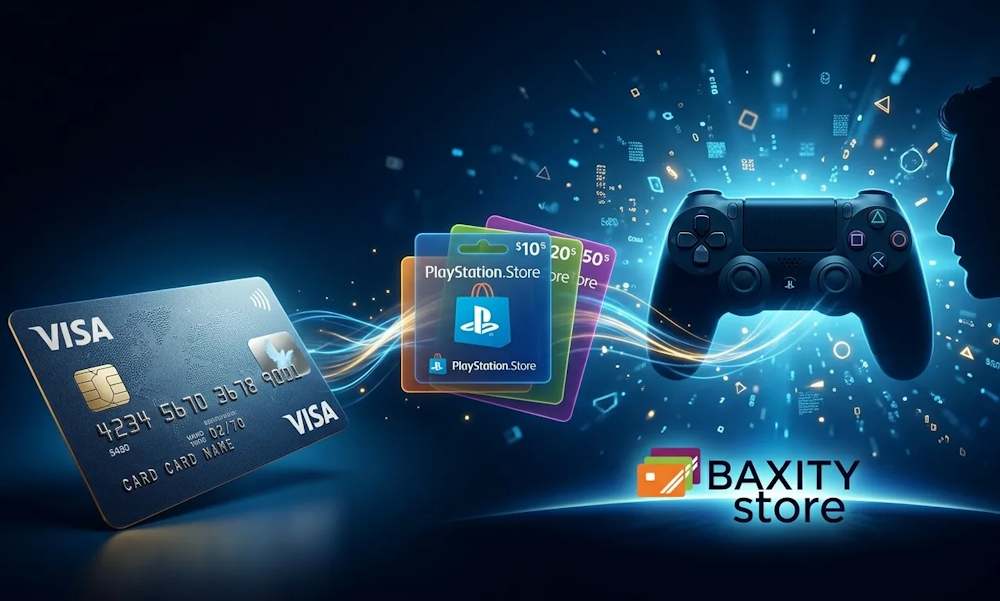
Why Visa Card Is Commonly Used for PlayStation Store Payments
When users make their first purchase in the PlayStation Store, they almost always start with a bank card. This is a natural behavior pattern: according to Statista, card payments remain the primary way people pay for digital content across most regions worldwide. That’s why using Visa on PlayStation Store isn’t an alternative method — it’s typically the default starting point for most purchases.
Another reason is convenience for recurring spending. PlayStation Plus subscriptions, in-game currency top-ups, and repeat purchases all work faster when a payment method is already linked to the account. As a result, many players prefer to use Visa on PlayStation Store as their main option for everyday transactions without relying on additional payment services.
Global compatibility also plays an important role. Visa is supported by banks across most regions where PlayStation Network is available, so standard banking authorization is usually completed quickly and without extra verification steps. Because of this, paying with a Visa card on PlayStation feels like the simplest and most predictable way to add funds before considering alternative top-up methods.
Key advantages of using Visa for PlayStation Store payments:
- Global availability. Visa is accepted in 200+ countries worldwide.
- Tokenization helps protect your payment details during every transaction.
- Payments are processed within seconds after confirmation.
- Add your card once and continue purchasing without re-entering details.
- Works equally well for small purchases and larger transactions.
What You Can Do After Adding PlayStation Store Credits
Topping up your PlayStation Store wallet opens access to a wide range of content and turns your console into a full entertainment hub. Once you add funds to PlayStation Store with Visa, the money is credited to your virtual balance and becomes available for use across the entire PlayStation ecosystem. The key advantage is flexibility: the balance isn’t tied to any specific game or service, so you decide how and when to spend it.
📚 Related Articles
- How to Activate Your PlayStation Gift Card and Stay Safe
- Get PlayStation Store credits with Crypto
- Get PlayStation Store credits with Neteller
- Get PlayStation Store Credits with Paysafecard
- Where to Buy Playstation and Xbox Gift Cards for Turkey
- How to pay on PlayStation Store with Skrill?
- All PlayStation Subscriptions in 2025 – Choose the Plan
- PlayStation Gift Cards – Overview from Baxity and FAQs
Many players choose to get PlayStation credit with Visa in advance, especially before major seasonal sales. Having funds ready in your wallet makes purchases faster and more convenient, since you can complete checkout in just a few clicks without entering card details each time.
After adding PlayStation credits with Visa, the balance can typically be used across three main types of content. Each category works slightly differently, so it helps to understand how they are applied in practice.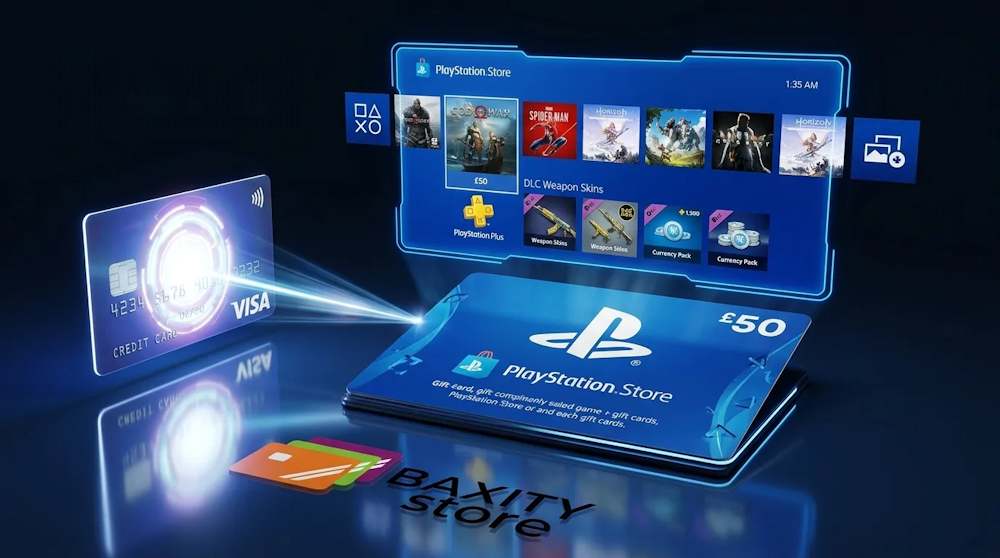
Buying New Releases and Popular Titles
This is the most common way players use their PlayStation Store balance. You can buy PlayStation credits with Visa to pre-order upcoming blockbuster releases or pick up popular indie titles as soon as they become available. The entire catalog is accessible around the clock — from major exclusives to classics from previous generations. Having funds ready in your wallet also means you can grab a game within the first minutes of a limited-time discount.
That’s exactly why topping up PlayStation with Visa in advance makes sense for high-profile launches like Call of Duty, EA Sports FC, or God of War. During the first hours after release, PlayStation Store servers often experience heavy traffic, and payment processing can slow down. When your balance is already funded, there’s no need to wait for bank authorization or worry about missing the launch price. You simply press “Buy” — and start playing right away.
Paying for In-Game Items
If you play online titles such as Fortnite, Call of Duty, or EA Sports FC, PlayStation Store credits allow you to pay for in-game content directly while playing. That’s why many players choose to get PlayStation Store credit with a Visa card in advance, so they can quickly purchase the items they need within their account whenever new content becomes available.
With PlayStation Store credits, you can purchase:
- in-game currency (such as V-Bucks, FC Points, and similar);
- unique character skins;
- Battle Pass access;
- DLC and story expansions.
This payment approach is especially relevant for live-service games, where new content appears regularly throughout the season and purchases are made gradually rather than all at once.
Accessing Membership Features
PlayStation Store credits are often used to pay for subscriptions, most notably PlayStation Plus. Depending on the plan you choose, this gives access to online multiplayer, monthly free games, cloud saves, and the PlayStation Plus game catalog, which can include hundreds of titles in the Extra and Premium tiers.
There are two common ways players manage subscription payments.
- First, you can add enough funds in advance to cover a longer period such as 3, 6, or 12 months. For example, an annual PlayStation Plus Extra subscription costs €99.99. You add this amount once, and your card is not charged again during the year. In this scenario, players typically recharge PlayStation Store with a Visa card ahead of time and then pay for the subscription directly from their account balance.
- Second, you can choose a monthly payment plan (for example, €13.99 per month for PlayStation Plus Extra). In that case, it’s important to remember to top up your balance regularly; otherwise, access to the service may be interrupted when the billing date arrives.
Access to all subscription features remains active as long as there are sufficient funds in your balance. If the funds run out, PlayStation sends a notification before the subscription expires. For long-term access, many players prefer adding the full amount in advance, since this removes the need to manage monthly payments manually.
Can You Use Visa Card Directly on PlayStation Store
In most cases, using Visa on PlayStation Store works without additional setup. After adding your card to your account, you can pay for games, subscriptions, and in-game content directly through the checkout process.
However, making a payment on PlayStation Store with a Visa card does not always work smoothly. Several technical and regional factors can affect whether purchases on PlayStation Store with a Visa card are accepted:
- the country where the card was issued does not match your PlayStation Store region
- the bank blocks international digital transactions
- 3D Secure verification fails or expires
- daily or online spending limits are reached
- the card has already been linked to another PlayStation account
In situations like these, using a Visa card directly may become unreliable even if the card itself is active and valid. A practical alternative is to purchase PSN gift vouchers using a Visa card instead of linking the card to your PlayStation account. This approach offers several important advantages:
- you control exactly how much money is added to your balance;
- it helps prevent overspending beyond your planned budget;
- it avoids common bank authorization issues during digital purchases;
- it reduces problems caused by account region mismatches;
- vouchers can be purchased safely as gifts for other players;
- your banking details are not stored inside your PlayStation account.
The key is choosing a reliable platform when purchasing PlayStation gift cards so the code is delivered quickly and activates without regional errors.
How to Get PlayStation Store Credits with Visa via Baxity Store
That’s why it’s important to choose a reliable platform when purchasing PlayStation gift cards. At Baxity Store, we provide a secure way to buy PlayStation vouchers online and pay for them with a Visa card without linking your banking details to your PlayStation account.
As a verified reseller of digital top-up codes, we provide an electronic PlayStation gift card quickly and without the risk of regional activation errors.
When you purchase PlayStation vouchers in our store, you get:
- wholesale pricing starting from 10 vouchers. If you need to top up multiple accounts or stock up for the month ahead, you receive a discount;
- regular promotions and special offers. Follow our website — we frequently provide discounts on popular denominations;
- instant delivery of the code to your email. No waiting for hours. Once the payment is completed, the code is sent immediately;
- support for all regions. Our vouchers work regardless of where your PlayStation account is registered, as long as you select the correct account currency;
- security and customer verification. We verify each user to prevent fraud. This takes only a minute but protects your funds.
Now let’s look at how to buy PSN vouchers online through our website and receive a gift card. The purchase process takes only a few minutes:
- On the Baxity Store homepage, open the Gaming Credits category and select PlayStation.
- Choose the required card denomination (or several cards) and add them to your cart. It is important to check in advance that the voucher currency matches the region of your PlayStation account.
- Go to your cart and complete the login or quick registration if this is your first purchase. After that, you will need to pass a short verification step — this is a required security measure for payments.
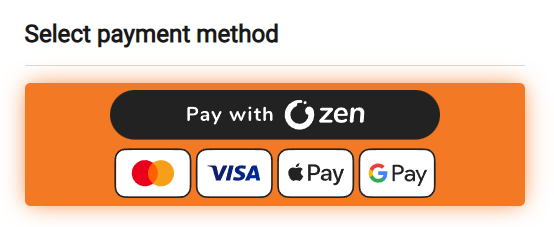
- Click Checkout, select payment for your PlayStation card with ZEN, agree to the Baxity Store security policy, and click Place order. On the payment page, select Visa card and enter your card details according to the payment system instructions.
- After payment, the code is delivered to your email.
Activate the voucher in PlayStation Store
Copy the code from your email.
- On PS5, open PlayStation Store, press the three dots (…) in the upper-right corner, and select Redeem Code. Enter the code and press Redeem.
- On PS4, scroll down the side menu to Redeem Codes, enter the code, and confirm.
- In a browser, this can be done at store.playstation.com in the code redemption section. After confirmation, the funds appear in your account balance immediately.
This method allows you to top up PlayStation credits even in cases where paying with a Visa card on PlayStation Store is unavailable or works inconsistently.
Next, we’ll look at how to choose the right voucher denomination depending on your needs and purchase goals.
How to Choose the Right Amount for Your Needs
The right voucher amount depends on how often you play and what you plan to buy. A PlayStation Store gift card is available in denominations from 1 to 200 euros (and in other currencies). The most popular amounts among gamers are €25, €50, and €100. Let’s break down which option works best for you.
- For a one‑time purchase, like a single new game, €60–70 is usually enough. Most modern releases cost about that much.
- If you want a major titlesuch as Marvel’s Spider‑Man 2 or Call of Duty, go for a €75 or €100 voucher. That way you’ll have some funds left for a small DLC or in‑game currency.
- Topping up PlayStation with Visafor a smaller amount — say €20–30 — is perfect for skins, starter packs, or a seasonal Battle Pass in Fortnite or Genshin Impact.
- For regular spending, it’s better to buy larger denominations or several vouchers at once. An annual PlayStation Plus Extra subscription costs about €100, for example.
- If you often buy games during sales, keep €50–100 in your balance as a reserve. This approach helps you control your budget — you won’t spend more than you’ve added to your account, and you won’t face unexpected charges.
Here’s a quick reference table to help you choose the right amount based on your goals:
| Your goal | Recommended amount | Example |
| One-time purchase of an indie game or DLC | €10–25 | Hades, Stray, a season pass |
| One new AAA game | €60–75 | Marvel’s Spider-Man 2, Final Fantasy XVI |
| One AAA game + DLC or in-game items | €100 | Game + expansion, or 12,000 V-Bucks |
| Annual PlayStation Plus subscription | €100–150 | PS Plus Extra or Premium |
| Regular purchases (2–3 games per month) | €100–200 | Reserve for seasonal sales |
Choosing the right a PlayStation Store gift card via Visa means balancing what you need right now with your future plans. For a single purchase, select a denomination with a small margin. For regular spending, it’s more practical to add funds for several months ahead and continue using PlayStation with Visa through vouchers in a predictable and controlled way.
Common Issues When Paying with Visa and How to Avoid Them
Even if your Visa card works fine for everyday purchases, PlayStation Store may still reject it. This usually happens due to regional mismatches, bank restrictions, or technical errors. Let’s look at the most common issues and how to solve them.
| Problem | Why It Happens | How to Avoid It |
| Payment to PlayStation with Visa is declined without explanation | Your account region doesn’t match the country where your card was issued | Create a new account in the correct region or use a PlayStation gift card |
| Your bank blocks the transaction | The bank may classify gaming stores as high-risk transactions | Contact your bank and allow payments to PlayStation Store |
| Topping up PlayStation via Visa fails due to a daily limit | Your card has spending limits for online purchases | Increase the limit in your banking app or split the payment into smaller amounts |
| Error: “Card not supported” | Some debit cards are not supported or the card has not passed verification | Use another Visa card or pay with a PlayStation gift voucher |
| Payment from Visa to PlayStation Store is unstable | Unstable internet connection or temporary issues on Sony’s side | Check your connection and try again later |
If none of these solutions work, the most reliable option is to buy a PSN Gift Voucher from Baxity Store. You’ll receive the code by email and activate it in the PlayStation Store. No card linked to your account, no bank blocks, and no regional problems.
Final Thoughts on Using Visa for PlayStation Store Credits
Visa remains one of the most convenient payment methods for most gamers. But when direct payment doesn’t work, don’t waste time calling your bank or creating new accounts. The solution is simple — PlayStation vouchers paid for with your Visa card.
PlayStation with Visa through a gift card gives you freedom: no card linked to your account, no bank blocks, no regional headaches. You stay in control of your budget while buying games, items, and subscriptions without extra steps.
So pick the right denomination at Baxity Store, top up your balance in minutes, and keep playing without limits. Buy a PlayStation gift card today!
FAQ
Why does PlayStation Store decline my Visa card even though I have enough funds?
The most common reason is a mismatch between your account region and the country where your card was issued. PlayStation Store is tied to the region you selected during registration. If your Visa was issued in Poland but your account is registered in the US, the system will reject the payment. The second reason is your bank blocking the transaction due to security settings. Solution: call your bank and approve payments to PlayStation Store, or simply use a gift card.
Can I use one Visa card to top up multiple PlayStation accounts?
Yes, you can. A Visa card isn’t permanently linked to a single account. You can add it to different PlayStation accounts or buy gift cards on one site and redeem them on different accounts. The key rule: the voucher region must match the region of the account where you’re redeeming it.
What should I do if I bought a voucher but the code doesn’t arrive by email?
First, check your Spam or Promotions folders — emails sometimes end up there. If the code still hasn’t arrived within 10–15 minutes after payment, contact our support team (if you purchased the voucher from Baxity Store). Baxity Store offers 24/7 support and resolves these issues very quickly.
Can I get a refund for a PlayStation voucher if I change my mind?
No. Most sellers of digital codes do not accept returns. Once you’ve received the code, it’s considered used — even if you haven’t redeemed it yet. That’s why you should always double‑check the region and denomination before buying. However, if the code doesn’t work due to a technical error (corrupted, already used), you are entitled to a replacement or a refund.
Can I top up my PlayStation balance if the PlayStation Store isn’t officially available in my country?
Yes, that’s actually one of the main use cases for gift cards. Create an account in a region where PlayStation Store is officially available (for example, the US or the UK), buy a voucher for that region on our site, pay with your Visa, and redeem the code. No extra verification steps, no bank blocks, no hassle.